

- Top Pick: Sceptre New 22-Inch Gaming Monitor, FHD 1080p, Up to 144Hz, HDMI, DisplayPort, Built-in Speakers, Machine Black (E225W-FW144 Series, 2026)
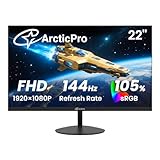
- Best Value: ArcticPro 22 Inch Gaming Monitor 144Hz, FHD Computer Monitor, 105% sRGB
- Premium Choice: AOC 27 Inch Gaming Monitor FHD 144Hz Fast IPS 0.5ms HDR, 27G51F
A 1080p 144Hz monitor is the easiest upgrade in gaming right now. Panels are cheap because 1080p at this refresh rate has been mainstream for half a decade, which means the technology is mature and the failure modes are well understood. You can get a genuinely good one for $130-180, and spending more than $220 usually buys you features you won’t use at this resolution.
The hard part isn’t finding a 144Hz 1080p panel. It’s avoiding the ones that cut corners somewhere you’ll actually notice: poor factory calibration, a VA panel with smearing in dark scenes, or a scaler that adds input lag the spec sheet doesn’t mention.
As an Amazon Associate we earn from qualifying purchases at no extra cost to you.



Panel types: what actually changes
At this price tier you’ll mostly see VA and IPS panels, with the occasional TN monitor still hanging around at the very bottom of the market. Each has a real trade-off, not a marketing trade-off.
| Panel | Response time feel | Viewing angles | Contrast | Best for |
|---|---|---|---|---|
| TN | Fastest, least blur | Poor, color shifts off-axis | Weak, washed blacks | Competitive FPS on a tight budget |
| IPS | Good, slight overshoot/glow possible | Excellent | Decent (~1000:1) | Mixed use, content creation, most buyers |
| VA | Can smear in dark transitions | Good | Best (3000:1+) | Dark, atmospheric games, movies |
TN used to be the only way to get high refresh rates cheap. That’s no longer true. IPS panels at 144Hz have come down enough in price that TN only makes sense if you’re chasing the absolute lowest number on a spec sheet, or you found one on clearance. For most people, IPS is the better default because the color and viewing angle penalty of TN isn’t worth saving $15.
VA is the one to think about. The higher contrast looks great in store demos and in genuinely dark games, but VA’s slower pixel response can cause visible trailing behind fast-moving dark objects, sometimes called “black smearing.” If you play a lot of competitive shooters, that trailing is a real disadvantage, not a nitpick. If you mostly play single-player or slower games, you probably won’t notice it and you’ll enjoy the deeper blacks.
Specs that matter more than the headline number
Every box says “144Hz” now. What separates a good budget panel from a mediocre one is everything else on the spec sheet, most of which gets buried.
- Response time (GtG): Listed numbers (1ms, 4ms) are marketing best-case figures, not real-world average. Treat them as relative within the same panel type, not as absolute truth across brands.
- Adaptive sync: Look for FreeSync or G-Sync Compatible support, and check the certified range. A 48-144Hz range is fine. Avoid panels where the sync range starts high (like 100-144Hz), since that leaves lower frame rates unsynced and stuttery.
- Input lag: This is separate from response time and rarely listed. If a monitor has a “Game Mode” that must be manually enabled, turn it on, since default picture modes often run extra processing that adds a frame or two of lag.
- Stand adjustability: Budget monitors frequently cut height and tilt adjustment to save cost. If the stand only tilts, factor in a $20-30 monitor arm if your desk height doesn’t line up.
When the cheapest option is genuinely fine
If you’re coming from a 60Hz 1080p monitor, almost any budget 144Hz panel will feel like a big jump, and you’ll notice the refresh rate improvement before you notice panel quality issues. In that situation, spending the minimum to get a reputable 144Hz IPS panel is the right move. The jump from 60Hz to 144Hz matters more to how the game feels than the jump from a $150 panel to a $250 one.
Where it’s worth spending more: if you’re sensitive to motion blur in fast games, if you do any color-dependent work on the side, or if you plan to keep the monitor for 5+ years and want better build quality on the stand and ports. Otherwise, the budget tier does the job.
What to actually buy
For most people, start by browsing 1080p 144Hz IPS monitors. This is the safest default: good color, good angles, response time that’s fine for 95% of games.
If you specifically want the deepest blacks for dark single-player games or movies and you’re not chasing competitive FPS performance, look at 1080p 144Hz VA monitors instead. Just know what you’re trading for that contrast.
If your system can’t reliably push 100+ fps at 1080p (an older GPU, or a laptop with integrated graphics), it’s worth checking 75Hz 1080p monitors as well. There’s no point paying for 144Hz if your hardware tops out around 70-80 fps in the games you actually play. Match the monitor to your GPU’s realistic output, not the other way around.
Whatever you land on, check the return window before you buy. Dead pixels and backlight bleed are more common at this price point than manufacturers like to admit, and the only real test is looking at the panel in a dark room for yourself.

















