- Top Pick: ASUS TUF Gaming VG27AQ3A 27 Inch 1440p 180Hz G-SYNC Gaming Monitor
- Best Value: ASUS TUF Gaming 24” (23.8” viewable) 1080P Monitor (VG249QE5A) – FHD, 144Hz Overclock to 146Hz, IPS, Extreme Low Motion Blur Sync, 1ms, Speakers, Variable Overdrive, DisplayWidget Center, 3yr Warranty
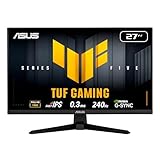
- Premium Choice: ASUS TUF Gaming VG27AQL5A 27 Inch 1440p 210Hz G-SYNC Gaming Monitor
The ASUS TUF Gaming monitor lineup has become a go-to for players who want durable, high-refresh displays without paying flagship prices. TUF panels blend military-inspired build quality with fast refresh rates, adaptive sync, and solid color, making them some of the best value screens on the market. In this guide we compare the best ASUS TUF Gaming monitor models for 2026 so you can find the ideal fit for your resolution and refresh needs.
As an Amazon Associate I earn from qualifying purchases.
As an Amazon Associate we earn from qualifying purchases at no extra cost to you.





Best Seller
Updated November 2026 – We re-checked every model below against current ASUS specifications and recurring buyer feedback. Panels, refresh rates and names are listed as published; check the live listing for the latest price.
Quick answer: the best ASUS TUF Gaming monitor for most players is the ASUS TUF Gaming VG27AQ3A, a 27-inch 1440p Fast IPS panel at 180Hz. Esports players should look at the ASUS TUF Gaming VG259QMR5A (310Hz at 1080p), and anyone who wants a faster 1440p screen should consider the ASUS TUF Gaming VG27AQM5A (300Hz).
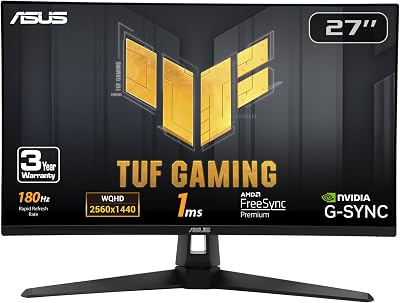
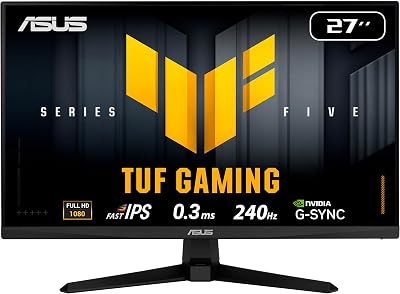
ASUS TUF Gaming 27” 1440P HDR Monitor (VG27AQ3A) – QHD (2560 x 1440), 180Hz, 1ms, Fast IPS, 130% sRGB, Extreme Low Motion Blur Sync, Speakers, Freesync Premium, G-SYNC Compatible, HDMI, DisplayPort

We compared each ASUS TUF Gaming monitor on panel quality, motion clarity, adaptive sync performance, stand ergonomics, and overall value. From fast 1080p esports screens to immersive 4K displays, the picks below cover every playstyle. Pair the right panel with our GPU buying guide to hit your target frame rates.
🛒 Best Price Today on Amazon
Prime members get fast, free shipping on everything above, plus member-only deals. New members get a 30-day free trial — cancel anytime.
Comparison of the Best ASUS TUF Gaming Monitor Models for 2026
| Model | Best For | Size and Resolution | Refresh and Standout Feature |
|---|---|---|---|
| ASUS TUF Gaming VG27AQ3A | Best all-around 1440p | 27-inch, 2560 x 1440 Fast IPS | 180Hz with ELMB Sync |
| ASUS TUF Gaming VG249QE5A | Budget esports | 23.8-inch, 1920 x 1080 IPS | 144Hz, overclocks to 146Hz |
| ASUS TUF Gaming VG27AQL5A | Fast 1440p step-up | 27-inch, 2560 x 1440 Fast IPS | 210Hz, 0.3ms |
| ASUS TUF Gaming VG279QM5A | Large 1080p esports | 27-inch, 1920 x 1080 Fast IPS | 240Hz, 0.3ms |
| ASUS TUF Gaming VG27AQM5A | Fastest 1440p | 27-inch, 2560 x 1440 Fast IPS | 300Hz |
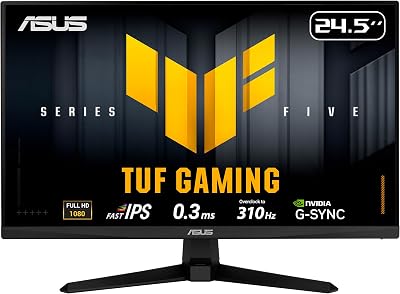
| ASUS TUF Gaming VG259QMR5A | Highest refresh at 1080p | 24.5-inch, 1920 x 1080 Fast IPS | 310Hz, 0.3ms |
| ASUS TUF Gaming VG32WQ3B | Big curved 1440p | 32-inch, 2560 x 1440 curved | 180Hz, HDR |
| ASUS TUF Gaming VG34VQ3B | Ultrawide immersion | 34-inch curved ultrawide, 1440p | 180Hz, HDR |
How We Chose the Best ASUS TUF Gaming Monitor
Selecting the best ASUS TUF Gaming monitor comes down to matching resolution and refresh rate to your GPU and the games you play. Competitive shooter fans benefit from ultra-high refresh 1080p panels, while single-player and creative users lean toward sharper 1440p or 4K screens. We weighed motion handling, ELMB-Sync availability, adaptive sync range, and stand ergonomics, since a good stand with height and pivot adjustment adds real day-to-day value. TUF’s reputation for durability was a factor too. We compared manufacturer specifications, published reviews and recurring buyer feedback rather than running our own tests. Match the resolution to what your graphics card can drive before you choose.
ASUS TUF Gaming VG27AQ3A — Best ASUS TUF Gaming Monitor Overall
The VG27AQ3A is our top overall pick, delivering a strong balance of sharpness and speed. Its 27-inch 2560 x 1440 Fast IPS panel runs at 180Hz and includes ASUS’s ELMB Sync, which combines blur reduction with adaptive sync (FreeSync Premium and G-SYNC Compatible) for clean motion. The listing quotes 130% sRGB coverage, built-in speakers and a stand that adjusts for height, tilt, swivel and pivot. It handles fast shooters and single-player adventures equally well. For most players, this is the ASUS TUF Gaming monitor to buy.
ASUS TUF Gaming VG249QE5A — Best Budget ASUS TUF Gaming Monitor
The VG249QE5A brings TUF build quality and a 23.8-inch 1080p IPS panel to the budget tier. It runs at 144Hz and can be overclocked to 146Hz, with a 1ms response time, ELMB Sync, Variable Overdrive, built-in speakers and a three-year warranty. At 1080p it is easy to drive even with a modest graphics card, making it a good fit for esports players who want high frame rates without spending much. The IPS panel offers better viewing angles and color than the TN screens that once dominated this segment.
ASUS TUF Gaming VG34VQ3B — Best Ultrawide ASUS TUF Gaming Monitor
For immersive single-player games, the VG34VQ3B’s 34-inch curved ultrawide 1440p panel wraps you in the game world. It refreshes at 180Hz with 1ms response, ELMB Sync and FreeSync Premium, and the extra horizontal space helps in sim racing, strategy games and productivity. It is easier on your GPU than a 4K ultrawide while still looking sharp. Make sure your desk is deep and wide enough for a 34-inch screen.
ASUS TUF Gaming VG259QMR5A — Best High-Refresh ASUS TUF Gaming Monitor
The VG259QMR5A is built for pure speed: a 24.5-inch 1080p Fast IPS panel running at 310Hz with a 0.3ms response time, G-SYNC Compatible and FreeSync Premium support, and ELMB Sync. Competitive players chasing the lowest motion blur will appreciate the fluidity, but only a strong GPU can push frame rates high enough to use that refresh. If you prefer a larger 1440p screen with similar speed, the VG27AQM5A reaches 300Hz.
More ASUS TUF Gaming Monitor Picks by Use Case
The five sections above cover the headline picks. These additional ASUS TUF Gaming monitor models fill specific gaps in the lineup, from 4K and ultrawide to the largest curved screens.
ASUS TUF Gaming VG27AQL5A – Best Step-Up 1440p Monitor
The ASUS TUF Gaming VG27AQL5A is a 27-inch 1440p Fast IPS monitor with a 210Hz refresh rate and a 0.3ms response time. It adds ELMB Sync, 130% sRGB coverage per the listing and built-in speakers. Choose it over the VG27AQ3A if your GPU can hold more than 180 fps at 1440p and you play fast shooters. Skip it if you mostly play single-player games, where the cheaper VG27AQ3A looks nearly identical.
ASUS TUF Gaming VG279QM5A – Best 27-Inch 1080p Esports Monitor
This 27-inch 1920 x 1080 Fast IPS panel runs at 240Hz with a 0.3ms response time, FreeSync Premium, G-SYNC Compatible support and Variable Overdrive. It suits players who want a bigger screen than a 24-inch panel but run a mid-range GPU that cannot hold very high fps at 1440p. The trade-off is pixel density: 1080p on 27 inches looks softer than 1440p for desktop work.
ASUS TUF Gaming VG27AQM5A – Best 300Hz 1440p Monitor
The ASUS TUF Gaming VG27AQM5A combines a 27-inch 1440p Fast IPS panel with a 300Hz refresh rate, ELMB Sync, 95% DCI-P3 coverage and built-in speakers. It is the monitor to pick if you play competitive shooters at 1440p and own a high-end graphics card. Skip it if your GPU cannot reach very high frame rates, since the extra refresh only helps when your fps keeps up.
ASUS TUF Gaming VG32WQ3B – Best 32-Inch Curved 1440p Monitor
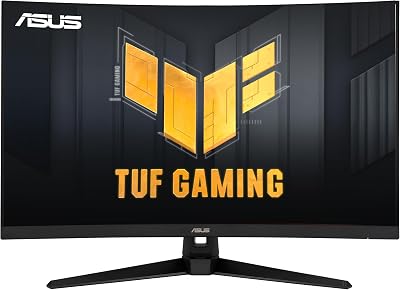
The ASUS TUF Gaming VG32WQ3B is a 32-inch 1440p curved monitor at 180Hz with HDR support, ELMB Sync, 0.5ms response and Shadow Boost. It is a VA-type panel, so contrast is strong in dark scenes, though fast motion is not as crisp as on the Fast IPS models. It suits single-player and mixed gaming and desk work. Skip it if you want the tightest motion clarity for competitive play.
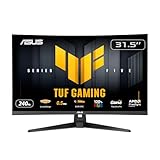
ASUS TUF Gaming VG32VQM5AZ – Best 32-Inch 1080p High-Refresh Monitor
This 32-inch curved monitor offers 1080p at 240Hz. It is easy to drive and gives a very large screen on a small budget, but 1080p stretched across 32 inches is not very sharp for text. Choose it for casual and console-style gaming at a distance. Skip it if you sit close to the screen or work with text all day.
ASUS TUF Gaming VG32VQ1B – Best Older Curved QHD Value
The ASUS TUF Gaming VG32VQ1B is an older 32-inch curved QHD monitor at 165Hz (supports 144Hz) with 1ms response, FreeSync Premium, VESA mounting and DisplayPort plus HDMI inputs. It is a simple value pick for 1440p on a large screen. Skip it if you want newer features such as Gaming AI or a faster refresh rate.
ASUS TUF Gaming VG27UQ1A – Best 4K ASUS TUF Gaming Monitor

The ASUS TUF Gaming VG27UQ1A is a 27-inch 4K monitor with a 160Hz refresh rate, ELMB Sync, 1ms response, 95% DCI-P3 coverage and FreeSync Premium with G-SYNC Compatible support. It suits players who want sharp detail without moving to a premium ROG screen.
- 27-inch 4K (3840 x 2160)
- 160Hz refresh rate
- 1ms response, ELMB Sync
- 95% DCI-P3 color coverage
Pros: very sharp at 27 inches, wide color gamut, high refresh for 4K. Cons: needs a powerful graphics card for high fps, and you should confirm the HDMI version if you plan to connect a console.
Skip it if your GPU is mid-range; a 1440p monitor will be smoother.
ASUS TUF Gaming VG34WQML5A – Best 250Hz Ultrawide ASUS TUF Gaming Monitor
The ASUS TUF Gaming VG34WQML5A is a 34-inch 1440p ultrawide with a 1500R curve and a very high 250Hz refresh rate. It is the faster alternative to the VG34VQ3B for players who want ultrawide immersion without losing competitive-level motion.
- 34-inch ultrawide, 1440p
- 250Hz refresh rate, 0.5ms response
- 1500R curve and ELMB Sync
- 95% DCI-P3, HDR support
Pros: high refresh for an ultrawide, wide color gamut, immersive curve. Cons: needs a strong GPU to use the refresh rate, wide footprint on the desk.
Skip it if you want a single-screen esports setup; a 24-inch 1080p panel is easier to track.
ASUS TUF Gaming VG249QML5A – Best Compact 240Hz ASUS TUF Gaming Monitor

The ASUS TUF Gaming VG249QML5A is a 24-inch 1080p Fast IPS monitor at 240Hz with ELMB Sync, FreeSync Premium and the Gaming AI feature set. It suits small desks and esports setups where a compact panel and high frame rates matter more than resolution.
- 24-inch 1080p Fast IPS
- 240Hz refresh rate
- ELMB Sync, FreeSync Premium
- G-SYNC Compatible per the model line
Pros: sharp enough at 24 inches, easy for mid-range GPUs to drive, strong motion clarity. Cons: 1080p limits desktop space, and it is not a large-screen option.
Skip it if you want a 27-inch screen; choose the VG279QM5A instead.
Choosing the Right ASUS TUF Gaming Monitor for Your Setup
To narrow down the best ASUS TUF Gaming monitor for you, start with your GPU. A powerful card can exploit 4K or ultra-high-refresh panels, while a mid-range card pairs best with 1080p or 1440p at 144Hz to 180Hz. Next, decide whether competitive speed or immersive detail matters more, then check connectivity if you also game on consoles. TUF’s consistent build and generous stand adjustability make most models in the range easy to recommend, but always check the exact model number against the spec you need.
ASUS TUF Gaming Monitor Buying Guide
Which Resolution and Refresh Rate Should You Pick?
Match the monitor to the frame rate your GPU can hold. For 1080p esports, 144Hz to 240Hz is plenty on a mid-range card. For 1440p, 180Hz to 300Hz suits mid-range to high-end GPUs. For 4K, 160Hz only helps with a high-end card, so treat it as a bonus rather than a target.
What Is ELMB Sync?
ELMB Sync is ASUS’s motion-blur reduction mode that can run together with adaptive sync. It strobes the backlight to sharpen moving objects, which improves clarity in fast shooters. It can lower brightness and may add input lag in some modes, so try it with your own games and keep it off if you prefer the brightest image.
IPS vs VA on TUF Monitors
Fast IPS panels such as the VG27AQ3A, VG27AQM5A and VG259QMR5A give quick pixel response and good viewing angles. VA panels such as the curved 32-inch VG32WQ3B have stronger contrast in dark scenes but slower dark-transition response. Choose Fast IPS for competitive play and VA for movies and single-player games.
Ports, Stand and Mounting
Check that your GPU has a DisplayPort output, since DisplayPort is the safest connection for high refresh rates on TUF monitors. Most models in this guide have tilt, swivel, pivot and height adjustment, and VESA mounting lets you move the screen to an arm if your desk is shallow.
Which ASUS TUF Gaming Monitor Fits Your Setup?
- Tight budget, 1080p esports: ASUS TUF Gaming VG249QE5A or VG249QML5A
- One monitor for everything, 1440p: ASUS TUF Gaming VG27AQ3A
- Competitive 1440p with a strong GPU: ASUS TUF Gaming VG27AQM5A
- Highest refresh at 1080p: ASUS TUF Gaming VG259QMR5A
- Immersive single-player: ASUS TUF Gaming VG34VQ3B or VG34WQML5A
- Sharpest picture: ASUS TUF Gaming VG27UQ1A
More ASUS TUF Gaming Monitor Questions
Which ASUS TUF Gaming monitor is best for 1440p?
The ASUS TUF Gaming VG27AQ3A is the best all-around 1440p TUF monitor, with a 27-inch Fast IPS panel at 180Hz. Step up to the VG27AQL5A (210Hz) or VG27AQM5A (300Hz) if your GPU can hold very high frame rates.
Which ASUS TUF Gaming monitor is best for 4K?
The ASUS TUF Gaming VG27UQ1A is the 4K pick here, a 27-inch panel at 160Hz with 95% DCI-P3 coverage. It is best with a high-end graphics card, because 4K at high fps is demanding.
Is an ultrawide ASUS TUF Gaming monitor worth it?
For single-player, racing and strategy games, yes. The 34-inch VG34VQ3B (180Hz) and VG34WQML5A (250Hz) add field of view and desk space for multitasking. Skip an ultrawide for competitive shooters, where a smaller flat screen is easier to track.
Can an ASUS TUF Gaming monitor run G-SYNC?
Most models list G-SYNC Compatible and FreeSync Premium support, so they work with both NVIDIA and AMD graphics cards. G-SYNC Compatible is not the same as a dedicated G-SYNC module, but it removes tearing for most users.
Frequently Asked Questions
Is an ASUS TUF Gaming monitor good value?
Yes, the ASUS TUF Gaming monitor line is known for delivering strong performance and durable construction at competitive prices. TUF panels typically include high refresh rates, adaptive sync, and well-tuned IPS screens while undercutting premium ROG models. For players who want reliable, feature-rich displays without a flagship price tag, TUF monitors offer excellent value.
What is the difference between ASUS TUF and ROG monitors?
ASUS ROG monitors sit at the premium end with cutting-edge panels, extra features, and higher prices, while ASUS TUF Gaming monitors focus on durability and value with strong but more mainstream specs. TUF panels cover the core needs of most gamers, making them the smarter pick for budget-conscious buyers who still want high refresh rates and good image quality.
Which ASUS TUF Gaming monitor is best for competitive gaming?
For competitive play, the ASUS TUF Gaming VG259QMR5A stands out thanks to its 310Hz Fast IPS panel, 0.3ms response and ELMB Sync motion clarity. Its high refresh rate and low input lag give shooter players a real edge. If you have a strong GPU that can push very high frame rates at 1080p, it is the top competitive choice in the TUF lineup.
Do ASUS TUF Gaming monitors support HDMI 2.1?
Most TUF Gaming monitors in this guide use DisplayPort plus HDMI 2.0, which is plenty for 1080p and 1440p at high refresh rates. HDMI 2.1 matters mainly for 4K at 120Hz on a console, so check the exact model’s specification sheet before buying if that is your goal.