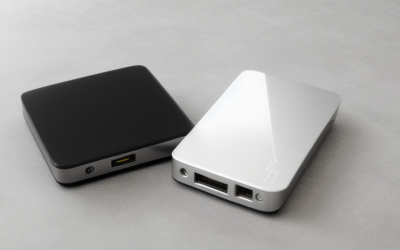
- Top Pick: WD 5TB My Passport, Portable External Hard Drive, Black, backup software with defense against ransomware, and password protection, USB 3.1/USB 3.0 compatible – WDBPKJ0050BBK-WESN
- Best Value: WD 5TB My Passport Ultra, Blue, Portable External Hard Drive, backup software with defense against ransomware, and password protection, USB-C and USB 3.1 – WDBFTM0050BBL-WESN
- Premium Choice: WD 5TB My Passport Ultra for Mac Silver, Portable External Hard Drive, backup software with defense against ransomware, and password protection, USB-C and USB 3.1 – WDBPMV0050BSL-WESN
Five terabytes is an awkward, useful number. It is big enough to hold a few hundred gigabytes of game installs, a decade of family photos, and a full system image without constant pruning, yet still small enough that most portable drives in this size are a single pocket-sized enclosure. If you have searched specifically for a 5TB external hard drive, you probably already outgrew a 2TB model and do not want the bulk of a desktop drive with its own power brick.
The real decision is not capacity but what the drive will be asked to do. A backup disk that sits in a drawer between weekly copies has different needs than a drive plugged into a console or one that rides in a laptop bag. This guide compares eight 5TB portable options using only what their listings state, so you can match connector type, durability claims, and bundled software to the way you work in 2026. Two 6TB drives that appeared alongside them were left out because the capacity does not match the search.
Quick Picks
As an Amazon Associate we earn from qualifying purchases at no extra cost to you.




| Product | Best for | Key spec from the title |
|---|---|---|
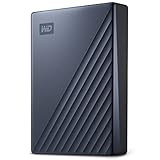
| WD My Passport 5TB | Simple everyday backups | USB 3.1/3.0 compatible, password protection |
| WD My Passport Ultra 5TB | Newer USB-C laptops | USB-C and USB 3.1 |
| WD My Passport Ultra for Mac 5TB | MacBook owners | Silver finish, USB-C and USB 3.1 |
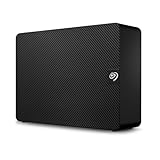
| Seagate Rugged 5TB | Travel and field work | USB 3.2 Gen 2, Thunderbolt-compatible |
| UnionSine 5TB Ultra Slim | Budget multi-device use | USB 3.0, for PC, Mac, PS4, Xbox |
| SanDisk Professional G-Drive ArmorATD 5TB | Rough handling | Rugged, USB-C, USB 3.2 Gen 1 |
| WD_BLACK P10 Game Drive 5TB | Console and PC libraries | Works with PlayStation, Xbox and PC |
| Seagate One Touch 5TB | Private files | Password-activated hardware encryption, USB 3.0 |
How to Choose
Match the Port Before the Brand
Count the ports on your computer first. A drive with a USB-C connector plugs straight into modern thin laptops, while a USB 3.0 or 3.1 listing may mean a Type-A cable and an adapter on newer machines. USB 3.2 Gen 2 is the fastest standard among these eight on paper, but a spinning disk cannot fill that pipe, so treat the connector as a compatibility question rather than a speed contest. Backward compatibility means any of them will still work in an older port, just at the slower interface speed.
Decide How Much Abuse It Will Take
Standard portable drives are fine on a desk. If the drive travels with you, look for listings that say rugged, durable, or armored, since mechanical disks dislike drops and vibration while running. Budget slim models skip that reinforcement entirely, which is why they suit stationary backup better than commuting. A drive that lives in one spot can use the thinnest case; one that rides in a bag deserves the tougher shell.
Security and Bundled Software
Several listings mention password protection or backup software with ransomware defense. Software passwords are convenient; a hardware-encryption claim, like the one on the One Touch listing, ties protection to the drive itself. Ignore decorative extras like colors and focus on whether the included utility can schedule automatic backups, because a drive you must remember to copy to by hand tends to go stale.
Check Console and Mac Compatibility
Drives sold for Mac may ship formatted differently than PC drives, and console-branded drives list their supported systems in the title. Any drive can be reformatted, but buying one already labeled for your platform saves a step. Budget models tend to cut corners on software and warranty detail, so read the compatibility line carefully and keep the original packaging information handy.
The 8 Best Options
WD My Passport 5TB
This is the plain-vanilla pick for buyers who want a recognizable brand and no fuss. The listing highlights backup software with defense against ransomware and password protection, plus USB 3.1/3.0 compatibility, which covers both older and newer Type-A ports. It suits a student or home user who wants one drive for documents and photos.
- Strength: bundled backup software and password protection are named in the title.
- Strength: broad USB 3.1/3.0 compatibility suits older and newer ports.
- Trade-off: no rugged or shock-resistance claim appears in the listing.
Skip it if your laptop only has USB-C ports and you dislike adapters, or if the drive will be tossed in a backpack daily.
WD My Passport Ultra 5TB
The Ultra variant in blue moves to a USB-C and USB 3.1 connection, which makes it the natural step up for anyone with a recent ultrabook or tablet that lacks a full-size USB port. It carries the same ransomware-defense backup software and password protection as its sibling, so the main change is the connector and the finish.
- Strength: USB-C connection avoids adapter hassles on newer machines.
- Strength: software-based password protection is listed.
- Trade-off: the title makes no durability promise beyond the standard portable design.
Skip it if you mostly use older desktops with only Type-A ports and do not want to hunt for a cable.
WD My Passport Ultra for Mac 5TB
Aimed squarely at Apple users, this silver model shares the USB-C and USB 3.1 connection and the backup and password features of the other Ultra. The “for Mac” labeling signals it is set up with Apple systems in mind, which appeals to anyone who wants to plug in and start copying without a formatting detour.
- Strength: Mac-oriented labeling reduces first-day setup questions.
- Strength: USB-C suits current MacBooks directly.
- Trade-off: Windows owners may need to reformat it, and the listing says nothing about cross-platform setup.
Skip it if the drive will be shared between a PC and a console, since formatting becomes a recurring chore.
Seagate Rugged 5TB
The listing pitches this as portable storage built with 25% recycled materials, using USB 3.2 Gen 2 and stated compatibility with USB4 and Thunderbolt 3/4/5 ports. The rugged name points to a tougher shell than ordinary slim drives, making it a candidate for photographers, field technicians, and anyone who moves data between locations often.
- Strength: USB 3.2 Gen 2 with Thunderbolt and USB4 compatibility covers the newest laptops.
- Strength: the rugged branding fits travel and outdoor use.
- Trade-off: a protective build usually means a thicker body than ultra-slim rivals.
Skip it if pocket thinness matters more than durability, or if you only ever back up at a desk.
UnionSine 5TB Ultra Slim
A budget-tier option from a lesser-known brand, it advertises an ultra-slim body, a USB 3.0 interface, and use with PC, Mac, laptops, PS4, and Xbox consoles. It is positioned as a do-it-all storage drive for someone who just needs raw space and will manage backups on their own schedule.
- Strength: the listing names a wide span of devices, including two Xbox generations.
- Strength: the slim profile is easy to carry.
- Trade-off: no encryption, backup software, or rugged claim is mentioned.
Skip it if you want ransomware-defense software or a recognized warranty network behind your irreplaceable files.
SanDisk Professional G-Drive ArmorATD 5TB
Described as rugged and durable, this portable drive uses USB-C with USB 3.2 Gen 1. The ArmorATD name and the Professional line suggest a creator or field-work audience, such as videographers who offload footage on location and carry the drive back to a workstation.
- Strength: rugged, durable construction is the headline of the listing.
- Strength: USB-C connection pairs with current laptops and some tablets.
- Trade-off: Gen 1 is a slower interface standard than the Gen 2 on the Seagate Rugged, though a hard disk rarely saturates either.
Skip it if you want a thin, light drive for a pocket and never expect it to leave the desk.
WD_BLACK P10 Game Drive 5TB
This one targets gamers with a library that no longer fits on an internal drive. The title states it works with PlayStation, Xbox, and PC, so a single drive can follow you between platforms and hold installed titles you rarely play but do not want to download again.
- Strength: multi-platform support is stated outright.
- Strength: the 5TB capacity holds a large installed library.
- Trade-off: it is a hard disk, so it suits storing and archiving more than the fastest load times on current consoles.
Skip it if you only need document backups, since the gaming branding adds nothing there and a plainer My Passport covers that job.
Seagate One Touch 5TB
The distinguishing feature is password-activated hardware encryption, placed up front in the title. It is listed for PC, notebook, and Mac use over USB 3.0, which fits freelancers, accountants, or families who store tax records and scanned documents they would not want read if the drive were lost.
- Strength: hardware encryption is stated, a stronger privacy claim than a plain software password.
- Strength: PC and Mac use are both named.
- Trade-off: the USB 3.0 interface may need an adapter on USB-C-only machines.
Skip it if you want a ruggedized shell or console branding, because neither is mentioned.
Which One Fits Your Situation
You Back Up a MacBook Every Week
The WD My Passport Ultra for Mac is the straightforward match, with USB-C and Mac-oriented labeling. Pair it with the built-in Mac backup tool and set a reminder so the schedule does not slip.
You Carry Data to Job Sites or Trips
Choose the Seagate Rugged for its recycled-material, travel-ready design and Thunderbolt-compatible connection, or the SanDisk ArmorATD if durability is the priority and you work on USB-C hardware.
You Share One Drive Across Consoles and PC
The WD_BLACK P10 Game Drive lists PlayStation, Xbox, and PC outright, so there is no guessing about whether the system will accept it.
You Store Sensitive Files
The Seagate One Touch puts hardware encryption in its title, making it the one to shortlist for private documents, while the WD My Passport covers lighter needs with software password protection.
Common Mistakes
- Buying on capacity alone and ignoring whether your computer has the matching port.
- Treating a slim budget drive as the only copy of important files; keep a second copy somewhere else.
- Assuming a faster USB standard means a faster mechanical disk.
- Skipping the formatting step when switching between Mac, Windows, and consoles.
- Ignoring the included software, then forgetting to schedule backups at all.
Related guides
- Aio Liquid Coolers For High Performance Gaming
- How To Lower Input Delay In Competitive Shooters
- External Hard Drives For Music Production
Frequently Asked Questions
Is 5TB enough for a console game library?
For most players, yes. It holds many large titles at once, and you can archive finished games to free room. Check your console’s supported drive types before buying.
Do I need USB-C for a 5TB drive?
Not strictly, since USB 3.0 drives work through Type-A ports. USB-C simply saves you from adapters on newer laptops, and a USB-C-to-A cable or small adapter bridges the gap when needed.
Are hard drives or solid-state drives better for backups?
For bulk archives, hard drives deliver far more storage per enclosure, which is why 5TB portable models are common. Solid-state drives are quieter and tougher but usually come in smaller sizes.
Can one drive serve both Mac and PC?
Yes, if you format it with a file system both systems read, such as exFAT. Expect to reformat a drive that was set up for only one platform, and copy your files off first because formatting erases everything on the disk.