

Four hundred dollars buys you a real 4K monitor now, but it buys you a specific kind of 4K monitor. You’re not getting a 240Hz OLED at this price. You’re getting a 60Hz or 144Hz IPS panel, usually 27 or 28 inches, with HDR support that ranges from “actually decent” to “box-ticking exercise.” Knowing which compromises are fine and which ones aren’t will save you from a return shipment.
As an Amazon Associate we earn from qualifying purchases at no extra cost to you.


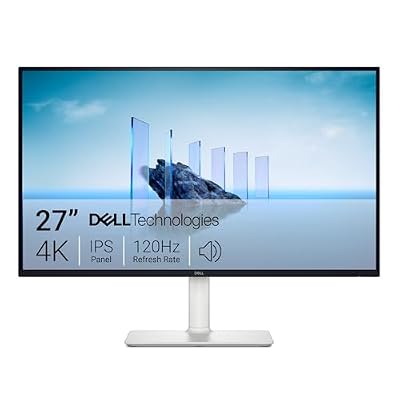
What $400 actually gets you in 4K
At this budget you’re almost always looking at a VA or IPS panel, 27-32 inches, with a refresh rate between 60Hz and 144Hz. True 144Hz 4K at this price usually means a VA panel with weaker viewing angles and some smearing in dark transitions, or an IPS panel that’s capped closer to 120Hz. There isn’t a clean winner, just a trade.
HDR support is the other asterisk. Most monitors in this range carry a VESA DisplayHDR 400 badge, which means the panel can accept an HDR signal and brighten highlights somewhat, but it has no local dimming zones worth mentioning. It will look slightly better than SDR in bright scenes and won’t deliver real contrast in dark ones. If a listing says HDR600 or higher at this price, read the specs twice, because that’s unusual and worth confirming before you buy.
Panel type: VA vs IPS at this price
This is the decision that matters most, more than brand or exact refresh rate number.
| Panel Type | Strength | Weakness | Best for |
|---|---|---|---|
| VA | Deep blacks, high contrast (3000:1+) | Dark scene smearing, narrower viewing angles | Single-player, atmospheric games, movies |
| IPS | Accurate color, wide viewing angles, fast pixel response | Lower native contrast (~1000:1), can show IPS glow | Competitive shooters, color-critical work, multi-monitor setups |
If you play a lot of competitive shooters where fast target tracking matters, IPS is the safer pick even with its weaker blacks. If you mostly play single-player or story-driven games where contrast and black depth do more for the picture than response time, VA earns its keep. Neither is objectively better here, they just fail differently.
Refresh rate: is 144Hz at 4K even usable?
This is the part people get wrong. A 144Hz 4K panel is only as fast as the GPU feeding it. Pushing native 4K at 144 frames per second requires something like an RTX 4080 or better in most modern titles, and even then you’ll be dropping settings in demanding games. If your GPU is an RTX 4060-class card or an older RX 6700-tier card, you will realistically see 60-100fps at 4K in most games, which means a 60Hz panel isn’t actually holding you back as much as the spec sheet makes it feel like it is.
Where the higher refresh rate still pays off even without hitting the cap: smoother desktop scrolling, better feel in esports titles at lower resolutions upscaled, and headroom for the next GPU upgrade. It’s a real benefit, just not one that justifies overspending if your current graphics card can’t come close to using it.
Ports, scaling, and the stuff spec sheets bury
Check for HDMI 2.1 specifically, not just HDMI. HDMI 2.0 caps out around 4K at 60Hz, so if you want 4K above 60Hz from a console or GPU, HDMI 2.1 is non-negotiable, and some budget monitors in this range still ship with only one 2.1 port. DisplayPort 1.4 handles high refresh 4K fine on PC.
Also worth checking: USB-C with power delivery is rare below $400 but shows up occasionally and is genuinely useful if you’re also using the monitor with a laptop. And stand adjustability varies a lot more than people expect at this price. Some panels only tilt, with no height or swivel adjustment, which matters if you’re not using a monitor arm.
What to actually buy
For most people building a budget 4K setup, a 27-inch IPS panel at 60-120Hz with HDMI 2.1 is the safest all-rounder. It handles general use, movies, and gaming without a glaring weakness. You can browse current options under 27-inch 4K IPS gaming monitors to compare current stock and pricing.
If contrast and black depth matter more to you than competitive response time, a VA panel is the better fit, and there’s solid selection in 4K VA gaming monitors. For anyone pairing this with a console, specifically check listings under 4K 144Hz monitors with HDMI 2.1 before buying, since port spec is the single easiest thing to get burned on in this category.
When you should just buy the cheaper 1440p monitor instead
If your GPU is weaker than an RTX 4060 or RX 7600 and you have no near-term upgrade planned, a 1440p 144Hz monitor will give you a visibly smoother experience than a 4K 60Hz panel for less money. 4K at low frame rates doesn’t look bad, but it doesn’t deliver the thing that makes high refresh rate worth having, and you’ll be scaling resolution down in demanding games anyway, which defeats the purpose of buying 4K in the first place. Buy for the GPU you have, not the one you’re planning to buy eventually.

















