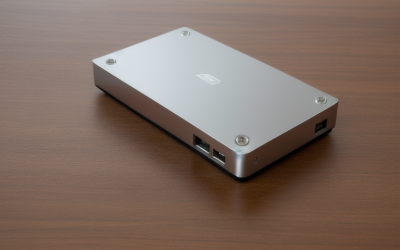
- Top Pick: Samsung SSD 990 PRO 2TB, PCIe 4.0 M.2 2280, Up to 7,450 MB/s | NVMe Internal Solid State Hard Drive for High End Computing, Gaming, and Heavy Duty Workstations, (MZ-V9P2T0B/AM)
- Best Value: Samsung SSD 870 EVO SATA III 2.5” 2TB, Read Speeds Up to 560MB/s | SATA Internal Solid State Drive, Upgrade PC or Laptop Memory & Storage for IT Pros, Creators, Everyday Users (MZ-77E2T0B/AM)
- Premium Choice: SANDISK SSD Plus 2TB Internal Solid State Drive – SATA III 6 Gb/s, 2.5"/7mm, Read/Write Speeds of up to 545MB/s / 515MB/s – SDSSDA-2T00 (Renewed)
Two terabytes is the capacity where a game library stops being a juggling act. A handful of modern titles can fill a 500 GB drive on their own, and once you add a capture folder, a few creative projects and the operating system, 1 TB starts to feel cramped. The decision at 2 TB is really about interface: a fast NVMe stick that plugs straight into the motherboard, or a SATA drive that works in almost any desktop, laptop or older console bay.
This 2026 guide is for builders filling a new M.2 slot, upgraders replacing a spinning hard drive, and anyone who wants one big drive instead of several small ones. The ten models below split into two NVMe options and eight SATA options, so the first thing to settle is which connector your machine actually offers.
Quick Picks
As an Amazon Associate we earn from qualifying purchases at no extra cost to you.


| Product | Best for | Key spec from the title |
|---|---|---|
| Samsung 990 PRO | Fast PCIe 4.0 gaming builds | PCIe 4.0 M.2 2280, up to 7,450 MB/s |
| Samsung 870 EVO | SATA upgrade from a known brand | SATA III 2.5″, up to 560 MB/s read |
| SanDisk SSD Plus (Renewed) | Budget laptop refresh | 545/515 MB/s read/write, 7 mm |
| PNY CS900 | Everyday desktop or laptop drive | 550/530 MB/s read/write |
| Silicon Power A55 | Slim 7 mm bays | 3D NAND with SLC cache, 7 mm |
| Samsung 9100 PRO | Newest PCIe 5.0 platforms | PCIe 5.0×4 M.2 2280, up to 14,700 MB/s |
| TEAMGROUP T-Force Vulcan Z | SATA drive with TLC flash | 3D NAND TLC, 550/500 MB/s |
| Crucial BX500 | Simple HDD replacement | 3D NAND, up to 540 MB/s |
| Lufasnd 2TB SATA | Entry-level laptop or desktop fill-in | Up to 520 MB/s read |
| KingSpec Championship Edition | Old PCs and consoles | Up to 560 MB/s read, listed for PS4/Xbox |
How to Choose
Match the connector first
An M.2 2280 NVMe drive needs a free M.2 slot with PCIe lanes; a 2.5-inch SATA III drive needs only a SATA data port and power cable. Open your motherboard manual or laptop service page before shopping, and note whether the M.2 slot shares bandwidth with a SATA port, which some boards do. A SATA drive will never exceed roughly 560 MB/s because the interface itself tops out near 600 MB/s.
Know which PCIe generation your slot runs
PCIe 4.0 x4 slots can feed drives listed around 7,000 MB/s, while a PCIe 5.0 drive only reaches its headline speed in a PCIe 5.0 x4 slot. In an older slot the drive still works but falls back to the slower generation. Paying for the newest standard makes sense only if the board supports it, and a Gen 5 stick can also ask for a heatsink and more airflow around the slot.
Read the cache and flash wording
Titles that mention SLC cache or 3D NAND TLC describe how the drive absorbs bursts of writes. Once that cache fills during a large game install, speeds drop toward the raw flash rate. For big sequential copies, favor listings that spell out read and write figures rather than only the read headline. A 2 TB capacity usually gives the controller more flash chips to work with, which helps, but it does not remove the cache drop.
Ignore the sticker speed on SATA
Every SATA model here lands within a few dozen MB/s of the others, so headline numbers should not decide the purchase. Look at form factor (7 mm fits slim laptops), condition (new versus renewed) and the brand support behind it. For a boot drive in a desktop you plan to keep for years, support documentation matters more than a few MB/s. Budget models usually cut corners on write speed after the cache fills and on the warranty paperwork.
The 10 Best Options
Samsung 990 PRO 2TB
This is the drive for a desktop with a PCIe 4.0 M.2 slot and a game library that keeps growing. The title lists up to 7,450 MB/s and targets gaming and heavy workstation duty.
- Strength: PCIe 4.0 NVMe in the compact M.2 2280 shape, no cables needed.
- Strength: Speed class suits large project files and fast level loading.
- Trade-off: It needs a free M.2 slot, so it will not fit older SATA-only systems.
Skip it if your board only has SATA ports. Also skip it for a console bay, since the M.2 shape will not fit there.
Samsung 870 EVO 2TB
A SATA III drive with up to 560 MB/s reads, aimed at buyers swapping a hard drive in an older PC or laptop. It carries a brand name that many upgraders look for first.
- Strength: Standard 2.5-inch form works in most desktops and many laptops.
- Strength: Positioned for creators and everyday users alike.
- Trade-off: SATA speed caps well below any NVMe model in this list.
Skip it if you have a free M.2 slot and want maximum load speed.
SanDisk SSD Plus 2TB (Renewed)
This listing is a renewed unit, which suits shoppers who want 2 TB at the lower end of the budget tier. It runs SATA III at 6 Gb/s with 545/515 MB/s read and write.
- Strength: Slim 7 mm profile fits thin laptops.
- Strength: Balanced read and write figures for a SATA drive.
- Trade-off: Renewed condition means you should check the seller’s return terms.
Skip it if you want a factory-new drive for a long-term archive, or if a seller’s return window is not clear to you before checkout.
PNY CS900 2TB
PNY pitches this one at everyday users, creators and gamers replacing a hard drive. The title lists up to 550/530 MB/s read and write over a 2.5-inch SATA III connection.
- Strength: Write figure sits close to the read figure on paper.
- Strength: Simple plug-in swap for PCs and laptops.
- Trade-off: It is a plain SATA drive, so heavy file transfers will not feel much faster than rivals.
Skip it if you need NVMe-class speed for editing large video files or loading huge open-world games as quickly as possible.
Silicon Power A55 2TB
The A55 lists 3D NAND with an SLC cache for a performance boost, in a 7 mm 2.5-inch body. That thin shape matters for ultrabooks and compact notebooks with tight drive bays.
- Strength: 7 mm (0.28 inch) height fits slimmer enclosures.
- Strength: SLC cache designed to speed short bursts of writing.
- Trade-off: The title gives no read and write numbers, so you compare less directly.
Skip it if you want published speed figures before buying, since only the cache wording and form factor are stated.
Samsung 9100 PRO 2TB
The top of the speed ladder here: PCIe 5.0×4 in M.2 2280, with up to 14,700 MB/s on the listing. It is built for new platforms where the motherboard exposes a Gen 5 M.2 slot.
- Strength: PCIe 5.0 interface future-proofs a high-end build.
- Strength: Listed for gaming and heavy workstation tasks.
- Trade-off: Gen 5 drives need a compatible slot to reach the headline speed.
Skip it if your board is PCIe 4.0 or older; a PCIe 4.0 drive is the more sensible match.
TEAMGROUP T-Force Vulcan Z 2TB
Here the title spells out 3D NAND TLC with an SLC cache and lists 550/500 MB/s read and write. It is a 2.5-inch SATA III drive for builders who like to see the flash type stated.
- Strength: Flash type is stated plainly in the listing.
- Strength: Read and write speeds both published.
- Trade-off: Write speed of 500 MB/s is a little lower than a few SATA rivals.
Skip it if you are building around an M.2 slot, because a SATA drive leaves that faster connector unused.
Crucial BX500 2TB
The BX500 is a 3D NAND SATA drive in the 2.5-inch shape with reads up to 540 MB/s. It targets buyers who simply want an old hard drive gone and a quieter, quicker system.
- Strength: Recognizable brand with a clear model number for compatibility checks.
- Strength: Straightforward drop-in upgrade for laptops and desktops.
- Trade-off: Listing shows only a read speed, so write behavior is unclear from the title.
Skip it if sustained write speed is your priority, or if you would rather compare two published speed numbers instead of one.
Lufasnd 2TB SATA SSD
A lesser-known brand offering 2 TB over SATA III 6Gb/s, with reads up to 520 MB/s and 3D NAND flash. The listing says it fits both laptops and desktops.
- Strength: Broad laptop and desktop compatibility claim.
- Strength: Sits in the budget tier among the SATA models.
- Trade-off: Lowest listed read speed here, at 520 MB/s.
Skip it if you prefer a name with a long support history, or if you want the very highest SATA read figure on offer.
KingSpec 2TB Championship Edition
KingSpec markets this model for older laptops and desktops and for PS4 and Xbox consoles. It lists reads up to 560 MB/s, 3D NAND and an SLC cache.
- Strength: Console use is called out directly in the title.
- Strength: Read figure matches the top of the SATA group.
- Trade-off: Console storage rules differ by model, so confirm what your system supports.
Skip it if you are buying for a current-generation console that needs NVMe.
Which One Fits Your Situation
You are building a new gaming PC
Choose the Samsung 990 PRO if the board has a PCIe 4.0 slot, or the Samsung 9100 PRO if it has a Gen 5 slot you plan to use. Either one leaves your SATA ports free for a second storage drive later.
You are rescuing an older laptop
The SanDisk SSD Plus in its slim 7 mm shape or the Silicon Power A55 suits thin bays; the Samsung 870 EVO is the brand-name pick.
You are upgrading a PS4 or Xbox
The KingSpec model is the one whose title speaks to consoles, so it makes sense as a starting point. Verify your console’s storage requirements first, because the SATA connection is the part the title speaks to.
You want the least fuss on a tight budget
The Crucial BX500 or PNY CS900 offer clear model numbers and simple installation without leaving the budget tier.
Common Mistakes
- Buying an M.2 drive for a laptop that only has a SATA bay, or the reverse.
- Assuming a PCIe 5.0 drive will run at full speed in a PCIe 4.0 slot.
- Comparing only the read figure and ignoring write speed once the cache fills.
- Overlooking that a renewed listing has different return and support terms from a new one.
- Forgetting a 2.5-inch drive may need a bracket or adapter in a desktop case.
Related guides
- Battery Operated Smoke And Carbon Monoxide Detectors
- Combination Smoke And Carbon Monoxide Detectors
- Aio Liquid Coolers For High Performance Gaming
Frequently Asked Questions
Is 2 TB enough for a modern game library?
For most players it holds a dozen or more large titles plus the operating system. Keep a second drive for archives if you install every release.
Do I need NVMe, or is SATA fine?
SATA is plenty for general use, older PCs and consoles. NVMe is worth it when you move large files often or want the fastest installs.
Will a SATA drive work in my desktop?
If the board has a free SATA data port and the case has a 2.5-inch mount or adapter, yes. Power comes from the standard SATA cable.
Does a bigger SLC cache matter?
It helps short bursts of writes feel quick. During very large copies the drive eventually falls back to raw flash speed, so published sustained figures are more useful.