

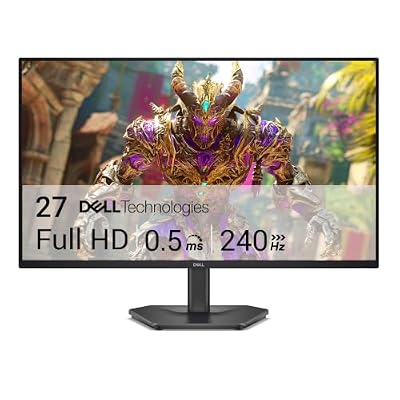
- Top Pick: Dell 27 240Hz Gaming Monitor – SE2726HG – 27-inch FHD (1920×1080) Display, in-Plane Switching (IPS) Technology, AMD FreeSync Premium, TÜV 3-Star, 2X HDMI, DisplayPort 1.4, Tilt
- Best Value: Acer 27in FHD 1920×1080 IPS 120Hz Gaming Monitor | Office KB272 G0bi
- Premium Choice: Samsung 27" Odyssey G5 (G51F) Series QHD (1440P) Gaming Monitor
G-Sync on a 27 inch monitor is one of those upgrades that’s easy to oversell and easy to underestimate, depending on what you’re coming from. If you’re on a 60Hz panel with tearing during fast pans, the jump is obvious within five minutes. If you’re already on a 144Hz FreeSync screen and just want the Nvidia badge, you’re probably chasing a label, not a real improvement. Here’s how to actually tell which camp you’re in.
As an Amazon Associate we earn from qualifying purchases at no extra cost to you.


What G-Sync actually fixes
Variable refresh rate syncs the monitor’s refresh to your GPU’s frame output instead of forcing a fixed cadence. That kills screen tearing and reduces the stutter you get when frame times are inconsistent. It does not make your GPU faster, it doesn’t reduce input lag on its own, and it won’t save a monitor with a mediocre panel. If your main complaints are blurry motion or washed-out color, G-Sync isn’t the fix for that, the panel is.
Nvidia has three real tiers worth knowing. “G-Sync Compatible” means the monitor uses standard Adaptive-Sync/FreeSync hardware and Nvidia validated it works with GeForce cards, no extra module, no extra cost. “G-Sync” (older, module-based) and “G-Sync Ultimate” add a dedicated hardware module that handles variable overdrive and backlight strobing more precisely, plus HDR requirements for Ultimate. The module versions cost noticeably more, often $150-300 extra over an equivalent Compatible panel, for benefits that mostly show up at the extremes: very low frame rates (sub-40fps) and HDR with local dimming.
For the vast majority of 27 inch buyers, G-Sync Compatible is the right tier. You’re not paying for a module you’ll rarely stress unless you’re running demanding titles well below 60fps on a regular basis.
Panel type matters more than the G-Sync badge
At 27 inches you’re choosing between IPS, VA, and increasingly OLED. This decision affects your daily experience more than which VRR standard is on the box.
- IPS: best color and viewing angles, good motion clarity, the weak point is contrast (typically 1000:1) so blacks look gray in dark rooms. This is the safe default for mixed gaming and desktop work.
- VA: much better contrast (3000:1-6000:1), deeper blacks, but can smear in dark scenes with fast motion because of slower pixel response. Fine for strategy games and story-driven titles, less ideal for competitive shooters.
- OLED: near-instant pixel response, essentially infinite contrast, the best motion clarity you can buy right now. Trade-offs are real: brightness ceiling for SDR content is lower than a good IPS, and static elements (HUDs, taskbars) carry some burn-in risk over years of heavy use. Prices have come down a lot but you’re still paying a premium over IPS/VA at the same refresh rate.
If you want a browsing starting point, this 27 inch IPS G-Sync monitor search covers the mainstream safe choice, and this 27 inch OLED gaming monitor search covers the higher-end motion-clarity option.
Refresh rate and resolution, pick based on your GPU
At 27 inches, 1440p is the sweet spot resolution, sharp enough that you don’t need scaling tricks, light enough that a mid-range GPU can push high frame rates. 4K at 27 inches looks great but needs a genuinely strong GPU to keep frame rates up where VRR matters, otherwise you’re paying for pixels you can’t drive.
Refresh rate should match what your GPU can realistically sustain in the games you actually play, not the number on the box. A 240Hz panel driven by a GPU that tops out at 100fps in your games isn’t using 140Hz of its range, ever. Here’s a rough guide:
| GPU tier (example) | Realistic 1440p fps in modern AAA titles | Refresh rate worth paying for |
|---|---|---|
| RTX 4060 / RX 7600 class | 60-100 fps | 144Hz |
| RTX 4070 Super / RX 7800 XT class | 90-140 fps | 165Hz |
| RTX 4080 / 4090 class | 120-200+ fps | 240Hz+ (or 4K 144Hz) |
If your GPU falls in the first row, spending extra for a 240Hz panel buys you almost nothing in those titles, that money is better spent on the GPU or on panel quality. If your GPU is in the third row, I’d point you at this 27 inch 240Hz G-Sync monitor search since you can actually use the headroom in competitive titles with settings turned down.
Where people get burned
A few recurring complaints worth knowing before you buy:
VRR flicker on VA panels. Some VA-based monitors show brightness flicker when the frame rate swings widely within the VRR range, most noticeable in games with big fps variance. It’s a known issue on specific panel/firmware combos, not universal, but worth checking recent reviews for the exact model you’re considering.
HDR that isn’t really HDR. A lot of “HDR400” badged 27 inch monitors have no local dimming and a brightness ceiling too low to show real HDR highlights. You get a certification sticker and not much else. If HDR matters to you, look for at least HDR600 with actual local dimming zones, or go OLED where per-pixel contrast makes the point moot.
Overdrive overshoot. Pushing a monitor’s overdrive setting too high to chase lower response times causes inverse ghosting, pale trailing edges on fast-moving objects. It’s a settings problem, not always a hardware flaw, but out-of-box defaults are sometimes too aggressive. Worth testing a few overdrive levels rather than assuming max is best.
Buying more panel than your GPU needs. This is the most common waste of money in this category. A 1440p 165Hz IPS panel is plenty for the large majority of single-GPU setups, and the step up to 240Hz or 4K only pays off if your card and your games can actually hit those numbers consistently.
The honest shortcut: if you’re replacing a 60Hz monitor, almost any G-Sync Compatible 1440p 144Hz or 165Hz IPS panel will feel transformative, and you don’t need to overspend on the module-based tiers or the highest refresh numbers to get that feeling.
Want the full picture? See our complete guide on how to choose a gaming monitor.














