AI: The Somnium Files is Spike Chunsoft’s 2019 adventure about a detective who dives into suspects’ dreams: exactly the kind of story-heavy, undemanding game Linux players hope to carry onto a laptop or a handheld. The hope runs into a plain fact: this is a Windows game, and every layer of its Steam record says so. What saves it is the compatibility file around the Windows build, which is unusually strong on desktop Linux and the Steam Deck alike.
This status check reads that record layer by layer: platform flags and requirements tabs, the depot census underneath them, Valve’s own Deck test sheet, and the full ProtonDB summary. It covers only the original 2019 game, app 948740; the later series entries, nirvanA Initiative and No Sleep For Kaname Date, are separate apps with separate records.
As an Amazon Associate, we earn from qualifying purchases.
Quick answer
No. AI: The Somnium Files has no native Linux build: Steam’s record flags Windows alone, its Linux requirements tab is an empty shell, and its only content depot is Windows-configured. Linux players run the Windows build through Proton, where ProtonDB settles it at Platinum across 59 reports, and Valve rates it Playable on Steam Deck.
A Windows-only record, checked layer by layer
Start with the flags. The store record for app 948740 reads windows true, mac false, linux false, and the requirements tabs match that shape. The Windows tab is genuinely populated at the minimum tier: a 64-bit Windows 7 baseline, a Core i7-3770 class processor, 4 GB of memory, a GeForce GTX 460 class card, DirectX 11 and 20 GB of storage. The Mac and Linux tabs are empty shells: the Minimum and Recommended headings are present, but the lists under them hold nothing at all. A populated Linux tab is where a native build announces itself; an empty one is paperwork with nothing behind it.
The depot census underneath agrees. SteamDB’s listing shows exactly one content depot for the base game, depot 948741, labelled Windows 64-bit and holding 10.79 GiB. The only other depots are Windows redistributables and two Windows-configured depots belonging to a small extra app, 1109030. There is no Linux depot, no macOS depot, no shared depot and no ghost depot anywhere. The registered assets tell the same story: clienticon, clienttga, icon and logo are present, but no LinuxClientIcon is registered, and the osextended field is an empty string. SteamDB’s technology detection finds the Unity engine with the Mono SDK.
The record carries no DLC list at all, so no soundtrack app exists whose flags could confuse the ruling. Developer and publisher are the same name, Spike Chunsoft Co., Ltd., the release date reads 17 September 2019, coming soon is false, and a live purchase package is still on sale. The layers leave no room for a split ruling: as sold, this game is Windows-only.
What the Platinum file on ProtonDB actually rests on
ProtonDB’s full summary for app 948740 was read directly for this article, and it is a complete read rather than a headline: settled tier Platinum, best-reported tier Platinum, trending tier Platinum, across 59 reports, with confidence rated strong. That is the top of the scale on all three measures, describing the Windows build under Proton, which is the only build there is.
One part of the ProtonDB game page should not be followed. The page carries a heading that reads “Natively Supports:”, implying a native port exists. Steam’s record contradicts that on every layer checked above: no Linux flag, no Linux depot, no Linux requirements. The heading is stray page furniture generated from the requirements block, and this article follows Steam.
The filings underneath the tier are honest about the rough edges. Reports on current Proton builds, including 10.0-3, 9.0-4 and 8.0-5, mostly describe a game that runs start to finish. A recurring note is an occasional random crash, roughly one every few hours in the most detailed filing, which players say the autosave and fast-skip options largely defuse. One filing reports heavy flickering in some Psync sequences that also occurs on Windows and clears when vsync is disabled. None of that dents the Platinum headline; it is the texture behind it.
The Deck sheet: Playable, on the build you still download
Valve’s own compatibility record rates the game Playable on Steam Deck, with SteamOS marked Compatible. Valve’s endpoint returned garbled output in this session, so the sheet was read through SteamDB’s republication of Valve’s data; the verdict, test date and build come from that record. The test is dated 23 September 2023, and the tested build is 4031380, still the current public branch build today, so this badge grades exactly what a buyer downloads now.
The sheet’s passes are the important ones: all functionality is accessible with the default controller configuration, interface text is legible, and the default graphics configuration performs well. The deductions explain the Playable grade: the launcher may require the touchscreen or virtual keyboard, the game sometimes shows mouse, keyboard or non-Deck controller icons, and it supports the native display resolution but does not set it by default, so a manual adjustment may be needed. The configuration block adds that the supported input is gamepad, the recommended runtime is proton-stable, and the game carries an H.264 video requirement that current Proton builds handle as standard.
Player reports from the Deck line up with the sheet: a game that works out of the box at frame rates around 60 with modest power draw, once the launcher is dealt with. The launcher is the recurring friction: unskippable, wanting a touchscreen or trackpad, with a video settings window closed through the Steam menu.
Anti-cheat, controllers and the paper trail
There is no multiplayer here to protect, and the record names no anti-cheat of any kind: the categories are single-player, achievements, trading cards and Steam Cloud. The anti-cheat documentation project AreWeAntiCheatYet was read in full for this article, all 1,167 entries, and it holds no entry for this game in either direction. That is documentation silence, which is what a single-player adventure should produce; it is not a clearance, and none is needed.
Controller support is worth stating precisely, because the record states it precisely. The game’s own record rates controller support as partial, and its store categories list Partial Controller Support alongside DualShock Controller Support. The Deck sheet names gamepad as the supported input and passes the default controller configuration as fully functional, so a pad works, but the store record itself promises partial support only.
The storefront ruling
Steam is the only PC storefront in this story. GOG’s own records were checked directly: the catalogue search returns only unrelated fuzzy matches, the store search returns nothing, and no GOG product record with platform data exists for this game. There is no GOG edition to compare. The Steam copy is the edition both compatibility records above describe.
Gear that fits the record
The gear below follows the record’s shape: the handheld the Playable badge was written for, two pads for a game whose record rates controller support as partial but workable, a mouse for launcher work, and fast storage.
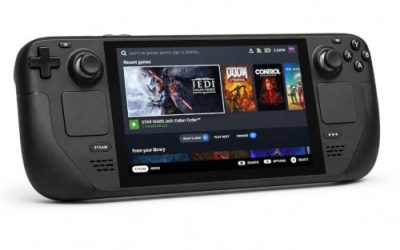
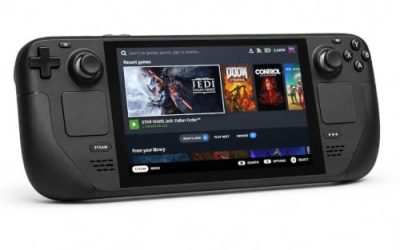
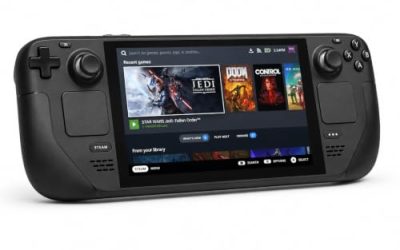
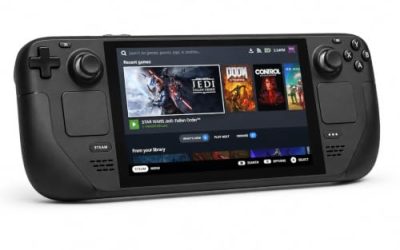
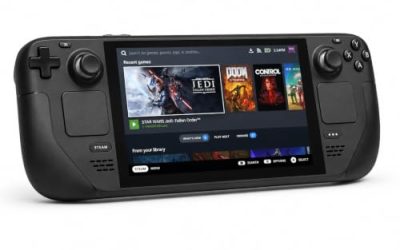
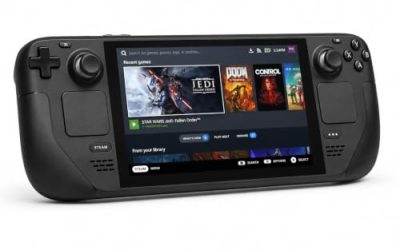
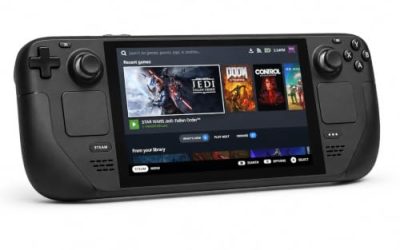
Valve Steam Deck OLED 512GB

The handheld the Playable sheet was written for. Valve tested the current build and passed its graphics and text; the deductions are launcher and display friction, not performance.
Specs
- Display: 7.4-inch HDR OLED, 1280 by 800, up to 90 Hz
- Processor: AMD Zen 2 and RDNA 2 custom APU
- Memory: 16 GB LPDDR5
- Storage: 512 GB NVMe, plus a microSD slot
- Wireless: Wi-Fi 6E and Bluetooth
- Channel note: Valve sells the Deck mainly through its own store, so Amazon listings are third-party sellers
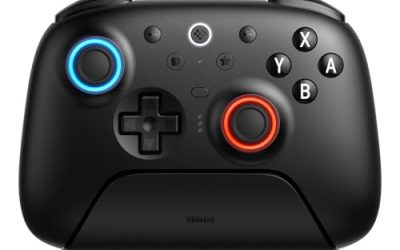
8BitDo Ultimate 2 Bluetooth Controller
The docked and desktop pad pick. The Deck sheet names gamepad as the supported input, and this pad covers the couch case with modern sticks and triggers plus back buttons for menu shortcuts.
Specs
- Connectivity: Bluetooth wireless and USB-C wired
- Joysticks: TMR electromagnetic, anti-drift design
- Triggers: Hall effect, with mode switching
- Extras: two remappable back buttons, motion control
- In the box: charging dock included
Xbox Wireless Controller, Carbon Black
The safest guest pad in PC gaming: Steam Input support is universal, the glyphs match what most games display, and it pairs over Bluetooth or its own wireless standard.
- Connectivity: Xbox Wireless and Bluetooth
- Port: USB-C for wired play
- Controls: hybrid D-pad, dedicated Share button
- Power: AA batteries or optional rechargeable pack
Logitech G502 HERO
The game’s own launcher is the one place the Deck sheet expects pointer input, and at a desk a precise wired mouse makes the launcher and menus single-click work. Eleven programmable buttons cover the confirm and cancel inputs a long session repeats.
Specs
- HERO optical sensor, up to 25,600 DPI
- 11 programmable buttons
- Adjustable weight system
- Wired USB connection
- On-board memory profiles
Samsung T9 Portable SSD 2TB
For moving a Linux game library between a desktop and a laptop, or keeping an offline backup, a fast USB-C drive is the simple answer. The headline figure needs a Gen 2×2 host port; on a lesser port the drive runs at that ceiling.
Specs
- Capacity: 2 TB portable SSD
- Interface: USB 3.2 Gen 2×2, USB-C connector
- Maker-rated speeds: up to 2,000 MB per second read, 1,950 MB per second write
- Features: Dynamic Thermal Guard, maker-rated drop resistance
How to choose
Choose the Steam copy, because it is the only PC edition on sale and the exact build both compatibility records describe. On a desktop or laptop, install it under Proton and start with the default compatibility tool: a Platinum settled tier across 59 reports at strong confidence says current builds handle the game. On a Steam Deck, expect the Playable experience Valve describes: set the resolution once if the game does not pick it, use the touchscreen through the launcher, then play with the default controller configuration.
Who should skip
Skip this entirely if you only buy games with native Linux builds: there is none here, and the empty Linux requirements tab says there never was. Skip it if an unskippable launcher that wants a touchscreen is a deal-breaker on a handheld; that friction is documented by Valve and players alike. Skip it if occasional crashes in a long story game would sour the experience, even with autosave as a cushion. And skip it if you wanted the sequel’s record: nirvanA Initiative and No Sleep For Kaname Date are different apps, read from their own pages.
FAQ
Does AI: The Somnium Files run natively on Linux?
No. Steam’s record flags Windows alone, the Linux requirements tab is an empty shell, and the only content depot is configured for Windows 64-bit. Linux players run the Windows build through Proton.
How well does it run under Proton?
ProtonDB’s full summary settles the game at Platinum, with Platinum as the best-reported and trending tier too, across 59 reports at strong confidence. Filings note occasional random crashes that the autosave largely defuses.
Is it playable on Steam Deck?
Yes. Valve rates it Playable and marks SteamOS Compatible, tested on 23 September 2023 against build 4031380, still the current public build. The deductions are a launcher that may need the touchscreen, occasional non-Deck icons, and a resolution that may need setting by hand.
Is there a GOG version with Linux support?
There is no GOG edition of this game at all. GOG’s catalogue and store records return no product for it, so the Steam copy is the only PC edition.
Final verdict
AI: The Somnium Files is a Windows-only release with an unusually reassuring paper trail. The native question is closed: flags, requirements tabs, depots and assets all say Windows, and ProtonDB’s stray native heading does not survive contact with that record. The Proton question is settled in the other direction: a Platinum file at strong confidence, and a Deck Playable badge tested against the build still on sale. Buy the Steam copy, budget a minute for its launcher, and the record says the rest is smooth.
Product and ASIN Reference
| Product | ASIN |
|---|---|
| Valve Steam Deck OLED 512GB | B0CQ3RWQQZ |
| 8BitDo Ultimate 2 Bluetooth Controller | B0F194QFT2 |
| Xbox Wireless Controller, Carbon Black | B08DF248LD |
| Logitech G502 HERO | B07GBZ4Q68 |
| Samsung T9 Portable SSD 2TB | B0CHFS9K14 |