Demon Slayer -Kimetsu no Yaiba- The Hinokami Chronicles 2, CyberConnect2’s arena-fighter sequel published by SEGA in August 2025, never shipped a native Linux build. Steam’s record flags the game for Windows alone, and the Linux requirements field is an empty shell: the headings are present, the contents are not. No second PC storefront sells a Linux copy either, so the question is not which edition to buy but how the one Windows build behaves under Proton.
That Proton answer is better documented than most 2025 releases manage. Valve has tested the game on Steam Deck and published its strongest badge, the community file at ProtonDB sits at Platinum, and the record names its anti-tamper layer outright. This piece reads each layer separately: the Deck sheet and its unusual test date, the store record, the ten add-on apps and the thin Proton file.
As an Amazon Associate, we earn from qualifying purchases.
Quick answer
Demon Slayer: The Hinokami Chronicles 2 is not native on Linux. Steam flags the game Windows only, its Linux requirements field is an empty shell, and all ten add-on apps flag Windows only too. The route is Proton: ProtonDB rates the build Platinum across five reports, and Valve rates it Verified on Steam Deck. Buy the Steam copy.
The badge came first: Valve’s Deck sheet
Start with the strongest document in the file, because it is also the strangest. Valve rates The Hinokami Chronicles 2 Verified on Steam Deck, the top category, and the sheet is a clean sweep: all functionality is accessible with the default controller configuration, the game shows Steam Deck controller icons, interface text is legible, and the default graphics configuration performs well. The SteamOS side reads Compatible, noting the game runs successfully on SteamOS. Two cautions ride along: first-time setup requires an active internet connection, and external Bluetooth or USB controllers do not take over by default, needing a manual switch through the Quick Access Menu.
The oddity is the date. The sheet records a test timestamp of 11 April 2025 against build 17801100, roughly four months before the game launched on 5 August 2025. The badge therefore grades a pre-release build, and the post-launch packs and patches sit outside what Valve examined. Treat the Verified rating as a genuine but early signal. One more detail matters for Linux readers: the sheet’s recommended runtime is proton-stable. Valve’s own configuration treats this as a Proton title, which is what a Windows-only game with a well-behaved compatibility profile looks like.
A sourcing note: Valve’s compatibility endpoint returned an empty result for this article, so the sheet was read through SteamDB’s republication of Valve’s data.
What Steam’s record actually sells
The base record is unambiguous. The platform flags read windows true, mac false, linux false. The Windows requirements tab is genuinely populated at both tiers, from a Core i5-3470 or Ryzen 3 1200 with 6 GB of RAM and 30 GB of storage at minimum up to a Core i5-4570 or Ryzen 5 1400 with 8 GB recommended. Against that, the mac and linux requirements fields are both empty shells, minimum and recommended headings over blank lists. An empty shell is not a port in progress; it is the store template showing through. SteamDB’s detection adds texture rather than hope: Unreal Engine under the hood and an empty osextended string, neither pointing at a Linux build.
Two record fields deserve exact statement. The drm notice reads Denuvo Anti-tamper, named on the record itself; this article states it as read and infers nothing beyond it. Controller support, taken from the game’s own record field, is full, and the store categories add DualShock and DualSense support lines and Steam Input API support.
The add-on sweep: ten apps, one flag pattern
Family-level scans are where false Linux flags breed, so every add-on was read individually. The record lists ten DLC apps: seven Infinity Castle character packs and playable-character releases, the Infinity Castle Character Pass, the Core Add-on Bundle, and the Anime Songs and BGM Pack. All ten flag windows true, mac false, linux false, matching the base game exactly. The music pack is the entry worth naming: soundtrack apps are the usual source of an all-platforms flag that inflates a family’s apparent support, and here even the songs ship Windows-only on paper. The family’s Linux-flag count is zero of eleven records.
One separation matters. The first Hinokami Chronicles game is a different app with its own record, and nothing in this ruling transfers to it. This piece covers the sequel only.
The Proton file: Platinum, on a thin sample
ProtonDB’s summary for this app reads Platinum on all three tiers: settled Platinum, best-reported Platinum, trending Platinum. The honest qualifier is the sample size. The file holds five reports, and ProtonDB’s own confidence rating is low, so the Platinum headline is a strong early signal rather than a settled consensus. The tier is repeated because the record says it, and the thinness is flagged for the same reason.
The most detailed filing is Deck-focused and mostly warm: a perfect 60 frames per second on the Deck’s own screen at maximum settings, local multiplayer rated Excellent and online play Acceptable. It turns critical about docked play, where the frame rate drops into the 40 to 50 range even on the lowest settings and the resolution and window-mode options cannot be changed. Desktop Linux players get a Platinum headline and little depth underneath it; that gap closes only as more reports land.
A heading check belongs here. ProtonDB’s game page, as fetched for this article, returned report text without its summary block, so the platform heading check could not be completed and this article makes no claim about it either way. The ruling throughout follows Steam’s record.
Anti-cheat and the account layer
Online PvP is a listed category for this game, so the anti-cheat question is a fair one, and the record’s answer is silence. No anti-cheat is named anywhere on the game’s Steam record. The Denuvo Anti-tamper notice is a DRM entry, a different thing from an anti-cheat system, and the two should not be merged. The Are We Anti Cheat Yet tracker, read in full across its 1,167 entries, holds no entry for this game in either direction: not a clearance and not a warning, just documentation silence. Treat the online anti-cheat position as undocumented rather than confirmed, and weigh the offline story and local versus modes, which carry no such question mark.
The storefront ruling
There is one PC edition of this game. GOG’s catalogue holds no product record for The Hinokami Chronicles 2: catalogue searches return only unrelated products, and no GOG page with platform data exists for it. That is a ruling of no GOG edition, reached from GOG’s own records rather than a search snippet. The Steam copy is therefore the buy, and the exact build both the Deck sheet and the ProtonDB file describe.
Gear that fits the record
The gear below follows the record’s shape: the handheld the badge was written for, two pads for the versus modes, a mouse for desktop menu work, and library storage.
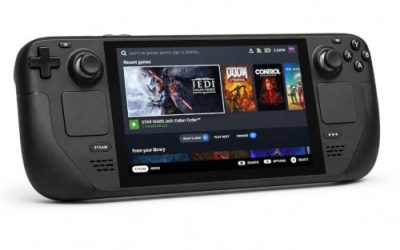
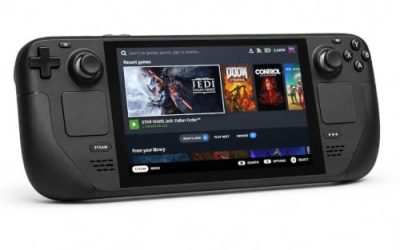
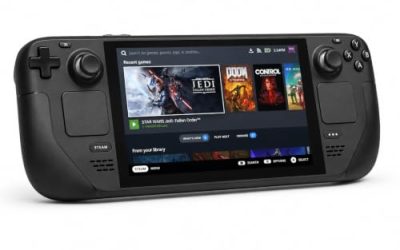
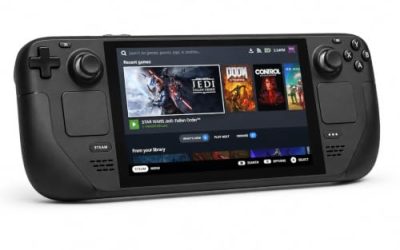
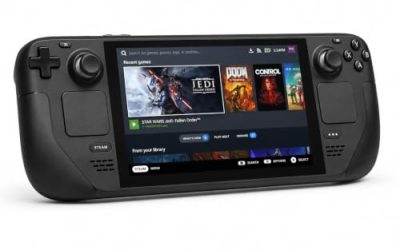
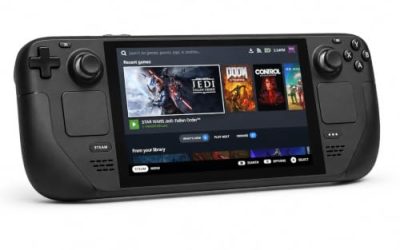
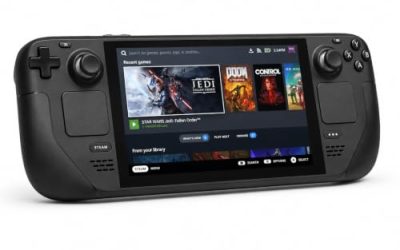
Valve Steam Deck OLED 512GB

The handheld the Verified badge was written for, and Valve’s test sheet gives the Windows build a clean pass under proton-stable.
Specs
- Display: 7.4-inch HDR OLED, 1280 by 800, up to 90 Hz
- Processor: AMD Zen 2 and RDNA 2 custom APU
- Memory: 16 GB LPDDR5
- Storage: 512 GB NVMe, plus a microSD slot
- Wireless: Wi-Fi 6E and Bluetooth
- Channel note: Valve sells the Deck mainly through its own store, so Amazon listings are third-party sellers
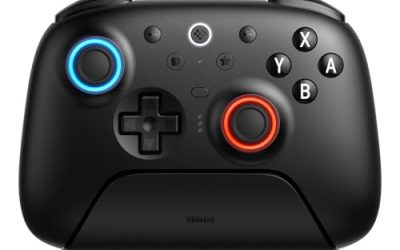
8BitDo Ultimate 2 Bluetooth Controller
The docked and desktop pad pick, with modern sticks and triggers plus back buttons for menu shortcuts.
Specs
- Connectivity: Bluetooth wireless and USB-C wired
- Joysticks: TMR electromagnetic, anti-drift design
- Triggers: Hall effect, with mode switching
- Extras: two remappable back buttons, motion control
- In the box: charging dock included
Xbox Wireless Controller, Carbon Black
The safest guest pad in PC gaming: Steam Input support is universal and the glyphs match what most games display. On the handheld, the test sheet’s note applies: an external pad may need a manual Quick Access Menu switch before it takes over.
- Connectivity: Xbox Wireless and Bluetooth
- Port: USB-C for wired play
- Controls: hybrid D-pad, dedicated Share button
- Power: AA batteries or optional rechargeable pack
Logitech G502 HERO
For desktop sessions spent in story menus and character rosters, a precise wired mouse turns navigation into single clicks.
Specs
- HERO optical sensor, up to 25,600 DPI
- 11 programmable buttons
- Adjustable weight system
- Wired USB connection
- On-board memory profiles
Samsung T9 Portable SSD 2TB
For moving a Linux game library between machines, a fast USB-C drive is the simple answer. The headline figure needs a Gen 2×2 host port; on a lesser port the drive runs at that ceiling instead.
Specs
- Capacity: 2 TB portable SSD
- Interface: USB 3.2 Gen 2×2, USB-C connector
- Maker-rated speeds: up to 2,000 MB per second read, 1,950 MB per second write
- Features: Dynamic Thermal Guard, maker-rated drop resistance
How to choose
Choose the Steam copy, because it is the only PC edition on sale and the exact build both records describe. On a Steam Deck, the Verified badge means the expected experience is install and launch, with two footnotes from the sheet itself: be online for first-time setup, and expect to switch an external controller over manually if you pair one. On desktop or laptop Linux, install under Proton and leave the compatibility tool at its default; the Platinum headline says the build runs well, and the low report count says to keep expectations proportionate. For input, a pad is the native shape of this game; the record lists full controller support, so the pad you own is the pad to use.
Who should skip
Skip it if a native build is a condition of purchase: there is none, and no layer of the record hints at one arriving. Skip it if undocumented anti-cheat is a deal-breaker for online play, because the record names none and the tracker is silent. Skip it on Deck if docked play is your main mode, since the most detailed Proton filing reports frame-rate drops and locked display settings exactly there. And skip the character packs until the base game runs on your own machine; all ten add-ons inherit its Windows-only footing.
FAQ
Is The Hinokami Chronicles 2 native on Linux?
No. Steam flags the game Windows only, the Linux requirements field is an empty shell, and all ten DLC apps flag Windows only as well. Linux play happens through Proton, also the runtime Valve’s Deck sheet recommends.
Can I play it on Steam Deck?
Valve rates the game Verified, with all four checks passing and SteamOS marked Compatible. The test was recorded in April 2025, before the August 2025 launch, so the badge grades a pre-release build; first-time setup requires an internet connection.
What does ProtonDB say?
Platinum on the settled, best-reported and trending tiers, from five reports with a low confidence rating. The headline is strong and the sample thin; the most detailed filing praises handheld play and criticises docked performance.
Does the game use anti-cheat?
None is named on the game’s record, and the Are We Anti Cheat Yet tracker holds no entry for it. The record does name Denuvo Anti-tamper, which is DRM rather than anti-cheat. The online position is best described as undocumented.
Final verdict
The Hinokami Chronicles 2 is a Windows-only release whose Linux story is unusually legible: an empty Linux tab, a ten-app add-on family without a single stray Linux flag, a Platinum Proton file honest about its thinness, and a Verified Deck badge whose pre-release date is printed on its face. Nothing here promises a native build. Buy the Steam copy, play it under Proton, and let the badge and the community file mean exactly what they say.
Product and ASIN Reference
| Product | ASIN |
|---|---|
| Valve Steam Deck OLED 512GB | B0CQ3RWQQZ |
| 8BitDo Ultimate 2 Bluetooth Controller | B0F194QFT2 |
| Xbox Wireless Controller, Carbon Black | B08DF248LD |
| Logitech G502 HERO | B07GBZ4Q68 |
| Samsung T9 Portable SSD 2TB | B0CHFS9K14 |