Another Crab’s Treasure, Aggro Crab’s 2024 soulslike about a hermit crab fighting through a polluted ocean in borrowed shells, generates a misleading Linux headline. Search its app family on Steam and every platform flag lights up somewhere: Windows, Mac and Linux all appear. Read the apps one at a time, though, and the picture narrows fast. Only one app in the family is the game, and that app has never carried a Mac or Linux flag.
So this piece reads the record app by app and layer by layer: the platform flags, the requirements tabs, the depots, the one add-on app sold beside the game, the ProtonDB file, Valve’s Steam Deck test sheet and the second-storefront ruling. The short version is familiar, with an unusually strong Proton chapter: a single Windows build, a community file that settles at the top tier, and a Verified badge written during launch week.
As an Amazon Associate, we earn from qualifying purchases.
Quick answer
Another Crab’s Treasure is not native on Linux. Steam’s record flags the game for Windows alone, its Linux requirements field is an empty list, and its only content depot is a Windows build. The route in is Proton: ProtonDB settles at Platinum across 46 reports, and Valve rates the game Verified on Steam Deck. Buy the Steam copy; no other storefront sells a Linux edition.
First, separate the game from its soundtrack
The confusion starts with the add-on app. Another Crab’s Treasure (app 1887840) has exactly one piece of DLC on its record: the soundtrack (app 2944800), released the same day as the game. The soundtrack is a music app, and its platform flags read Windows, Mac and Linux, all true. Its full-game pointer names the base game, which is how family scans pick it up.
The base game flags one platform: Windows true, Mac false, Linux false. So the only all-true record in this family belongs to an album, not a build. Any scan that merges flags across an app family will report Mac and Linux support that does not exist, and the error is invisible unless each app is read on its own. Everything below therefore rules on app 1887840 alone.
What Steam’s record says about the base game
The requirements tabs match the flags. The Windows tab is genuinely populated at the minimum tier: Windows 10 or newer, a 2.5 GHz or faster processor, 4 GB of RAM, a GTX 970-class graphics card, DirectX 10 and 6 GB of storage. The Mac and Linux requirements fields are empty lists: there is no Linux tab in any form, populated or otherwise.
The depot census, read on SteamDB’s republication of Steam’s data, is decisive. The game ships two depots. Depot 1887841 is configured for Windows and holds 7.73 GiB on disk. Depot 1887842 is labelled Windows Unused and carries no size at all. There is no Linux depot, no Mac depot and no shared cross-platform depot. The registered store assets are the standard client icon set, with no LinuxClientIcon in any form. SteamDB’s technology detection reads a Unity build with FMOD and Mono, which fits the single-Windows-build picture.
One more field matters for the gear below: the record’s own controller-support field reads full, and the store categories carry DualShock and DualSense support lines. That claim comes from this game’s record alone, and it is why the picks lean on gamepads.
The Proton file
ProtonDB’s summary for this app reads at the top of the scale. The settled tier is Platinum, the best-reported tier is Platinum, the trending tier is Gold, across 46 reports with strong confidence. The desktop filings behind those numbers are mostly uneventful in the best way: full playthroughs finished out of the box on Proton 10.0-3 and 9.0-4, with several players reporting no tinker steps at all. One filing used a custom Proton build with PROTON_ENABLE_WAYLAND=1 and PROTON_DXVK_LOWLATENCY=1 as launch options, and one used GE-Proton, but those are exceptions, not the pattern.
Two cautions belong beside the headline tier. First, the trending tier sitting one step below the settled tier reflects recent filings that complain about performance rather than compatibility: the game runs, but several players on modest hardware describe stutter and frame drops in open areas, a complaint some note exists on Windows too. Second, ProtonDB’s game page carries a heading that reads Natively Supports above its requirements block. Steam’s record contradicts that heading on every layer checked here: the flags, the empty Linux requirements list, the depot census and the missing Linux client icon. Where the two disagree, this article follows Steam.
The Steam Deck sheet
Valve rates Another Crab’s Treasure Verified on Steam Deck, with SteamOS separately marked Compatible. One disclosure about the route: Valve’s own compatibility endpoint returned an empty result set when queried directly for this app in this session, so the sheet quoted here is read from SteamDB’s republication of Valve’s record, the same data Valve publishes.
The test was run on 26 April 2024, the day after launch, against build 14104140, and all four checks pass: the default controller configuration is fully functional, the game shows Steam Deck controller icons, interface text is legible, and the default graphics configuration performs well. There are no deductions on the sheet, and its recommended runtime was a Proton 9.0-1 release candidate, which underlines the point of this article: the badge was written for the Windows build under Proton, not for any native port.
The honest caveats are about age and about the Deck filings. The public branch has since moved to build 20276338, published in October 2025, so the Verified paperwork grades the launch build rather than the current one. And while desktop filings are glowing, a minority of Steam Deck filings report significant performance problems, with frame rates dipping under heavy scenes even at lowered settings. The badge is real, but individual Deck mileage varies more than the badge alone suggests.
The storefront and anti-cheat paperwork
There is no second PC storefront to route around Steam with. GOG’s own catalogue holds no product record for this game, and its store search returns no edition in any form: no Windows copy, and therefore no Linux file hiding inside one. The Steam copy is the only PC edition sold, and it is the build both the ProtonDB file and the Deck sheet describe.
On anti-cheat, the record is quiet in both directions. This is a single-player game, no anti-cheat is named anywhere on its Steam record, and the Are We Anti-Cheat Yet tracker, read in full, holds no entry for this game at all. That is documentation silence, not a clearance and not a warning; no anti-cheat layer stands in the way of the Proton route above.
Gear that fits the record
The picks follow the record: the handheld the badge was written for, pads for the controller support the record promises, a desktop mouse, and library storage.
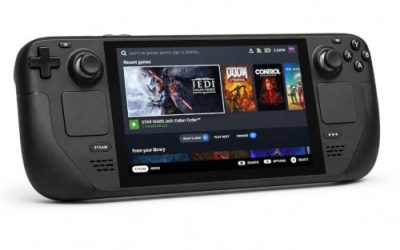
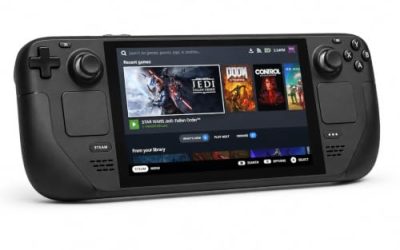
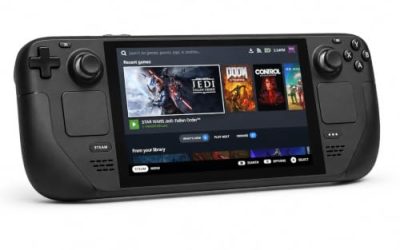
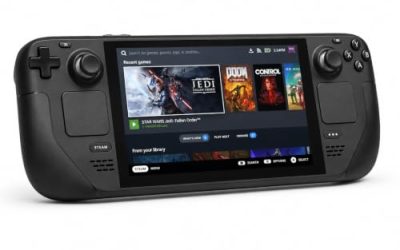
Valve Steam Deck OLED 512GB
The handheld the Verified badge was written for. The game’s published Windows requirements sit far below the Deck’s APU, and Valve’s sheet passes the default configuration on every check it runs.
Specs
- Display: 7.4-inch HDR OLED, 1280 by 800, up to 90 Hz
- Processor: AMD Zen 2 and RDNA 2 custom APU
- Memory: 16 GB LPDDR5
- Storage: 512 GB NVMe, plus a microSD slot
- Wireless: Wi-Fi 6E and Bluetooth
- Channel note: Valve sells the Deck mainly through its own store, so Amazon listings are third-party sellers
8BitDo Ultimate 2 Bluetooth Controller

The docked and desktop pad pick. Steam lists full controller support for the game, and this pad covers the couch case with modern sticks and triggers plus back buttons for menu shortcuts.
Specs
- Connectivity: Bluetooth wireless and USB-C wired
- Joysticks: TMR electromagnetic, anti-drift design
- Triggers: Hall effect, with mode switching
- Extras: two remappable back buttons, motion control
- In the box: charging dock included
Xbox Wireless Controller, Carbon Black
The safest guest pad in PC gaming: Steam Input support is universal, the glyphs match what most games display, and it pairs over Bluetooth or its own wireless standard. On the handheld, the test sheet’s note applies: an external pad may need a manual Quick Access Menu switch before it takes over.
- Connectivity: Xbox Wireless and Bluetooth
- Port: USB-C for wired play
- Controls: hybrid D-pad, dedicated Share button
- Power: AA batteries or optional rechargeable pack
Logitech G502 HERO
At a desk, a precise wired mouse covers the menu work and camera nudges a long session repeats, and eleven programmable buttons hold the main inputs within reach of one hand.
Specs
- HERO optical sensor, up to 25,600 DPI
- 11 programmable buttons
- Adjustable weight system
- Wired USB connection
- On-board memory profiles
Samsung T9 Portable SSD 2TB
For moving a Linux game library between a desktop and a laptop, or keeping an offline backup of installers, a fast USB-C drive is the simple answer. The headline figure needs a Gen 2×2 host port; on a lesser port the drive runs at that ceiling instead.
Specs
- Capacity: 2 TB portable SSD
- Interface: USB 3.2 Gen 2×2, USB-C connector
- Maker-rated speeds: up to 2,000 MB per second read, 1,950 MB per second write
- Features: Dynamic Thermal Guard, maker-rated drop resistance
How to choose
Start with where you will play. On a Steam Deck, the Verified badge says the default configuration works, but the split performance filings argue for modest expectations in the biggest areas and for trying the default settings before changing anything. On a Linux desktop, the Platinum file says standard Proton builds handle the game out of the box, so install, leave the compatibility tool on its default, and reach for a custom Proton build only if your own hardware misbehaves. Either way, buy the Steam copy: it is the only edition sold, and its soundtrack add-on is a separate music app with nothing to do with platform support.
Who should skip
Skip this one if a native Linux build is a hard requirement: none exists, and nothing on the record suggests one is coming. Skip it if you want a GOG copy for an offline library, because GOG sells no edition at all. And if the performance complaints in recent filings worry you, know that they cluster on modest hardware and on the Deck at stock settings; stronger desktop hardware reports the smoothest runs in the file.
FAQ
Is Another Crab’s Treasure native on Linux?
No. Steam flags the game for Windows alone, its Linux requirements field is an empty list, and its only content depot is a Windows build of 7.73 GiB. Linux players run the Windows build through Proton.
Why does the soundtrack page show Linux support?
Because the soundtrack is a separate music app whose own platform flags read Windows, Mac and Linux, all true. Those flags describe the album’s files, not the game, whose record flags Windows alone. The two apps must be read separately.
Is Another Crab’s Treasure Steam Deck Verified?
Yes. Valve tested the game on 26 April 2024 against build 14104140 and passed it on every check, with SteamOS separately Compatible. The badge grades that launch build; the current build is newer, and some Deck filings since report performance dips.
Can I buy Another Crab’s Treasure on GOG instead?
No. GOG’s catalogue holds no product record for the game and its store search returns no edition, so there is no GOG copy in any form. Steam is the only PC storefront selling it.
Final verdict
Another Crab’s Treasure is a Windows game on Linux in the best-supported way a Windows game can be: no native build, no Linux depot, no Linux tab, and a soundtrack app whose all-true flags are the family’s only trap. Against that, ProtonDB settles at Platinum on a strong-confidence file of 46 reports, and Valve’s Verified badge, though written against the launch build, passed every check it ran. Buy the Steam copy, play it through Proton, and ignore any family scan that credits the game itself with the album’s paperwork.
Product and ASIN Reference
| Product | ASIN |
|---|---|
| Valve Steam Deck OLED 512GB | B0CQ3RWQQZ |
| 8BitDo Ultimate 2 Bluetooth Controller | B0F194QFT2 |
| Xbox Wireless Controller, Carbon Black | B08DF248LD |
| Logitech G502 HERO | B07GBZ4Q68 |
| Samsung T9 Portable SSD 2TB | B0CHFS9K14 |