Borderlands 4 arrived on September 11, 2025, as Gearbox Software’s Unreal Engine sequel for publisher 2K, and the Linux question it raises is the familiar one: is there a native build, or is Proton the whole story? Steam’s record answers it without ambiguity. The store flags Windows alone, the depots are Windows-configured end to end, and every launch entry points at a Windows executable. No Linux build hides anywhere in this record.


What Linux players get instead is a well-documented compatibility route. Valve rates it Verified on Steam Deck, ProtonDB’s file runs to hundreds of reports with a Gold settled tier, and the game’s seventeen DLC apps change nothing about the platform picture.
As an Amazon Associate, we earn from qualifying purchases.
Quick answer
No. Borderlands 4 has no native Linux build: Steam’s record flags Windows alone, its depots are Windows-configured and every launch entry is a Windows executable. Linux players run the Windows build through Proton, where 328 ProtonDB reports settle at Gold, and Valve rates the game Verified on Steam Deck.
What Steam’s record actually sells
The platform flags are the first layer, and they are unambiguous: windows true, mac false, linux false. Flags alone have misled before, so the rest of the record matters. The Windows requirements tab is genuinely populated at both tiers, asking at minimum for Windows 10 or 11, an eight-core processor, 16 GB of memory and an RTX 2070-class graphics card. The Mac and Linux tabs, by contrast, are empty shells: the Minimum and Recommended headings sit over empty lists.
The depot census settles the question. The content depots are 1285191, configured for Windows at 188.62 GiB, and 1285192, also Windows, at 681.89 MiB, alongside two zero-byte depots; the redistributables are the Windows VC 2022 and DirectX packages, and total size on disk reads 189.29 GiB. There is no Linux depot, no macOS depot and no shared depot anywhere in the set. Launch entries agree: the retail entry, Play Retail, runs a Win64 executable from the game’s OakGame binaries folder, scoped to Windows and 64-bit only, and the internal test entries behind it are likewise all Windows executables. The registered assets are the standard clienticon, clienttga and icon set, with no LinuxClientIcon in any form, and the extended OS field is an empty string. Every layer tells the same story: not native, on flags, depots, launch configuration, requirements and assets alike.
The DLC shelf does not move the ruling
The base record lists seventeen DLC apps: story packs, bounty packs and their Vault Cards, a Vault Hunter Pack, character packs for new Vault Hunters, and cosmetic packs. Each was read individually, and every one flags Windows alone. No soundtrack app exists in this family at all, so the familiar trap, where an all-platform music app lends its paperwork to a Windows-only game, has nothing to attach to here. Whatever the post-launch content adds to Kairos, it does not add a platform.
Steam Deck: Verified, on a build that has since moved
Valve’s own compatibility sheet rates Borderlands 4 Verified on Steam Deck, with SteamOS separately marked Compatible. All four Verified checks pass: the default controller configuration is fully functional, the game shows Steam Deck controller icons, interface text is legible, and the default graphics configuration performs well. Its recommended runtime is proton-experimental, and its one note is that first-time setup requires an active internet connection; single-player play does not.
One qualification belongs in plain sight. Valve’s test was recorded on September 14, 2026 against build 25234898, while the public branch has since moved to build 26007962, built in October 2026. The badge therefore grades a superseded build: it remains Valve’s current published verdict, but the paperwork predates the branch players download today. A sourcing note, too: Valve’s own compatibility endpoint returned empty and garbled responses this session, so the sheet was read through SteamDB’s republication of Valve’s data.
Controller support, for the record, is partial: that is the word the game’s own record uses, and its store categories add DualShock and DualSense support lines. A pad is a first-class way to play, within that partial promise.
ProtonDB: Gold on a deep file
ProtonDB’s summary for this app was read in full, and it is one of the deeper files a recent release can have: 328 reports, a settled tier of Gold, a best-reported tier of Platinum, a trending tier of Gold, and a confidence rating of strong. The control app read alongside it answered normally, so the figures stand as published. A Gold settled tier with a Platinum ceiling describes a game that runs well under Proton for most reporters while still rewarding some attention to settings. The filings match that shape, spanning the launch period through the current build, with hardware-specific troubleshooting visible on some AMD systems.
One check could not be completed, and the article says so rather than guessing. The ProtonDB game page, as fetched this session, returned report text without the summary header where platform headings appear, so no claim is made here about any heading that page may carry. The ruling follows Steam’s record.
Anti-cheat, DRM and accounts: a quiet record
For an online co-op game, the paperwork is unusually quiet. The store record carries no DRM notice and no third-party account notice: neither field exists on the record as read. SteamDB’s detected-technology list names Unreal Engine, the DLSS and XeSS upscaling SDKs, Vivox voice and similar middleware, and no anti-cheat technology. The record does carry an end-user licence agreement, a licence rather than a platform barrier.
The anti-cheat tracker’s file was also read in full: all 1,167 entries of the AreWeAntiCheatYet games list, matched by name and by this app’s store ID. It holds no entry for Borderlands 4 in either direction. That is documentation silence, not a clearance and not a condemnation. Narrower, and sufficient: the store lists Online Co-op and Cross-Platform Multiplayer among its categories, and nothing in the compatibility paperwork names an anti-cheat standing between a Linux player and those modes.
The GOG question
There is no GOG edition to weigh. GOG’s catalogue API, searched for this title, returns only unrelated games, and its store search returns no products at all; no Borderlands 4 product record with platform data exists on GOG in any form. The Steam copy is the only PC edition on sale, and it is the build both compatibility records describe.
Gear that fits the record
The picks below follow the record’s shape: the handheld the Verified badge was written for, two pads for docked and desktop play, a mouse for menu-heavy desktop sessions, and fast storage for a library anchored by a near-190 GB headline title.
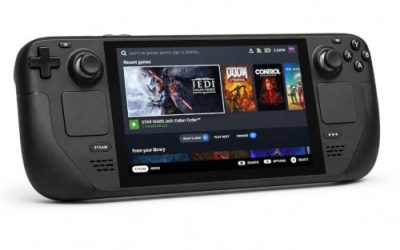
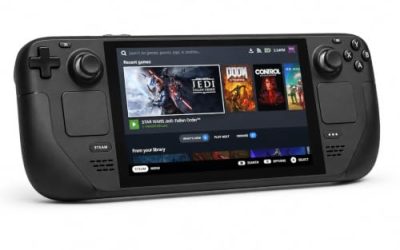
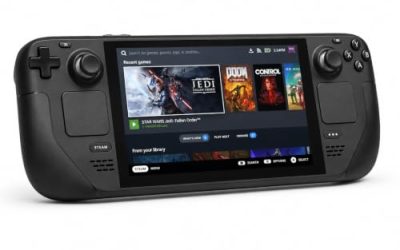
Valve Steam Deck OLED 512GB
The handheld the Verified badge was written for. Valve’s sheet gives the Windows build a clean pass under its recommended runtime, and the legible-text and default-performance checks it passed are exactly the ones a handheld lives or dies by.
Specs
- Display: 7.4-inch HDR OLED, 1280 by 800, up to 90 Hz
- Processor: AMD Zen 2 and RDNA 2 custom APU
- Memory: 16 GB LPDDR5
- Storage: 512 GB NVMe, plus a microSD slot
- Wireless: Wi-Fi 6E and Bluetooth
- Channel note: Valve sells the Deck mainly through its own store, so Amazon listings are third-party sellers
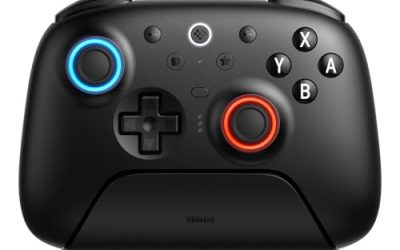
8BitDo Ultimate 2 Bluetooth Controller
The docked and desktop pad pick for a game whose record promises partial, not full, controller support: modern sticks and triggers, plus back buttons for menu shortcuts.
Specs
- Connectivity: Bluetooth wireless and USB-C wired
- Joysticks: TMR electromagnetic, anti-drift design
- Triggers: Hall effect, with mode switching
- Extras: two remappable back buttons, motion control
- In the box: charging dock included
Xbox Wireless Controller, Carbon Black
The safest guest pad in PC gaming: Steam Input support is universal, the glyphs match what most games display, and it pairs over Bluetooth or its own wireless standard.
- Connectivity: Xbox Wireless and Bluetooth
- Port: USB-C for wired play
- Controls: hybrid D-pad, dedicated Share button
- Power: AA batteries or optional rechargeable pack
Logitech G502 HERO
A looter shooter’s inventory, map and vendor screens are menu work, and at a desk a precise wired mouse turns those trips into single clicks. Eleven programmable buttons cover the inputs a long co-op session repeats.
Specs
- HERO optical sensor, up to 25,600 DPI
- 11 programmable buttons
- Adjustable weight system
- Wired USB connection
- On-board memory profiles
Samsung T9 Portable SSD 2TB
For moving a Linux game library between a desktop and a laptop, or keeping an offline backup of installers, a fast USB-C drive is the simple answer.
Specs
- Capacity: 2 TB portable SSD
- Interface: USB 3.2 Gen 2×2, USB-C connector
- Maker-rated speeds: up to 2,000 MB per second read, 1,950 MB per second write
- Features: Dynamic Thermal Guard, maker-rated drop resistance
How to choose
Choose the Steam copy: it is the only PC edition on sale, and the build both compatibility records describe. On a desktop or laptop, install under Proton and start from the default compatibility tool; if a build misbehaves, Proton Experimental is the alternative Valve’s own sheet names. Expect a large download: the depot census puts the install near 189 GB on disk. On Steam Deck, the Verified badge means the default configuration is the tested one, so install and launch first, and keep the first launch on a connection, since the sheet requires internet for first-time setup. For input, a pad is a sound primary choice, and a mouse earns its place for inventory-heavy sessions.
Who should skip
Skip this one if a native build is a hard requirement: the record offers none, and nothing in the DLC shelf changes that. Skip it if your storage is tight, because a 189 GB install crowds out a small drive, and if your PC sits near the published minimum specification, since the published Windows requirements are demanding. Players who need a GOG copy should also pass: no GOG edition exists. And if only a badge tested on today’s exact build would satisfy you, wait: the Verified sheet on file grades an earlier build than the public branch now serves.
FAQ
Is Borderlands 4 native on Linux?
No. Steam’s record flags Windows alone, its Mac and Linux requirements tabs are empty shells, its depots are Windows-configured, and every launch entry runs a Windows executable. Linux play means the Windows build under Proton.
How does Borderlands 4 run on Steam Deck?
Valve rates it Verified, with all four checks passing and SteamOS marked Compatible, under a recommended runtime of Proton Experimental. The test on file dates from September 2026 and grades an earlier build than the current public branch, and first-time setup requires an internet connection.
Does the DLC change the Linux picture?
No. All seventeen DLC apps were read individually and every one flags Windows alone, like the base game. No soundtrack app exists in the family, so no add-on lends the game platform paperwork it does not have.
Is there a GOG version of Borderlands 4?
No. GOG’s catalogue holds no product record for this title in any form. The Steam copy is the only PC edition on sale.
Final verdict
Borderlands 4 is a Windows game on Linux, and an unusually well-papered one. The store record is consistent at every layer: Windows flags, Windows depots, Windows launch entries, empty Linux paperwork, and seventeen DLC apps repeating the same answer. Against that, the compatibility evidence is strong: a Verified Deck badge with a clean four-check sheet, and a ProtonDB file 328 reports deep settling at Gold with a Platinum ceiling and strong confidence. Buy the Steam copy, run it under Proton, start from the defaults, and treat the badge’s older test build as the one asterisk on an otherwise settled status.
Product and ASIN Reference
| Product | ASIN |
|---|---|
| Valve Steam Deck OLED 512GB | B0CQ3RWQQZ |
| 8BitDo Ultimate 2 Bluetooth Controller | B0F194QFT2 |
| Xbox Wireless Controller, Carbon Black | B08DF248LD |
| Logitech G502 HERO | B07GBZ4Q68 |
| Samsung T9 Portable SSD 2TB | B0CHFS9K14 |