

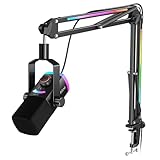
- Top Pick: FIFINE AmpliGame AM8T XLR/USB Gaming Microphone Set, Dynamic PC Mic
- Best Value: FIFINE AmpliGame AM8 USB/XLR Dynamic Microphone for Gaming Streaming
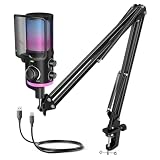
- Premium Choice: TONOR Gaming Microphone Set with Boom Arm, Vocal Condenser Microphone for Content Creators, USB Mic for PC with Stand, RGB, Tap Mute, Gain Control, Gaming Equipemnt, Twitch, Streaming, TC310+
Affiliate disclosure: As an Amazon Associate we earn from qualifying purchases at no extra cost to you. This post contains affiliate links — if you buy through them we may earn a small commission at no extra cost to you. This never affects our recommendations.
- Audio-Technica AT2020 XLR Microphone: Professional Studio Grade Audio for Serious Creators
- Technical Specifications & Professional Audio Quality
- XLR Connection & Audio Interface Pairing
- Sound Quality in Gaming & Content Creation
- Comparison Table: AT2020 vs USB Alternatives
- Setup Requirements & Audio Interface Selection
- Pros & Cons
- Recommendation & Verdict
- FAQ: Audio-Technica AT2020 XLR Microphone
- Related Articles
- Frequently Asked Questions
- Related Articles
🛒 Best Price Today on Amazon
Prime members get fast, free shipping on everything above, plus member-only deals. New members get a 30-day free trial — cancel anytime.
As an Amazon Associate we earn from qualifying purchases at no extra cost to you.






Audio-Technica AT2020 XLR Microphone: Professional Studio Grade Audio for Serious Creators
The Audio-Technica AT2020 is the industry-standard XLR condenser microphone that has defined professional broadcasting for over two decades. With its cardioid pickup pattern, extended frequency response (20Hz–20kHz), and exceptional build quality, the AT2020 delivers studio-grade audio that rivals microphones costing triple the price. For gamers and streamers willing to invest in a proper audio interface, the AT2020 represents the gateway to professional-quality voice recording.
What makes the AT2020 special is its neutral, transparent sound. Unlike USB microphones with presence peaks engineered for voice enhancement, the AT2020 captures audio truthfully. This makes it ideal for content creators who want control over their final sound through EQ and processing, rather than relying on the microphone’s built-in character. Whether you’re streaming, podcasting, or recording voice-over narration for YouTube videos, the AT2020 delivers consistent, professional results.
The XLR connection requirement isn’t a limitation—it’s an advantage. By using an external audio interface, you gain unprecedented control over your audio chain. Add a compressor, EQ, gate, or any outboard gear to shape your sound exactly as you envision. This flexibility makes the AT2020 system scalable. Start with a modest budget audio interface, and as your streaming grows, upgrade to professional mixing consoles without replacing the microphone.
In a hurry? See the top-rated Audio-Technica AT2020 XLR Microphone deals available right now:
🛒 Check Audio-Technica At2020 Xlr Microphone Prices on Amazon →Technical Specifications & Professional Audio Quality
The AT2020 operates at a maximum SPL of 130dB, meaning it handles intense voice peaks, instrument amplifiers, and even overdriven game audio without distortion. The frequency response of 20Hz–20kHz captures the full audible spectrum. Unlike USB mics that apply proprietary processing, the AT2020 outputs clean, uncolored audio directly to your audio interface—you maintain complete control over tone shaping and processing.
The cardioid polar pattern provides excellent side rejection. This is crucial in gaming environments where mechanical keyboards, mouse clicks, and monitor fans create ambient noise. The AT2020’s natural off-axis rejection means background noise stays out of your recording, keeping your voice isolated and professional.
Sensitivity & Output Level
The AT2020 requires proper gain staging through your audio interface. Unlike USB mics with automatic level control, you manually adjust input gain to optimize signal-to-noise ratio. This requires understanding your audio interface’s controls, but once mastered, gives you precise control over recording levels. Professionals appreciate this workflow because it forces intentional, deliberate gain setting rather than leaving levels on auto.
Build Quality & Acoustic Design
The AT2020’s construction is exceptional. The internally-suspended capsule provides excellent isolation from handling noise and vibrations. The metal mesh grille protects the diaphragm while allowing sound to reach it uncolored. This microphone is built for decades of professional use—many studios still rely on AT2020s installed in the 2000s.
The cardioid pattern is acoustically optimized, not electronically switched. This means the pattern remains consistent and stable across all frequencies. You get predictable, reliable performance whether you’re recording a deep baritone voice or high-pitched squeaky callouts in competitive gaming.
XLR Connection & Audio Interface Pairing
The AT2020 requires an XLR audio interface to connect to your PC. This opens unlimited possibilities for your audio setup. Entry-level interfaces like the Focusrite Scarlett 2i2 ($150–$200) provide clean preamps and direct monitoring. For gaming streamers building professional rigs, the audio interface becomes the centerpiece of your audio system.
The advantage of XLR is cable flexibility. Unlike USB mics with proprietary cables, XLR uses standard connectors found everywhere in professional audio. Need a longer cable? Grab any XLR-XLR cable from $10–$50 depending on shielding quality. Need to upgrade your interface? Your AT2020 works with any professional audio interface—from budget interfaces to high-end SSL and RME units.
For multi-monitor gaming setups, XLR cables route cleanly behind your desk without monopolizing USB ports. This becomes critical when you’re running capture cards, external SSDs, and multiple gaming peripherals from limited USB bandwidth.
Direct Monitoring & Zero-Latency Headphones
Quality audio interfaces provide direct monitoring—the ability to hear your own voice in real-time with zero latency. Connect headphones to your interface’s headphone output, and monitor your microphone signal while streaming. This is essential for catching audio issues before they hit your audience. Many USB microphones lack this feature entirely, making XLR interfaces superior for professional streaming.
Sound Quality in Gaming & Content Creation
The AT2020’s neutral response excels for gaming audio. Your voice comes through with natural clarity—no artificial presence peak, no harsh sibilance, just honest audio. For competitive gaming, this means team callouts cut through cleanly. For entertainment streaming, your personality shines through uncolored.
The microphone’s extended frequency response means it captures subtle audio details. Whispered callouts, emotional voice nuances, and even subtle breathing patterns are recorded. This makes the AT2020 excellent for content that relies on intimate voice performance—ASMR gaming, story-driven game commentary, or narrative-heavy YouTube videos.
For gaming streamers transitioning to podcasting or YouTube narration, the AT2020 eliminates the need for multiple microphones. One professional microphone handles everything. Plug into your interface, adjust your EQ plugin, and record broadcast-quality audio for any application.
The cardioid pattern’s controlled proximity effect means your voice naturally warms up as you move closer to the microphone. Rather than fighting this like cheaper mics, experienced engineers use proximity effect creatively—move closer for intimate moments, step back for announcement-style dialogue. This dynamic capability is lost on fixed USB mics.
Comparison Table: AT2020 vs USB Alternatives
| Feature | Audio-Technica AT2020 | Blue Yeti X | Elgato Wave:3 | Rode NT-USB Plus |
|---|---|---|---|---|
| Connection Type | XLR (Requires Interface) | USB-C (Plug & Play) | USB 3.0 (Plug & Play) | USB-C + XLR (Hybrid) |
| Frequency Response | 20Hz–20kHz | 20Hz–20kHz | 50Hz–20kHz | 20Hz–20kHz |
| Maximum SPL | 130dB | 120dB | 120dB | 132dB |
| Polar Pattern | Cardioid only | 4 Patterns | 3 Patterns | 2 Patterns |
| Sample Rate | 16-bit/48kHz (via interface) | 16-bit/48kHz | 24-bit/96kHz | 24-bit/96kHz |
| Direct Monitoring | Yes (via interface) | Headphone Jack only | No | Yes (via interface) |
| Price (Microphone Only) | $99–$129 | $99–$129 | $99–$119 | $299–$349 |
| Total System Cost | $250–$350 (with interface) | $99–$129 | $99–$119 | $299–$349 |
| Best For | Professional Audio, Multi-Use | Gaming Streaming | Twitch Streaming | Podcast, Hybrid Setups |
Setup Requirements & Audio Interface Selection
The AT2020 requires an audio interface to function. Entry-level interfaces start at $150. This additional cost might seem high compared to USB mics, but the quality gain justifies it. A proper interface gives you:
- Clean preamps with low noise floor
- Direct monitoring for zero-latency headphone monitoring
- Multiple outputs for simultaneous headphone and studio speaker monitoring
- Expandability to add additional microphones, instruments, or mixing gear
- Professional-grade components that last decades
Popular interfaces paired with the AT2020 include the Focusrite Scarlett 2i2 (compact, $150–$200), the Audient iO2 (premium preamps, $250–$300), or the Universal Audio Apollo Twin (professional standard, $500+). Start with budget-friendly options and upgrade as your needs grow.
Pros & Cons
Advantages
- Professional studio-grade sound with neutral, transparent response
- Maximum SPL of 130dB handles intense audio peaks without distortion
- Legendary build quality designed for decades of professional use
- Full frequency response (20Hz–20kHz) captures all audible detail
- Flexible cable routing with standard XLR connectors
- Excellent side rejection in cardioid mode isolates voice from ambient noise
- Compatible with all audio interfaces and professional mixing equipment
- Precise gain control through interface settings for intentional audio engineering
- Scalable system upgrade interface without replacing microphone
Disadvantages
- Requires audio interface—additional $150–$500 investment for complete system
- Not plug-and-play—requires gain staging and proper interface setup
- Only cardioid pattern—less flexible than multi-pattern USB mics for varied applications
- Steeper learning curve for beginners unfamiliar with audio interfaces and impedance
- Requires XLR cables and phantom power—additional complexity versus USB mics
- No built-in mute button—must mute through software or interface controls
- Cannot be used with devices that don’t support audio interfaces (consoles, tablets)
Recommendation & Verdict
The Audio-Technica AT2020 is the best professional microphone for gaming streamers who want to future-proof their audio investment. Yes, it requires an audio interface, and yes, the total cost is higher than USB alternatives. But you gain professional sound quality, unlimited flexibility, and a system that scales with your ambitions.
For gamers building serious streaming rigs—whether it’s a $2000 streaming PC or a $5000 professional machine—the AT2020 system delivers ROI through years of reliable, professional audio. Combined with professional gaming headsets and proper cables, you have broadcast-quality audio that stands up to any competitor.
The AT2020’s neutral sound becomes an asset as your skills develop. Rather than relying on the microphone’s character, you learn to shape audio through EQ, compression, and creative mic technique. This knowledge transfers to any other microphone or professional equipment you use in the future.
FAQ: Audio-Technica AT2020 XLR Microphone
Q1: What audio interface do you recommend for the AT2020?
For gaming streamers, start with the Focusrite Scarlett 2i2 ($150–$200) or the Audient iO2 ($250–$300). Both offer clean preamps, direct monitoring, and USB connectivity. As your setup grows, upgrade to RME Fireface or Universal Audio interfaces. The AT2020 works with any professional interface—pick based on your budget and future needs, knowing the microphone will outlast several interface upgrades.
Q2: Does the AT2020 require phantom power?
Yes. All condenser microphones, including the AT2020, require phantom power (+48V) to operate. Every audio interface provides phantom power activation via a button or software setting. Once activated, your interface sends phantom power through the XLR cable to the microphone. This is standard and safe—it won’t damage your equipment. Simply make sure phantom power is OFF when connecting/disconnecting the microphone to avoid pops.
Q3: Can I use the AT2020 for music recording?
Absolutely. The AT2020 is widely used in professional studios for vocals, acoustic guitar, drums, and instrument recording. Its neutral response and extended frequency range make it ideal for any instrument. Many independent musicians prefer the AT2020 because it captures honest tone without coloration. It’s a legendary studio microphone, not just a speech/gaming mic.
Q4: What cables do I need to connect the AT2020?
You need an XLR-XLR cable to connect the microphone to your audio interface. Standard cables work perfectly—no need for expensive audiophile cables for gaming audio. Budget $15–$30 for a quality 20-foot cable with good shielding. You’ll also need a microphone stand or boom arm with XLR cable management. Rode and AT all make compatible accessories.
Q5: How does the AT2020 compare to the AT2050 or AT4040?
The AT2020 is the entry-level cardioid option. The AT2050 adds switchable patterns (cardioid, omnidirectional, bidirectional) and costs $250–$300. The AT4040 is a higher-end cardioid with improved self-noise and presence peak, costing $350+. For gaming streaming, the AT2020 delivers identical sound quality to both—the upgrades benefit studio professionals recording classical music and orchestras, not gamers.
Related Articles
Looking for more on this topic? Browse the hand-picked guides below — each one applies the same scoring rubric used in this review.
Frequently Asked Questions
Are USB microphones good enough for serious streaming?
Yes. Modern USB microphones include quality capsules and converters, and many successful channels use them exclusively. The limitations are fixed preamps, less control over the signal chain and difficulty running multiple microphones. For a solo streamer who wants one cable and good sound, USB is entirely sufficient.
Should I pick a dynamic or condenser USB microphone?
Choose dynamic if your room is untreated, you use a loud keyboard or others are talking nearby, since it rejects background noise well. Choose condenser if your space is quiet and treated and you want more detail and air in the sound. Room conditions matter more than the price of the microphone.
Why does my USB microphone sound quiet and hissy?
Usually because gain is set too low at the hardware and boosted later in software, which amplifies the noise floor along with your voice. Get closer to the microphone, raise hardware gain until peaks sit around minus 6 to minus 12 dBFS, then apply only light processing afterwards.
Do I need a boom arm and pop filter?
A boom arm is close to essential because it positions the capsule near your mouth and isolates desk vibration and keyboard thumps that a desk stand transmits directly. A pop filter or foam windscreen prevents plosive bursts on P and B sounds. Together they cost little and fix the most common audio complaints.
Can I use a USB microphone and headphones at the same time?
Yes, and many include a headphone jack for zero-latency monitoring, meaning you hear yourself directly from the microphone with no delay. Monitoring through the PC instead often introduces a distracting echo. If you plan to monitor your own voice while playing, a headphone jack is a feature worth prioritising.
















