Best Monitor for Valorant 240Hz+ Competitive Gaming
Valorant runs well on modest hardware, so the monitor often decides how much of the game you actually see. A panel that cannot show 240 frames per second, or one with a slow response and heavy motion blur, can erase the benefit of a fast system. This guide explains what to look for in a 240Hz-or-faster display for Valorant, how to judge a listing and where a cheaper screen is good enough. It is a buying guide. We have not tested the monitors below in a lab, so the advice draws on the specifications a reputable display publishes and on how refresh rate and response time work in practice.
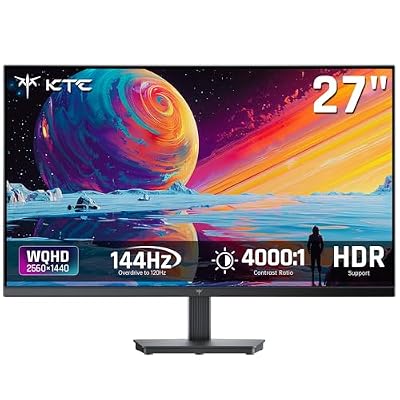
The hero listing is a 24-inch 240Hz gaming monitor, and the four alternatives sit in the same broad class. It is a closest-match listing, not a guarantee of one exact model. Check the product card for the panel type, native resolution, refresh rate, input connections and the price at checkout before you buy. Several monitors share a headline refresh rate but differ in panel response, and those differences are the ones you feel in a duel.


Why the Monitor Matters More Than the Graphics Card in Valorant
Valorant is light enough that many current systems can push frame rates well above a 240Hz panel’s refresh rate. That changes the question. The limit is no longer raw graphics power but how quickly the screen can show each new frame and how cleanly the image moves when you flick or track a target. A high refresh rate lowers the time between frames, and a fast panel reduces smearing, so an enemy crossing the screen stays crisp. For the graphics side, see the best GPU for Valorant, and for the processor, the best CPU for Valorant explains when a processor starts to matter.
What 240Hz Changes in Practice
Moving from 144Hz to 240Hz shortens the gap between frames, which makes fast movement look smoother and makes it easier to track a target during a peek. The gain is most visible when your frame rate is high enough to fill the panel. A 240Hz monitor running a lower frame rate shows repeated frames, so the system needs to hold a steady high rate for the screen to deliver its value. Our overview of the best 240Hz monitors for gaming covers the trade-offs across sizes and panel types.
Response Time and Motion Clarity
Response time describes how quickly a pixel changes colour. A fast panel reduces smearing, but a manufacturer’s figure is only one part of the story. Check independent reviews where possible, and look for features such as motion blur reduction in the specification sheet. Treat a headline response figure as a starting point rather than a verdict, because the overdrive setting can change the result.
Resolution, Size and Panel Choices
A 24-inch screen at 1080p gives the highest pixel density per dollar and keeps the image crisp at a close viewing distance. A 1440p panel adds detail and is a good choice if your system can hold a high frame rate at that resolution. Valorant is competitive rather than visually demanding, so most players find that the extra resolution matters less than the refresh rate and response time. Our guide to the best 1440p monitors for gaming covers that trade-off, and the best budget gaming monitors shows where a cheaper screen still performs well.
IPS, VA and OLED Trade-offs
IPS panels usually offer good colour and wide viewing angles, with response times that suit most competitive players. VA panels can deliver deeper blacks but may show more smearing in dark scenes. OLED panels have very fast response times and excellent contrast, but they cost more and need care with static elements. Our note on the best IPS gaming monitors and the best OLED gaming monitors sets out the differences in more detail.
How to Judge a 240Hz Listing
Check the Refresh Rate and Input Connection
A 240Hz rating only helps if the cable and port can carry it. Confirm that the listing names a connection that supports the refresh rate at your chosen resolution, and that your graphics card has a matching output. Set the refresh rate in the operating system and in Valorant after you connect the display, because a monitor can default to a lower rate.
Match the Monitor to Your Desk and Mouse
A 24-inch panel suits a desk at normal viewing distance, and a smaller screen keeps your eyes and hands in a comfortable position for long sessions. Pair the monitor with a mouse and keyboard you can control without strain. Our list of the best wireless gaming mice and the best keyboards for gaming helps complete the setup.
Comparing the Five Options
The table below lists the hero listing and the four alternatives by role. Use it as a shortlist to compare panel details, not as a ranking of picture quality.
| Option | Role in this guide | Best for | What to confirm | Price |
|---|---|---|---|---|
| Hero listing | Primary 240Hz pick | Competitive players wanting a 24-inch panel | Panel type, native resolution, input ports | Check current price |
| Alternative 1 | Same class, different panel | Players comparing colour and contrast | Response time and overdrive options | Check current price |
| Alternative 2 | Same class, value focus | Budget-conscious competitive setups | Refresh rate at native resolution | Check current price |
| Alternative 3 | Higher-detail option | Players who want more pixels per inch | Whether your system holds high frame rate | Check current price |
| Alternative 4 | Stand and ergonomics focus | Long sessions at a fixed desk | Stand adjustment and VESA mount support | Check current price |
A monitor with a longer warranty and a clear return policy is worth more than a small difference in the headline spec. Read the return terms before you buy, because a screen that does not suit your desk or eyes is a waste of money.
Frequently Asked Questions
Do I need a 240Hz monitor for Valorant?
It is not required, but a high refresh rate is one of the most useful upgrades for a competitive shooter. If your system can already hold a high frame rate, a 240Hz panel gives you the smoother motion that the game rewards. If your frame rate is much lower, a faster monitor will not show its full benefit.
Is 1080p or 1440p better for Valorant?
Many competitive players choose 1080p for its sharpness at high frame rates and lower system demand. A 1440p panel adds detail if your system holds the frame rate you want at that resolution. Decide based on your frame rate target first, then on the look you prefer.
Should I buy an OLED monitor for Valorant?
An OLED monitor offers very fast response and strong contrast, which many players value. It costs more and needs care with static on-screen elements, so compare it against a quality IPS panel at your budget before you decide.
Does the monitor affect input lag?
The monitor contributes to delay through its processing and response behaviour, so a panel with a fast response and a low-lag mode is useful. The rest of the chain, including the mouse, the system and the network, also matters, so treat the monitor as one part of a consistent setup.
For Valorant, pick a 240Hz or faster panel that your system can feed, check the response behaviour rather than trusting one number, and confirm that the connection carries the refresh rate you paid for. A well-chosen monitor usually improves the game more than a larger jump in graphics hardware.