
GTA 6 PC Requirements & Performance Benchmarks
Players searching for GTA 6 PC requirements usually want two things: a clear list of the hardware they need and a sense of how it will run. This guide is careful about both. It explains how to plan a PC for a large open-world title, how to read requirements once a publisher posts them, and which graphics tiers suit different resolutions. It does not publish benchmark results, because we have not run the game and do not have verified benchmark data for it. Any number you see before an official release should be treated as unverified until the publisher or a reputable reviewer confirms it.
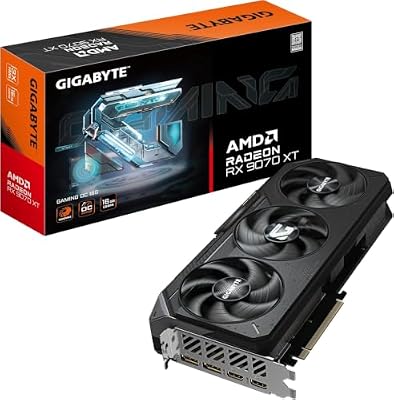
The hero listing is a flagship RTX 5090-class graphics card, and the four alternatives sit in the high-end and near-high-end tiers. It is a closest-match listing, not a claim about what the game requires. Check the product card for memory size, power connector, cooler size and the price at checkout. High-end cards draw a lot of power and need a case and power supply that can handle them, so check those before you commit to any single card.

How to Plan a PC for a Large Open-World Game
Open-world games draw a lot of distant detail, simulate many objects and stream data continuously as you move. That combination loads the processor, the graphics card, the memory and the storage at the same time. A balanced plan avoids a single weak link, so a flagship card paired with a modest processor or a small memory pool can waste much of its potential. For the broader question of whether a machine can run modern titles, see what gaming PC can run 2026.
Decide the Resolution Before You Decide the Card
The resolution sets how much graphics work each frame needs. At 1080p a high-end card is often more than enough, and the processor and the monitor’s refresh rate can become the limit. At 1440p the card carries more of the load, and at 4K the graphics card is the main constraint. Our guide to the best GPU for 1440p gaming and the best GPU for 4K gaming explain how to choose by resolution rather than by the card’s name.
Reading Requirements Once They Are Published
When a publisher posts official minimum and recommended specifications, read them with care. Minimum requirements usually describe the lowest settings at a modest resolution, while recommended requirements describe a target for a smooth experience at a stated resolution and quality. Neither one tells you the frame rate you will see on your own system, so treat them as the starting point for a plan. Check the operating system, the storage type and the driver requirements as well, because those sometimes change between announcements.
Storage and Memory Planning
Large games take up a lot of disk space and stream assets while you play. A fast NVMe drive reduces the chance of hitches when you cross a city or enter a dense area. Our guide to the best NVMe SSDs for gaming explains what to look for, and how much RAM you need for gaming covers memory capacity for a demanding title.
Graphics Tiers and What They Suit
High-end cards are useful for players who run 1440p or 4K at a high refresh rate, want to use advanced lighting options and plan to keep the card for several years. A mid-range card can still run a demanding open-world game well at 1080p or with moderate settings. The table below compares the listing and four alternatives by role, so you can match the tier to the resolution and budget you have in mind.
| Option | Role in this guide | Best for | What to confirm | Price |
|---|---|---|---|---|
| Hero listing | Top-tier reference card | 4K or high-refresh 1440p builds | Power connector, case clearance, PSU size | Check current price |
| Alternative 1 | Near-top tier | High settings at 1440p | Memory size and cooler design | Check current price |
| Alternative 2 | Upper mid-tier | 1440p with balanced settings | Sustained clock speed in reviews | Check current price |
| Alternative 3 | Mid-tier | 1080p or 1440p with moderate detail | Whether the frame rate meets your target | Check current price |
| Alternative 4 | Compact high-end option | Players with limited case space | Length, height and airflow | Check current price |
Use the table as a shortlist. Two cards in the same tier can differ in power draw, noise and cooling, and those details matter more in a long session than the tier label.
Power, Cooling and Case Planning
A flagship card changes the rest of the build. It needs a power supply with enough headroom and a suitable connector, and it needs airflow that keeps temperatures in check over a long session. Our guides to 1000W power supplies for RTX 5090 builds and CPU coolers for RTX 5090 builds cover those parts, and our RTX 5090 review gives context on the card’s power and thermal demands.

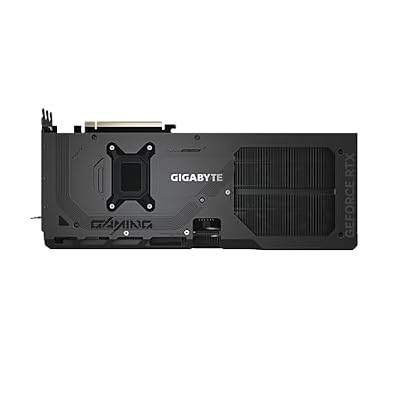
GIGABYTE GeForce RTX 5080 Gaming OC 16G Graphics Card, WINDFORCE Cooling System, 16GB 256-bit GDDR7, GV-N5080GAMING OC-16GD Video Card




As an Amazon Associate we earn from qualifying purchases. Product prices and availability are accurate as of the date/time indicated.
Frequently Asked Questions
Has Rockstar published official PC requirements for GTA 6?
Check the publisher’s official channels for the latest information. This guide does not state requirements because we have not verified an official list. Treat any requirements list that is not from the publisher or a reputable reviewer as unverified.
Do I need an RTX 5090 to run GTA 6 well?
Not necessarily. A flagship card is useful for high resolutions and high refresh rates, but a mid-range card can run a demanding game well at 1080p or at moderate settings. Decide your resolution and frame-rate target first, then choose the tier.
Should I wait for benchmarks before buying?
If the game has not released, waiting for independent benchmarks is the safer choice. Reviews from established outlets that test a range of settings and resolutions give you more useful information than a single number on a listing.
Is a bigger case needed for a high-end card?
Often yes. Check the card’s length and height against the case’s clearance, and confirm that the case has airflow suited to a card that draws a lot of power.
Planning for a large open-world game is about balance: resolution first, then a card in the right tier, then a processor, memory, storage and power supply that do not hold it back. Wait for official requirements and independent benchmarks before you treat any figure as fact.


