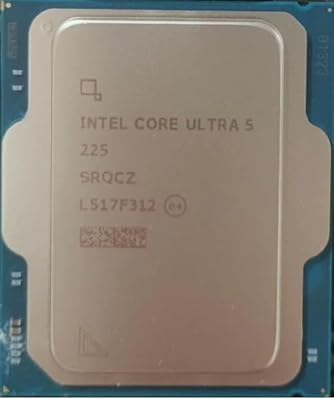
Best CPU & GPU Combo for Call of Duty Black Ops 6
Call of Duty: Black Ops 6 rewards a balanced PC. A fast graphics card sits idle when the processor cannot prepare frames quickly enough, and a strong processor cannot help when the graphics card is the bottleneck at your resolution. The right CPU and GPU combination is the one where neither part waits on the other at the frame rate your monitor can actually show. This page is a buying guide for that pairing. We have not bench-tested the parts below, so the advice rests on product class, the listing above and the specifications a reputable part publishes.
The hero listing is our primary pick for a graphics card that suits a current Black Ops 6 build, and the four alternatives sit in the same performance class. Treat it as a closest-match listing rather than a guarantee of the exact model you read about elsewhere. Check the card for the model number, memory size, power connector and the price shown at checkout before you buy.


What Black Ops 6 Asks From Your Hardware
A competitive shooter running at a high refresh rate places a different load on a PC than a single-player game with maximum textures. Each frame needs game logic, input handling, networking and a stream of draw calls that the graphics card then renders. In a large lobby or a busy map the processor often becomes the limit first, so the frame rate dips even when the graphics card still has headroom. At 1440p with high texture and lighting settings the balance shifts, and the GPU does more of the work. Most builders who report stutter in this game are not short of graphics power. They have paired a strong card with a processor that struggles to keep up with the busiest moments of a match.
If you want a CPU-only view before you spend, our guide to the best CPU for Call of Duty Warzone covers the same kind of processor trade-off, and the advice carries over well because the two titles share a similar engine family. For the wider question of which processor class suits a mixed workload, see our general CPU picks for gaming.
Processor Headroom in Crowded Matches
Look for a processor with strong single-core performance and enough threads to keep background tasks away from the game. A chip that boosts high on a few cores helps the frame time stay steady during fights, while a chip with weak single-core speed shows up as occasional hitches even when the average frame rate looks fine. The useful question is not the peak number on a box. It is whether the processor keeps a stable frame time when the screen fills with players, effects and sound.
Graphics Memory and Resolution
At 1080p a mid-range card can drive a high refresh rate with little trouble, and the processor becomes the main limit sooner. At 1440p the graphics card carries more of the load, and memory size starts to matter once you raise texture quality and turn on heavier lighting options. Our guide to the best GPU for 1440p gaming explains how to match the card to the resolution rather than to the marketing tier.

ASUS TUF Gaming GeForce RTX™ 5080 16GB GDDR7 OC Edition Graphics Card | PCIe 5.0, HDMI/DP 2.1, 3.6-slot, Military-grade Components, Protective PCB Coating, Axial-tech Fans


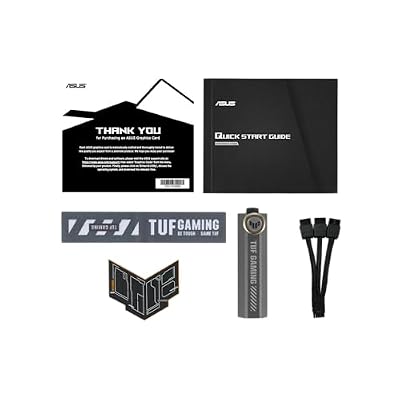


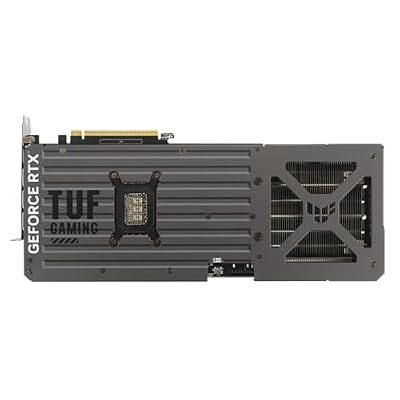


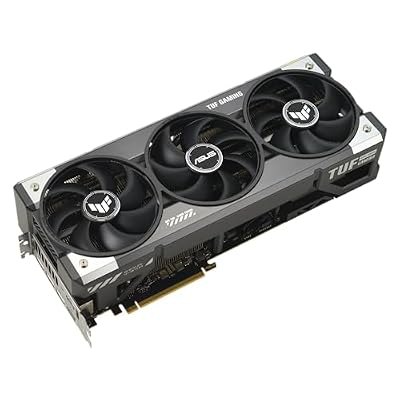


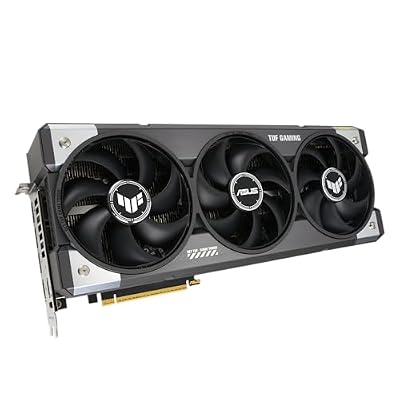

As an Amazon Associate we earn from qualifying purchases. Product prices and availability are accurate as of the date/time indicated.
Pairing Rules for a Black Ops 6 Build
Start From Your Monitor, Not From the Box
Decide the frame rate you want before you pick parts. A 144Hz panel asks for a balanced system that holds around that number in most matches. A 240Hz panel asks more of both parts and usually of the processor. If your monitor is 60Hz, a flagship card gives you visual margin but not a smoother game, and the money may be better spent on a higher-refresh screen. Our list of the best monitors for gaming is a useful next step once the frame-rate target is clear.
Keep the CPU and GPU in the Same Tier
Avoid placing a flagship card behind a budget processor, and avoid the reverse. Both mistakes waste money in the same way: one component waits while the other runs at a fraction of its capability. A rough rule is to step the two parts up together, so that the processor and the card reach the same frame rate under load. The comparison between mainstream Intel and AMD parts is covered in our Intel versus AMD gaming breakdown, which is worth reading before you commit to a platform.
Five Options Compared by Role
The table below lists the hero listing and the four alternatives by the role each plays in a Black Ops 6 build. It is a checklist for comparing listings, not a ranking of performance. Prices change often and vary between sellers, so use the live listing for the number.
| Option | Role in this guide | Best for | What to confirm | Price |
|---|---|---|---|---|
| Hero listing | Primary graphics card pick | 1440p builds at high refresh rate | Memory size, power connector, model number | Check current price |
| Alternative 1 | Same class, different board partner | Buyers comparing cooling and build quality | Cooler design and card length for your case | Check current price |
| Alternative 2 | Same class, different memory option | Players who raise texture settings | Memory size stated in the listing | Check current price |
| Alternative 3 | Step down in class | 1080p or 1440p with a budget ceiling | Whether the frame rate meets your monitor | Check current price |
| Alternative 4 | Step up in class | Builders who want more margin for future games | Power supply size and airflow in the case | Check current price |
Read the table as a shortlist. Two cards in the same class can differ in cooler size, length and warranty, and those details decide whether the card fits your case and stays quiet under a long session.
Memory, Storage and Cooling
DDR5 Capacity and Speed
Sixteen gigabytes is the floor for a modern shooter, and thirty-two gigabytes gives you room for the game, a browser, a voice app and background recording without the system swapping data to disk. Faster memory helps the processor feed the game, but the gain is small compared with a correct CPU and GPU pairing. Our note on DDR5 at 6000 MHz explains where the sweet spot sits for most processors, and how much RAM a gaming PC needs covers the capacity question in more depth.
Keeping Temperatures in Check
A long Black Ops 6 session pushes both the processor and the graphics card for hours. If the card throttles when it gets warm, the frame rate drops in the second half of a session even though it looked fine at the start. Check temperatures during a match with a monitoring tool and adjust the fan curve or case airflow if the numbers climb. Our walkthrough on how to check GPU and CPU temperature shows the steps, and the guide to undervolting an RTX 5070 for cooler temperatures is useful if your card runs hot in a compact case.
Settings to Set Before the First Match
Hardware gets you most of the way, but a few settings decide whether the system delivers it. Use a fullscreen mode with the refresh rate set in the operating system and in the game. Enable the low-latency option if the game and your driver offer one, and keep vertical sync off unless screen tearing bothers you more than a small input delay. Our note on Ethernet settings for gaming covers the wired connection, which matters more in a shooter than most players expect, and the guide to router settings for gaming covers the network side.
Frequently Asked Questions
Is a CPU upgrade or a GPU upgrade better for Black Ops 6?
It depends on where your frame rate drops. If the GPU usage sits near full while the frame rate is low at your resolution, a better graphics card helps most. If the GPU usage stays low during busy fights while the frame rate still falls, the processor is the limit and a CPU upgrade will do more. Watch both numbers during a match before you spend.
Does 1440p need a top-end graphics card?
Not always. A high-class card lets you keep high settings and a high frame rate at 1440p, but a mid-range card can still be a good match if you accept slightly lower texture or lighting settings. The listing above is one of several options in the same class, so compare memory size and cooling before you decide.
Do I need 32GB of RAM for Black Ops 6?
Sixteen gigabytes runs the game for most players, but thirty-two gigabytes gives you margin if you stream, record or keep many applications open alongside the game. The extra memory is a quality-of-life choice rather than a hard requirement for the game itself.
Should I buy a prebuilt system instead of parts?
A prebuilt system can be a sensible choice if you want one warranty and no assembly. Check that the processor and graphics card match the pairing rules above, that the power supply has headroom and that the cooling is adequate for a long session. Our guide to buying a complete gaming PC lists the questions to ask a seller.
The right combination for Black Ops 6 is the one that holds your target frame rate through the busiest match you play, not the one with the largest number on a box. Start from your monitor, keep the two main parts in the same tier, check memory and cooling, and use the listing above as a starting point rather than a final decision.