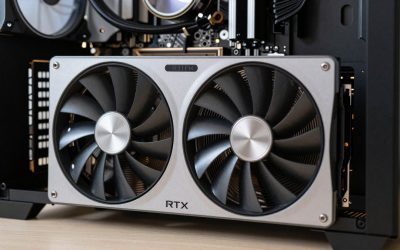
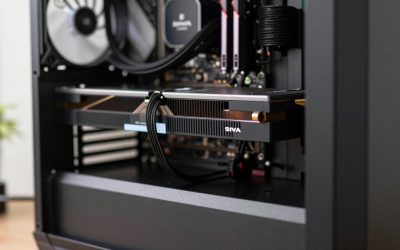
- Top Pick: ASRock Radeon RX 7900 XTX Phantom Gaming 24GB OC Graphics Card, 2615 MHz Boost Clock, 24GB GDDR6, DisplayPort 2.1, HDMI 2.1, Triple Fan Cooling
- Best Value: PowerColor Hellhound AMD Radeon RX 7900 XTX Graphics Card
- Premium Choice: Gigabyte Radeon RX 7800 XT Gaming OC 16G Graphics Card, 3X WINDFORCE Fans 16GB 256-bit GDDR6, GV-R78XTGAMING OC-16GD Video Card
The RX 7900 XTX is the faster card by a wide margin, roughly 25-40% ahead of the RX 7800 XT depending on resolution, so it is the pick for 4K and high-refresh 1440p, while the RX 7800 XT is the better value for most 1440p gamers. The 7800 XT is the newer release, but it is a lower-tier card, not an upgrade over the 7900 XTX; anyone already owning the XTX has no reason to switch.
As an Amazon Associate we earn from qualifying purchases at no extra cost to you.


Same Architecture, Different Tiers
Both cards are built on RDNA 3, so this is not a generational comparison. The RX 7900 XTX launched in November 2022 at $999 as AMD’s flagship, with 6144 stream processors, 24 GB of GDDR6 on a 384-bit bus and 960 GB/s of bandwidth. The RX 7800 XT followed in August 2023 at $499 as a 1440p-focused card with 3840 stream processors, 16 GB on a 256-bit bus and 624 GB/s.
In 2026 both are previous-generation parts. The Radeon RX 9070 and 9070 XT now cover the upper mid-range with stronger ray tracing and FSR 4 support, which matters when deciding whether either of these cards is still the right purchase.
Spec Comparison
| Specification | RX 7900 XTX | RX 7800 XT |
|---|---|---|
| Architecture | RDNA 3.0 | RDNA 3.0 |
| Release date | 3 November 2022 | 25 August 2023 |
| Launch MSRP | $999 | $499 |
| Stream processors | 6144 | 3840 |
| Boost clock | 2498 MHz | 2430 MHz |
| Process | 5 nm | 5 nm |
| VRAM | 24 GB GDDR6 | 16 GB GDDR6 |
| Bus / bandwidth | 384-bit / 960.0 GB/s | 256-bit / 624.1 GB/s |
| Infinity Cache (L3) | 96 MB | 64 MB |
| L2 cache | 6 MB | 4 MB |
| Board power | 355 W | 263 W |
| Power connectors | 2x 8-pin | 2x 8-pin |
| Length / width | 287 mm / 2-slot | 267 mm / 2-slot |
| Outputs | 1x HDMI 2.1a, 2x DP 2.1, 1x USB-C | 1x HDMI 2.1a, 3x DP 2.1 |
How Far Apart They Are in Games
1440p
Reviews of the RX 7800 XT from TechSpot/Hardware Unboxed, Tom’s Hardware and KitGuru placed it roughly level with the previous RX 6800 XT, and a little ahead of the RTX 4070. The 7900 XTX sits a full tier above, competing with the RTX 4080. Aggregated results put the XTX about 20-30% ahead at 1440p. Where the 7800 XT runs a demanding game at around 90-110 FPS at 1440p high, the 7900 XTX often lands somewhere around 115-140 FPS. These are approximate figures that move with settings, CPU and patches.
At 1440p a fast CPU matters. With a mid-range processor, the XTX can become CPU-limited in lighter games, shrinking the gap.
4K
The gap widens at 4K, where the XTX’s extra shaders and 960 GB/s bandwidth are fully used. Comparisons generally show it around 30-40% ahead of the 7800 XT. That difference often decides whether a game runs at a smooth 60 FPS or above at 4K high without upscaling, or needs FSR to get there. The 7800 XT can handle 4K in many games with upscaling, but it is primarily a 1440p card.
Ray tracing
Both use the same RDNA 3 ray accelerators, so the XTX’s lead in ray tracing roughly tracks its lead in raster. Neither matches NVIDIA’s RTX 40 or 50 cards at a similar price in heavy RT, and in path-traced games both fall well behind. Tom’s Hardware’s launch coverage noted that even the XTX could not match NVIDIA’s comparable cards in its ray-traced test suite.
Cost per Frame at Launch Prices
Using launch MSRPs and the relative performance ranges above, with the RX 7800 XT as the baseline of 100:
- RX 7800 XT: $499 / 100 = about $5.00 per performance point
- RX 7900 XTX at 1440p (~125): $999 / 125 = about $8.00 per point
- RX 7900 XTX at 4K (~135): $999 / 135 = about $7.40 per point
At launch pricing the XTX cost roughly double for about a quarter to two-fifths more speed. That is normal for flagship cards, but it means the 7800 XT is the clear value pick unless you specifically need the XTX’s extra performance. Street prices have moved since launch, so the same math should be repeated with current prices.
VRAM: 16 GB vs 24 GB
The 7800 XT’s 16 GB is comfortable for 1440p and adequate for most 4K gaming in 2026. The 7900 XTX’s 24 GB is more than any current game needs at 4K, but it pays off in heavily modded games, very high-resolution texture packs and non-gaming work such as running local AI models, where memory capacity often matters more than raw speed. For pure gaming, VRAM is not the main reason to choose the XTX; raw performance is.
Upscaling and Frame Generation
Both cards support FSR 3.1 upscaling and frame generation in supported games, plus AMD Fluid Motion Frames through the driver. FSR 4’s machine-learning upscaler is officially designed for RX 9000 hardware, so RDNA 3 owners do not get AMD’s best image quality in the same way. In practice, this narrows the gap between these two cards and an RX 9070 XT less than raw numbers suggest, because the 9070 XT can use FSR 4 for cleaner upscaled images. Both cards have the same feature set as each other, so upscaling does not separate them.
Power, PSU and Case Fit
The power difference is significant: 355 W for the 7900 XTX versus 263 W for the 7800 XT. Both use two 8-pin connectors on reference designs, though many partner XTX boards use three.
- RX 7900 XTX: 355 W + ~125 W CPU + ~150 W headroom = about 630 W, so plan for a quality 750-850 W PSU, especially with a high-end CPU.
- RX 7800 XT: 263 W + ~125 W CPU + ~150 W headroom = about 540 W, so a good 650-700 W PSU is enough.
The XTX also produces more heat. Reference-class lengths are 287 mm and 267 mm, but partner XTX models are frequently well over 300 mm and three slots or thicker, so measure GPU clearance and check that the case has strong front intake airflow before buying.
Decision Table
| If you… | Choose |
|---|---|
| Game at 1440p, 60-144 Hz, on a mid-range budget | RX 7800 XT |
| Game at 1440p 165 Hz+ in demanding titles with a fast CPU | RX 7900 XTX |
| Want native 4K at high settings without heavy upscaling | RX 7900 XTX |
| Have a 650 W PSU you want to keep | RX 7800 XT |
| Run local AI models or heavy mods | RX 7900 XTX for 24 GB |
| Care about ray tracing and modern upscaling most | Consider RX 9070 XT or an RTX 50 card instead |
Used-Market Notes
Both cards now appear frequently on the used market. The RX 7800 XT usually trades around $350-$420 used, and the RX 7900 XTX around $600-$750, depending on model and condition. Check partner-card coolers carefully on the XTX, since some early reference cards had a known vapor-chamber issue that AMD addressed through replacements; a used reference card that runs very hot under load is worth avoiding. A stress test and a hotspot temperature check are worth doing before handing over cash.
Also compare against the RX 9070 XT. It generally lands between these two cards in raster, beats both in ray tracing and supports FSR 4, which makes it a strong alternative if its price is close to a used 7900 XTX.
Final Call
The RX 7900 XTX is the higher-performance card and the right choice for 4K or very high-refresh 1440p with a strong CPU and a capable PSU. The RX 7800 XT delivers most of the 1440p experience for about half the launch price and with far lower power and heat. The newer release date does not make the 7800 XT an upgrade; it is a step down in tier, and a sensible one for value-focused builds.
Frequently Asked Questions
Is the RX 7800 XT an upgrade from the RX 7900 XTX?
No. The RX 7800 XT is a lower-tier card from the same RDNA 3 family, and the 7900 XTX is roughly 25-40% faster depending on resolution. Moving from an XTX to a 7800 XT would be a downgrade.
How much faster is the RX 7900 XTX than the RX 7800 XT?
Aggregated review data places the XTX around 20-30% ahead at 1440p and roughly 30-40% ahead at 4K. The gap is smaller at 1080p or when a slower CPU limits frame rates.
What PSU does the RX 7900 XTX need?
A quality 750-850 W unit is the safe range for the 355 W XTX, depending on the CPU. Many partner models use three 8-pin connectors, so confirm your PSU has enough PCIe cables.
Is 16 GB of VRAM enough on the RX 7800 XT?
Yes, for 1440p and most 4K gaming in 2026. 16 GB handles current games at high texture settings. The XTX’s 24 GB mainly helps with mods, texture packs and memory-hungry creative or AI work.
Can either card use FSR 4?
FSR 4 is designed for RX 9000 series GPUs, so these RDNA 3 cards are not its official target. Both support FSR 3.1 upscaling and frame generation plus AMD Fluid Motion Frames.