

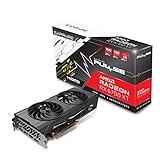
- Top Pick: Sapphire Technology Pulse AMD Radeon RX 6700 XT Gaming Graphics Card with 12GB GDDR6, AMD RDNA 2 (11306-02-20G) (Renewed)
- Best Value: XFX Speedster SWFT309 AMD Radeon RX 6700 XT CORE Gaming Graphics Card with 12GB GDDR6 HDMI 3xDP, AMD RDNA 2 RX-67XTYJFDV (Renewed)
- Premium Choice: Gigabyte GeForce RTX 4060 WINDFORCE OC 8G Graphics Card, 2X WINDFORCE Fans, 8GB 128-bit GDDR6, GV-N4060WF2OC-8GD Video Card
For pure rasterized frame rates and long-term VRAM headroom, the RX 6700 XT is the stronger card, roughly 9-11% faster than the RTX 4060 in standard games. The RTX 4060 is the better pick for small, quiet, low-power builds and for players who want DLSS 4 upscaling, frame generation and better ray tracing. If you play at 1440p or keep a GPU for many years, lean toward the 12 GB Radeon. If you play at 1080p on a modest power supply and value NVIDIA’s feature set, the RTX 4060 makes more sense.
These two cards come from different generations and were built for different jobs. The RX 6700 XT launched in March 2021 as a $479 upper-midrange card with a big 96 MB Infinity Cache and 12 GB of memory. The RTX 4060 arrived in May 2023 at $299 as an efficient 1080p card on a newer 5 nm process. On the used market and in clearance sales they often sit close together in price, so the choice comes down to what you value more: raw shader muscle and memory, or efficiency and software features.
As an Amazon Associate we earn from qualifying purchases at no extra cost to you.


Specifications Side by Side
| Specification | RX 6700 XT | RTX 4060 |
|---|---|---|
| Architecture | RDNA 2.0 | Ada Lovelace |
| Release date | 3 March 2021 | 18 May 2023 |
| Launch MSRP | ||
| Shaders / CUDA cores | 2560 | 3072 |
| Boost clock | 2581 MHz | 2460 MHz |
| Process | 7 nm | 5 nm |
| Board power (TDP) | 230 W | 115 W |
| Memory | 12 GB GDDR6 | 8 GB GDDR6 |
| Memory bus | 192-bit | 128-bit |
| Bandwidth | 384.0 GB/s | 272.0 GB/s |
| Cache | 3 MB L2 + 96 MB L3 (Infinity Cache) | 24 MB L2 |
| Interface | PCIe 4.0 x16 | PCIe 4.0 x8 |
| Power connectors | 1x 6-pin + 1x 8-pin | 1x 12-pin (reference spec) |
| Length / width | 267 mm, 2-slot | 240 mm, 2-slot |
| Outputs | 1x HDMI, 3x DisplayPort | 1x HDMI 2.1, 3x DisplayPort 1.4a |
The spec sheet explains most of the outcome. The Radeon has a wider 192-bit bus, 41% more raw bandwidth and a much larger last-level cache, which keeps it fed at higher resolutions. The GeForce relies on a big 24 MB L2 cache to make up for its narrow 128-bit bus, which works well at 1080p but starts to strain at 1440p. The RTX 4060 also runs on a PCIe 4.0 x8 link, which matters slightly if you drop it into an older PCIe 3.0 motherboard.
Rasterized Gaming Performance
According to TechPowerUp’s RTX 4060 review data at 1080p, the RX 6700 XT is about 9% faster than the RTX 4060 across a large game suite. Other comparisons land in a similar place, with gaps of roughly 10-11% in the RX 6700 XT’s favor. That makes the Radeon roughly a half-tier faster in traditional rendering. The same TechPowerUp data places the RTX 4060 about level with an RTX 2080 and a few percent ahead of AMD’s RX 7600.
The gap tends to widen at 1440p, where the RX 6700 XT’s wider memory system and 12 GB buffer help more. In demanding modern titles at 1440p high settings, the RX 6700 XT is generally the card that holds a steadier frame rate, while the RTX 4060 may need settings or texture quality lowered to stay smooth. As a rough guide, both cards push well past 60 FPS in most games at 1080p high, and the RX 6700 XT is more likely to stay in the 60-plus range at 1440p without upscaling. Exact FPS varies heavily with settings, CPU and game patch, so treat these as broad ranges rather than fixed numbers.
Ray tracing tells a different story
Turn on ray tracing and the order flips. TechPowerUp’s results show the RTX 4060 edging ahead of the 12 GB RX 6700 XT with RT enabled. RDNA 2 was AMD’s first generation with hardware ray tracing, and its ray accelerators fall behind NVIDIA’s third-generation RT cores in heavy RT workloads. Neither card is a true ray tracing card, but the RTX 4060 handles light RT effects at 1080p with DLSS more gracefully.
Upscaling and Frame Generation
This is the RTX 4060’s strongest argument. As an Ada Lovelace card it supports DLSS 4 Super Resolution with the transformer model, DLSS Ray Reconstruction and DLSS frame generation (2x). Multi Frame Generation is reserved for RTX 50 cards, but standard frame generation still adds a large boost in supported single-player games. DLSS image quality at the “Quality” preset is widely regarded as better than older FSR versions, especially at 1080p where upscalers have less input data to work with.
The RX 6700 XT relies on FSR 3.x, including AMD’s frame generation, and works in a broad range of titles. FSR 4, AMD’s machine-learning upscaler, officially targets RDNA 4 Radeon RX 9000 cards, so an RDNA 2 card should not be bought expecting FSR 4 support. In practice, the Radeon needs upscaling less often because its native performance is higher, but when both cards are upscaling, the NVIDIA image usually looks cleaner.
VRAM: 12 GB Versus 8 GB
VRAM is where the RX 6700 XT pulls away for long-term owners. A practical rule of thumb for modern AAA games:
- 1080p: 8 GB is workable at high settings, but some recent titles need texture settings reduced to avoid stutter.
- 1440p: 10-12 GB is the comfortable zone for high textures without compromise.
- 4K or heavy ray tracing plus frame generation: 12 GB or more is advisable, and frame generation itself adds memory overhead.
The RTX 4060’s 8 GB is its main weakness. Frame generation and ray tracing both consume extra VRAM, which can work against the very features that make the card attractive. The RX 6700 XT’s 12 GB gives more breathing room for high-resolution texture packs and future releases.
Power, PSU Sizing and Case Fit
The power difference is large. The RX 6700 XT is rated at 230 W, double the RTX 4060’s 115 W. A simple PSU sizing formula is GPU board power, plus CPU gaming power, plus roughly 150 W of headroom for the rest of the system and transient spikes.
- RX 6700 XT: 230 W + ~125 W (typical midrange CPU while gaming) + 150 W = about 505 W, so a quality 550 W unit is the floor and 600-650 W is comfortable.
- RTX 4060: 115 W + ~125 W + 150 W = about 390 W, so a quality 450-500 W unit is enough.
The RX 6700 XT needs one 6-pin and one 8-pin PCIe connector. The RTX 4060 reference specification lists a single 12-pin connector, but most partner boards ship with a standard 8-pin, so check the exact model you are buying. Size-wise, the reference RX 6700 XT is 267 mm long and the RTX 4060 reference figure is 240 mm, both dual-slot. Many RTX 4060 partner cards are compact single-fan designs, which suits mini-ITX cases far better. Lower power also means less heat and quieter fans.
Value Math From Launch Prices
Using launch MSRP and TechPowerUp’s 1080p relative performance (RTX 4060 = 100, RX 6700 XT = about 109):
- RX 6700 XT: $479 / 109 = about $4.39 per performance point.
- RTX 4060: $299 / 100 = about $2.99 per performance point.
At launch pricing, the RTX 4060 was clearly the better value. Today that math depends entirely on what each card costs you. The RX 6700 XT is now mostly a used or leftover-stock purchase, usually in the $200-$280 range used, while the RTX 4060 is commonly found around $200-$260 used. When the two are within roughly 10% in price, the RX 6700 XT’s extra performance and VRAM tip the value scale back toward AMD.
Which One to Pick by Resolution and Budget
| Your situation | Better pick | Why |
|---|---|---|
| 1080p, esports and lighter AAA | RTX 4060 | Plenty fast, very efficient, DLSS for longevity |
| 1080p, AAA with high textures | RX 6700 XT | 12 GB avoids texture-related stutter |
| 1440p high settings | RX 6700 XT | Wider bus and more VRAM hold up better |
| Ray tracing on | RTX 4060 | Stronger RT plus DLSS frame generation |
| 450-500 W PSU or small case | RTX 4060 | Half the power draw, compact partner cards |
| Similar price, used market | RX 6700 XT | More performance per dollar and more memory |
Both are now previous-generation options. Buyers who can stretch the budget should also look at the current RX 9060 XT 16 GB or RTX 5060 class, which add newer upscalers and better efficiency.
Drivers and Platform Notes
The RTX 4060 runs on NVIDIA’s current driver branch with full feature updates. AMD has moved its RDNA 1 and RDNA 2 cards toward a maintenance-style driver cadence, with fewer game-specific optimizations than RDNA 3 and RDNA 4 receive, though security and stability updates continue. If you plan to pair the RTX 4060 with an older PCIe 3.0 board, the x8 link costs only a small amount of performance in most games, but it is a factor worth knowing.
Frequently Asked Questions
Is the RX 6700 XT faster than the RTX 4060?
Yes, in rasterized games. TechPowerUp’s data puts the RX 6700 XT about 9% ahead at 1080p, and other comparisons show around 10-11%. The lead usually grows a little at 1440p. With ray tracing enabled, the RTX 4060 pulls slightly ahead.
Is 8 GB on the RTX 4060 enough in 2026?
For 1080p at medium to high settings, 8 GB is still workable in most games. Some recent AAA titles need texture quality lowered to avoid stutter, especially with ray tracing or frame generation active. If you want to keep max textures for several years, the 12 GB RX 6700 XT is safer.
What power supply do I need for each card?
A quality 550 W unit is the practical minimum for the RX 6700 XT, with 600-650 W giving more margin. The RTX 4060 runs comfortably on a good 450-500 W unit. Both figures assume a mainstream gaming CPU rather than a high-end workstation chip.
Can the RX 6700 XT use FSR 4?
FSR 4 officially targets AMD’s RDNA 4 Radeon RX 9000 series. The RX 6700 XT uses FSR 3.x upscaling and frame generation, which works in many games. If machine-learning upscaling matters to you, the RTX 4060’s DLSS 4 support is a real advantage.
Which card is better for 1440p gaming?
The RX 6700 XT is the better 1440p card thanks to its 192-bit bus, 96 MB Infinity Cache and 12 GB of memory. The RTX 4060 can play at 1440p with DLSS, but its narrow bus and 8 GB buffer become limits in demanding titles. For 1440p as the main target, AMD is the more sensible choice here.
Does the RTX 4060 lose performance on a PCIe 3.0 motherboard?
The RTX 4060 uses a PCIe 4.0 x8 link, so on PCIe 3.0 it runs at half the bus bandwidth. In most games the loss is small, typically a few percent. The impact grows when the card runs out of VRAM and has to pull data over the bus, which is another reason to keep texture settings within the 8 GB budget.

















