Roblox is not a typical demanding PC game, yet players still ask what is the recommended CPU for Roblox, especially when they run into stutter in busy servers or want smooth play alongside Discord and streaming. The answer is more nuanced than a single model name. Roblox is a platform with millions of player-made experiences, and they vary from simple obbies to huge simulation worlds. This guide explains how Roblox uses your processor, which CPU classes suit different players, and what else matters for smooth frame rates.
Recommended CPU for Roblox: What the Game Actually Needs
Roblox publishes minimum system requirements on its official support site, and the processor requirement there is modest. Because requirements are updated over time, check the current page for the exact numbers rather than relying on an old figure. In practice, almost any CPU from the last several years can start the game. The real question is how smoothly it runs in the experiences you play.
That depends on the experience itself. A lightly scripted game with few parts is easy on the processor. A crowded server with hundreds of moving objects, complex scripts or many avatars places much more work on the CPU, because Roblox runs a lot of game logic and physics there. In those cases, a faster processor with strong single-core speed makes a clear difference.
How Roblox Uses Your CPU
Roblox leans more on a few fast cores than on a large number of slow ones. Physics simulation, script execution and rendering preparation are handled in ways that favor high clock speed and good per-core performance. That means a modern four- or six-core processor with strong single-thread performance often beats an older chip with more cores.
The client also benefits from having a little extra headroom. If your CPU is already busy with background tasks such as a browser with many tabs, voice chat or recording software, Roblox shares what is left. A processor with additional cores helps you multitask without dropping frames, even if the game itself does not use all of them.
CPU Tiers by Player Type
Use this table to match a processor class to how you play. It describes categories rather than specific models, because lineups change; confirm the exact model on any listing.
| Player type | CPU class | What to expect |
|---|---|---|
| Casual, simple experiences | Recent entry-level quad-core (Core i3 or Ryzen 3 class) or an APU with integrated graphics | Smooth play in lighter games at moderate settings |
| Regular player, busy servers | Mid-range six-core (Core i5 or Ryzen 5 class) | Stable frame rates in most experiences, room for Discord and a browser |
| High-refresh play (144 Hz or more) | Fast mid-range or upper mid-range with strong single-core speed | Higher, more consistent frame rates in demanding experiences |
| Streaming, recording or creating | Core i7 or Ryzen 7 class | Spare cores for OBS, Roblox Studio and multitasking |
Newer generations within each class tend to give a better result than older chips with the same label, so compare generation as well as tier.
Integrated Graphics vs a Dedicated GPU
Roblox is light on graphics compared with big-budget titles, so many modern processors with integrated graphics can run it acceptably. Recent AMD Ryzen chips with built-in Radeon graphics and recent Intel chips with integrated graphics both handle Roblox at lower to medium quality. This makes an APU-based system an economical choice for kids’ PCs or secondary machines.
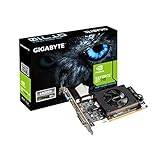
A dedicated graphics card helps when you push the render distance and visual quality up, play on a high-refresh monitor, or run Roblox alongside heavier games. If Roblox is only one of several games on your PC, a modest dedicated GPU and a mid-range CPU form a flexible pairing. To think through the whole build, see our guide to the best budget gaming PC.
RAM, Storage and Other Factors That Matter
CPU gets the attention, but several other parts influence how Roblox feels:
- RAM. Eight gigabytes is a workable starting point for Roblox alone, while sixteen gives comfortable room for a browser and chat apps. Dual-channel memory also helps systems that use integrated graphics.
- Storage. An SSD shortens load times and makes the PC feel responsive, though it does not raise frame rates.
- Internet connection. Roblox is online-only, so a stable connection matters. A wired connection reduces lag spikes that can feel like CPU problems.
- Cooling. A CPU that overheats lowers its speed to protect itself, causing dips. Good airflow and a clean cooler prevent this.
- Background software. Close unneeded programs and keep drivers up to date.
Settings That Reduce CPU Load
If your processor is on the older side, a few in-game and system changes can help:
- Lower the graphics quality level in Roblox settings, which reduces the work involved in drawing the scene.
- Use the frame rate cap thoughtfully. Capping to match your monitor prevents the CPU from working harder than needed.
- Choose less crowded servers when the experience allows it.
- Set Windows to a balanced or high-performance power plan so the CPU can boost.
- Keep Windows and graphics drivers updated.
Frame rate targets also connect to the monitor you use. If you want to understand what a higher refresh rate means for smoothness, read our explainer on the best refresh rate for gaming.
Common Mistakes When Choosing a CPU for Roblox
- Overspending on graphics and underspending on the CPU. Because Roblox is CPU-sensitive, a balanced system performs better than a mismatched one.
- Judging by core count alone. Per-core speed and generation matter as much.
- Ignoring RAM. A single memory stick can bottleneck an otherwise capable chip.
- Blaming the CPU for network lag. Rubber-banding and delayed actions are often connection issues.
- Buying an extreme chip for Roblox only. A mid-range recent processor is usually all a Roblox-focused PC needs.
Bottom Line
For most players, a recent mid-range quad- or six-core processor offers the best balance for Roblox. Casual players can get by with an entry-level chip or an APU, while streamers, creators and high-refresh players benefit from a stronger Core i7 or Ryzen 7 class option. Match the CPU to the experiences you play, pair it with enough RAM, and check the listing for the exact model and generation before buying.
FAQ
What is the minimum CPU for Roblox?
Roblox lists minimum requirements on its official support page, and they are modest. Check that page for the current figure, since it is updated over time.
Is Roblox CPU or GPU heavy?
It leans more on the CPU, especially in busy experiences with a lot of scripts and physics. Graphics demands are comparatively light.
Can I play Roblox with integrated graphics?
Yes. Many modern processors with integrated graphics can run Roblox at lower to medium settings, depending on the experience.
Do more cores improve Roblox performance?
Not much on their own. Strong per-core speed matters more, though extra cores help when multitasking or streaming.
Will an Intel or AMD CPU run Roblox better?
Both work well. Choose based on generation, per-core performance and the rest of your build rather than brand alone.