

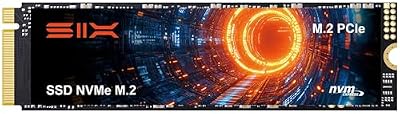
- Top Pick: SIX NVME M.2 SSD PCIe 4.0-1TB m.2 2280 ssd, Read UP to 7350MB/s 1TB for Gaming PS5 Memory Storage Expansion with Heatsink, Internal Solid State Hard Drive PCIe gen 4×4 Nvme for Laptop Desktop pc
- Best Value: Kingston NV3 1TB M.2 2280 NVMe SSD | PCIe 4.0 Gen 4×4 | Up to 6000 MB/s | SNV3S/1000G
- Premium Choice: Acer Predator GM7 1TB SSD: M.2 2280 PCIe Gen 4 x4 NVMe 2.0, Read Speed Up to 7400 MB/s, Internal PC Solid State Drive for Laptop, Desktop and PS5 – BL.9BWWR.118
The PS4 shipped with a mechanical hard drive, and for most of its life that was fine because the console’s RAM and I/O architecture weren’t built to exploit anything faster. Swapping in an SSD does help, but not in the way people expect coming from PC gaming, and it’s worth knowing exactly what you’re buying before spending the money.
As an Amazon Associate we earn from qualifying purchases at no extra cost to you.


What actually changes with an SSD
The PS4’s CPU is a weak point (eight low-clocked Jaguar cores), and that bottleneck doesn’t go away with faster storage. What an SSD fixes is anything bound by read speed: game installs, patch application, level loads, and open-world streaming pop-in. In practical terms, on a base PS4 or PS4 Slim you can expect load screens to drop by roughly 30-50%. A game that takes 45 seconds to load might take 25-30 seconds. Open-world titles with streaming (the GTA Online, Destiny 2, Spider-Man type of game) see less stutter when the game tries to pull in new assets.
What doesn’t change: frame rate, resolution, texture quality, or anything GPU/CPU-bound. If a game runs at 30fps because the hardware can’t push more, an SSD won’t touch that. People expecting PS5-style instant loading will be disappointed, because the PS4’s SATA II interface caps throughput around 300MB/s regardless of what drive you install, and the console’s software wasn’t written assuming fast random reads the way the PS5’s OS and API are.
PS4 Pro changes the math slightly
The PS4 Pro has a bit more memory bandwidth and in some multiplatform titles shows a larger relative improvement from an SSD than the base console, but it’s still working through the same SATA II bottleneck. If you own a Pro, the upgrade is marginally more worthwhile, but don’t expect a different category of result.
HDD vs SSD on PS4: the real numbers
| Metric | Stock HDD (5400rpm) | SATA SSD |
|---|---|---|
| Sequential read | ~100-120 MB/s | Capped ~300 MB/s by SATA II, but more consistent |
| Game load time (avg) | Baseline | 30-50% faster |
| Install/patch time | Baseline | 20-40% faster |
| Frame rate / resolution | No change | No change |
| Noise/vibration | Audible clicking/spin-up | Silent |
| Failure mode | Mechanical wear, head crashes, bad sectors over years | Flash wear (rare in practice at this usage level) |
| Price for 1TB | $35-45 | $45-60 |
The price gap has basically closed. A few years ago SSDs cost two or three times as much per gigabyte; now a 1TB SATA SSD and a 1TB 2.5″ HDD are often $10-15 apart. That changes the calculus: it used to be a real trade-off between cost and speed, and now it’s mostly just “do you want it quieter and a bit faster for cheap.”
Is it worth doing at all
If your PS4 is your only console and you play a lot of open-world or online games with long load screens, yes, it’s worth it. The upgrade is maybe 15 minutes of work: open the hard drive bay (a single screw on most models), slide out the caddy, swap the drive, reinstall, then let the console format it and redownload your games through PSN or restore from a USB backup.
If you’re on a PS4 and planning to move to a PS5 in the near future, I wouldn’t bother. The PS5 uses an NVMe drive with roughly 20x the real-world throughput and an OS built around that speed; the PS4 SSD you buy now has zero use there unless you repurpose it as external storage later.
If your PS4 is mainly used for a handful of games you already have installed and rarely reinstall anything, the HDD is genuinely fine. Don’t let anyone tell you it’s “holding back” your gameplay experience in a way that matters for a casual player. The stock drive isn’t broken, it’s just slower at a few specific tasks.
What to buy
Stick to a standard 2.5″ SATA drive, since that’s the physical form factor the PS4’s bay expects; NVMe drives won’t work without an enclosure and even then the console can’t boot from USB storage for its OS drive. For capacity, 1TB is the realistic minimum given how large modern game installs have gotten (某些 titles alone exceed 100GB), and 2TB is worth considering if you keep more than six or seven games installed at once. You can browse current 2.5″ SATA SSDs for the PS4 bay, or if budget is tighter, a 2.5″ hard drive is still a reasonable choice given how small the price gap has become.
Avoid buying based on brand reputation alone or chasing the cheapest listing with no reviews; a dead or defective SSD will brick your install process halfway through a transfer, and PS4 restores aren’t always graceful about it. If you want backup insurance before you do the swap, an external USB drive to copy your save data and game library first is cheap and removes the risk entirely. You can find a basic external hard drive for PS4 backup for well under $50.
Bottom line
An SSD in a PS4 is a real but modest upgrade: faster loads, quieter operation, no change to how games actually play. It’s a good weekend project if your console still has years of use ahead of it, and a bad use of money if a PS5 is already on your shopping list.














