Neverwinter, Cryptic Studios’ free-to-play Dungeons & Dragons MMO published by Arc Games, has been on Steam since December 2013, and its Linux status is one of the plainest records in this run. Steam flags the game Windows only, the depot list holds a single Windows content depot, and the Linux requirements field is an empty shell. There is no native build to find here, on any layer of the record.
What Linux players get instead is a Windows client with a long community history under Proton and an official Steam Deck rating of Playable, with a dated test sheet attached. This article works through that record layer by layer — flags, depots, account requirement, anti-cheat documentation, the Deck sheet and the community file — including one feed that could not be read at writing time and is flagged as such rather than filled in.
As an Amazon Associate, we earn from qualifying purchases.
Quick answer
Neverwinter is not native on Linux. Steam sells a single Windows build of the free-to-play client, with empty Linux and Mac requirements fields and no Linux depot. The Linux route is Proton: Valve rates the game Playable on Steam Deck and Compatible on SteamOS, and the client additionally requires a linked Arc account before it will run.
The platform record, layer by layer
Start with the flags, because here they agree with everything underneath them. Steam’s platform field for app 109600 reads windows true, mac false, linux false. The Windows requirements tab is genuinely populated, naming a 64-bit Windows 10 or 11 system. The Mac and Linux requirements fields exist but are empty shells: Minimum and Recommended headings over an empty list — a formatting artefact, not a port.
The depot census settles the question. SteamDB lists exactly one content depot, depot 109601, configured for Windows, alongside the standard DirectX redistributable. There is no Linux, Mac or shared depot. The registered client assets are the ordinary set — clienticon, clienttga, icon and logo — with no LinuxClientIcon among them, and osextended is an empty string. Every layer points the same way: the only build Cryptic ships through Steam is a Windows build, run through Proton or not at all.
Free to play, with an Arc account attached
The sale shape matters, because a free app’s record can be mistaken for a delisted one. Neverwinter’s record carries is_free true, no price overview and zero package groups — the standard free-to-play shape, not a withdrawal. The live store page confirms it: its “Play Neverwinter” section is headed Free to Play, the genre list includes Free To Play, and the page is current, with a store asset update dated November 2026. The game is live and free, not retired.
Free does not mean account-free. The record carries an ext_user_account_notice that reads “Arc (Supports Linking to Steam Account)”, and the store page states the same requirement, plus a third-party EULA. On Linux that step happens inside the client’s own launcher — the same launcher Valve’s Deck sheet flags for touchscreen and keyboard friction. SteamDB’s technology detection lists a CEF SDK and an Epic Online Services SDK in the build; that is a detection of libraries present, stated as detection only, and the only account the record itself names is Arc.
Anti-cheat: a quiet record
For an always-online MMO, the anti-cheat question usually decides Linux play. Here the documentation is silent in both directions. The Steam record names no anti-cheat product: no drm_notice, no anti-cheat field naming a vendor. AreWeAntiCheatYet, read in full across its 1,167 entries, holds no entry matched to this game’s store ID — no supported listing, no denied listing. That silence is reported as silence, not converted into reassurance or a warning. The positive evidence is narrower: Valve marked the game Compatible on SteamOS and community filings describe online multiplayer working, so no source in the record describes a hard anti-cheat block. Anyone whose decision turns on a named verdict will not find one for this title.
Steam Deck: Playable, on a 2023 test sheet
Valve’s record, read directly from its compatibility endpoint, resolves the game to category 2, Playable, with SteamOS separately rated Compatible. SteamDB’s republication of Valve’s sheet supplies the paperwork: the test is dated 10 February 2023, run against build 5205775, with Proton 7.0-6 as the recommended runtime. One caution: the current public branch build is 11833704, built in August 2023, so the badge grades an earlier build than the one a player downloads today.
The deductions are all input and interface items: the launcher may require the touchscreen or virtual keyboard and can have difficult-to-read text; some functionality is not accessible under the default controller configuration; the game sometimes shows mouse, keyboard or non-Steam-Deck controller icons; text entry requires manually invoking the on-screen keyboard; and some in-game text is small. The single performance item passes. Two input facts frame those deductions: the store record carries no controller-support designation at all, and Valve’s Deck configuration block records gamepad as the supported input while noting the default configuration is not fully functional — a pad is the input shape, with not everything reachable on the stock layout. On SteamOS the same sheet records that the game runs successfully, with the launcher, controller and keyboard items carried over as notes.
The community file, with one feed down
ProtonDB’s summary feed could not be read for this article. The summary endpoint returned an error for this app and for a control app alike, which marks an outage at the source rather than a missing record, and the game page’s tier badge did not render in the text fetched from it. No tier, report count or confidence figure is claimed here, because none was read.
What the game page did yield is report-level evidence. A detailed filing runs the game on a GE-Proton build with custom launch options, reports online multiplayer as excellent, and names two standing annoyances: patching can pause heavily unless on-demand patching is disabled, and the game freezes on exit without losing progress. Read with Valve’s Compatible mark on SteamOS, the picture is a Windows client that runs under Proton with launcher-and-patching friction rather than a clean out-of-box profile. Readers who need the settled tier should check the game’s ProtonDB page once the feed is answering again; this article will not guess it.
The GOG question
There is no GOG edition of Neverwinter. The natural GOG address resolves to the store’s general catalogue rather than a product page, and no product record exists to rule from — the documented search blind spot means an empty search alone would not settle it, but a missing product page and a missing record together do. Keep the name separate from the older shelf: GOG sells Neverwinter Nights titles, which are different games. The Steam client is the only PC edition.
Gear that fits the record
The gear below follows the record’s shape: the handheld the badge was written for, pads for the gamepad input the Deck configuration names, a mouse for the launcher friction the sheet describes, and library storage.
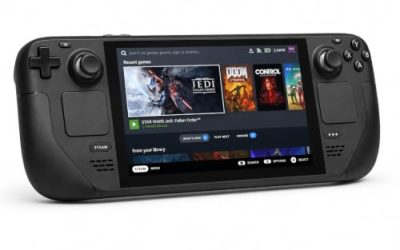
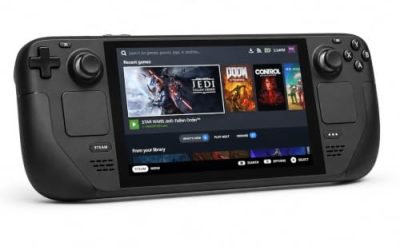
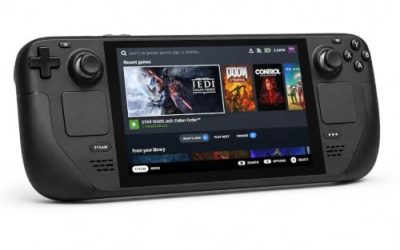
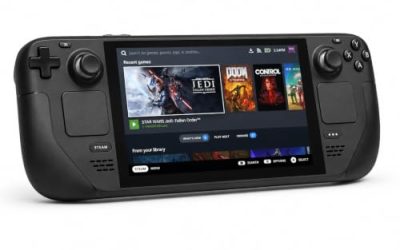
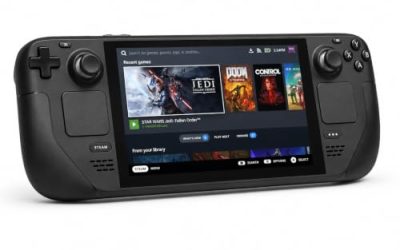
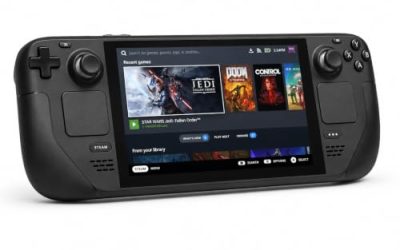
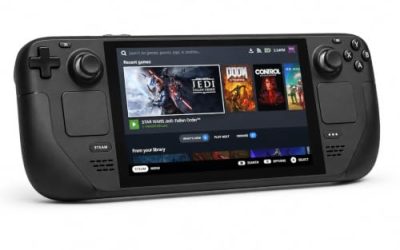
Valve Steam Deck OLED 512GB

The handheld the Playable badge was written for. Valve’s sheet passes the Windows build on performance at default settings, and the touchscreen and on-screen keyboard cover exactly the launcher steps the sheet flags.
Specs
- Display: 7.4-inch HDR OLED, 1280 by 800, up to 90 Hz
- Processor: AMD Zen 2 and RDNA 2 custom APU
- Memory: 16 GB LPDDR5
- Storage: 512 GB NVMe, plus a microSD slot
- Wireless: Wi-Fi 6E and Bluetooth
- Channel note: Valve sells the Deck mainly through its own store, so Amazon listings are third-party sellers
8BitDo Ultimate 2 Bluetooth Controller
The docked and desktop pad pick. The Deck configuration names gamepad as the supported input shape, and the back buttons give extra bindings a community configuration can map around the stock layout’s gaps.
Specs
- Connectivity: Bluetooth wireless and USB-C wired
- Joysticks: TMR electromagnetic, anti-drift design
- Triggers: Hall effect, with mode switching
- Extras: two remappable back buttons, motion control
- In the box: charging dock included
Xbox Wireless Controller, Carbon Black
The standard PC pad: Steam Input support is universal, and it is the controller most community layouts are written against.
- Connectivity: Xbox Wireless and Bluetooth
- Port: USB-C for wired play
- Controls: hybrid D-pad, dedicated Share button
- Power: AA batteries or optional rechargeable pack
Logitech G502 HERO
Valve’s sheet warns the launcher may need pointer and keyboard attention, and an MMO’s menus are pointer-shaped work. At a desk, a precise wired mouse answers both.
Specs
- HERO optical sensor, up to 25,600 DPI
- 11 programmable buttons
- Adjustable weight system
- Wired USB connection
- On-board memory profiles
Samsung T9 Portable SSD 2TB
The client patches through its own launcher and the install grows with each module. Fast external storage keeps a Linux library movable between desktop and laptop, or holds an offline backup.
Specs
- Capacity: 2 TB portable SSD
- Interface: USB 3.2 Gen 2×2, USB-C connector
- Maker-rated speeds: up to 2,000 MB per second read, 1,950 MB per second write
- Features: Dynamic Thermal Guard, maker-rated drop resistance
How to choose
Choose the Steam copy, because it is the only PC edition and the build both records describe. On desktop or laptop, install under Proton and expect the launcher to be the friction point: the community evidence points to patching pauses and a freeze on exit, not to a failure to run, and multiplayer is described as working. On a Steam Deck, budget for touchscreen or keyboard use in the launcher, small text, and a possible community controller layout. Either way, create or link the Arc account the record requires. If a settled ProtonDB tier is part of your decision, wait for the summary feed to recover and read the figure first-hand.
Who should skip
Skip this one if you are shopping for a native Linux MMO: no layer of its record points to a port. Skip it if an account link is a deal-breaker, because the Arc requirement is on the record and applies on every platform. Skip the Deck plan if small text and a touchscreen-hungry launcher are more friction than you accept on a handheld. And skip it if your rule requires a named anti-cheat verdict or a settled community tier in writing — the tracker is silent and the tier feed was down, so neither document exists today.
FAQ
Is Neverwinter native on Linux?
No. Steam flags it Windows only, its Linux requirements field is an empty shell, and its single content depot is a Windows depot. Linux play means the Windows build under Proton.
Is Neverwinter still free to play?
Yes. The record reads is_free true with no price overview, and the live store page’s “Play Neverwinter” section is headed Free to Play. Playing requires a linked Arc account, named in the record’s account notice.
How does Neverwinter run on Steam Deck?
Valve rates it Playable, tested in February 2023 against an earlier build than the current branch, with SteamOS separately Compatible. The deductions are launcher interaction, a default controller configuration that is not fully functional, mismatched glyphs, manual keyboard invocation and small text; graphics performance passes.
Can I buy Neverwinter on GOG instead?
No. GOG has no product page or record for this game, so there is no GOG edition to buy. The Neverwinter Nights titles GOG sells are different games.
Final verdict
Neverwinter is a Windows-only free-to-play client with no native Linux build on any layer of its record: Windows-only flags, empty requirement shells, one Windows content depot and no Linux client icon. The Linux case rests on Proton, and the official paperwork is favourable within its limits — a Playable Deck badge and a Compatible SteamOS mark, with community filings describing working multiplayer and launcher-level friction. Set against that, the badge’s test predates the current branch, the anti-cheat trackers are silent, and the community tier could not be read at writing time. As a free client, the cost of finding out is an install and an Arc account; the record supports trying it under Proton, and no stronger claim than that.
Product and ASIN Reference
| Product | ASIN |
|---|---|
| Valve Steam Deck OLED 512GB | B0CQ3RWQQZ |
| 8BitDo Ultimate 2 Bluetooth Controller | B0F194QFT2 |
| Xbox Wireless Controller, Carbon Black | B08DF248LD |
| Logitech G502 HERO | B07GBZ4Q68 |
| Samsung T9 Portable SSD 2TB | B0CHFS9K14 |