Megabonk is the 3D turn of the survivors-like: a solo-developed Unity game from vedinad that drops the genre’s auto-attack and gem loop into third-person arenas with jumping, sliding and vertical maps. It launched on 18 September 2025, and the question here is the Linux one — whether a real Linux build exists, what Valve’s test sheet graded, and where the record’s one inflated flag sits.
The short version is unusually clean. Steam flags the game for Windows and Linux, the Linux requirements tab is genuinely filled in, and the depot census shows a dedicated Linux depot larger than the Windows one. The wrinkles are small: a soundtrack app whose flags claim a platform the game does not support, and a Deck test run on a pre-release build.
As an Amazon Associate, we earn from qualifying purchases.
Quick answer
Megabonk is native on Linux. Steam flags the game for Windows and Linux, its Linux requirements tab names Ubuntu 18.04 and SteamOS 3.0, and its dedicated Linux depot is the largest file in the sold package. Valve rates it Verified on Steam Deck with the native runtime recommended, and ProtonDB classifies it Native with a Platinum headline across 165 reports.
The status at a glance
| Question | Answer from the record |
|---|---|
| Native Linux build | Yes — flag, requirements tab and depot all agree |
| Linux depot | 3405341, 539.70 MiB on disk — larger than the Windows depot |
| Linux requirements tab | Populated in both tiers, Ubuntu and SteamOS named |
| Add-on apps | One soundtrack; its flags claim Mac the base game lacks |
| ProtonDB record | Native classification, Platinum headline, 165 reports |
| Steam Deck verdict | Verified, tested August 2025 on a pre-release build |
| GOG edition | None |
What Steam’s own record says
Steam’s appdetails record for Megabonk (app 3405340) lists the platforms as Windows true, Mac false, Linux true. Developer and publisher are both vedinad, the release date is 18 September 2025, and the game is on sale with its purchase package in place — a live, sold product.
The Linux requirements tab is the genuine article, in both tiers. The minimum names Ubuntu 18.04 or SteamOS 3.0 or later, 2 GB of memory and 500 MB of storage; the recommended tier raises the distribution line to Ubuntu 20.04 while keeping SteamOS 3.0. The hardware rows are written in the game’s comic voice — the processor line reads “potato” — but the operating system lines are specific, versioned and different between tiers, paperwork a developer only writes for a build that exists. The Mac requirements field holds empty shells, matching the false Mac flag: no Mac build exists in any form.
SteamDB’s technology detection reads Unity with the IL2CPP backend. That matters because IL2CPP builds are compiled per platform; a Linux depot for an IL2CPP game is a deliberate export, not a shared-runtime accident.
The depot census
Depot OS tags are delivery metadata, so this series rules on flags, requirements and real depot contents — and here all three agree. The sold package carries two content depots: 3405342 is the Windows build at 498.52 MiB on disk, and 3405341 is the Linux build at 539.70 MiB, the largest component of the 1.01 GiB install. A native build that outweighs the Windows build is the opposite of the stranded or emptied shapes this series warns about: nobody ships half a gigabyte of Linux data by leftover.
The registered assets agree: a LinuxClientIcon is present, backed by a real depot and a true flag — the non-fossil shape. The public branch is current (build 21750826, February 2026), and reports note the native version stays as up to date as the Windows version.
The one add-on, and the family’s one inflated flag
The record lists exactly one add-on app: the Megabonk Soundtrack (app 4046730), a music release from 29 October 2025. Read on its own record, it flags Windows, Mac and Linux all true — beside a base game whose Mac flag is false. That is the soundtrack all-true pattern in its Mac form: soundtrack apps routinely carry every platform flag regardless of what the game supports, so a family-level scan would credit Megabonk with a Mac edition that does not exist. The game’s own record is the authority: Windows and Linux only. The soundtrack’s Linux flag happens to be backed by the real build — but the rule stands: never rule a platform from an add-on’s flags.
ProtonDB: a Native classification with a Platinum headline
ProtonDB’s summary record was read in full: Platinum settled, best-reported and trending, across 165 reports with strong confidence. The game’s page classifies it Native and carries the “Natively Supports:” heading — and for once the heading agrees with Steam’s record on every layer.
The report file mixes Native and Proton filings: a share of players force a Proton build out of habit even when a native build is installed. The honest caveats attach to the native build rather than to compatibility. One filing notes scroll wheel input feels slow natively while behaving under Proton; another reports the pointer jumping to the window edge when opening chests; a DualShock 3 user saw the camera spin until switching to keyboard and mouse. Late-run slowdowns appear too, the genre’s usual CPU tax. None of it is a launch failure — out-of-the-box filings dominate — but native owners should expect small input quirks.
Steam Deck: Verified, graded on the native build — before release
Valve’s own ajax endpoint returned an empty result set for this app in this session, so the test sheet was read through SteamDB’s republication of Valve’s data, disclosed here rather than dressed up. The verdict is Verified, the top category, with SteamOS separately rated Compatible. All four checks pass: default controller configuration fully functional, Steam Deck controller icons shown, interface text legible, default graphics performant. The recommended runtime is native — Valve graded the Linux build itself, not a Proton run. The store record’s controller field reads full support, with DualShock and DualSense categories listed; the pad claims here come from that field alone.
One caveat belongs in the open: the test timestamp is 26 August 2025, against build 19709338 — a pre-release build, graded weeks before the game went on sale. The current build is far newer, so the badge certifies the native line the game shipped from, not the exact copy on sale today: a supplement-candidate sheet. A smaller note: the primary player is not controller slot 0, so an external pad may need a manual switch.
Anti-cheat and other storefronts
No anti-cheat is named on the store record, there is no DRM notice and no external account requirement, and the game is single-player. The Are We Anti-Cheat Yet database, read in full at its root file of 1,167 entries, holds no entry for this game in either direction — documentation silence, not a clearance.
GOG sells no edition. The game’s natural product address on GOG redirects to the general games catalogue rather than resolving to a product page, and GOG’s embedded search returns no product for it; the ruling rests on the absent page and records, not search silence alone. Steam is the only storefront, and its copy is the native one.
Gear for a 3D survivors-like
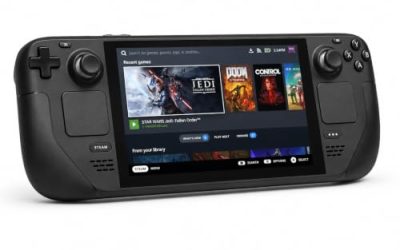
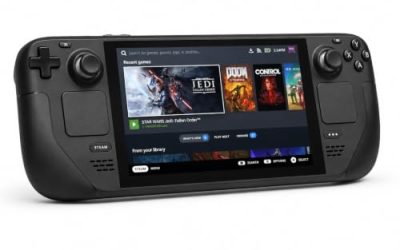
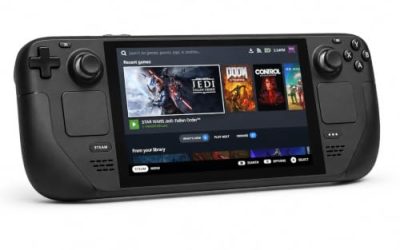
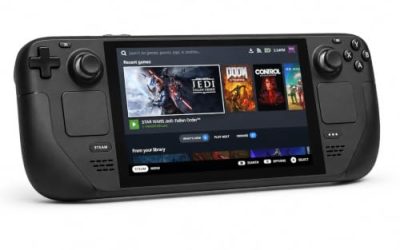
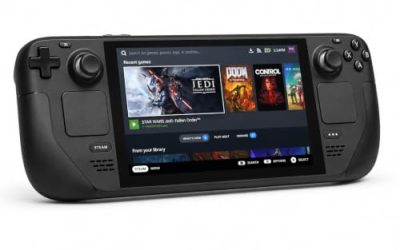
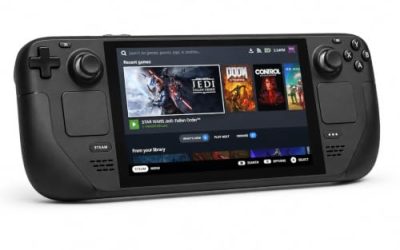
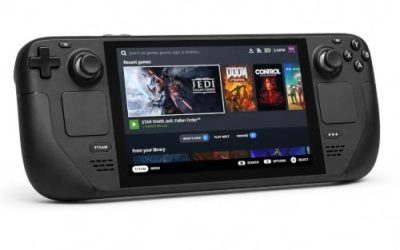
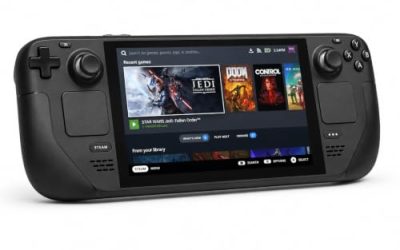
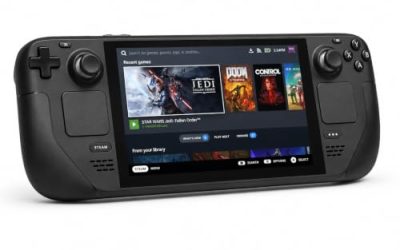
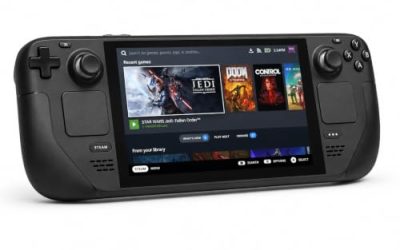
Valve Steam Deck OLED 512GB

The handheld the Verified badge was written for — and the rare case where Valve graded a native Linux build rather than a Proton run. The game’s published requirements are a rounding error next to the Deck’s APU, and suspend-and-resume suits the short timed runs.
Specs
- Display: 7.4-inch HDR OLED, 1280 by 800, up to 90 Hz
- Processor: AMD Zen 2 and RDNA 2 custom APU
- Memory: 16 GB LPDDR5
- Storage: 512 GB NVMe, plus a microSD slot
- Wireless: Wi-Fi 6E and Bluetooth
- Channel note: Valve sells the Deck mainly through its own store, so Amazon listings are third-party sellers
8BitDo Ultimate 2 Bluetooth Controller
The docked and desktop pad pick, with modern sticks and triggers plus back buttons for menu shortcuts.
Specs
- Connectivity: Bluetooth wireless and USB-C wired
- Joysticks: TMR electromagnetic, anti-drift design
- Triggers: Hall effect, with mode switching
- Extras: two remappable back buttons, motion control
- In the box: charging dock included
Xbox Wireless Controller, Carbon Black
The safest guest pad in PC gaming: Steam Input support is universal, and it pairs over Bluetooth or its own wireless standard. On the handheld, the test sheet’s note applies: an external pad may need a manual switch before it takes over.
- Connectivity: Xbox Wireless and Bluetooth
- Port: USB-C for wired play
- Controls: hybrid D-pad, dedicated Share button
- Power: AA batteries or optional rechargeable pack
Logitech G502 HERO
The desktop alternative: menus, shop trips and tome choices are pointer work, and a precise wired mouse makes them single clicks. Eleven programmable buttons cover the jump, slide and interact inputs a run repeats.
Specs
- HERO optical sensor, up to 25,600 DPI
- 11 programmable buttons
- Adjustable weight system
- Wired USB connection
- On-board memory profiles
Samsung T9 Portable SSD 2TB
For moving a Linux game library between machines, a fast USB-C drive is the simple answer. The headline figure needs a Gen 2×2 host port; on a lesser port the drive runs at that ceiling instead.
Specs
- Capacity: 2 TB portable SSD
- Interface: USB 3.2 Gen 2×2, USB-C connector
- Maker-rated speeds: up to 2,000 MB per second read, 1,950 MB per second write
- Features: Dynamic Thermal Guard, maker-rated drop resistance
How to choose
Choose the Steam copy — it is the only edition sold anywhere, and on Linux it installs the native build by default, so there is no compatibility-tool decision to make. Leave any forced Proton setting off unless you hit one of the native build’s reported input quirks; the Windows build under Proton is then a documented fallback with a Platinum file behind it. On Steam Deck, install and launch: the Verified badge covers the default configuration, and the only manual step in the record is switching an external pad into the primary slot. Match the input to the game — the camera assumes two sticks, and a pad is the intended shape on every platform.
Who should skip
Skip Megabonk if you play on keyboard alone: the third-person camera assumes twin sticks, and the record’s full controller support is the design, not an extra. Skip it if you want a Mac version — none exists, whatever the soundtrack’s flags suggest. Skip it if you need a DRM-free installer, because GOG sells no edition. And skip it if small native-build quirks — a slow scroll wheel, a wandering pointer — read to you as unfinished; the build is maintained, but its report file is honest about the rough edges.
FAQ
Is Megabonk native on Linux?
Yes. Steam flags the game Linux true, the Linux requirements tab is populated in both tiers, and the sold package contains a dedicated Linux depot of 539.70 MiB — larger than the Windows depot. ProtonDB classifies it Native and agrees.
Is Megabonk Steam Deck Verified?
Yes. Valve’s top category, all four checks passing, native runtime recommended. The test ran on 26 August 2025 against a pre-release build, so the badge grades the shipped native line rather than today’s exact build; the sheet was read through SteamDB’s republication of Valve’s data after Valve’s endpoint returned an empty result.
Does Megabonk work on macOS?
No. The base game’s Mac flag is false and its Mac requirements field is an empty shell. The soundtrack add-on flags Mac true, but soundtrack flags do not describe the game.
Can I buy Megabonk on GOG?
No. GOG’s product address redirects to its general catalogue and its records surface no product. Steam is the only storefront, and its copy is the native edition.
Final verdict
Megabonk is the cleanest native ruling in this stretch of the catalogue: flag, requirements, icon and depot census all agree, the Linux depot is the biggest file in the package, and the build is still updated in step with Windows. The caveats are paperwork-grade, not play-grade — a soundtrack whose flags invent a Mac edition, and a Deck badge earned on a pre-release build. Buy the Steam copy, play the native build, and bring a controller.
Product and ASIN Reference
| Product | ASIN |
|---|---|
| Valve Steam Deck OLED 512GB | B0CQ3RWQQZ |
| 8BitDo Ultimate 2 Bluetooth Controller | B0F194QFT2 |
| Xbox Wireless Controller, Carbon Black | B08DF248LD |
| Logitech G502 HERO | B07GBZ4Q68 |
| Samsung T9 Portable SSD 2TB | B0CHFS9K14 |