

- Top Pick: fanxiang 1TB SATA SSD 2.5'' SSD SATA III 6 Gb/s Internal Solid State Drive Up to 560 MB/s 3D NAND SLC Cache for Laptop and PC Desktop Performance Boost 7mm(0.28″) S101Q
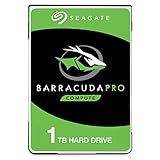
- Best Value: Seagate BarraCuda Pro 1TB Internal Hard Drive Performance HDD – 2.5 Inch SATA 6 Gb/s 7200 RPM 128MB Cache for Computer Desktop PC Laptop, Data Recovery – Frustration Free Packaging (ST1000LM049)
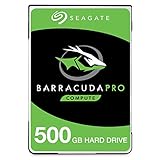
- Premium Choice: Seagate BarraCuda Pro 500GB Internal Hard Drive Performance HDD – 2.5 Inch SATA 6Gb/s 7200 RPM 128MB Cache for Computer Desktop PC Laptop, Data Recovery – Frustration Free Packaging (ST500LM034)
The Basic Difference
Laptop hard drives and desktop hard drives aren’t just the same thing in different sizes. A laptop HDD is a 2.5-inch drive, usually 7mm or 9.5mm thick, spinning at 5400 RPM in most cases. A desktop HDD is a 3.5-inch drive, almost always 7200 RPM, sometimes higher in older enterprise models. That RPM gap is the whole story behind most of the performance difference people notice.
The platters inside a 3.5-inch drive are physically larger, which lets manufacturers pack more data per platter and read it faster at the outer edges. Combine that with the higher spin speed and you get noticeably better sustained transfer rates and lower latency on desktop drives, even when the capacity numbers look identical on the box.
As an Amazon Associate we earn from qualifying purchases at no extra cost to you.


Real-World Numbers
Specs on paper undersell how different these drives feel in daily use. Here’s roughly what you’ll see from mainstream drives in each category, based on typical published benchmarks and real-world testing:
| Metric | Laptop HDD (2.5″, 5400 RPM) | Desktop HDD (3.5″, 7200 RPM) |
|---|---|---|
| Sequential read/write | 80-120 MB/s | 150-220 MB/s |
| Random 4K IOPS | ~50-70 | ~75-100 |
| Average latency | ~5.5 ms rotational | ~4.2 ms rotational |
| Typical power draw (active) | 1.5-2.5 W | 6-9 W |
| Typical noise | Low, often inaudible | Audible seek clicks and hum |
Boot a Windows install off a laptop 5400 RPM drive and compare it to the same install on a 7200 RPM desktop drive, and the desktop drive will usually shave 10-20 seconds off boot time. It’s not dramatic, but it’s consistent, and it shows up even more in file copies and game load screens.
Why Laptops Use Slower Drives
It’s not that manufacturers are cheaping out on purpose. Laptop drives trade speed for lower power draw, less heat, and quieter operation, all things that matter more in a battery-powered chassis sitting a foot from your face. A 7200 RPM 2.5-inch drive does exist and was common in gaming laptops before SSDs took over, but it runs hotter and drains battery faster, which is exactly what you don’t want in a laptop.
Desktop drives don’t have those constraints. They sit in a case with real airflow and a power supply that doesn’t care about an extra 5 watts, so manufacturers optimize purely for capacity and throughput.
Does This Matter for Your Upgrade?
Honestly, for most people in 2024, this comparison is a bit academic. If your system drive is still a hard drive of any kind, the single biggest upgrade you can make isn’t choosing 5400 vs 7200 RPM, it’s switching to an SSD. A budget SATA SSD will outrun both of these drives by 4-5x on sequential speed and by 10x or more on random access, which is what actually makes a computer feel fast. If you’re shopping, it’s worth comparing 2.5-inch SATA SSDs against any HDD before you commit, especially since prices for 500GB-1TB SSDs have dropped close to HDD territory.
Where HDDs still make sense is bulk storage: media libraries, backups, game archives you don’t need loading fast. For that role, a 7200 RPM 3.5-inch drive in a desktop is genuinely the better buy per terabyte, and the speed difference over a laptop drive actually matters if you’re streaming large files or running a NAS. Browsing 3.5-inch desktop hard drives in the 4TB-8TB range usually gets you the best cost per gigabyte on the market.
If you’re specifically upgrading a laptop and an SSD swap isn’t in the budget or the drive bay only takes 2.5-inch drives, a 7200 RPM laptop HDD is a real option and does give a mild speed bump over 5400 RPM, usually in the 20-30% range on transfers. Just know you’re trading some battery life and a bit of extra heat for it. These drives are getting harder to find new since the market has mostly moved to SSDs for anything performance-sensitive, so check 7200 RPM 2.5-inch laptop hard drives for current stock before planning around one.
Failure Modes Worth Knowing
Both drive types fail the same mechanical way eventually: head crashes, bearing wear, bad sectors accumulating over years of use. But laptop drives see more physical shock in daily life, getting bumped, dropped in a bag, or jostled while spinning, which is a real cause of premature failure that desktop drives rarely face sitting still in a case. Desktop drives run hotter overall due to higher RPM and often live in cases with mediocre airflow, which shortens lifespan if the drive sits above 40-45°C for extended periods.
Neither is inherently more reliable in annual failure rate studies, it mostly comes down to how the drive is treated and ventilated, not just the form factor.
Bottom Line
If you’re buying new storage today, treat the laptop vs desktop HDD question as secondary to the SSD question. Use desktop 7200 RPM drives for cheap bulk capacity where speed doesn’t matter much, use SSDs anywhere responsiveness matters, and only reach for a laptop HDD if you’re stuck with a 2.5-inch bay and need maximum capacity on a tight budget.















