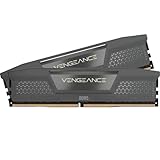
Updated November 2026 – For gaming, 16GB is still enough for most games, 32GB is the safer choice for a new build or a player who multitasks, and 64GB is overkill unless you also edit video, run virtual machines or play very memory-hungry titles.
How much RAM do you need for gaming? It depends on the games, what you keep open in the background and whether the machine is a desktop or a laptop. This guide gives a quick-reference table, explains dual-channel and DDR4 versus DDR5, covers XMP and EXPO settings, and explains the laptop differences between SODIMM and soldered memory.
Quick answer: 16GB vs 32GB vs 64GB
| Use case | Verdict | What to pair it with |
|---|---|---|
| Esports and older titles | 8GB can launch games, 16GB is comfortable | Dual-channel pair |
| Most current games at 1080p to 1440p | 16GB is enough | 2x8GB dual-channel kit |
| New build, heavy multitasking, streaming | 32GB is the safer buy | 2x16GB dual-channel kit |
| Flight simulators, big open-world and modded games | 32GB helps | Fast DDR5 with EXPO or XMP enabled |
| Video editing plus gaming, virtual machines | 64GB can be justified | 2x32GB kit on a platform that supports it |
Is 16GB RAM enough for gaming in 2026?
Yes for most games. Tom’s Hardware’s best-RAM guide says 16GB is more affordable and sufficient for gaming and mainstream productivity, and a May 2026 Tom’s Hardware report noted that most developers still list 16GB as the baseline. The same report said Microsoft published, then removed, a gaming guide calling 16GB the practical starting point and 32GB the future-proof choice.
Where 16GB struggles is multitasking. Reviewers and guides report that leaving a browser, chat client and stream overlay open pushes 16GB into swapping with recent titles. Retail and review sites citing Hardware Unboxed and Gamers Nexus describe near-identical average frame rates between 16GB and 32GB but worse 1% lows on 16GB in some recent games; those are second-hand summaries, so treat the exact numbers cautiously.
Is 32GB worth it?
For a new build, usually yes. TechRadar reported on Steam Hardware Survey data in which 16GB share slipped and 32GB share rose through 2025, showing the market moving up. Guides name Microsoft Flight Simulator 2024, Star Citizen and demanding Unreal Engine 5 open-world titles as examples that benefit from 32GB. Memory prices also spiked in 2026 according to a roundup, so the premium for 32GB is higher than it was, and a 16GB kit remains a reasonable choice if the budget is tight and you can add more later.
When is 64GB overkill?
For gaming alone, almost always. Guides report that most AAA games peak around 13 to 18GB including a browser and Discord, and ran essentially the same on 16, 32 and 64GB. 64GB makes sense if you also edit large video projects, run virtual machines or keep dozens of heavy apps open. On a laptop, 64GB of DDR5 SODIMM exists but is a niche upgrade for creators.
Dual-channel matters more than you think
Two sticks beat one. Guides consistently report that a 2x16GB kit outperforms a single 32GB stick on current platforms because dual-channel doubles the memory bus width. On desktops, use the slots your motherboard manual names for dual-channel, which on many boards are the second and fourth slots counting from the processor. Some guides claim a 10 to 15 percent frame-rate cost for single-channel; that figure comes from retailer content, so expect the real gap to vary by game and processor. Laptop reviewers make the same point about LOQ-style machines that ship with one stick: Notebookcheck recommends filling both slots.
DDR4 vs DDR5
- DDR5 is the current standard on new desktop platforms such as AMD AM5 and recent Intel boards. It runs at higher speeds, and laptop DDR5 SODIMM standard speeds top out around 5600 MT/s according to a 2026 roundup.
- DDR4 is still found in budget laptops, for example the Acer Nitro V 15 ANV15-52 sheets list 16GB DDR4, and in older desktops. It is not interchangeable with DDR5 in the same slot.
Check the platform before buying: a board takes either DDR4 or DDR5, never both.
XMP and EXPO: turn on the rated speed
RAM often runs below its advertised speed until you enable a profile in the BIOS. Intel’s profile is XMP and AMD’s is EXPO, which is an open, royalty-free standard for AM5 boards, according to guides. AM5 boards can often read XMP profiles too, and if a kit has both, EXPO is the validated Ryzen path.
- Enter the BIOS at startup, commonly with the Delete key; the exact key and menu name vary by motherboard maker, so check the board manual.
- Find the memory or overclocking tab and enable Profile 1 of XMP or EXPO.
- Save and exit, then confirm the speed in the BIOS or in Windows.
Without it, a DDR5-6000 kit may run at 4800 or 5200 MT/s. One retailer FAQ estimates the cost at 5 to 12 percent in games, which is approximate. If the system becomes unstable, try the second profile, update the BIOS or lower the speed one step. Memory profiles are overclocks in the maker’s terms, so read your warranty, and note that BIOS changes can cause instability.
Gaming laptop RAM: SODIMM, soldered and CAMM2
Laptop memory comes in three forms. Gaming laptops mostly use socketed DDR5 SODIMM, thin ultrabooks and thin gaming models often use soldered LPDDR5X, and CAMM2 is a newer replaceable format that few gaming laptops use in 2026. A roundup reports soldered LPDDR5X is faster and more power-efficient but cannot be upgraded, while SODIMM can be upgraded.
- Upgradeable examples: reviews of the Lenovo LOQ 15 and Legion 5i list two SODIMM slots.
- Soldered example: the Acer Predator Triton 14 AI lists 32GB LPDDR5X, so buy the capacity you need.
- Hybrids: some laptops solder part of the memory and leave one SODIMM slot free, which prevents a matched pair.
Newegg’s guide advises gamers on a soldered machine to buy 32GB up front, and suggests laptops with two SODIMM slots if you want to start smaller. Check the service manual and warranty terms before opening a laptop.
Is 8GB laptop memory enough?
It will launch games, but it is a bottleneck for modern titles and multitasking. Reviewers of an 8GB base Cyborg 15 configuration described it as a bottleneck, and 16GB is the sensible laptop minimum.
How to choose a kit: a short checklist
- Match the type to the board: DDR4 or DDR5.
- Buy two sticks, not one.
- Pick a speed your processor and board support; guides report Zen 4 supports DDR5-5200 as a baseline in dual-channel, with higher EXPO kits common, so check the processor maker’s memory support page.
- Enable XMP or EXPO after installing.
- For laptops, count the SODIMM slots first.
Does RAM speed matter as much as capacity?
Capacity comes first, speed second. Once you have enough memory to avoid swapping to the drive, faster kits give smaller gains that depend on the game and the processor. Guides recommend a mainstream DDR5 kit that your board supports rather than chasing the highest rating, and note that stability at the rated speed matters more than a headline number. On AMD AM5, EXPO kits are the validated path; on Intel boards, XMP kits are. If you buy a kit that your board does not list as supported, you may need a BIOS update first.
What counts as using RAM while you game?
The game is only part of the total. Windows itself uses memory, and so do the browser tabs, voice chat, launchers, overlays and capture software that gamers keep open. Guides describe a browser with many tabs as one of the biggest hidden consumers. That is the practical reason 32GB is recommended for streamers and multitaskers even when a single game stays under 16GB. If you close background apps before playing, 16GB goes further.
Integrated graphics also borrow system memory, so a laptop or desktop without a dedicated graphics card shares RAM with the display. Players using integrated graphics should treat 16GB as a floor and prefer dual-channel, since the graphics chip benefits from the extra bandwidth.
Common mistakes to avoid
- Buying one big stick. A single 32GB stick runs single-channel; two 16GB sticks usually perform better.
- Forgetting XMP or EXPO. A fast kit that runs at the default speed wastes the money you paid for speed.
- Mixing kits. Mixing different kits can force lower speeds or cause instability. Buy a matched kit.
- Ignoring the platform. DDR4 and DDR5 are physically different; check the motherboard or laptop manual before buying.
- Overspending on 64GB for gaming alone. The gain for games is small, so spend on the graphics card or a faster drive first.
When adding memory to a laptop, power it off, unplug it and follow the maker’s service manual for opening the panel. Opening a laptop can affect warranty on some models, so check the terms first.
Frequently Asked Questions
How much RAM do you need for gaming?
16GB is enough for most games and 32GB is the safer buy for new builds and multitaskers. 64GB is only useful if you also do heavy creative work.
Is 16GB laptop memory enough?
Yes for most games, but fill two slots if you can. A single 16GB stick runs single-channel, which reviewers say hurts performance.
Is 8GB laptop memory enough for gaming?
Only for light and older games. It is generally treated as a bottleneck for current releases, so aim for 16GB.
Can I upgrade laptop DDR5 memory?
If the laptop uses DDR5 SODIMM, yes. If it uses soldered LPDDR5X, no, so check the spec sheet before buying.
Is laptop DDR4 memory still worth buying?
Only to upgrade a laptop that already uses DDR4 SODIMM. DDR4 and DDR5 are not interchangeable, so match the type exactly.
Does 64GB DDR5 SODIMM help gaming?
Not noticeably for gaming alone. It helps creators and virtual machine users on laptops that support it.