

What the HGST HTS721010A9E630 actually is
The HTS721010A9E630 is a 2.5-inch, 1TB mechanical drive from HGST’s Travelstar 7K1000 line, spinning at 7200 RPM with a SATA interface. It was built for laptops and small-form-factor desktops back when 7200 RPM 2.5-inch drives were the fast option for mobile storage. HGST made genuinely solid hardware, and this model has a decent reputation for longevity compared to budget 5400 RPM laptop drives of the same era. But “decent for a hard drive from a decade-plus ago” is a low bar once you put it next to any current SSD.
If you’ve got one of these sitting in an old laptop, or you’re looking at a used one on eBay for cheap bulk storage, the question isn’t really “is this a good drive.” It’s “does it still make sense in 2024 and beyond compared to just buying an SSD.” For almost every use case, the answer is no, and I’ll walk through why.
As an Amazon Associate we earn from qualifying purchases at no extra cost to you.

Spec and real-world comparison
On paper the HTS721010A9E630 looks respectable for a mechanical drive: 7200 RPM, 32MB cache, roughly 100-120 MB/s sequential read/write in ideal conditions. In practice, random read/write performance (the stuff that actually determines how snappy a system feels during boot, app launches, and multitasking) is where it falls apart against SSDs.
| Spec | HGST HTS721010A9E630 | Typical SATA SSD (1TB) | Typical NVMe SSD (1TB) |
|---|---|---|---|
| Interface | SATA II/III (2.5″) | SATA III | PCIe NVMe |
| Sequential read/write | ~100-120 MB/s | ~500-550 MB/s | 1,500-7,000+ MB/s |
| Random 4K IOPS | ~80-100 | ~40,000-90,000 | 100,000-600,000+ |
| Boot time (Windows 10/11) | 45-90 sec | 10-20 sec | 7-15 sec |
| Moving parts | Yes (platters, actuator) | No | No |
| Shock/vibration tolerance | Low, risk of head crash | High | High |
| Typical lifespan | 3-5 years heavy use | 5-10+ years | 5-10+ years |
| Price per TB (new, if available) | N/A (discontinued, used only) | $40-70 | $50-90 |
The IOPS gap is the real story. A mechanical drive’s actuator arm has to physically swing to a track and wait for the right sector to spin underneath the head. That’s milliseconds per operation when an SSD is doing microseconds. It’s why a laptop with this HGST drive feels sluggish doing things that have nothing to do with raw throughput, like opening a folder with hundreds of files or resuming from sleep.
When the HGST drive is still fine
I’m not going to pretend there’s zero use case left. If you have one of these already installed and working in an older laptop that you use for basic word processing, browsing, or as a media archive machine that’s rarely used, there’s no urgent reason to rip it out. It still stores a terabyte of data reliably as long as it hasn’t started clicking or showing SMART errors.
It also still has a narrow niche as cheap bulk storage for cold data, backups you don’t access often, or a secondary drive in a desktop where boot speed doesn’t matter. Mechanical drives in general remain cheaper per terabyte at higher capacities (think 4TB-20TB 3.5-inch drives), so if you need bulk archival storage, a modern internal hard drive in a larger capacity is still the economical choice, just not this specific 1TB laptop drive, which is small, old, and not something you can buy new anymore.
Failure modes worth knowing
Mechanical drives like the HTS721010A9E630 fail in ways SSDs mostly don’t. Drop a laptop with this drive spinning and you risk a head crash, where the read/write head contacts the platter and causes physical, often unrecoverable damage. Bearings wear out over years of spinning, leading to clicking or grinding noises that precede total failure. Heat cycling in a laptop chassis accelerates wear on the spindle motor. None of this is unique to HGST, it’s just physics of a device with moving parts, and it’s the single biggest argument for switching to solid state in anything portable.
SSDs fail differently, usually through NAND wear (finite write cycles) or controller failure, and they tend to give you more warning through SMART attributes before dying outright. They also don’t care if you bump the laptop while it’s running.
If you’re deciding what to buy
If this HGST drive is currently in a working laptop and you want a meaningful speed upgrade, cloning the drive to a 2.5-inch SATA SSD is the straightforward move. Same connector, same mounting, drop-in replacement, and you’ll feel the difference immediately in boot time and app responsiveness. Expect to pay somewhere in the $45-70 range for a 1TB SATA SSD as of this writing.
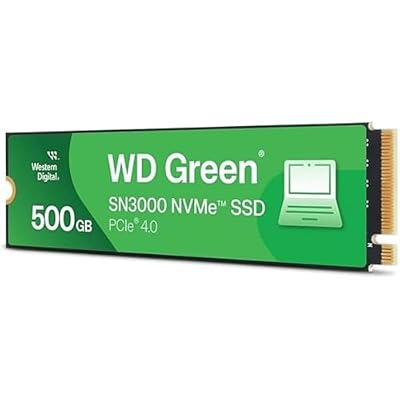
If your laptop or desktop supports NVMe (check the motherboard manual or look for an M.2 slot), an NVMe SSD is worth the small price premium over SATA, especially if you do anything with large files, video editing, or just want the fastest boot and load times your system can support. For a machine old enough to have shipped with this HGST drive, though, double check your laptop actually has an M.2 NVMe slot and not just a SATA mSATA slot, since plenty of machines from that generation only support SATA.
The practical takeaway: this specific HGST model isn’t bad for what it was, but there’s no scenario in 2024 where buying one (used, since it’s discontinued) makes more sense than a new SSD at a similar or lower price point with none of the mechanical failure risk.














