Botanicula, Amanita Design’s 2012 point-and-click exploration game, follows five small tree creatures crossing a tree world of branches and hollows to protect the last seed of their home. It is a pointer-driven game with no dialogue, built on the Adobe AIR runtime, and Steam’s record for it is a Windows and Mac release: the platform flags read Windows true, Mac true, Linux false.
That plain answer hides three traps and one surprise. The traps: a Steam depot named Botanicula_linux, a soundtrack app that flags Linux true, and a ProtonDB page that heads its requirements block Natively Supports. The surprise: GOG’s edition of this game lists Linux and ships a Linux installer.
As an Amazon Associate, we earn from qualifying purchases.
Quick answer
Botanicula is not native in its Steam copy: Steam flags Linux false, the Linux requirements field is an empty list, and the one Linux-named depot holds no build and sits outside the store package. Proton carries it well — ProtonDB’s headline tier is Platinum across 31 reports — Valve rates it Verified on Steam Deck, and GOG separately sells a Linux build.
What Steam’s record says, field by field
The appdetails record for app 207690 names the game Botanicula, developer Amanita Design, publisher Amanita Design, released 7 May 2012. Genres: Adventure, Casual, Indie. Categories: Single-player, Steam Achievements, Steam Trading Cards and Family Sharing. There is no controller-support category, which fits a game played entirely with a pointer.
The requirements fields split cleanly by platform. The Windows minimum is genuinely populated: Windows XP through 10, a 1.6 GHz processor, 1 GB of RAM, DirectX 5.0 and 550 MB of drive space. The Mac minimum is populated too: Snow Leopard or later, an Intel Mac, 1 GB of RAM, the same 550 MB. No recommended tier exists for any platform. The Linux field is an empty list outright — not the empty shell of headings over blank lists, but no Linux tab in any form. SteamDB’s configuration data agrees: the valid OS list reads Windows and macOS.
Two absences belong on the record as gaps: Steam publishes no DRM notice and no external-account notice for this app.
The Linux depot that delivers nothing
SteamDB’s depot table holds three content depots. Depot 207691 is the Windows build, 528.54 MiB. Depot 207692 is the Mac build, 540.79 MiB. Depot 207693 carries the name Botanicula_linux — the trap this article exists to disarm.
Read on its own page, that depot is an empty shell. SteamDB lists no size, no build, and no manifests in its history at all — its last public update dates to January 2015. Its only listed package is Amanita Comp, a CD Key package, not the store package a buyer receives. A depot that has never held a manifest delivers nothing, whatever it is named. The public branch confirms the real delivery shape: build 3893650, built in June 2019, with the on-disk total filtered to Windows equal to the Windows depot exactly. Buyers get the Windows and Mac builds — no Linux build, dormant or otherwise.
The soundtrack flag, and why it proves nothing
The game’s full DLC array holds exactly one app: the Botanicula Soundtrack + Art Book, app 650250, a music-type release from June 2017. It flags all three platforms true, Linux included — while its own Linux requirements field is also an empty list outright.
That is the whole trap. A soundtrack’s platform flags describe where its audio files can be delivered, not where the game runs. The not-native case rests on the game alone: a false flag, an empty-list field and a content-free depot.
ProtonDB: a Platinum file under a misleading heading
ProtonDB’s game page gives Botanicula a Platinum headline tier across 31 reports. The summary API did not answer this session, so no best-reported tier, trending tier or confidence figure is claimed — the headline and count are what the page itself states.
The heading check matters more than the tier. The page heads its requirements block Natively Supports, but Steam’s record contradicts that on every layer, and every report beneath it was filed under a named Proton version, from the 9.0 line back through 7.0, 6.3 and 4.11. The article follows Steam: a Windows build under Proton.
Kept at report weight, the file is reassuring with texture. Most reports describe flawless runs and full playthroughs. One recent reporter needed a WineD3D launch option to start the game on a Wayland desktop. Older reports note translucent sprites on a 6.3-series build, one black-screen Borked report from a 2017-era system, and one Bronze report about crackling sound. One report covers a copy installed through another storefront’s launcher, so it speaks for the game, not the Steam build.
Steam Deck: Verified, on paperwork that still matches
Valve’s own compatibility endpoint was read directly for this article. It returns resolved category 3 — Verified — its passing items covering the default controller configuration, legible interface text and default-configuration performance. SteamOS separately rates Compatible.
The paperwork behind the badge, republished by SteamDB from Valve’s data, was tested on 1 March 2022, on build 3893650, with a recommended runtime of proton-7.0-1. On the build axis, the paperwork is current: the public branch still serves build 3893650, so Valve tested the exact build a buyer now downloads. On the runtime axis, the badge certifies the Windows build under an older Proton 7 line, not a native port. The sheet’s controller items describe the Deck’s own inputs standing in for the pointer.
The GOG exception: a Linux build exists, elsewhere
GOG sells its own edition of Botanicula, ruled here from GOG’s product API after the live product page confirmed the edition’s identity: title, the Amanita Design description, and product record 1207659024.
That record’s compatibility line reads Windows true, Mac true and Linux true, and its downloads list carries three installers: Windows and Mac at version 1.2.0, and a Linux installer beside them. So a native Linux build of Botanicula genuinely exists — it is simply not the build Steam sells. The storefronts disagree because they stock different builds.
Anti-cheat and DRM: three quiet sources
Kept separate, as each source answers a different question. Steam names no anti-cheat and no DRM — the notice fields are absent, stated above as gaps. SteamDB’s detected technologies are the Adobe AIR engine and the Adobe Flash SDK: runtime plumbing. Are We Anti-Cheat Yet carries no entry for this game; its full dataset was searched by name and by app id, with zero hits. No notices, no protection technology, no listing — as quiet a record as this series reads.
Gear that fits the record
The gear below follows the record’s shape: the handheld the badge was written for, pads for docked play, a precise mouse for a pointing game, and storage for offline installers.
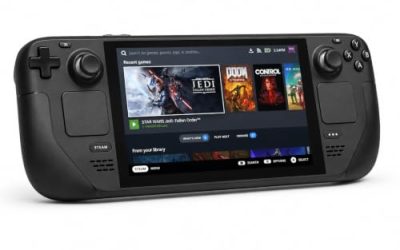
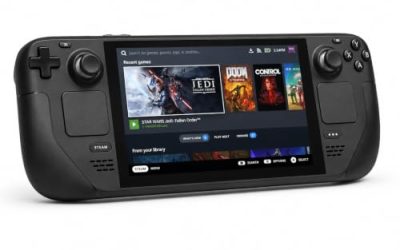
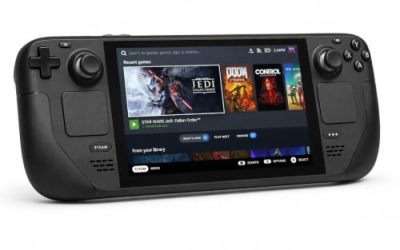
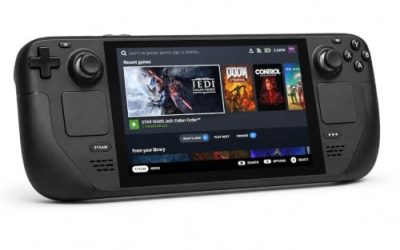
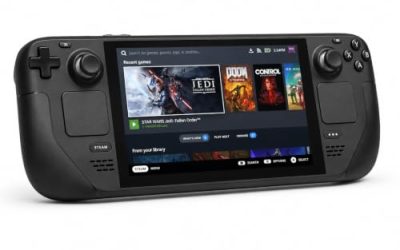
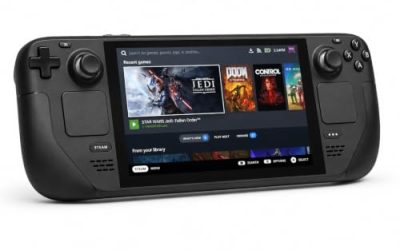
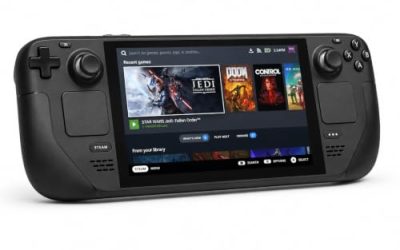
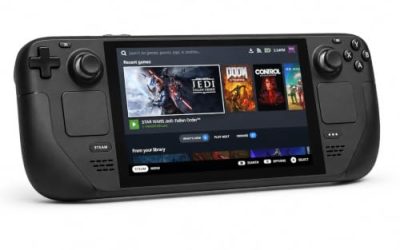
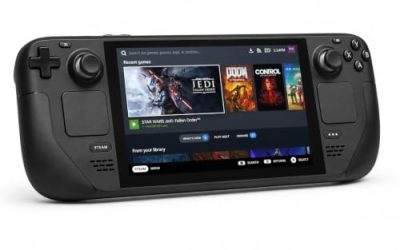
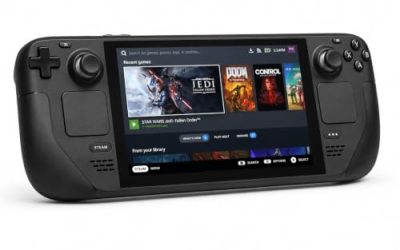
Valve Steam Deck OLED 512GB

The handheld the Verified badge was written for. Valve tested the current build itself, and the Deck’s trackpads and touchscreen are natural stand-ins for the mouse this game expects.
Specs
- Display: 7.4-inch HDR OLED, 1280 by 800, up to 90 Hz
- Processor: AMD Zen 2 and RDNA 2 custom APU
- Memory: 16 GB LPDDR5
- Storage: 512 GB NVMe, plus a microSD slot
- Wireless: Wi-Fi 6E and Bluetooth
- Channel note: Valve sells the Deck mainly through its own store, so Amazon listings are third-party sellers
8BitDo Ultimate 2 Bluetooth Controller

The docked and desktop pad pick. Steam lists no controller category for this game, so pad inputs travel through Steam Input’s mapping; this pad covers that case with modern sticks, triggers and back buttons.
Specs
- Connectivity: Bluetooth wireless and USB-C wired
- Joysticks: TMR electromagnetic, anti-drift design
- Triggers: Hall effect, with mode switching
- Extras: two remappable back buttons, motion control
- In the box: charging dock included
Xbox Wireless Controller, Carbon Black

The safest guest pad in PC gaming: Steam Input support is universal, the glyphs match what most games display, and it pairs over Bluetooth or its own wireless standard. For a pointer-driven game it plays through the same mapping layer as any pad.
- Connectivity: Xbox Wireless and Bluetooth
- Port: USB-C for wired play
- Controls: hybrid D-pad, dedicated Share button
- Power: AA batteries or optional rechargeable pack
Logitech G502 HERO

Botanicula is played entirely by pointing and clicking, so at a desk the mouse is the controller the game was designed around. A precise wired sensor makes the small interactive spots hidden in each scene easy to sweep for.
Specs
- HERO optical sensor, up to 25,600 DPI
- 11 programmable buttons
- Adjustable weight system
- Wired USB connection
- On-board memory profiles
Samsung T9 Portable SSD 2TB

For moving a game library between machines, or keeping an offline backup of installers, a fast USB-C drive is the simple answer. The headline figure needs a Gen 2×2 host port; on a lesser port the drive runs at that ceiling.
Specs
- Capacity: 2 TB portable SSD
- Interface: USB 3.2 Gen 2×2, USB-C connector
- Maker-rated speeds: up to 2,000 MB per second read, 1,950 MB per second write
- Features: Dynamic Thermal Guard, maker-rated drop resistance
How to choose
Choose by storefront first, because that decides the platform question. For a native Linux build, the GOG edition is the only copy that offers one. If you buy on Steam — for the achievements, trading cards or Deck badge — accept that you are buying the Windows build and running it through Proton, where the Platinum headline and the Verified test sheet both say it behaves. On desktop, leave the compatibility tool at its default; reach for a launch option only if a Wayland session refuses to start the game, as one reporter found. A mouse on desktop and the Deck’s own controls match how the game is played; pads are a docked convenience through Steam Input.
Who should skip
Skip the Steam copy if you shop strictly for native Linux games and will not use another storefront: on Steam this game is not native, whatever its depot names and soundtrack flags suggest. Skip the GOG copy if you need Steam’s achievements or trading cards. Skip it if a Platinum headline built on 31 reports is not reassurance enough — the file is strong but thin. And skip it entirely if a slow, wordless exploration game built on poking at scenery holds no appeal.
FAQ
Is Botanicula native on Linux?
Not on Steam. The Steam record flags Linux false, publishes an empty list for the Linux requirements field, and delivers only Windows and Mac depots. A native Linux build does exist, but it belongs to GOG’s separate edition, whose record lists Linux and provides a Linux installer.
Why does Steam show a depot named Botanicula_linux?
Because the depot exists as a database entry, not as a build. It has no size, no build ID and no manifests in its history, and its only package is a CD Key compilation package, not the store package. It has never delivered content.
How well does Botanicula run under Proton?
ProtonDB’s headline tier is Platinum across 31 reports, most describing flawless runs under named Proton versions. Minority texture worth knowing: one launch failure fixed with a WineD3D option on Wayland, older translucent-sprite and sound notes, and one black-screen report from a 2017-era system.
Is Botanicula Steam Deck Verified?
Yes. Valve’s record returns Verified, tested in March 2022 on build 3893650 with a Proton 7 runtime — and the store still serves that build today, so the test describes the copy a buyer downloads now. The badge certifies the Windows build under Proton, not a native port.
Final verdict
Botanicula is the rare case where the honest answer is storefront-shaped. On Steam, every layer agrees: not native — a false flag, an empty-list Linux field, two real depots for Windows and Mac, and a Linux-named depot that has never held a manifest. The Proton story is excellent anyway: Platinum on ProtonDB’s page, Verified on Deck with paperwork that still matches the served build. But the native build the traps pretend to offer genuinely exists one storefront over. Buy the copy that matches how you intend to run it.
Product and ASIN Reference
| Product | ASIN |
|---|---|
| Valve Steam Deck OLED 512GB | B0CQ3RWQQZ |
| 8BitDo Ultimate 2 Bluetooth Controller | B0F194QFT2 |
| Xbox Wireless Controller, Carbon Black | B08DF248LD |
| Logitech G502 HERO | B07GBZ4Q68 |
| Samsung T9 Portable SSD 2TB | B0CHFS9K14 |