🛒 Best Price Today on Amazon
Prime members get fast, free shipping on everything above, plus member-only deals. New members get a 30-day free trial — cancel anytime.
Top Webcams Streaming Video Calls Picks for 2026
Here are our current top webcams streaming video calls picks, compared on real Amazon owner reviews, price, and features. Live prices update below.
As an Amazon Associate we earn from qualifying purchases at no extra cost to you.







Top Picks at a Glance

AOC
Prime
AOC 4K Webcam for PC with 1/2.55'' Sensor, 1080P 60FPS Streaming Camera with PDAF Autofocus, Privacy Cover, Plug & Play computer camera 75° FOV for Zoom/Mac/Switch 2, Includes Tripod & USB A-C Adapter
View on Amazon.com

Razer Kiyo V2 X Streaming Webcam: 1440p 60 FPS – Auto Focus – Built-in Microphone – Wide Angle Lense – Integrated Privacy Shutter – Works with OBS, Xsplit, Streamlabs, Discord, Zoom, Teams – Black

Nnewline
Prime
4K Webcam for PC with Fast Autofocus and Sony Sensor, Dual Noise-Reduction Microphones, Auto Light Correction, 4K 30FPS UHD, 77° FOV USB Webcam with Tripod for Zoom, Teams, Mac and Streaming
View on Amazon.com

RUWBY
Prime
RUWBY Full HD 1080P Webcam with Built-in Dual Mics, Wide-Angle Lens, Privacy Cover, Tripod Stand, Autofocus Computer Camera, Plug and Play for Desktop PC or Laptop
EMEET
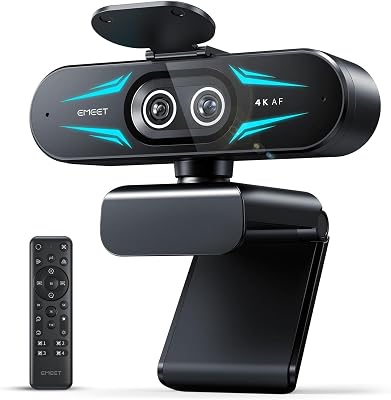
EMEET C60E Dual-Camera 4K Webcam for Streaming, Wide-Angle and Telephoto Cameras, Max 11X Hybrid Zoom & PDAF Autofocus, Remote Control, RGB Lighting, 2 Mics, Ideal for Livestreaming and Online Meeting

Prime
Logitech Webcam HD Pro C920S 1080p USB, 960-001252 (1080p USB Include Cover to Lens)
As an Amazon Associate we earn from qualifying purchases. Product prices and availability are accurate as of the date/time indicated.
What Makes a Great Streaming Webcam in 2026?
Streaming culture has permanently raised the bar for on-camera quality. Viewers expect sharp, well-exposed video — grainy 720p feeds feel outdated even on smaller channels. But resolution is only part of the picture. Autofocus speed, low-light handling, built-in mic quality, and frame rate all determine whether your stream looks polished or amateur. The good news: 4K webcams now start under $45, and the best options combine Sony or large-format sensors with fast autofocus that would have cost $200+ just a few years ago.
5 Factors That Actually Matter
- Sensor size. A larger sensor captures more light, producing cleaner, less noisy video in dimly lit rooms. Look for specs like 1/2.55″ — that’s meaningful sensor real estate for a webcam.
- Frame rate at your target resolution. 1080p 60fps is the streaming sweet spot. 4K 30fps looks sharp in calls but may strain your upload bandwidth live. Check whether the advertised 4K is native or upscaled.
- Autofocus system. Phase-detection AF tracks your face through sudden movements without the hunting blur common in contrast-detection systems. This matters most for streamers who gesture or lean back frequently.
- Built-in microphone quality. Dual mics with noise cancellation cut keyboard clatter and room echo. A standalone USB mic will always win, but a good integrated mic handles casual calls and backup streaming audio reliably.
- Field of view (FOV). A narrow FOV isolates you against a virtual background. A wide FOV suits desk tours, co-streaming with a partner, or whiteboard sessions.
The Best Webcams for Streaming Right Now
AOC 4K Webcam with 1/2.55″ Sensor
Five stars from early reviewers and a around $39 price tag make this one of the most disruptive webcam launches of 2026. The 1/2.55″ sensor is large by webcam standards — comparable to what you’d find in dedicated streaming cameras — and it supports 4K capture alongside 1080p 60fps for streaming. Low-light performance is noticeably cleaner than budget competition. If you’re building a streaming setup from scratch, start here.
Razer Kiyo V2 X Streaming Webcam
Razer’s Kiyo V2 X earns 4.6 stars and represents the brand’s tightest value webcam yet at around $69. The headline is 1440p 60fps — that extra resolution over 1080p is visible in sharp text and fine facial detail, especially on monitors 27 inches and up. Razer’s software suite adds virtual background support, auto-exposure compensation, and brightness controls without requiring OBS plugins. A strong choice for streamers already in the Razer ecosystem.
4K Webcam with Fast Autofocus and Sony Sensor
The Sony sensor here delivers the kind of color reproduction and low-light latitude typically reserved for more expensive cameras. Dual noise-canceling mics handle the audio side competently. At around $44 with 4.6 stars, it competes directly with the AOC above — the tiebreaker comes down to autofocus speed in your specific lighting. Reviewers note the Sony sensor’s warmer color profile suits skin tones better in studio-lit environments.
RUWBY Full HD 1080P Webcam with Built-in Dual Mics
The most affordable pick on this list earns its 4.6 stars by doing the basics right: crisp 1080p output, a wide-angle lens that fits two people in frame, and dual microphones that handle voice clearly in average room acoustics. At around $29 it’s the correct choice for casual streamers, work-from-home calls, or anyone who wants a reliable plug-and-play upgrade from a built-in laptop camera without overthinking the purchase.
EMEET C60E Dual-Camera 4K Webcam
The C60E takes a genuinely different approach: two physical camera lenses covering different fields of view, letting you switch perspectives mid-stream without physically moving the hardware. Rated 4.6 stars at around $53. This setup suits interview-style streams, tutorial content, or podcast recording where you want cutaway angles. The 4K sensor handles the primary view while the second camera captures a wider room shot. Creative streamers who plan shows rather than pure gameplay will find it worth the modest premium.
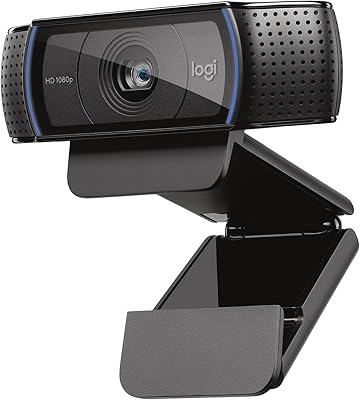
Logitech Webcam HD Pro C920S
The C920S has been a content creator staple for years, and it maintains a 4.6-star average in 2026 on the strength of rock-solid software compatibility and Logitech’s proven glass lens optics. At around $160 it’s now the most expensive option on this list, which is harder to justify against newer $40–$70 competitors. Where it still wins: zero-driver compatibility with every major streaming and conferencing platform, build quality that survives years of daily use, and Logitech’s legendary support. If you want the safest buy, the C920S delivers.
Final Recommendation
Best bang for money: AOC 4K at around $39. Best for active streamers who want software control: Razer Kiyo V2 X. Creative multi-angle setups: EMEET C60E. No-risk reliable workhorse: Logitech C920S.
FAQ
Related Guides
- Best 850W Power Supplies for Gaming PCs (2026): ATX 3.1 Units That Won't Let You Down
- Best Android Gaming Handheld in 2026: Portable Power for AAA Games
- Best DDR5 RAM Kits for Gaming (2026)
- Best Around the Neck Speakers for Gaming in 2026: Immersive Audio Without Headphones
- Best Budget Gaming PC in 2026: Affordable Pre-Built Systems Under $800
Frequently Asked Questions
Is 4K worth it, or is 1080p at 60fps better for streaming?
For live streaming, 1080p60 is generally the better choice because Twitch and most viewers cap out there anyway, and the higher frame rate keeps motion smooth. 4K matters if you record for YouTube and want to crop or reframe in post, or if you use a heavy digital zoom. Many 4K webcams also drop to 30fps at full resolution.
Why does my webcam look grainy in the evening?
Small webcam sensors amplify gain in low light, which produces visible noise, and the auto exposure then slows the shutter, adding motion blur. A single soft key light aimed at your face from slightly off centre transforms image quality more than any camera upgrade. Turning off the harsh overhead ceiling light and killing RGB colour casts also helps.
Should I use a DSLR or mirrorless camera instead?
A mirrorless camera with a bright lens gives shallow depth of field and dramatically better low light performance, which is why most large streamers use one. The costs are real though: you need a capture card or clean USB output, a power dummy battery for long sessions, and a tripod. A premium webcam is far simpler and now surprisingly close in good lighting.
Do I need built-in background removal or a green screen?
A physical green screen with even lighting still produces the cleanest key, especially around hair and headset edges. AI segmentation built into cameras or software like OBS and NVIDIA Broadcast has improved a lot and is fine for facecam sized overlays, but it still smears fast hand movements and struggles when your shirt is close to your wall colour.
Does autofocus type matter?
Yes. Contrast detection autofocus hunts visibly whenever you lean back or hold up an object, which is distracting on a live stream. Phase detection or a fixed focus lens is steadier. Many streamers simply lock focus manually once framed, which eliminates hunting entirely and is worth checking is supported in the camera companion software before buying.