As an Amazon Associate we earn from qualifying purchases
Best USB Hubs under $25
A modern laptop often ships with two or three USB ports, and a tablet may have exactly one. A budget USB hub is the simplest fix: plug it into a single USB-A or USB-C port and you get a row of extra sockets for a mouse, keyboard, flash drive, headset dongle or card reader. The catch is that cheap hubs are not all built the same. Some give you full USB 3.0 speed on every port, some quietly mix in slow USB 2.0 ports, and almost all of them share one small pool of bus power — which matters a great deal if you plan to run external hard drives.
This guide compares four hubs that sit in the budget tier: two slim 4-port models for USB-A laptops, a switched 4-port hub for people who hate unplugging cables, a USB-C version for newer machines, and a larger 7-port powered hub for desks. Every pick below uses manufacturer-stated speeds and features only, and we flag the power limits honestly so you know exactly what each hub can and cannot run.
How to Choose a Budget USB Hub
USB 3.0 vs USB 2.0 ports
This is the single most important spec on a cheap hub. USB 3.0 (also labelled USB 3.2 Gen 1) transfers data at up to 5Gbps, while USB 2.0 tops out at 480Mbps — roughly ten times slower. For a keyboard, mouse or wireless dongle, USB 2.0 is perfectly fine. For moving files to a flash drive or portable SSD, it is painfully slow. Check the port breakdown before you buy: some budget hubs advertise a high port count but make only one or two of those ports USB 3.0. All four hubs in this guide provide USB 3.0 speed on every downstream port.
One more detail: the 5Gbps figure is the total bandwidth of the hub’s single upstream connection, shared by everything plugged into it. Copying to two drives at once splits that bandwidth between them.
Bus power: the honest limit
Most budget hubs are bus-powered, meaning they draw all their electricity from the one port they plug into. A USB 3.0 port supplies a limited amount of power, and the hub must share it across every connected device. Low-draw peripherals — mice, keyboards, receivers, flash drives — are no problem. Power-hungry devices are a different story: a bus-powered hub cannot reliably run multiple portable hard drives at once, and spinning drives may fail to start, disconnect mid-transfer, or not appear at all. If your plan involves two external drives, a bus-powered hub is the wrong tool; pick a hub with its own power adapter, like the TP-Link UH700 below, or connect drives directly to the computer.
Charging is the other casualty. Bus-powered hubs in this class are data hubs, not chargers — Anker and Sabrent both state plainly that their 4-port models are not designed to charge phones or tablets.
Host connection: USB-A or USB-C
Match the hub’s plug to your machine. Traditional laptops and desktops use USB-A hubs; ultrabooks, MacBooks, iPads and other tablets with a single port need a USB-C hub. Adapters exist, but a native connector is more reliable and keeps the full USB 3.0 speed. If you split your time between an older desktop and a newer tablet, you may genuinely need one of each.
Cable length and switches
A hub on a short cable dangles from a laptop port; a hub on a 2 ft cable can sit flat on the desk where you can reach it. Desktop users should favour longer cables, travellers should favour short, light ones. Individual power switches, found on the Sabrent pick below, let you turn a port off without unplugging the device — handy for a drive you only use for backups, or a USB gadget that has no off switch of its own.
The Best Budget USB Hubs Compared
| Product | Ports | Host connection | Speed (manufacturer-stated) | Power | Cable |
|---|---|---|---|---|---|
| Anker Ultra Slim 4-Port USB 3.0 Hub (A7516) | 4 × USB-A 3.0 | USB-A | Up to 5Gbps | Bus-powered, charging not supported | Short built-in cable |
| Sabrent 4-Port USB 3.0 Hub (HB-UM43) | 4 × USB-A 3.0 | USB-A | Up to 5Gbps | Bus-powered, charging not supported | 2 ft |
| Anker 4-Port USB-C Hub (A8309) | 4 × USB-A 3.0 | USB-C | Up to 5Gbps | Bus-powered, charging not supported | 2 ft |
| TP-Link 7-Port USB 3.0 Hub (UH700) | 7 × USB-A 3.0 | USB-A (Micro-B to USB-A cable) | Up to 5Gbps | Included 12V/2A adapter; 3 BC 1.2 charging ports up to 5V/1.5A | 1 m |
Anker Ultra Slim 4-Port USB 3.0 Hub (A7516)

The Anker Ultra Slim is the default recommendation for a USB-A laptop: four USB 3.0 ports, each rated by Anker at up to 5Gbps, in a slim bar that weighs almost nothing and disappears into a laptop bag. It is a pure data hub — Anker states clearly that charging is not supported — and it is bus-powered, so treat it as a home for peripherals and flash drives rather than a cluster of hard drives. Anker backs it with an 18-month warranty, which is generous for this class of accessory.
Sabrent 4-Port USB 3.0 Hub with Individual Power Switches (HB-UM43)

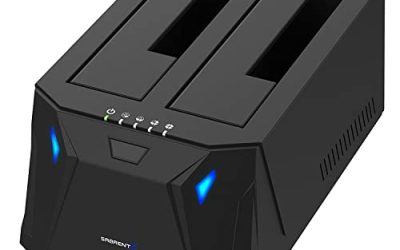
Sabrent’s HB-UM43 matches the Anker on port count and speed — four USB 3.0 ports at up to 5Gbps, backward compatible with USB 2.0 and 1.1 devices — but adds a feature the Anker lacks: an individual on/off switch with an LED indicator for every port. That makes it the better desk hub if you leave several devices connected permanently and want to silence or disable one without reaching for the cable. The 2 ft cable gives you placement flexibility on a desktop. Like the Anker, it is bus-powered and Sabrent states it is not designed for charging, so the same hard-drive caution applies: one portable drive is sensible, several at once is asking for dropouts.
Anker 4-Port USB-C Hub (A8309)

This is the USB-C sibling of the first pick, aimed at MacBooks, ultrabooks and USB-C tablets that have no USB-A socket at all. It converts one USB-C port into four USB-A 3.0 ports running at up to 5Gbps, on a 2 ft cable, so your existing mouse, keyboard, flash drives and card readers keep working with a newer machine. It is again bus-powered with charging not supported, which is the normal trade at this level: it expands data ports, it does not replace your laptop charger or a powered dock. For tablet users, it is a practical way to attach a keyboard-and-mouse pair or move files from a USB stick without cloud uploads.
TP-Link 7-Port USB 3.0 Hub (UH700)

The UH700 is the pick for a fixed desk with lots of gear. Seven USB 3.0 ports run at up to 5Gbps, and — the key difference from everything above — it ships with its own 12V/2A power adapter, so it is not limited to what a single laptop port can supply. Three of its ports support BC 1.2 charging at up to 5V/1.5A, per TP-Link, and there is a physical power on/off button on the unit. That powered design makes it the only hub here we would happily run with multiple external drives attached, and the 1 m cable suits a hub that lives behind a monitor. It is bigger and needs a wall socket, so it is a desk fixture rather than a travel accessory.
Who Should Choose What
- Most laptop users: the Anker Ultra Slim 4-Port (A7516) — small, simple, full USB 3.0 speed, long warranty for the class.
- Desk users who hate unplugging: the Sabrent HB-UM43 — per-port switches and LEDs, longer cable.
- USB-C laptop and tablet owners: the Anker 4-Port USB-C Hub (A8309) — the same four fast ports from a Type-C plug.
- Multi-drive or many-peripheral desks: the TP-Link UH700 — seven ports and its own power adapter remove the bus-power ceiling.
If you are still deciding between hub styles, our broader roundup of the best USB hubs covers powered desktop models and larger docking options in more depth.
FAQ
Can a budget USB hub run two external hard drives at once?
Only a powered hub should be trusted with that. Bus-powered hubs share the limited power of one host port, so a second spinning drive may disconnect or fail to spin up. The TP-Link UH700, with its included adapter, is the safe pick here; the 4-port bus-powered hubs are best kept to one drive plus low-draw peripherals.
Will a USB 3.0 hub slow down my portable SSD?
A hub caps total throughput at the USB 3.0 rate of 5Gbps, shared across all ports. A fast portable SSD that could exceed that on a direct USB-C connection will be limited to the hub’s ceiling, and it shares that ceiling with anything else transferring at the same time. For peripherals and everyday file copies this is rarely a problem; for maximum drive speed, plug the SSD straight into the computer.
Can I charge my phone or tablet from these hubs?
The Anker and Sabrent 4-port hubs are data hubs and are explicitly not designed for charging. The TP-Link UH700 includes three BC 1.2 ports rated by TP-Link at up to 5V/1.5A, which will charge a phone slowly, but none of these hubs replaces a dedicated charger.
Does a USB-C hub work with a tablet?
Yes, if the tablet has a USB-C port — the Anker A8309 turns it into four USB-A ports for keyboards, mice, flash drives and similar accessories. Keep the power limit in mind: a tablet’s port supplies even less power than a laptop’s, so stick to low-draw devices and avoid bus-powered hard drives.
Do these hubs need drivers?
No. All four are plug-and-play on Windows, macOS, ChromeOS and Linux, and they are backward compatible with USB 2.0 and USB 1.1 peripherals, which simply run at their own slower speeds.