

- Top Pick: Asus ROG Ally with Z1 Extreme
- Runner-up: Jsaux 7-in-1 Docking Station with RGB Cooling Fan
- Also consider: Ugreen Nexode Power Bank 25000mAh 200W
A Windows handheld is a useful middle ground for cloud gaming. It looks like a console, holds like a controller, and behaves like a full Windows 11 computer. Cloud gaming on Windows needs no special handheld mode: the same apps that run on a desktop run here, and the same controllers pair.
The three devices most people compare are the Asus ROG Ally, the Lenovo Legion Go, and the MSI Claw. They share the same idea and differ in screen size, battery size, control layout, and how easily they switch between handheld play and a docked setup.
As an Amazon Associate, we earn from qualifying purchases.
Quick Answer
A Windows handheld streams cloud games well because it runs the native Windows apps for GeForce Now and Xbox Cloud Gaming, plus browser-based services such as Luna. Pick the ROG Ally for a compact all-rounder, the Legion Go for a larger screen and detachable controllers, or the MSI Claw for Intel-based play. Bring a strong Wi-Fi connection, a power bank, and a dock for longer sessions.
1. Asus ROG Ally with Z1 Extreme

The ROG Ally is the most natural starting point for cloud gaming on a Windows handheld. It runs Windows 11, carries a 7-inch 1080p touchscreen with a 120Hz refresh rate, and pairs an AMD Ryzen Z1 Extreme processor with 16GB of memory and 512GB of storage. For streaming, the local hardware matters less than for installed games, because the heavy work happens on a remote server.
GeForce Now installs as a native Windows app, Xbox Cloud Gaming runs through the Xbox app and the browser, and Luna works through the browser. Armoury Crate SE gathers cloud apps and local games into one controller-friendly library.
Battery life while streaming beats playing installed games, because the processor mostly decodes video rather than rendering a scene. Even so, a 40 watt-hour battery drains steadily. The Ally charges over USB-C, so a capable power bank keeps it going away from a wall outlet.
Specs
| Feature | Detail |
|---|---|
| Display | 7-inch 1080p touchscreen, 120Hz refresh rate |
| Processor | AMD Ryzen Z1 Extreme |
| Memory | 16GB |
| Storage | 512GB SSD |
| Battery | 40 watt-hour |
| Operating system | Windows 11 |
| Wireless | Wi-Fi 6E and Bluetooth |
2. Jsaux 7-in-1 Docking Station with RGB Cooling Fan

A dock turns a Windows handheld into a small desktop for cloud gaming. This Jsaux model adds a stable stand, an HDMI output for a television or monitor, a wired Ethernet port, extra USB ports, and USB-C power delivery that charges the handheld while it plays. The Ethernet port is the quiet star: a wired connection removes much of the jitter that Wi-Fi adds on a busy home network.
The dock supports video output up to 4K at 120Hz over HDMI, with variable refresh rate and auto low latency mode on compatible displays. Cloud streams rarely need that ceiling, since most services top out at 1080p or 1440p.
Connect the dock over USB-C, plug in the charger, run HDMI to the display, and connect Ethernet if the router is nearby. Windows treats the display as a second screen, and a controller pairs over Bluetooth or plugs into a USB-A port. The dock fits the ROG Ally, ROG Ally X, Legion Go, and Legion Go S, according to Jsaux.
Specs
| Feature | Detail |
|---|---|
| Model | HB0705 |
| Ports | HDMI, Gigabit Ethernet, 2 USB-A, 2 USB-C |
| Video output | Up to 4K at 120Hz over HDMI |
| Power delivery | Up to 100 watts USB-C input |
| Cooling | Magnetic RGB fan included |
| Compatibility | ROG Ally, ROG Ally X, Legion Go, Legion Go S |
| Weight | 1.26 pounds |
3. Ugreen Nexode Power Bank 25000mAh 200W

Streaming over Wi-Fi is lighter on the battery than rendering a game locally, but it still drains a handheld over a long session. This Ugreen Nexode model carries 25,000 milliamp-hours and delivers up to 200 watts of total output across three ports, enough to charge a handheld while it streams.
Single-port output reaches up to 140 watts, so it can feed a handheld that wants a strong charger for its faster modes. Two USB-C ports and one USB-A port let you charge the handheld and a phone at the same time, and a small TFT display shows the remaining charge and output.
Plug the handheld into the power bank before a session starts rather than waiting for a low-battery warning. Carry a short USB-C cable so the setup stays tidy on a train or a couch far from a wall outlet, and check airline rules before flying, because airlines limit battery capacity in carry-on luggage.
Specs
| Feature | Detail |
|---|---|
| Capacity | 25,000 milliamp-hours |
| Total output | Up to 200 watts |
| Single-port output | Up to 140 watts |
| Ports | 2 USB-C and 1 USB-A |
| Display | TFT smart display |
| Energy | 90 watt-hours |
4. Jsaux Sling Bag for Handheld Consoles

A Windows handheld is portable only if you can carry it safely. This Jsaux sling bag has a hard EVA shell that protects the screen and sticks, a double-layer layout with room for a dock and accessories, and a crossbody strap. It fits the ROG Ally and ROG Ally X and the Legion Go.
The bag holds the handheld in one compartment and chargers, cables, and a small dock in the other. A streaming session needs the handheld, a charger or power bank, and a cable, and forgetting any one of them ends the session early.
The bag measures about 15.16 inches tall, holds up to 20 liters, and weighs 2.23 pounds empty.
Specs
| Feature | Detail |
|---|---|
| Model | BG0105 |
| Capacity | 20 liters |
| Shell | EVA hard shell |
| Layout | Double-layer case for handheld and accessories |
| Compatibility | ROG Ally, ROG Ally X, and Legion Go |
| Weight | 2.23 pounds |
5. Samsung PRO Plus microSD Card 512GB with Adapter
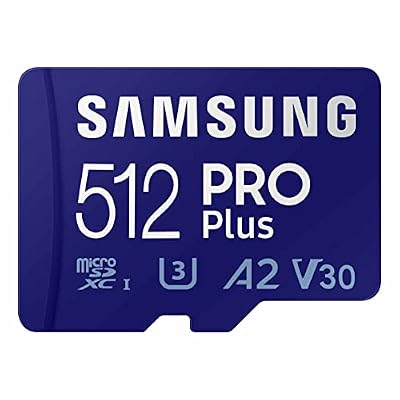
A microSD card seems odd for cloud gaming, because streamed games are not installed on the device. It still earns its place, because a Windows handheld is also a Windows computer: the GeForce Now and Xbox apps, the browser, and the game launchers all live on local storage, and a full internal drive slows everything down.
This Samsung PRO Plus card offers 512GB of extra space, with read speeds up to 180 megabytes per second and write speeds up to 130 megabytes per second, and it carries UHS-I, U3, V30, and A2 ratings.
On the ROG Ally, the microSD slot sits beside the USB-C port. Use it for launchers, screenshots, and clips rather than for the streaming apps themselves, which run best from the internal SSD.
Specs
| Feature | Detail |
|---|---|
| Capacity | 512GB |
| Read speed | Up to 180 megabytes per second |
| Write speed | Up to 130 megabytes per second |
| Card type | microSDXC, UHS-I, U3, V30, A2 |
| Included | SD adapter |
How to choose
Start with the device. The ROG Ally is the compact all-rounder: a 7-inch screen and a size that fits most bags. Choose it if you stream mostly on the move and want the smallest kit that still runs full Windows.
The Lenovo Legion Go has the largest screen at 8.8 inches, with a 2560 by 1600 resolution and a 144Hz refresh rate, and its controllers detach from the sides. The Go carries a 49.2 watt-hour battery and a kickstand. Choose it if you mostly play at a desk or on a couch.
The MSI Claw is the Intel option. The original Claw A1M pairs an Intel Core Ultra processor with a 7-inch 1080p 120Hz display and a 53 watt-hour battery, the largest of the three. Choose it for the longest battery for streaming.
Next, match the service to the device. GeForce Now offers a native Windows app on all three handhelds, the simplest route for a library of PC games you already own. Xbox Cloud Gaming runs through the Xbox app and the browser, and suits players with a Game Pass library. Luna runs through the browser, and Edge can turn its site into an app-like window.
Then think about connection. NVIDIA publishes 15 megabits per second for 720p at 60 frames per second and 25 megabits per second for 1080p, with latency under 80 milliseconds, while Xbox publishes 10 megabits per second as a minimum and 20 megabits per second for 1080p. Treat those as floors, not targets. A wired Ethernet connection through a dock is the steadiest option at home.
Finally, decide how you will control the games. Built-in controls cover most cloud titles, and all three handhelds pair a wireless controller over Bluetooth for docked play.
Who should skip
Skip a Windows handheld if you only play one service that already has a native app on a device you own. A smart television, a streaming stick, or a tablet with a controller covers Xbox Cloud Gaming or GeForce Now for less money and less setup.
Skip it if your internet connection is slow or unstable. Cloud gaming needs a steady connection for the whole session.
Skip it if you dislike Windows maintenance. A Windows handheld asks for updates, driver installs, and launcher sign-ins. Players who want to press one button and play should look at a console or a streaming stick instead.
FAQ
Which Windows handheld is best for cloud gaming?
There is no single best choice. The ROG Ally is the most portable, the Legion Go has the largest screen and detachable controllers, and the MSI Claw has the largest battery.
Do I need a fast processor for cloud gaming on a handheld?
No. The remote server renders the game, and the handheld only decodes the video stream and sends your inputs back. A strong Wi-Fi signal, a good screen, and comfortable controls matter far more than the processor.
Can I use Xbox Cloud Gaming and GeForce Now on the same handheld?
Yes. GeForce Now has a native Windows app, and Xbox Cloud Gaming runs through the Xbox app and the browser. Sign in to each separately, and add both to the handheld launcher so you can switch without touching the desktop.
Should I use desktop mode or handheld mode for cloud gaming?
Use handheld mode for short sessions and desktop mode for long ones. Handheld mode keeps the controls and screen together and launches apps from a controller-friendly library. Desktop mode suits a docked setup with a monitor, keyboard, and mouse.
Final verdict
A Windows handheld is one of the best ways to play cloud games, because it removes the usual limits of a streaming device. It runs the native Windows apps, pairs any Bluetooth controller, and docks to a television. The ROG Ally is the safest first pick, the Legion Go is the pick for the biggest screen, and the MSI Claw is the pick for the longest battery. Add a dock, a power bank, a protective bag, and a microSD card, and the handheld becomes a complete cloud-gaming kit.










