

- Top Pick: HP 15.6" Touchscreen Laptop, Ryzen 7 7730U, 16GB 512GB SSD, FHD IPS Display | AMD Radeon Graphics, Windows 11 Pro, Wi-Fi 6, Copilot Key, Numeric Keypad, Fast Charge Laptop for Business & Student
- Best Value: Dell 14 2-in-1 Laptop, FHD+, AMD Ryzen 7 8840HS, 16GB RAM, Windows 11 Home | Touchscreen Display, AMD Radeon Graphics, DDR5, 1TB SSD, Wi‑Fi 6E, Indigo, Productivity Ready, INSPIRON-14-2
- Premium Choice: HP 15.6" Touchscreen Laptop, Ryzen 7 7730U, 32GB 1TB SSD, FHD IPS Display | AMD Radeon Graphics, Windows 11 Pro, Wi-Fi 6, Copilot Key, Numeric Keypad, Fast Charge Laptop for Business & Student
A touchscreen changes how a designer works. Nudging an anchor point with a fingertip, rotating a canvas with two fingers, or sketching straight onto the display with a stylus can be faster than hunting through menus with a trackpad. But a touch panel by itself does not make a laptop good for graphic design. The screen needs enough resolution and color accuracy to be trustworthy, and the processor and memory must keep Photoshop, Illustrator, Figma, and a browser open at once.
This guide is for freelancers, design students, and in-house creatives who want touch input in a regular laptop or a 2-in-1 and are comparing seven options in 2026. One point deserves honesty: none of the listings states a color gamut such as sRGB or DCI-P3 coverage, so the write-ups judge each machine on screen type, resolution, memory, storage, and graphics as listed, and flag where you should verify panel quality before relying on a screen for client color work.
Quick Picks
As an Amazon Associate we earn from qualifying purchases at no extra cost to you.




| Product | Best for | Key spec from the title |
|---|---|---|
| HP 15.6-inch Touchscreen (16GB) | Everyday design with a full keyboard | Ryzen 7 7730U, 16GB, 512GB SSD, IPS |
| Dell 14 2-in-1 | Sketching in tablet mode | FHD+, Ryzen 7 8840HS, 1TB SSD |
| HP 15.6-inch Touchscreen (32GB) | Large layered files | Ryzen 7 7730U, 32GB, 1TB SSD |
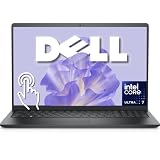
| Dell 15.6-inch FHD Touchscreen | Newer Intel platform | Core Ultra 7 255U, 16GB DDR5, 1TB SSD |
| Lenovo IdeaPad 5i 2-in-1 16-inch | Digital drawing out of the box | Stylus pen bundle, Core 5 120U |
| HP 16-inch OmniBook | Sharp, tall 16-inch canvas | 2K IPS touchscreen, Ryzen 5, 16GB DDR5 |
| HP 15.6-inch Touchscreen Ultra 7 | GPU-assisted creative apps | Core Ultra 7 155H, Intel Arc graphics |
How to Choose
Screen type and resolution
Choose an IPS panel for stable colors from side angles, and prefer at least FHD (1920 by 1080); a TN or low-grade VA screen shifts color as you tilt it, which is a poor fit for retouching. A 2K panel or an FHD+ panel adds pixels and, on the HP OmniBook or Dell 14 2-in-1, extra vertical room for toolbars. For color-critical jobs, look for a stated sRGB coverage of around 100 percent and brightness near 300 nits; if the listing is silent, plan to calibrate with a colorimeter or use an external monitor.
Touch, pen, and form factor
A 2-in-1 with a 360-degree hinge lets you fold the keyboard back and draw like on a tablet. A standard clamshell touchscreen is better for people who mainly type and use touch for zooming and panning. Check the pen: some bundles include a stylus, while others need a separate purchase and a compatible digitizer, which titles rarely mention.
Processor, memory, and graphics
Design software leans on memory. Sixteen gigabytes is the working minimum for layered files, and 32GB gives room for large canvases and video. A Ryzen 7 or a Core Ultra 7 gives smooth responses in vector tools, while Intel Arc or Radeon graphics help with GPU-accelerated filters. A dedicated GPU is rare in thin touchscreen laptops, so lean on a strong integrated option and generous RAM.
Storage and where corners get cut
Aim for at least 512GB of SSD storage, since project files, fonts, and asset libraries fill a drive quickly, and prefer 1TB for heavy use. Entry-level touchscreen models often use small 128GB drives, 8GB of RAM, and low-resolution HD panels, which is why two 11-inch convertibles and a Ryzen 3 2-in-1 were left out of this roundup.
Because none of these titles confirms color coverage, treat every pick as a starting point. A good habit is to open a gradient image on arrival and look for banding, then calibrate with a hardware colorimeter if client work depends on exact color. If the screen disappoints, an external monitor on a USB-C or HDMI port is the usual fix.
The 7 Best Options
HP 15.6-inch Touchscreen (16GB)
This one suits a designer who likes a full-size keyboard and numeric keypad. The title lists a Ryzen 7 7730U, 16GB of RAM, a 512GB SSD, an FHD IPS touchscreen, AMD Radeon Graphics, Windows 11 Pro, Wi-Fi 6, a Copilot key, and fast charge.
- Strength: an IPS touchscreen with 16GB of RAM covers most standard design work.
- Strength: Windows 11 Pro and a numeric keypad help with spreadsheets and invoicing.
- Trade-off: standard FHD resolution offers less sharpness than a 2K panel.
Skip it if you want a stylus bundle or a fold-back tablet mode. The title also leaves the pen question open, so artists who draw all day should pick one of the 2-in-1 models. Photo editors and layout designers, who work more with the keyboard, will find this a comfortable match.
Dell 14 2-in-1
A good fit for sketching and note-taking because it folds into tablet mode. The title lists a 14-inch FHD+ touchscreen, Ryzen 7 8840HS, 16GB of DDR5, a 1TB SSD, AMD Radeon Graphics, Wi-Fi 6E, and Windows 11 Home.
- Strength: the 2-in-1 design lets you draw directly on the screen.
- Strength: 1TB of storage and the 8840HS processor suit large project libraries.
- Trade-off: Windows 11 Home and a smaller 14-inch canvas.
Skip it if you want a larger screen or the business features of Windows 11 Pro. Because the listing does not mention a pen, plan to buy a compatible stylus separately, and confirm which pen standard the screen supports before ordering one.
HP 15.6-inch Touchscreen (32GB)
Made for designers who keep dozens of layers open. It shares the Ryzen 7 7730U and FHD IPS touchscreen with its sibling above but lists 32GB of RAM, a 1TB SSD, Radeon Graphics, Windows 11 Pro, Wi-Fi 6, and a numeric keypad.
- Strength: 32GB of RAM gives the most headroom of the 15.6-inch HP models.
- Strength: 1TB of storage holds fonts, assets, and project archives.
- Trade-off: it is a conventional clamshell, so there is no tablet-style drawing mode.
Skip it if your priority is sketching with a stylus. Anyone who plans to use the machine mostly at a desk, with a mouse and an external display, gets the best use of the extra memory, so it suits studio setups better than a couch.
Dell 15.6-inch FHD Touchscreen
The choice for someone who wants a newer Intel platform and a roomy drive. The title lists a Core Ultra 7 255U with 12 cores boosting to 5.2GHz, 16GB of DDR5, a 1TB SSD, a backlit keyboard, and Windows 11 Pro with Office for the web.
- Strength: DDR5 memory and a 1TB SSD suit large files.
- Strength: a backlit keyboard helps with late-night work.
- Trade-off: the title does not name graphics beyond the processor.
Skip it if you need a 2K display or a folding design. The panel is listed as FHD, so detail-oriented illustrators may want a sharper screen, and anyone who wants to use the keyboard as a stand should look at the 2-in-1 models.
Lenovo IdeaPad 5i 2-in-1 16-inch
This is the draw-from-day-one pick because it ships bundled with a stylus pen. The listing shows a 16-inch touchscreen, Core 5 120U, Intel Graphics, 16GB of DDR5, a 512GB SSD, a backlit keyboard, Office 365, and Windows 11 Home.
- Strength: the stylus bundle and 2-in-1 design cover digital drawing.
- Strength: a 16-inch screen offers more canvas than 14-inch rivals.
- Trade-off: the Core 5 120U is a lower-power processor than the Ryzen 7 and Ultra 7 chips here.
Skip it if you work with heavy filters or large files. The 512GB drive also fills fast with asset libraries, so plan on cloud storage or an external drive for archives, and note that Windows 11 Home lacks some business management features.
HP 16-inch OmniBook
Aimed at designers who care about pixel density and a large canvas. The title lists a 16-inch 2K IPS touchscreen, Ryzen 5 40 processor, 16GB of DDR5, a 512GB SSD, long battery life, Wi-Fi 6, and Windows 11 with Office for the web.
- Strength: the 2K IPS touchscreen is the sharpest panel specification in this list.
- Strength: 16GB of DDR5 keeps typical design tasks responsive.
- Trade-off: the processor tier is below the Ryzen 7 options.
Skip it if you want a stylus bundle or maximum processing power. Heavy retouching and long exports will favor the Ryzen 7 and Core Ultra 7 models, and its 512GB drive is modest for large asset libraries.
HP 15.6-inch Touchscreen Ultra 7
For GPU-assisted creative apps. The title lists a Core Ultra 7 155H, Intel AI Boost and Arc graphics, 16GB of DDR5, a 512GB SSD, a backlit keyboard, fast charging, Wi-Fi 6, Windows 11 Home, and an included laptop cooler.
- Strength: Arc graphics and AI Boost help with accelerated effects.
- Strength: the included laptop cooler is a useful extra for long sessions on the desk.
- Trade-off: only 512GB of storage and Windows 11 Home.
Skip it if you need a spacious drive or the Pro edition. The cooler is a nice extra, but it will not replace a larger SSD for people who keep client archives on the laptop, and it is not a substitute for checking color accuracy.
Which One Fits Your Situation
You sketch more than you type
The Lenovo IdeaPad 5i 2-in-1 comes with a stylus and folds flat. The Dell 14 2-in-1 is the alternative if you want a 1TB drive and a Ryzen 7 processor in a smaller body.
You manage huge layered files
The HP 15.6-inch Touchscreen with 32GB of RAM is the roomiest configuration for large canvases, and its 1TB drive keeps fonts and asset packs close at hand.
You want the sharpest screen
The HP 16-inch OmniBook lists a 2K IPS touchscreen, the highest resolution in this roundup, which helps with typography, icon work, and fine detail.
You run GPU-accelerated effects
The HP 15.6-inch Touchscreen Ultra 7 pairs Intel Arc graphics with a Core Ultra 7 155H.
Common Mistakes
- Assuming a touchscreen means the display is color accurate when no gamut figure is listed.
- Buying 8GB of RAM for layered work and watching the system slow down.
- Forgetting that stylus support often needs a separate pen or a compatible digitizer.
- Picking a small 11-inch convertible with an HD screen for detailed work.
- Ignoring the storage size and running out of space for fonts, libraries, and archived client projects.
Frequently Asked Questions
Do I need a stylus for graphic design?
Not always, but drawing and retouching are far easier with one. Confirm that the laptop supports the pen you plan to use, and note that only the Lenovo IdeaPad 5i in this roundup lists a stylus in the title.
Is 16GB of RAM enough?
It is enough for most tasks. Designers who handle very large layered files or video should step up to 32GB.
Are these screens color accurate?
Titles do not state color coverage, so check the manufacturer specs. For client color work, calibrate the screen or connect an external monitor.
Is a 2-in-1 better than a regular touchscreen laptop?
For sketching, yes. For writing and spreadsheets, a clamshell is easier to type on.









