A stylus is the most compatibility-locked accessory you can buy for a tablet. Unlike a case or a charger, a pen only works when it speaks the exact digitizer protocol your tablet was built with, and no single pen covers every iPad and every Android tablet. Apple Pencil models talk only to iPads. Samsung’s S Pen uses EMR technology that only Galaxy Tab models with an S Pen digitizer can read. A third group of Android tablets, including Google’s Pixel Tablet and Amazon’s Fire Max 11, follows the USI standard instead. This guide picks one strong option for each system, states the exact tablet models each pen supports, and flags the limits in plain terms so you do not buy a pen your tablet cannot detect.
Disclosure: As an Amazon Associate we earn from qualifying purchases.
If you draw on an iPad Pro and want a shortlist aimed purely at artists, start with our guide to the best stylus for iPad Pro artists and then come back here for the wider iPad and Android picture.
1. Apple Pencil Pro — the full-feature iPad pen

Apple’s Pencil Pro is the most capable pen on this list, and also the most restricted: Apple publishes compatibility only for its newest iPads. It pairs, charges and stores magnetically on the side of a supported iPad, and it adds squeeze and barrel-roll gestures, haptic feedback, double-tap tool switching and hover previews on top of pressure and tilt sensitivity. It also works with Find My, which matters for a pen this easy to leave behind. None of this applies outside the listed models — it does not work with older iPads, and it does not work with any Android tablet.
Specs
- Type: Active pen, Apple Pencil protocol (iPad only)
- Pressure sensitivity: Yes
- Tilt sensitivity: Yes
- Gestures: Squeeze, barrel roll, double-tap, haptic feedback, hover
- Charging: Magnetic — attaches, pairs and charges on the iPad edge
- Compatibility: iPad Pro 11-inch and 13-inch (M4 and M5), iPad Air 11-inch and 13-inch (M2 and M3), iPad mini (A17 Pro)
- ASIN: B0D3J71RM7
2. Apple Pencil (USB-C) — the broad-compatibility iPad pen

The USB-C Apple Pencil covers far more iPads than the Pro, including the entry-level iPad (10th generation) and iPad (A16), because it pairs and charges through a USB-C port hidden under its sliding cap instead of relying on the newest magnetic charging hardware. It attaches magnetically to the side of the iPad for storage, but the magnet does not charge it. The trade-off is published clearly by Apple: it has tilt sensitivity and pixel-level precision, but no pressure sensitivity, so line weight in drawing apps does not respond to how hard you press. For notes, annotation and signing, that gap rarely matters; for sketching, it does.
Specs
- Type: Active pen, Apple Pencil protocol (iPad only)
- Pressure sensitivity: No
- Tilt sensitivity: Yes
- Charging: USB-C (pairs and charges via cable); magnetic attach for storage only
- Dimensions: 155 mm long, 7.5 mm diameter, 20.5 g (maker figures)
- System requirement: iPadOS 17.1.1 or later
- Compatibility: iPad (10th generation), iPad (A16), iPad Air (4th and 5th generation, M2, M3), iPad Pro 11-inch (1st to 4th generation), iPad Pro 12.9-inch (3rd to 6th generation), iPad Pro 13-inch (M4), iPad mini (6th generation, A17 Pro)
- ASIN: B0CL7J12YK
3. Samsung S Pen (EJ-PX510) — the no-charging Android pen
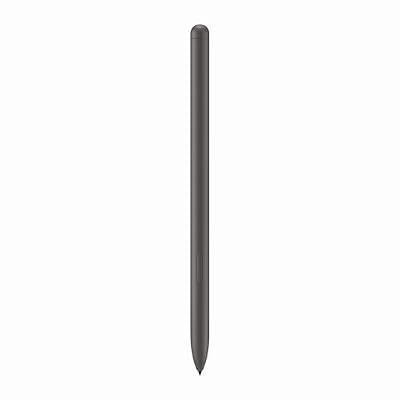
For Galaxy Tab owners, the official S Pen is the pen the tablet was designed around. It uses EMR technology, so the tablet powers the pen through the screen: there is no battery, no pairing and no charging, ever. Samsung publishes 4,096 pressure levels, a 0.7 mm tip, tilt support and IP68 water resistance for this model, and it attaches magnetically to the tablet. One limit to know before buying: Samsung states this FE pen does not support Bluetooth Low Energy, so there are no Air Actions or remote-control gestures — those belong to the separate S Pen Pro. It also only works on Galaxy Tab models with S Pen support; it does nothing on an iPad or a non-Samsung Android tablet.
Specs
- Type: EMR pen (powered by the tablet screen)
- Pressure sensitivity: 4,096 levels (maker figure)
- Tilt sensitivity: Yes
- Charging: None — no battery, no pairing required
- Bluetooth: Not supported (no Air Actions)
- Tip: 0.7 mm
- Water resistance: IP68
- Dimensions: 145 mm long, 8.7 g (maker figures)
- Compatibility: Samsung Galaxy Tab S10 FE, Tab S10 FE+, Tab S9 FE, Tab S9 FE+
- ASIN: B0CH8PHK9M
4. Penoval USI 2.0 — the pen for Pixel Tablet and Fire Max 11
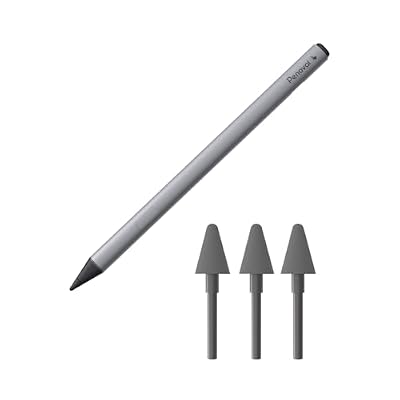
Outside Samsung, the main pen standard on Android is USI, and the Penoval USI 2.0 is built for exactly that group. Penoval publishes 4,096 pressure levels and palm rejection, USB-C charging with up to 90 hours of use per charge, and a magnetic body that snaps to supported devices. It is also backwards compatible with USI 1.0 screens. The honest limit is the device list: on the Android side, USI support is published for the Google Pixel Tablet and the Amazon Fire Max 11, and most of the remaining compatible machines are Chromebooks such as the Lenovo Chromebook Duet line and HP Chromebook x360 models. Galaxy Tabs do not have USI digitizers, and neither do iPads, so this pen cannot substitute for an S Pen or an Apple Pencil.
Specs
- Type: Active pen, USI 2.0 (backwards compatible with USI 1.0)
- Pressure sensitivity: 4,096 levels (maker figure)
- Palm rejection: Yes
- Charging: USB-C; up to 90 hours per charge (maker figure)
- Attachment: Magnetic, on devices that support it
- Compatibility: Google Pixel Tablet, Amazon Fire Max 11, Lenovo Chromebook Duet models, HP Chromebook x360 14b and other USI Chromebooks
- Not compatible with: iPad, Samsung Galaxy Tab
- ASIN: B0FJDXHMNY
5. Metapen Pencil A8 — the value iPad pen

The Metapen A8 is a third-party pen for iPads from 2018 onward, and its listing is unusually clear about where it stops: Metapen states it is not compatible with iPhone, Android tablets or iPads made before 2018. Within its lane, it offers tilt sensitivity and palm rejection, attaches magnetically to the iPad, and charges over USB-C with what Metapen describes as a faster charge than its earlier models. Metapen does not publish a pressure-level figure for the A8, so treat it as a note-taking and annotation pen whose line weight comes from tilt and stroke speed, not from pressure. For students and PDF-heavy work on a supported iPad, that is the right set of compromises; Android owners should look at the S Pen or USI picks above instead.
Specs
- Type: Active pen for iPad (2018 and later models)
- Pressure sensitivity: No maker-published pressure figure
- Tilt sensitivity: Yes
- Palm rejection: Yes
- Charging: USB-C fast charge (maker description)
- Attachment: Magnetic
- Compatibility: iPad (6th to 11th generation), iPad Pro 11-inch (1st to 4th generation, M4), iPad Pro 12.9-inch (3rd to 6th generation), iPad Pro 13-inch (M4), iPad Air (3rd, 4th, 5th generation, M2, M3), iPad mini (5th, 6th generation)
- Not compatible with: iPhone, Android tablets, iPads before 2018
- ASIN: B0C4L8GKR6
How to choose the right stylus for your tablet
Match the protocol first. Write down your exact tablet model before anything else. iPads use Apple Pencil protocol pens (Apple’s own or licensed-style third-party pens like the Metapen). Galaxy Tabs with S Pen support use EMR. Pixel Tablet and Fire Max 11 use USI. A pen from the wrong family will not register at all — this is not a matter of reduced features.
Check the generation, not just the brand. The Apple Pencil Pro only supports the M4/M5 iPad Pro, M2/M3 iPad Air and the A17 Pro iPad mini, while the USB-C Pencil reaches back to 2018-era models. The Samsung pen above is the official match for the Tab S9 FE and S10 FE lines specifically. Always confirm your model against the pen’s published list.
Decide whether pressure matters to you. Artists who shade and ink usually need it: the Pencil Pro, the S Pen and the Penoval publish pressure figures. Note-takers often do not, which is where the USB-C Apple Pencil and the Metapen A8 make sense.
Know the charging story. The S Pen never needs charging. The Pencil Pro charges on the iPad itself. The USB-C Pencil, Penoval and Metapen all need a USB-C cable, so they are easy to top up from the same charger as a modern tablet or phone.
Understand the universal fallback. Plain capacitive pens (the rubber-tip and disc-tip kind) work on every touchscreen, iPad and Android alike, but they offer no pressure, no tilt and no palm rejection. They are fine for tapping and rough annotation, and they are the only option for tablets with no active-pen digitizer at all.
Verdict
iPad owners with a current Pro, Air or mini should choose the Apple Pencil Pro; owners of older or entry-level iPads are better served by the Apple Pencil (USB-C), with the Metapen A8 as the value alternative for notes. On Android, Galaxy Tab S9 FE and S10 FE owners should stay with Samsung’s own S Pen, while Pixel Tablet and Fire Max 11 owners should go straight to the Penoval USI 2.0. Every pick above is sold on Amazon US at the time of writing, and each one lists its supported tablet models in its Specs block — check yours is there before ordering.