

- Top Pick: Crucial X10 1TB Portable SSD, Up to 2,100MB/s, USB 3.2 USB-C, External Solid State Drive, Compatible with Windows, Mac & Android, Durable Storage for Games, Photos & Files, Blue – CT1000X10SSD9-02
- Best Value: Lexar 1TB ES5 External SSD, 2000MB/s R/W, USB-C, Magnetic/Mag Safe
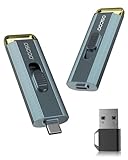
- Premium Choice: Dylesn 1TB Video Editing SSD 20Gbps USB-C External Drive for iPhone16 Pro
Photo editing puts a very particular kind of pressure on storage. RAW files from a modern camera are large, libraries balloon into the thousands of images, and editors like Lightroom and Photoshop constantly read and write previews, caches and scratch data. That makes two qualities matter most for a photo-editing drive: capacity to hold sprawling RAW libraries, and fast, balanced read and write performance so opening images, generating previews and exporting finished files all feel quick rather than sluggish. This guide rounds up the best SSDs for photo editing in 2026, leading with the value drives most photographers actually need and building up to large-capacity and portable options.
- Best SSDs for Photo Editing at a Glance
- 1. Kingston 480GB A400 SATA 3 2.5″ Internal SSD SA400S37/480G
- 2. Samsung 870 EVO SATA III SSD 1TB 2.5″ Internal Solid State Drive
- 3. SAMSUNG 970 EVO Plus SSD 2TB NVMe M.2 Internal Solid State Drive
- 4. SANDISK 2TB Extreme Portable SSD – Up to 1050MB/s, USB-C, USB 3.2 Gen 2
- 5. Samsung SSD 870 EVO, 4 TB, 2.5 Inch, Intelligent Turbo Write
- 6. Samsung T7 Portable SSD, 1TB External Solid State Drive, Up to 1,050MB/s
- How to Choose an SSD for Photo Editing
- Frequently Asked Questions
- Related Guides
- Related Articles
- Related Guides
Each drive here is a real, available SSD, and we have been straight about what kind it is — internal NVMe M.2, internal SATA 2.5-inch, or external USB-C portable — because that shapes how it fits a photo workflow. For editing, a scratch disk benefits from NVMe speed, an archive benefits from sheer capacity, and a portable is ideal for offloading cards in the field. We have ordered the list with a photographer’s priorities in mind and quoted prices from around $106 up to around $1,588 so there is a fit for hobbyists and professionals alike. Below is an at-a-glance comparison of all six, then a closer look at each drive for editing and a buyer’s guide focused on capacity, read/write balance and where each drive belongs in your workflow.
As an Amazon Associate we earn from qualifying purchases at no extra cost to you.



🛒 Best Price Today on Amazon
Prime members get fast, free shipping on everything above, plus member-only deals. New members get a 30-day free trial — cancel anytime.
Best SSDs for Photo Editing at a Glance
| SSD | Best For Photo Editing | Standout Spec | Approx Price |
|---|---|---|---|
| Kingston A400 480GB SATA | Affordable starter scratch | SATA 2.5″, 480GB | around $106 |
| Samsung 870 EVO 1TB SATA | Reliable working library | SATA III, 1TB | around $486 |
| Samsung 970 EVO Plus 2TB NVMe | Fast scratch and edits | NVMe M.2, 2TB | around $365 |
| SanDisk Extreme Portable 2TB | In-the-field card offload | USB-C, up to 1050MB/s | around $294 |
| Samsung 870 EVO 4TB SATA | Huge RAW archive | SATA, 4TB capacity | around $1,588 |
| Samsung T7 Portable 1TB | Compact portable editing | USB-C, up to 1050MB/s | around $235 |
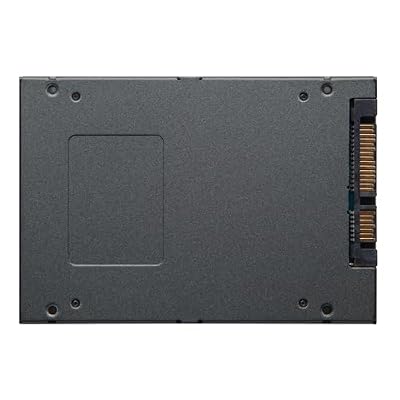
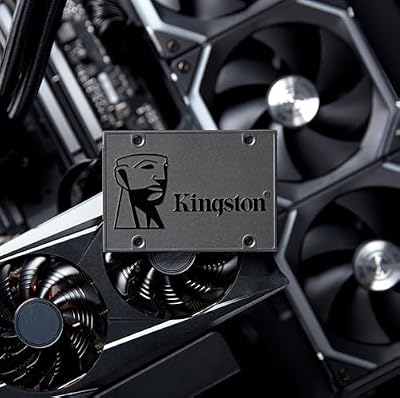
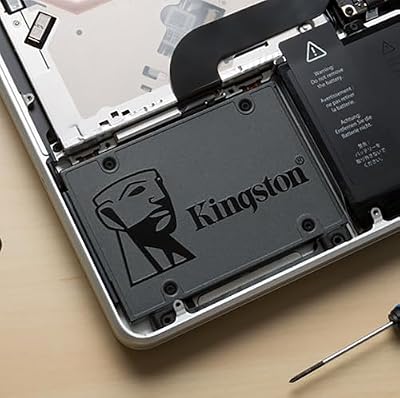
1. Kingston 480GB A400 SATA 3 2.5″ Internal SSD SA400S37/480G

Kingston 480GB A400 SATA 3 2.5" Internal SSD SA400S37/480G - HDD Replacement for Increase Performance




As an Amazon Associate we earn from qualifying purchases. Product prices and availability are accurate as of the date/time indicated.
The Kingston A400 480GB is the affordable starter pick for photo editing. It is a straightforward 2.5-inch SATA drive, and at around $106 it is the cheapest way on this list to bring solid-state speed to an editing setup. For a beginner or hobbyist photographer, it makes a fine fast scratch disk or a quick home for an active project, dramatically outpacing any hard drive for opening and saving images.
This is the drive for someone starting out in photo editing who wants responsiveness without a big outlay. A 480GB capacity is modest for a full RAW archive, but it is well suited as a working drive — somewhere to keep the shoot you are currently editing, plus the scratch and cache files Lightroom or Photoshop generate. Kingston’s A400 has a long, dependable track record, and for an entry-level photographer it is an honest, low-cost way to make everyday editing feel quicker than it ever did on spinning storage.
Pros: Lowest price here, dependable SATA value, ideal as a starter scratch or active-project drive.
Cons: Modest 480GB capacity; SATA speeds, not NVMe; small for a full archive.
2. Samsung 870 EVO SATA III SSD 1TB 2.5″ Internal Solid State Drive
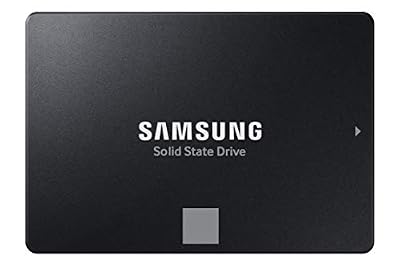
Samsung SSD 870 EVO SATA III 2.5” 1TB, Read Speeds Up to 560MB/s


As an Amazon Associate we earn from qualifying purchases. Product prices and availability are accurate as of the date/time indicated.
The Samsung 870 EVO 1TB is the reliable working-library pick for photographers. It is a 2.5-inch SATA drive with the consistent, dependable performance the EVO line is famous for, and 1TB is a sensible size for an active editing library without straying into archive territory. For day-to-day photo work it keeps image opening, preview generation and saving snappy across long sessions.
At around $486 it sits at a premium, but the appeal is steady, trustworthy SATA performance and Samsung’s strong reliability reputation — important when your drive holds work you cannot easily replace. A 1TB capacity comfortably holds a substantial set of current projects and their caches, and the 2.5-inch form factor drops into any bay. For the photographer who wants a dependable, well-sized working drive for editing rather than the absolute fastest or largest, the 870 EVO is a solid middle-ground choice.
Pros: Reliable SATA consistency, sensible 1TB working size, trusted Samsung EVO durability.
Cons: SATA speeds trail NVMe for scratch use; high price for 1TB.
3. SAMSUNG 970 EVO Plus SSD 2TB NVMe M.2 Internal Solid State Drive

SAMSUNG (MZ-V7E500BW) 970 EVO SSD 500GB - M.2 NVMe Interface Internal Solid State Drive with V-NAND Technology, Black/Red


As an Amazon Associate we earn from qualifying purchases. Product prices and availability are accurate as of the date/time indicated.
The Samsung 970 EVO Plus is the fast scratch-and-edit pick. As an NVMe M.2 drive it runs on the PCIe bus, delivering far higher read and write throughput than any SATA drive — exactly what photo editing rewards. Generating previews, opening large RAW files and writing exports all lean on fast, balanced read/write performance, and that is where this drive shines.
At around $365 for 2TB it pairs serious speed with enough capacity to hold both an active library and the scratch and cache files editors create. This is the drive for the enthusiast or professional who wants their editor to feel immediate — fast file opens, quick preview rendering and snappy exports — and who has a free M.2 slot to use. Samsung’s V-NAND and mature controller back it with a strong reliability record. For photographers chasing responsiveness in the edit, this NVMe drive is the standout performance pick on the list.
Pros: Fast NVMe read and write for previews and exports, ample 2TB, internal M.2, reliable.
Cons: Needs a free M.2 slot; costs more per gigabyte than a SATA archive drive.
4. SANDISK 2TB Extreme Portable SSD – Up to 1050MB/s, USB-C, USB 3.2 Gen 2

Sandisk 4TB Extreme Portable SSD, Up to 2000MB/s Transfer Speeds-New Model







As an Amazon Associate we earn from qualifying purchases. Product prices and availability are accurate as of the date/time indicated.
The SanDisk Extreme Portable 2TB is the in-the-field pick for photographers. It is a rugged USB-C portable SSD rated up to 1050 MB/s, and that combination of speed, durability and pocketability makes it ideal for offloading memory cards on location and editing on a laptop away from the studio. To be clear, it is an external drive limited by the USB connection rather than an internal slot — but for mobile photo work, that is exactly the point.
At around $294 for 2TB it gives a working photographer a fast, tough place to dump shoots in the field, back up cards as you go, and even edit directly off the drive thanks to its 1050 MB/s rating. The rugged build shrugs off the knocks of travel, and USB-C plugs straight into a modern laptop. It will not match an internal NVMe scratch disk for peak speed, but as a portable, durable drive for capturing and editing photos on the move, it is purpose-built for the job.
Pros: Rugged USB-C portability, fast external speeds for field offload and laptop editing.
Cons: External rather than internal; slower than an NVMe scratch disk for heavy edits.
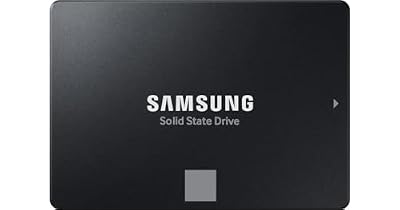
5. Samsung SSD 870 EVO, 4 TB, 2.5 Inch, Intelligent Turbo Write

Samsung SSD 870 EVO, 4 TB, Form Factor 2.5 Inch, Intelligent Turbo Write, Magician 6 Software, Black


As an Amazon Associate we earn from qualifying purchases. Product prices and availability are accurate as of the date/time indicated.
The Samsung 870 EVO 4TB is the huge-archive pick for serious photographers. It is a 2.5-inch SATA drive built around sheer capacity — 4TB on a single, reliable solid-state drive — making it ideal for storing a vast RAW library where space matters far more than peak throughput. For a professional with years of shoots to keep accessible, that capacity is the headline.
At around $1,588 it is by far the most expensive drive here, and you are paying for that enormous, dependable capacity rather than NVMe speed. SATA performance is more than adequate for browsing and pulling files from an archive, and Intelligent TurboWrite helps keep writes brisk, while Samsung’s reliability reputation matters enormously when the drive holds an irreplaceable photo catalogue. This is not a scratch disk — it is a large, trustworthy library drive. For the photographer who needs to keep a massive RAW archive on fast, reliable solid-state storage, it is the standout capacity choice.
Pros: Enormous 4TB capacity, reliable SATA archive performance, trusted for irreplaceable libraries.
Cons: Very high price; SATA speeds, so better as an archive than a scratch disk.
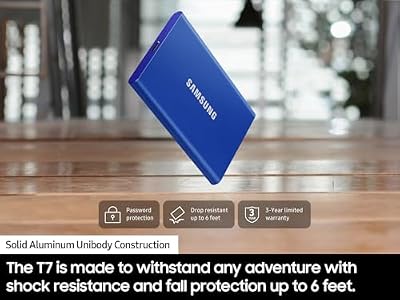
6. Samsung T7 Portable SSD, 1TB External Solid State Drive, Up to 1,050MB/s

Samsung T7 Portable SSD 1TB Titan Gray, USB 3.2 Gen 2, Up to 1,050MB/s



As an Amazon Associate we earn from qualifying purchases. Product prices and availability are accurate as of the date/time indicated.
Rounding out the list is the Samsung T7 Portable 1TB, the compact portable editing pick. It is a sleek USB-C external SSD rated up to 1050 MB/s in a credit-card-sized, fanless metal body. As an external drive it is bound by the USB connection rather than an internal slot, but for photographers who want fast, genuinely pocketable storage to carry between machines, that trade is well worth it.
At around $235 for 1TB it is the choice for offloading shoots, carrying an active project between a desktop and a laptop, or keeping a portable working library that is small enough to slip into a jacket pocket. The 1050 MB/s rating makes it quick for transferring and even editing photos directly, and Samsung’s build quality and reputation add confidence. It will not replace an internal NVMe for the heaviest scratch work, but as a slim, fast, portable drive for photo editing on the move, the T7 is an excellent companion.
Pros: Slim, pocketable USB-C design, fast external speeds, great for portable photo work.
Cons: External, not internal; 1TB is modest for a large RAW archive.
How to Choose an SSD for Photo Editing
For photo editing, capacity is often the first thing to get right, because RAW libraries grow relentlessly. A single shoot can run into many gigabytes, and thousands of images quickly overwhelm a small drive. If you keep a large catalogue accessible, a high-capacity drive like the Samsung 870 EVO 4TB earns its place; for an active working library, 1TB to 2TB drives such as the 870 EVO 1TB or 970 EVO Plus 2TB are a sensible size; and a 480GB drive like the Kingston A400 works best as a starter or scratch disk. Size the drive to how much you need at hand, not just today’s shoot.
Read and write speed is the next priority, and editing leans on both. Opening large RAW files and generating previews stress read speed, while exporting finished images and writing scratch and cache data stress writes. An NVMe drive like the 970 EVO Plus delivers far higher, more balanced throughput than SATA and is the pick for a responsive scratch disk and active editing. SATA drives are still a major upgrade over hard disks and excellent for libraries and archives where capacity matters more than peak speed. Decide whether you are buying for raw responsiveness or for storage.
Think in terms of roles rather than one drive doing everything. Many photographers run a fast NVMe scratch and working drive alongside a large SATA archive, and add a portable for the field. The Samsung T7 and SanDisk Extreme portables are ideal for offloading cards on location and editing on a laptop, though as external USB-C drives they are bound by the cable rather than the internal bus. Match each drive to a job — scratch, library, archive or field — and your whole workflow speeds up rather than just one part of it.
Finally, weigh reliability and budget, because a photo drive holds work you may not be able to recreate. Samsung’s EVO line and Kingston’s A400 both carry strong dependability records, which matters for anything beyond a temporary scratch disk. Confirm whether your machine has a free M.2 slot for NVMe or only 2.5-inch SATA bays, decide how much capacity you genuinely need, and remember a portable suits mobile editing. An SSD will not change how an image renders, but the right one makes opening, previewing and exporting feel immediate. Pick the drive on this list that matches your library size, your speed needs and your budget.
Frequently Asked Questions
How much storage do I need for photo editing?
It depends on your library. RAW files are large and catalogues grow fast, so if you keep a big archive accessible, a high-capacity drive like the Samsung 870 EVO 4TB makes sense. For an active working library, 1TB to 2TB drives such as the 870 EVO 1TB or 970 EVO Plus 2TB are a good fit, while a 480GB drive like the Kingston A400 suits a starter or scratch disk. Size it to how much you keep on hand, not just one shoot.
Is NVMe worth it for photo editing, or is SATA enough?
NVMe is worth it for a scratch and working drive because editing leans on fast, balanced read and write speeds for previews, file opens and exports — and a drive like the 970 EVO Plus delivers that. SATA drives like the 870 EVO are still a huge upgrade over hard disks and ideal for libraries and archives where capacity matters more than peak speed. Many photographers use both: NVMe for active work, SATA for storage.
Should I edit photos directly from an external SSD?
You can, and a fast portable like the Samsung T7 or SanDisk Extreme rated up to 1050 MB/s is quick enough to edit from directly and ideal for offloading cards in the field. Just remember they are external USB-C drives bound by the cable, so they will not match an internal NVMe scratch disk for the heaviest work. For mobile editing and card offload, though, a portable is purpose-built and very convenient.
What is a scratch disk and does it need to be fast?
A scratch disk is the drive editors like Photoshop use for temporary working data when memory fills up, and yes, it benefits a lot from speed. A fast NVMe drive such as the Samsung 970 EVO Plus makes scratch operations and large file handling feel much more responsive than a slower drive would. Pointing your editor’s scratch disk at a quick SSD rather than a hard drive is one of the easiest ways to speed up heavy editing.
Related Guides
- Best NVMe SSDs
- Best External SSDs
- Best Monitors for Content Creation
- Best Laptops for Photo Editing
- Best RAM for Creative Work
- Best PCs for Creators
Affiliate Disclosure: As an Amazon Associate, we earn from qualifying purchases. If you click a link and make a purchase, we may earn a small commission at no extra cost to you. Prices and availability are accurate as of publication and may change.
Ready to decide? Our #1 pick for 2026 is the Kingston A400 480GB SATA.
Live price & availability on Amazon.


