

- Top Pick: MSI MEG Z890 GODLIKE, E-ATX – Supports Intel Core Ultra Processors (Series 2), LGA 1851 – Dynamic Dashboard III, EZ Slide M.2, DDR5 (9200+ MT/s OC), M.2 & PCIe 5.0, Thunderbolt 5, Wi-Fi 7, 10G LAN
- Best Value: The Complete Gaming PC Build Guide: Master PC Hardware, Cooling, Overclocking, Troubleshooting, and System Optimization (The PC Builder's Essential Library Book 2)
- Premium Choice: ASRock X870E Taichi OCF Socket AM5 ATX Motherboard, Supports AMD Ryzen 9000/8000/7000 Series, 22+2+1 Power Phase, DDR5, 2X PCIe 5.0 x16, USB4, WiFi 7, 5GbE LAN
An SSD does not overclock in the way a CPU, GPU or memory kit does — there is no multiplier to push or voltage to raise. So when an enthusiast asks for the best SSD for an overclocking build, the right framing is this: the storage should match the ambition of a high-end, tuned rig. That means the fastest interface available — PCIe Gen4 NVMe — for the highest sequential speeds, plus good thermal behaviour, since the quickest drives can throttle when they get hot, exactly the kind of detail an overclocker cares about. A drive with a heatsink or strong native cooling holds its peak speed under load.
- Best SSDs for an Overclocking Build at a Glance
- 1. WD_BLACK SN850X 2TB NVMe SSD, M.2 2280, Up to 7,300 MB/s Read
- 2. Samsung 980 PRO SSD 2TB PCIe NVMe Gen 4 Gaming M.2 Internal SSD
- 3. SAMSUNG 970 EVO Plus SSD 2TB NVMe M.2 Internal Solid State Drive
- 4. Samsung 870 EVO SATA III SSD 1TB 2.5″ Internal Solid State Drive
- 5. Crucial BX500 1TB 3D NAND SATA 2.5-Inch Internal SSD, up to 540MB/s
- 6. Kingston 960GB A400 SATA3 2.5″ Internal SSD SA400S37/960G
- How to Choose an SSD for an Overclocking Build
- Frequently Asked Questions
- Related Guides
- Related Articles
This guide rounds up the best SSDs for an overclocking or enthusiast build in 2026. We lead with the high-end PCIe Gen4 NVMe drives, because raw interface speed and sustained thermals are what suit a tuned system, then include dependable SATA drives for bulk storage and budget tiers in the same build — while being honest that SATA drives are about capacity and reliability, not headline speed. Prices run from around $170 to around $486. Below is an at-a-glance comparison of all six, then a closer look at each drive and a buyer’s guide focused on interface speed, thermals and pairing storage with a high-performance rig.
As an Amazon Associate we earn from qualifying purchases at no extra cost to you.




🛒 Best Price Today on Amazon
Prime members get fast, free shipping on everything above, plus member-only deals. New members get a 30-day free trial — cancel anytime.
Best SSDs for an Overclocking Build at a Glance
| SSD | Best For | Standout Spec | Approx Price |
|---|---|---|---|
| WD_BLACK SN850X 2TB NVMe | Flagship Gen4 enthusiast speed | Up to 7,300MB/s, Gen4 NVMe | around $350 |
| Samsung 980 PRO 2TB PCIe Gen4 NVMe | Top-tier tuned-rig boot drive | PCIe Gen4 M.2, high speed | around $482 |
| Samsung 970 EVO Plus 2TB NVMe | Fast Gen3 NVMe value | 2TB NVMe M.2, V-NAND | around $365 |
| Samsung 870 EVO 1TB SATA | Reliable bulk storage | 1TB SATA III, consistent | around $486 |
| Crucial BX500 1TB SATA 2.5″ | Budget secondary drive | 1TB SATA, up to 540MB/s | around $170 |
| Kingston A400 960GB SATA 2.5″ | Cheap utility/scratch drive | 960GB SATA, HDD replacement | around $180 |
1. WD_BLACK SN850X 2TB NVMe SSD, M.2 2280, Up to 7,300 MB/s Read

WD_BLACK SN850X 2TB NVMe SSD with Heatsink - M.2 2280, Up to 7,300 MB/s Read speeds, Up to 6,300 MB/s write speeds, Gaming Expansion, High Performance Internal Solid State Drive - WDS200T2XHE


As an Amazon Associate we earn from qualifying purchases. Product prices and availability are accurate as of the date/time indicated.
The WD_BLACK SN850X 2TB is the headline pick for an enthusiast build. It is a flagship M.2 2280 PCIe Gen4 NVMe drive rated up to 7,300MB/s read and 6,300MB/s write — about as fast as the Gen4 interface allows — which is exactly the kind of top-tier component a tuned, overclocked rig deserves. At around $350 for 2TB it pairs class-leading speed with the capacity an enthusiast wants for games and applications.
This is the drive to make the storage centrepiece of a high-performance build. Its Gen4 bandwidth delivers blistering loads and file transfers, and it is available in a heatsink version (and benefits from motherboard M.2 cooling) to keep those speeds sustained under heavy load — the thermal headroom an overclocker appreciates, since the fastest drives can throttle when hot. With WD’s gaming-focused Game Mode tuning and proven reliability, the SN850X is the natural storage match for a flagship, tuned system.
Pros: Top-tier Gen4 speeds up to 7,300MB/s, heatsink option, sustained thermals, 2TB.
Cons: Needs a Gen4 M.2 slot to reach full speed; flagship pricing.
2. Samsung 980 PRO SSD 2TB PCIe NVMe Gen 4 Gaming M.2 Internal SSD

Samsung 980 PRO SSD 2TB PCIe NVMe Gen 4 Gaming M.2 Internal Solid State Drive Memory Card, Maximum Speed, Thermal Control MZ-V8P2T0B/AM


As an Amazon Associate we earn from qualifying purchases. Product prices and availability are accurate as of the date/time indicated.
The Samsung 980 PRO 2TB is the top-tier boot-drive pick for a tuned rig. It is a PCIe Gen4 NVMe M.2 drive that was Samsung’s flagship gaming SSD, delivering very high sequential speeds and the polished firmware and reliability Samsung is known for. At around $482 it is the premium NVMe option here, and it brings the kind of pedigree an enthusiast building a no-compromise system looks for.
This is the drive to install your operating system and most demanding applications on in a high-performance build. The Gen4 interface gives you the fast loads and transfers that complement a tuned CPU and GPU, and the 980 PRO’s strong controller maintains performance well — pair it with motherboard M.2 cooling to keep the fastest drives from throttling under sustained load. Samsung’s Magician software adds health monitoring and tuning. For an enthusiast who wants a flagship-grade Gen4 boot drive backed by a trusted name, the 980 PRO is a standout.
Pros: Flagship PCIe Gen4 speeds, polished firmware, excellent reliability, 2TB capacity.
Cons: Highest NVMe price here; pair with M.2 cooling for sustained load.
3. SAMSUNG 970 EVO Plus SSD 2TB NVMe M.2 Internal Solid State Drive

SAMSUNG (MZ-V7E500BW) 970 EVO SSD 500GB - M.2 NVMe Interface Internal Solid State Drive with V-NAND Technology, Black/Red


As an Amazon Associate we earn from qualifying purchases. Product prices and availability are accurate as of the date/time indicated.
The Samsung 970 EVO Plus 2TB is the fast-NVMe value pick. It is a PCIe Gen3 NVMe M.2 drive built on Samsung’s V-NAND — not Gen4, so its ceiling is lower than the SN850X or 980 PRO, but still vastly quicker than any SATA drive and a lot of speed for the money. At around $365 it is a sensible way to get genuine NVMe performance in an enthusiast build without paying flagship Gen4 prices.
This is the drive for the builder who wants fast NVMe storage but is allocating budget to the CPU, GPU and cooling that actually get overclocked. The 970 EVO Plus loads games and applications quickly, runs cool and reliable, and its 2TB capacity holds a large library — making it a great secondary NVMe drive alongside a Gen4 boot drive, or the main drive in a high-performance build where Gen4 is not essential. For dependable NVMe speed at a fair price in a tuned rig, it is an easy recommendation.
Pros: Strong Gen3 NVMe speed, cool and reliable V-NAND, 2TB, great value.
Cons: Gen3 ceiling is below flagship Gen4 drives like the SN850X.
4. Samsung 870 EVO SATA III SSD 1TB 2.5″ Internal Solid State Drive
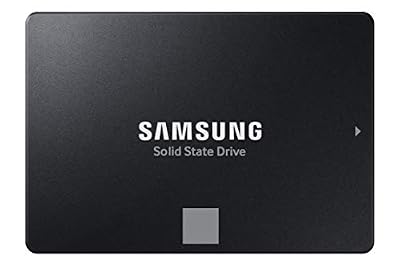
Samsung SSD 870 EVO SATA III 2.5” 1TB, Read Speeds Up to 560MB/s | SATA Internal Solid State Drive, Upgrade PC or Laptop Memory & Storage for IT Pros, Creators, Everyday Users (MZ-77E1T0B/AM)


As an Amazon Associate we earn from qualifying purchases. Product prices and availability are accurate as of the date/time indicated.
The Samsung 870 EVO 1TB is the reliable bulk-storage pick for an enthusiast build. It is a SATA drive, so it does not chase the NVMe speed crown — be clear about that — but it is one of the best and most consistent SATA SSDs made, and a tuned rig still needs roomy, dependable storage for the games and files that do not demand Gen4 bandwidth. At around $486 for 1TB it is the premium SATA choice here.
This is the drive to use as a secondary library alongside your fast NVMe boot drive. The 870 EVO’s mature controller keeps performance steady as it fills, loads are far quicker than any hard drive, and its reliability means you can trust it with your wider game collection and working files. In a high-end build the fastest NVMe drive handles what needs speed; the 870 EVO handles everything else with proven consistency. As dependable capacity to round out an enthusiast system, it is a quality pick.
Pros: Consistent SATA performance, excellent reliability, solid bulk storage capacity.
Cons: SATA bandwidth is far below NVMe; not a speed component for a tuned rig.
5. Crucial BX500 1TB 3D NAND SATA 2.5-Inch Internal SSD, up to 540MB/s

Crucial BX500 1TB 3D NAND SATA 2.5-Inch Internal SSD, up to 540MB/s - CT1000BX500SSD1, Solid State Drive


As an Amazon Associate we earn from qualifying purchases. Product prices and availability are accurate as of the date/time indicated.
The Crucial BX500 1TB is the budget secondary-drive pick. It is a 2.5-inch SATA drive using 3D NAND, rated up to 540MB/s — entry-level SATA performance, not an enthusiast speed part — but at around $170 it is the cheapest way here to add a useful chunk of solid-state storage to a build. For a tuned rig that needs inexpensive extra space, it is a practical addition.
This is the drive to choose as low-cost overflow storage when the speed-critical duties already sit on a fast NVMe drive. The BX500 gives you the core SATA SSD advantages — far quicker than a hard drive, silent, no moving parts — across a useful 1TB. It is not a performance showpiece and has no place in the speed conversation, but as an affordable secondary drive for less demanding games and files in an enthusiast build, it stretches the budget sensibly.
Pros: Lowest price here, 1TB of solid-state space, silent, dependable 3D NAND.
Cons: Entry SATA performance; purely a storage drive, not a speed part.
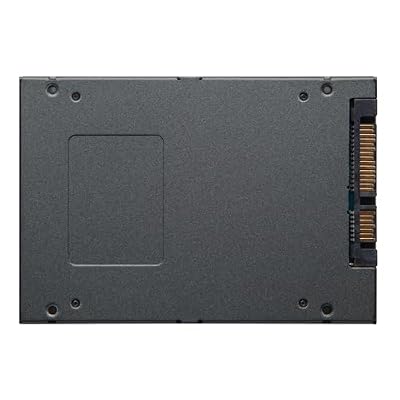
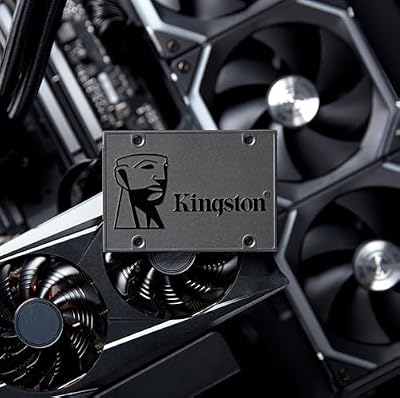
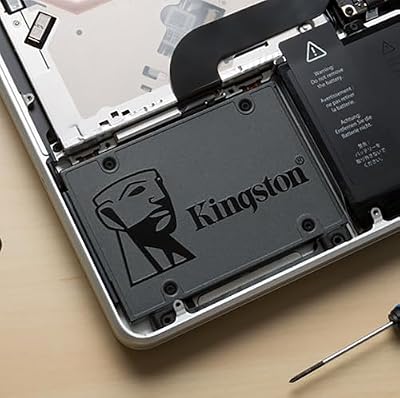
6. Kingston 960GB A400 SATA3 2.5″ Internal SSD SA400S37/960G

Kingston 960GB A400 SATA3 2.5" Internal SSD SA400S37/960G - HDD Replacement for Increase Performance



As an Amazon Associate we earn from qualifying purchases. Product prices and availability are accurate as of the date/time indicated.
Rounding out the list is the Kingston A400 960GB, the cheap utility-drive pick. It is a SATA 2.5-inch drive marketed as a hard-drive replacement, and at around $180 for nearly a terabyte it is an inexpensive way to add solid-state storage. It makes no claim to enthusiast speed — SATA, entry-level — but it is a handy, low-cost drive for a scratch or utility role in a larger build.
This is the drive for the secondary or tertiary slot in an enthusiast system: a scratch disk, a holding drive for less demanding titles, or a quick way to press an old hard-drive system into solid-state service. Moving off a mechanical drive to an A400 makes any machine feel snappier, and its low cost means it barely dents a build budget. It belongs nowhere near the speed discussion of a tuned rig, but as cheap, useful utility storage to round out a build, the A400 earns its spot.
Pros: Very affordable, easy HDD replacement, useful as a scratch or utility drive.
Cons: Entry SATA performance; not a speed component for an enthusiast build.
How to Choose an SSD for an Overclocking Build
The first thing to understand is that an SSD is not something you overclock — there is no multiplier or voltage to tune as there is on a CPU, GPU or memory kit. So for an enthusiast build, the goal is to choose storage that matches the calibre of a tuned system: the fastest interface, the best thermals, and enough capacity to keep the rig fed. Reframing the question this way leads you to PCIe Gen4 NVMe drives for the speed-critical role, with dependable SATA drives filling the supporting tiers.
Interface speed is the headline. PCIe Gen4 NVMe drives like the WD_BLACK SN850X and Samsung 980 PRO deliver the highest sequential throughput available on a mainstream platform — multiples of what SATA can manage — which is what complements a high-performance CPU and GPU. A Gen3 NVMe drive like the 970 EVO Plus is still far faster than SATA and a strong value, while SATA drives such as the 870 EVO, BX500 and A400 are about capacity and reliability rather than speed, and should be treated as supporting storage, not performance parts.
Thermals are the detail an overclocker will appreciate, because the fastest drives can throttle when they get hot. A flagship Gen4 drive run hard can reach high temperatures, so a model available with a heatsink — like the SN850X — or paired with the M.2 cooling built into many enthusiast motherboards holds its peak speed under sustained load. If you are the kind of builder who tunes for consistency, give your fastest drive proper airflow or a heatsink rather than leaving it bare next to a hot GPU.
Finally, build in tiers and confirm compatibility. Use a fast Gen4 NVMe drive for the OS and demanding applications, a Gen3 NVMe or quality SATA drive for your wider library, and a cheap SATA drive like the A400 or BX500 for scratch or overflow duty. Check your motherboard has a Gen4-capable M.2 slot to reach a flagship drive’s rated speed, and that you have SATA ports and bays for the 2.5-inch drives. Match each drive to its role, prioritise interface speed and cooling on the one that matters, and pick the combination on this list that suits your high-performance rig.
Frequently Asked Questions
Can you actually overclock an SSD?
No — an SSD has no multiplier or voltage to tune the way a CPU, GPU or memory kit does. For an enthusiast build, the right move is to choose storage that matches a tuned rig: the fastest interface (PCIe Gen4 NVMe drives like the WD_BLACK SN850X or Samsung 980 PRO), good thermals so the drive holds peak speed, and enough capacity, rather than trying to overclock the drive itself.
Do fast NVMe SSDs need a heatsink?
The fastest Gen4 drives can throttle when they get hot under sustained load, so cooling helps them hold peak speed. A flagship drive like the SN850X is available with a heatsink, and many enthusiast motherboards include M.2 cooling that does the same job. If you run a top-tier drive hard or place it next to a hot GPU, giving it a heatsink or airflow is worthwhile; slower drives generally do not need one.
Is PCIe Gen4 worth it over Gen3 for a tuned build?
For a no-compromise enthusiast rig, Gen4 drives like the SN850X and 980 PRO offer the highest sequential speeds and best match a tuned CPU and GPU. That said, a Gen3 drive like the 970 EVO Plus is still far faster than SATA and excellent value — a great secondary NVMe drive, or the main drive where absolute peak throughput is not essential. Choose Gen4 for the showcase role and Gen3 or SATA for supporting storage.
How should I arrange storage in a high-end build?
In tiers. Put the OS and most demanding applications on a fast Gen4 NVMe drive like the SN850X or 980 PRO, keep your wider library on a Gen3 NVMe or quality SATA drive such as the 970 EVO Plus or 870 EVO, and use a cheap SATA drive like the A400 or BX500 for scratch or overflow. This gives speed where it counts and affordable capacity everywhere else, suiting an enthusiast system.
Related Guides
- Best NVMe SSDs
- Best Gaming PCs
- Best CPU Coolers
- Best RAM for Gaming
- Best Motherboards for Overclocking
- Best GPUs for Your Build
Affiliate Disclosure: As an Amazon Associate, we earn from qualifying purchases. If you click a link and make a purchase, we may earn a small commission at no extra cost to you. Prices and availability are accurate as of publication and may change.










