

- Top Pick: Samsung SSD 990 PRO 1TB, PCIe 4.0 M.2 2280, Up to 7,450 MB/s
- Best Value: PNY CS900 250GB 2.5" SATA III Internal SSD
- Premium Choice: Patriot P210 256GB SATA 3 2.5 Inch SSD
Your boot drive is the SSD that holds Windows and the apps you open every day, and it does more for everyday snappiness than almost any other upgrade. Swapping a mechanical hard drive for even a modest SSD turns a sluggish PC into a responsive one: faster boots, near-instant app launches and a system that simply feels quicker. This guide rounds up the best SSDs for a boot drive in 2026, focused on dependable, affordable SATA drives that make an ideal home for your operating system.
- Best Boot Drive SSDs at a Glance
- 1. Crucial BX500 240GB 3D NAND SATA 2.5-Inch SSD
- 2. Kingston 240GB A400 SATA 3 2.5-Inch SSD
- 3. Crucial MX500 500GB 3D NAND SATA 2.5-Inch SSD
- 4. Samsung 870 EVO 500GB 2.5-Inch SATA III SSD
- 5. Crucial BX500 1TB 3D NAND SATA 2.5-Inch SSD
- 6. Samsung 870 EVO 1TB 2.5-Inch SATA III SSD
- How to Choose the Right Boot Drive SSD
- Frequently Asked Questions
- Related Guides
- Related Articles
Our picks were chosen on what matters for a boot drive specifically: reliability, sensible capacity for an OS-and-apps drive, sustained everyday speed, and value. We have stuck to proven 2.5-inch SATA drives from Crucial, Kingston and Samsung because they are universally compatible — they work in practically any desktop or laptop with a SATA port, including older systems that lack the M.2 NVMe slots newer drives need. Prices here run from around $79 to around $486. Below is an at-a-glance comparison of all six, then a detailed look at each and a buyer’s guide to help you pick the right boot drive for your system and budget.
As an Amazon Associate we earn from qualifying purchases at no extra cost to you.




🛒 Best Price Today on Amazon
Prime members get fast, free shipping on everything above, plus member-only deals. New members get a 30-day free trial — cancel anytime.
Best Boot Drive SSDs at a Glance
| SSD | Best For | Standout Spec | Approx Price |
|---|---|---|---|
| Crucial BX500 240GB SATA | Tightest-budget boot drive | 240GB, up to 540MB/s | around $81 |
| Kingston A400 240GB SATA | Reliable budget boot drive | 240GB, HDD replacement | around $79 |
| Crucial MX500 500GB SATA | Best all-round boot drive | 500GB, MX-series endurance | around $85 |
| Samsung 870 EVO 500GB SATA | Premium 500GB boot drive | 500GB, MKX controller | around $246 |
| Crucial BX500 1TB SATA | Boot + storage in one | 1TB, up to 540MB/s | around $170 |
| Samsung 870 EVO 1TB SATA | Premium 1TB boot + apps | 1TB, top SATA reliability | around $486 |
1. Crucial BX500 240GB 3D NAND SATA 2.5-Inch SSD

Crucial BX500 1TB 3D NAND SATA 2.5-Inch Internal SSD, up to 540MB/s - CT1000BX500SSD1, Solid State Drive


As an Amazon Associate we earn from qualifying purchases. Product prices and availability are accurate as of the date/time indicated.
The Crucial BX500 240GB is the tightest-budget boot drive on the list. At around $81 it offers just enough space for Windows and your core applications, with sequential reads up to 540MB/s — many times faster than the mechanical hard drive it replaces. The 2.5-inch SATA form factor drops into virtually any PC or laptop, making it a painless first SSD upgrade.
This is the drive to choose when the goal is the cheapest possible jump from a slow hard drive to a responsive SSD-booted system. 240GB is modest, so it suits a dedicated OS-and-essentials drive paired with a larger drive for games and files, rather than a do-everything disk. Crucial’s 3D NAND and reputation for reliability make the BX500 a dependable, wallet-friendly way to make an old machine feel new again.
Pros: Very affordable, big speed jump over a hard drive, universal SATA compatibility.
Cons: Only 240GB; SATA speeds, not NVMe; best paired with a second storage drive.
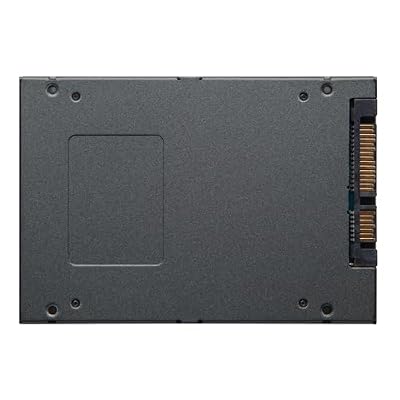
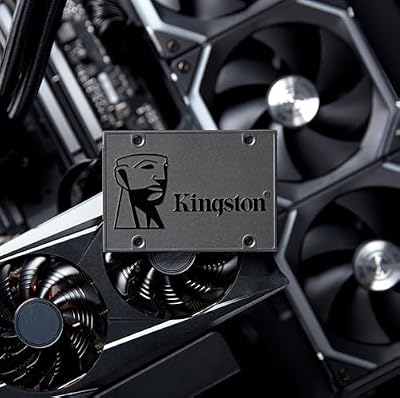
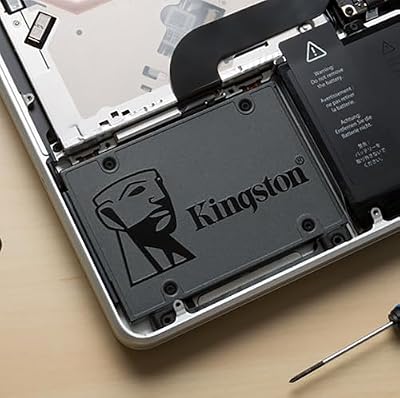
2. Kingston 240GB A400 SATA 3 2.5-Inch SSD

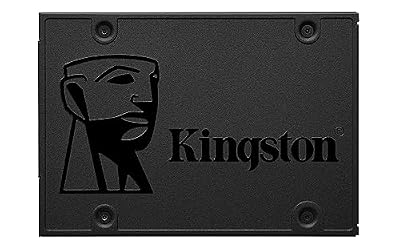
Kingston 240GB A400 SATA 3 2.5" Internal SSD SA400S37/240G - HDD Replacement for Increase Performance







As an Amazon Associate we earn from qualifying purchases. Product prices and availability are accurate as of the date/time indicated.
The Kingston A400 240GB is a long-standing favorite as a reliable budget boot drive and a direct HDD replacement. At around $79 it is the cheapest drive here, and Kingston explicitly positions it as the easy upgrade from a mechanical hard drive — slot it into a 2.5-inch SATA bay, clone or reinstall Windows, and enjoy dramatically faster boots and load times.
This is the pick for the budget upgrader who wants a trusted name at the lowest price for an OS drive. Like the BX500 its 240GB capacity is best treated as a dedicated boot-and-apps disk rather than a games library. Kingston’s huge install base and the A400’s track record make it one of the safest cheap SSDs to recommend for breathing new life into an aging desktop or laptop.
Pros: Lowest price here, proven HDD-replacement reliability, universal SATA fit.
Cons: 240GB capacity only; entry-level SATA performance; pair with bulk storage.
3. Crucial MX500 500GB 3D NAND SATA 2.5-Inch SSD

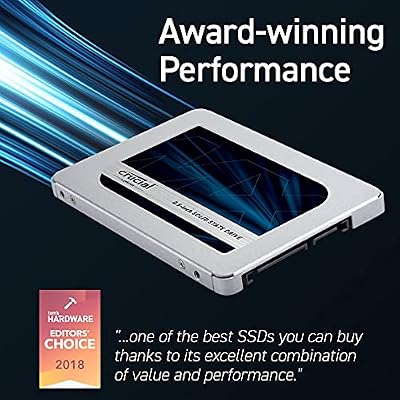
Crucial MX500 1TB 3D NAND SATA 2.5 Inch Internal SSD, up to 560MB/s - CT1000MX500SSD1



As an Amazon Associate we earn from qualifying purchases. Product prices and availability are accurate as of the date/time indicated.
The Crucial MX500 500GB is our best all-round boot drive and the value sweet spot of this list. At around $85 it doubles the capacity of the budget 240GB drives while stepping up to Crucial’s higher-tier MX series, which is known for stronger sustained performance and endurance than entry-level BX drives. 500GB is enough for Windows plus a healthy selection of apps and a few games.
This is the drive to choose if you want one dependable SATA SSD that handles booting and everyday storage without immediately needing a second disk. The MX500’s reputation for reliability and consistent speed has made it a perennial recommendation, and at this price the capacity-to-cost ratio is excellent. For most people building or upgrading on a budget, the MX500 500GB is the smart default boot drive.
Pros: Great value, 500GB capacity, MX-series endurance and consistency, trusted line.
Cons: Still SATA rather than faster NVMe; not the largest drive here.
4. Samsung 870 EVO 500GB 2.5-Inch SATA III SSD
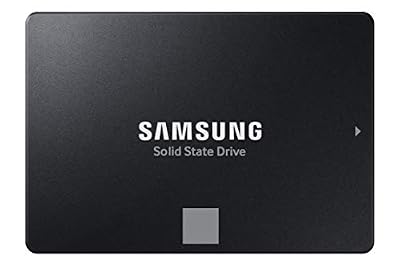
SAMSUNG 870 EVO SATA SSD 500GB 2.5” Internal Solid State Drive, Upgrade PC or Laptop Memory and Storage for IT Pros, Creators, Everyday Users, MZ-77E500B/AM, Black


As an Amazon Associate we earn from qualifying purchases. Product prices and availability are accurate as of the date/time indicated.
The Samsung 870 EVO 500GB is the premium 500GB boot drive. The 870 EVO is widely regarded as the gold standard for SATA SSD reliability and sustained performance, built on Samsung’s in-house controller and V-NAND. At around $246 it costs more than the Crucial MX500 for similar capacity, but it buys you Samsung’s renowned consistency and a long-running reputation for longevity.
This is the pick for the buyer who wants the most trusted SATA boot drive and values endurance and steady performance over rock-bottom price. The 500GB capacity comfortably holds Windows and your everyday apps, and Samsung’s Magician software adds drive health monitoring and tuning. If you keep systems for many years and want a boot drive you can forget about, the 870 EVO earns its premium.
Pros: Top-tier SATA reliability, excellent sustained performance, great software, 500GB.
Cons: Expensive for a 500GB SATA drive; NVMe offers more speed for similar money.
5. Crucial BX500 1TB 3D NAND SATA 2.5-Inch SSD
Crucial BX500 1TB 3D NAND SATA 2.5-Inch Internal SSD, up to 540MB/s - CT1000BX500SSD1, Solid State Drive
As an Amazon Associate we earn from qualifying purchases. Product prices and availability are accurate as of the date/time indicated.
The Crucial BX500 1TB is the pick for those who want boot drive and storage in a single, affordable disk. At around $170 it offers a full terabyte with reads up to 540MB/s, enough room for Windows, all your everyday apps and a meaningful games library on one drive. The 2.5-inch SATA form factor keeps it compatible with almost any system.
This is the drive to choose when you would rather not juggle a small OS drive and a separate storage disk — 1TB is enough for many users to keep everything in one place. As a BX-series drive it prioritises capacity and value over the endurance ceiling of pricier models, which is a fair trade for a general-purpose boot-and-storage drive. For a roomy, budget-friendly single SSD, the BX500 1TB is a strong choice.
Pros: Full 1TB at a low price, single boot-plus-storage drive, universal SATA fit.
Cons: BX-series endurance is lower than MX/EVO; SATA speeds rather than NVMe.
6. Samsung 870 EVO 1TB 2.5-Inch SATA III SSD
Samsung SSD 870 EVO SATA III 2.5” 1TB, Read Speeds Up to 560MB/s | SATA Internal Solid State Drive, Upgrade PC or Laptop Memory & Storage for IT Pros, Creators, Everyday Users (MZ-77E1T0B/AM)


As an Amazon Associate we earn from qualifying purchases. Product prices and availability are accurate as of the date/time indicated.
At the top of this list is the Samsung 870 EVO 1TB — the premium choice for a boot drive that also stores apps and games with the best SATA reliability available. It brings the same acclaimed Samsung controller and V-NAND as the 500GB model in a full-terabyte capacity. At around $486 it is the most expensive drive here, reflecting both the capacity and Samsung’s top-tier endurance and consistency.
This is the pick for the buyer who wants one large, supremely dependable SATA drive for years of use and is willing to pay for peace of mind. The 1TB capacity comfortably holds Windows, your full app suite and a sizeable games library, while Samsung’s reputation for longevity makes it a true set-and-forget boot drive. For those who prioritise reliability above all on a SATA system, the 870 EVO 1TB is the standout.
Pros: Best-in-class SATA reliability, full 1TB, superb sustained performance and software.
Cons: Highest price here; an NVMe drive would be faster for similar money.
How to Choose the Right Boot Drive SSD
Choosing a boot drive starts with confirming the interface your system supports. Every drive in this guide is a 2.5-inch SATA SSD, which is the most universally compatible type — it works in nearly any desktop or laptop with a SATA port, including older machines that lack the M.2 slots required by faster NVMe drives. If your goal is reviving an aging PC or you simply have a free SATA bay, these drives are the safe, plug-and-play answer. Owners of newer boards with free M.2 slots may also consider NVMe, but for guaranteed compatibility SATA is hard to beat.
Capacity is the next decision, and for a boot drive it depends on how you plan to use it. A 240GB drive like the Kingston A400 or Crucial BX500 240GB is enough for Windows and core apps if you keep games and large files on a separate disk. A 500GB drive such as the Crucial MX500 or Samsung 870 EVO is the comfortable all-round choice for most people. A 1TB drive lets you keep the operating system, apps and a games library all in one place. Match the size to whether this is a dedicated OS drive or a do-everything disk.
Endurance and drive tier matter more for a boot drive than people expect, because the OS drive is written to constantly. Higher-tier drives like the Crucial MX500 and Samsung 870 EVO use better NAND and controllers for stronger sustained performance and endurance, while value BX500 and A400 drives prioritise low cost. For a system you will keep for years, the extra endurance of an MX500 or 870 EVO is worth considering; for a quick, cheap revival of an old machine, the budget drives do the job well.
Finally, weigh brand reputation and budget together. Samsung’s 870 EVO commands a premium for its renowned reliability and software, while Crucial and Kingston offer excellent value with proven track records of their own. Decide your capacity, confirm SATA compatibility, choose between budget and premium tiers based on how long you will keep the system, and pick the drive on this list that fits. The best boot drive is one that boots fast, lasts for years, and you never have to think about.
Frequently Asked Questions
Why use an SSD as a boot drive instead of a hard drive?
An SSD has no moving parts and reads data far faster than a mechanical hard drive, so it dramatically speeds up Windows boot times, app launches and overall system responsiveness. Even an entry-level SATA SSD like the Kingston A400 transforms how snappy a PC feels. It is the single most noticeable upgrade you can make to an older machine.
How much capacity do I need for a boot drive?
It depends on use. A 240GB drive holds Windows and core apps if you store games and files elsewhere; 500GB, like the Crucial MX500, is the comfortable all-round choice for most people; and 1TB lets you keep the OS, apps and a games library on one disk. Decide whether the SSD is a dedicated OS drive or a do-everything drive, then size accordingly.
Is a SATA SSD fast enough for a boot drive?
Yes. While NVMe drives post much higher benchmark numbers, a SATA SSD is still vastly faster than any hard drive and feels extremely responsive for booting and everyday use. SATA’s big advantage is universal compatibility — drives like these work in nearly any system with a SATA port, including older machines without M.2 NVMe slots.
Is the Samsung 870 EVO worth the extra money?
If you keep systems for many years and value endurance and consistency, yes. The 870 EVO is widely regarded as the most reliable SATA SSD, with excellent sustained performance and useful Magician software. If you want maximum value instead, the Crucial MX500 offers similar everyday performance at a much lower price for the same 500GB capacity.
Related Guides
Affiliate Disclosure: As an Amazon Associate, we earn from qualifying purchases. If you click a link and make a purchase, we may earn a small commission at no extra cost to you. Prices and availability are accurate as of publication and may change.










