- Top Pick: KIPTUMTEK Smart Watch for Women Men, Fitness and Sleep Trackers with 1.83" HD Touchscreen, Bluetooth Calling Smartwatch for Android/iOS, IP67 Waterproof Multi-Sport Modes Pedometer, Jet Black
- Best Value: Smart Watch for Men Women, Bluetooth Calling Fitness Tracker, iOS/Android | 1.83" HD Smartwatch, Multi-Sport Modes, Heart Rate/Sleep/Step Counte Monitor, DIY Dial, Fitness Watch for IP68 Waterproof
- Premium Choice: Garmin Bounce™ 2, Kids Smartwatch, Calling & Texting, 43mm, Slate Gray | Two-Way Calling, Voice Messaging, Text Messaging, Real-Time Location Tracking, Active Subsciption Required for LTE Features
“Calling and texting” describes two very different kinds of watch. One kind is a Bluetooth watch that hangs off your phone: it rings on your wrist, lets you talk through a tiny speaker, and relies on the phone staying in range. The other kind carries its own cellular radio, so a child or a runner can ring home or send a message with no phone nearby. Which one you need decides almost everything else about the purchase.
This guide covers both, because the shopping results do. Two adult-style Bluetooth watches and one AI-flavored model sit beside four children’s models with GPS and parental controls. If you are buying in 2026 for a school-age kid, for an older relative, or for yourself as a phone companion, the notes below stick strictly to what each product title says, so you can verify the details before you check out.
Quick Picks
As an Amazon Associate we earn from qualifying purchases at no extra cost to you.



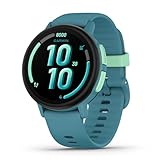
| Product | Best for | Key spec from the title |
|---|---|---|
| KIPTUMTEK Smart Watch | Adult phone companion | 1.83 in HD touchscreen, Bluetooth calling, IP67 |
| Generic Bluetooth Calling Watch | Customizable adult watch | 1.83 in HD, DIY dial, IP68 |
| Garmin Bounce 2 | Kids who need real calling and texting | Two-way calling, voice and text messaging, location tracking |
| Kids Smart Watch with Video Calling | Ages 5 to 12 with a camera | Two-way video calling, school mode, SOS |
| TickTalk5 | Younger kids, ages 3 to 12 | HD calling, SMS, GPS, parental controls |
| 4G Kids Smart Watch | Boys, ages 5 to 12 | 1.85 in screen, SOS calling, video call |
| uaue AI Smart Watch | Fitness-minded adults | 1.91 in display, 110+ fitness modes |
How to Choose
Bluetooth watch or standalone cellular
A Bluetooth calling watch needs a paired phone within about arm-to-room distance, and it cannot make a call by itself. A standalone model carries its own cellular connection and works away from the phone. If the wearer is a child without a phone, only the standalone category will do, and it requires an active carrier subscription or service plan. Before buying, confirm which network bands the watch supports in your area, because a standalone watch that cannot reach your carrier is little more than a clock.
Safety and parental controls for kids
For children, look for location tracking, an SOS button, school mode that silences the screen during class, and a way for parents to approve contacts. Several listings here name those features. Ignore novelty extras such as dial designs and music, which add distraction more than safety.
Screen size and durability
Adult listings quote 1.83 to 1.91 inch displays, which suits readable notifications. Kids models mention 1.85 inches in one case, and the Garmin is listed at 43mm. Check the waterproof grade: IP67 and IP68 are rated for brief or deeper water exposure, but they say nothing about drops, which matters for a seven-year-old.
What to ignore and where budget models cut corners
Budget watches often over-promise on cellular features, on the camera, or on fitness accuracy, and they rarely publish battery hours. Treat a lengthy list of sport modes as a minor bonus, check whether texting is stated rather than assumed, and look for clear support for the carrier you use. Also check how contacts are managed: the safest children’s designs let a parent approve who can call, while an open dialer is a poor fit for a young child.
The 7 Best Options
KIPTUMTEK Smart Watch
An adult-oriented Bluetooth watch for people who want calls on the wrist while their phone stays in a bag or on a desk. The title lists a 1.83 inch HD touchscreen, Bluetooth calling for Android and iOS, IP67 waterproofing, multi-sport modes, a pedometer, and fitness and sleep tracking, in Jet Black. It suits a commuter or an office worker who wants to answer a call during a meeting walk or while carrying groceries, and a parent who simply likes seeing who is calling without reaching into a pocket.
- Works with both Android and iOS according to the title
- Fitness and sleep tracking in the same device
- Trade-off: Bluetooth calling depends on the phone, and texting is not stated
Skip it if the wearer will be away from a phone.
Generic Bluetooth Calling Smartwatch
Another unbranded phone-companion watch, aimed at people who like to personalize. The listing mentions a 1.83 inch HD display, Bluetooth calling, multi-sport modes, heart rate, sleep, and step monitoring, a DIY dial, and IP68 waterproofing. A student or casual exerciser who wants a customizable face will see the appeal, particularly someone who changes the look of the watch to match a team color, an outfit, or a mood.
- IP68 is a stronger water grade than IP67
- DIY dial lets you change the look
- Trade-off: no brand name means little clarity on support and software
Skip it if you want guaranteed long-term app updates.
Garmin Bounce 2
The most direct match for the keyword. The title says Kids Smartwatch, Calling and Texting, 43mm, with two-way calling, voice messaging, text messaging, and real-time location tracking, and it warns that an active subscription is required for LTE features. The same watch appears in Slate Gray, Light Purple, and Turquoise listings, so the choice is mostly about color. It makes sense for a family that wants a clear, simple chain of contact between a school-age child and a parent, and that does not mind setting up a service subscription for the cellular side.
- Calling, voice messages, and texting are all named in the title
- Real-time location tracking gives parents peace of mind
- Trade-off: LTE features need a subscription, so the watch is limited without one
Skip it if you do not want to manage an ongoing service.
Kids Smart Watch with GPS Tracker and Two-Way Video Calling
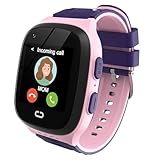
A colorful watch for girls in the 5 to 12 age range, listed in Pink. The title promises parental controls, school mode, a one-key SOS call, voice chat, an HD camera, an alarm clock, and a touch screen with GPS. It is for parents who want video chat and a camera feature set in a gift-friendly package, such as a birthday present for a child who enjoys video chats with grandparents and who is old enough to follow simple rules about when the screen can be used.
- One-key SOS and school mode are named
- Camera and video calling add engagement for kids
- Trade-off: no brand or carrier details in the title, so check network compatibility
Skip it if you want a recognized brand behind safety features.
TickTalk5 Kids Smart Watch
A purpose-built children’s watch for ages 3 to 12. The listing mentions GPS tracking, calls, texts, SOS, HD calling, SMS, parental controls, music, and wellness. A second TickTalk5 listing repeats nearly the same wording, so treat them as one model. Parents of younger children who want a named brand with a straightforward control set will gravitate to it, especially a household where a first-grader walks home with a neighbor and needs an easy way to check in.
- The age range extends down to 3 years old
- Calls, texts, GPS, and SOS are all stated
- Trade-off: music and wellness extras add distraction in class
Skip it if you want a watch for teenagers.
4G Kids Smart Watch with GPS Tracker
A black 4G watch aimed at boys aged 5 to 12. The title lists a 1.85 inch smart watch, SOS calling, school mode, parental controls, a 12 or 24 hour clock, text messaging, HD video calling, and voice chat. It is for parents who want a large-screen kids watch with both video and voice features, for example a boy who walks to practice and checks in with a parent by video, then switches the watch to school mode for the day.
- 1.85 inch screen is roomy for small wrists
- SOS, school mode, and text messaging are all included
- Trade-off: generic branding makes support harder to evaluate
Skip it if network compatibility is a concern.
uaue AI Smart Watch with ChatGPT
An adult watch that stresses AI features and fitness. The listing names a 1.91 inch display, Bluetooth calling, more than 110 fitness modes, sleep, heart rate, and calorie monitoring, a step counter, and IP68 waterproofing, for Android and iOS. It suits a gym-goer who likes the idea of an AI assistant on the wrist and wants a long list of workout categories, along with calls handled through a nearby phone.
- Largest display in the adult group at 1.91 inches
- Broad fitness mode list
- Trade-off: Bluetooth calling still needs a phone nearby
Skip it if you need a standalone device.
Which One Fits Your Situation
You are buying for a young child
The TickTalk5 is the cleanest choice, with calls, texts, GPS, and SOS for ages 3 to 12. The Garmin Bounce 2 is the alternative if you prefer a major brand. Either way, plan on setting up the service before the first school day, and walk your child through the SOS button so it feels familiar instead of frightening.
You want video chat for a pre-teen
The 4G Kids Smart Watch or the video-calling model with a camera add face-to-face calls, with parental controls named in the titles.
You want a watch for yourself
Choose the KIPTUMTEK or the uaue if you want calls on the wrist and keep your phone nearby. The generic IP68 model is the pick if customizable faces matter. All three keep the phone as the brain of the system, so they suit people who rarely leave the house without it, and they are a poor fit for anyone hoping to cut the phone loose.
You want the strongest brand on this list
The Garmin Bounce 2 is the best-known name here, though it requires a subscription for LTE features.
Common Mistakes
- Assuming a Bluetooth calling watch works without a phone nearby.
- Buying a kids watch without confirming carrier compatibility.
- Forgetting that LTE watches need a service subscription to call or text.
- Ignoring school mode, which keeps the screen quiet during class.
- Choosing by fitness mode count when the real need is texting and location.
Related guides
- Combination Smoke And Carbon Monoxide Detectors
- Aio Liquid Coolers For High Performance Gaming
- How To Lower Input Delay In Competitive Shooters
Frequently Asked Questions
Can a Bluetooth watch send texts on its own?
Not without a paired phone. The adult listings here mention calling, but texting is not stated, so check the companion app details before buying and confirm whether message replies are supported on your phone.
Do kids watches need a plan?
Models with their own cellular radio generally do. The Garmin Bounce 2 title says an active subscription is required for LTE features.
Why are duplicate listings combined?
The Garmin Bounce 2 appears in three colors and the TickTalk5 appears twice, so each is covered once instead of repeating the same write-up.
What age suits a kids smartwatch?
The titles here cite ages 3 to 12 or 5 to 12. Younger children benefit from simple calling and SOS, while older kids may prefer messaging and a camera. As a rule, start with fewer features and add more as the child shows they can handle the responsibility.