- Top Pick: Brother DCP-L2640DW Wireless Compact Monochrome Multi-Function Printer, Copy, Scan, Duplex, Mobile Printing
- Best Value: Brother HL-L2405W Wireless Compact Monochrome Laser Printer with Mobile Printing, Black & White Output | Includes Refresh Subscription Trial(1), Works with Alexa
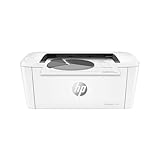
- Premium Choice: HP LaserJet M207dw | Monochrome | Laser Printer | Duplex | Fast Black-and-White Printing | Wireless Printing | Automatic Two-Sided Printing
Most households buy a laser printer after an inkjet has dried out one too many times. Toner does not clog from sitting idle, text comes out crisp on plain paper, and a wireless model sits quietly on a shelf until needed. The choice that matters is not laser versus inkjet; it is what kind of laser: print-only or all-in-one, black and white or color, and with or without automatic two-sided printing.
This guide is for home offices, students, and small businesses planning a purchase in 2026 who print documents far more than photos. Nine laser printers are covered, mostly monochrome and almost all wireless, from a plain print-only Canon to HP and Brother all-in-ones that copy, scan, and in one case fax. Everything here comes from the specifications in each listing, so confirm tray capacity and cartridge details on the product page before you order.
Quick Picks
As an Amazon Associate we earn from qualifying purchases at no extra cost to you.



| Product | Best for | Key spec from the title |
|---|---|---|
| Brother DCP-L2640DW | Home office all-in-one | Copy, scan, duplex, wireless |
| Brother HL-L2405W | Simple print-only setup | Wireless mono laser, works with Alexa |
| HP LaserJet M207dw | Two-sided document printing | Duplex, wireless, mono laser |
| HP Color LaserJet Pro MFP 3301sdw | Color handouts and marketing sheets | Color, all-in-one, duplex, wireless |
| Brother MFC-L2820DW | Offices that still need fax | Copy, scan, fax, duplex |
| Brother HL-L2460DW | Duplex printing without scanning | Duplex, mobile printing, wireless |
| HP LaserJet Pro 3101sdw | Busy small office all-in-one | Print, copy, scan, automatic duplex |
| HP LaserJet M110w | Occasional printing in a small space | Wireless mono laser, mobile printing |
| Canon imageCLASS LBP6030w | Light, print-only use | 19 PPM, 1-year warranty |
How to Choose
Print-only or all-in-one
A print-only model such as the Canon LBP6030w, Brother HL-L2405W, or HP M110w is smaller and has fewer parts to fail. An all-in-one adds a scanner and copier, which matters if you handle receipts, signed forms, or school paperwork. If you scan a few pages a month, a phone app may cover it; if you copy regularly, buy the multifunction model. Fax is a niche need, and only the Brother MFC-L2820DW lists it, so ignore the feature unless a bank or clinic still requires it.
Duplex and speed
Automatic duplex means the printer flips the page itself and prints on both sides. It halves paper use for reports and is a feature to look for if you print more than a few dozen pages a week. Not every model has it: the HP M110w and Brother HL-L2405W do not list duplex, while the M207dw, HL-L2460DW, DCP-L2640DW, MFC-L2820DW, and the 3101sdw do. For speed, the Canon lists 19 pages per minute, so compare that to the manufacturer figure for any model whose title is silent.
Monochrome versus color
Monochrome lasers fit most households because documents, forms, and homework are black and white anyway. The HP Color LaserJet Pro MFP 3301sdw is the only color model in this set, and it suits flyers, labels, or handouts where a splash of color improves the page. Color toner means four cartridges to keep in stock, so only choose color if you will actually use it. Budget monochrome models often cut corners on paper tray size and on starter toner yield.
Connectivity and ongoing supplies
Every model here lists wireless printing, with several highlighting mobile printing so a phone can send pages directly. The Brother titles also mention a Refresh Subscription trial and Alexa support. Subscription trials are optional, and you can still buy regular cartridges. Look at page yield per cartridge and whether the first cartridge in the box is a smaller starter one, since that affects how soon you reorder. Ignore speed claims worded as fast unless a page-per-minute figure backs them up.
The 9 Best Options
Brother DCP-L2640DW
A wireless, compact monochrome multifunction laser printer. The title lists copy, scan, duplex, and mobile printing, which covers most home office tasks in one unit. It is for people who occasionally copy an ID or scan a contract and still want a small footprint on a desk or shelf. A parent managing school forms, a freelancer sending signed agreements, and a remote worker printing shipping labels all fit the profile, since none of them need color but all of them need a scanner now and then.
- Strength: copy, scan, and automatic two-sided printing in one compact body.
- Strength: mobile printing helps phones and tablets print without a computer.
- Trade-off: no fax is listed, unlike its MFC sibling.
Skip it if you need color or a fax line.
Brother HL-L2405W
A print-only wireless laser for people who want the simplest possible setup. The title lists compact monochrome output, mobile printing, a Refresh Subscription trial, and compatibility with Alexa. It suits a student’s dorm desk or a bedroom study where only documents get printed. Because it skips the scanner and copier, it gives up flexibility in return for a simpler machine, and Alexa compatibility means a household assistant can fit into the routine for those who like that.
- Strength: compact and focused, with fewer components than an all-in-one.
- Strength: Alexa support allows voice-triggered tasks.
- Trade-off: duplex is not listed, so two-sided printing is manual.
Skip it if you print long documents and want paper savings.
HP LaserJet M207dw
A monochrome laser with duplex and wireless in the title, aimed at people who print mostly documents. The listing emphasizes fast black-and-white output and automatic two-sided printing. It is a fit for a home office where reports and school assignments pile up. The M207dw name signals the d for duplex and w for wireless, so the main purchase decision is simply whether you can live without scanning, which many document-focused households can.
- Strength: automatic duplex reduces paper use on long documents.
- Strength: wireless printing makes it a shared device for a household.
- Trade-off: it is print-only, so scans and copies need another device.
Skip it if you need a scanner.
HP Color LaserJet Pro MFP 3301sdw
The only color printer on the list, and an all-in-one that adds duplex and wireless. It is for small businesses that print brochures, charts, or training handouts in color, and for families who want one machine for school projects and documents alike. Offices that mix invoices with branded handouts get the most from the color capability, while the duplex tray keeps longer color documents from wasting paper.
- Strength: color output, scanning, copying, and duplex in a single printer.
- Strength: wireless connection works for several users.
- Trade-off: color toner means more cartridges to buy and store.
Skip it if your printing is nearly all black-and-white text.
Brother MFC-L2820DW
This is the model for people who need fax along with copy, scan, and duplex. The title also lists wireless connectivity, a monochrome compact laser design, a Refresh Subscription trial, and Alexa support. Home-based professionals who still exchange faxes fit best, such as an insurance agent, a small clinic, or a contractor whose clients insist on faxed forms. If none of those apply, one of the other Brother models gives you most of the same value.
- Strength: fax plus copy, scan, and duplex in one compact unit.
- Strength: wireless and Alexa support add convenience.
- Trade-off: the extra functions make it larger and more complex than a print-only model.
Skip it if fax is irrelevant to your work.
Brother HL-L2460DW
A monochrome laser with duplex, mobile printing, and a Refresh Subscription trial. It is a middle option for buyers who want two-sided printing without needing a scanner, such as students who print essays and lecture notes, or a remote worker who prints long contracts and wants to halve the paper stack. It shares the same family traits as the HL-L2405W but adds the two-sided option.
- Strength: duplex support in a compact print-only body.
- Strength: Alexa compatibility and mobile printing broaden how it can be used.
- Trade-off: no scanner or copier is listed.
Skip it if you want to scan documents at the printer.
HP LaserJet Pro 3101sdw
A monochrome all-in-one for busy small offices. The title lists print, copy, scan, automatic two-sided printing, wireless, and fast black-and-white output. It suits a home office where several people share the device throughout the day. Think of a small design studio, a tutoring business, or a family with three students, where the combination of scanning and duplex printing removes the need for a second device.
- Strength: multifunction and duplex mean fewer extra devices.
- Strength: wireless access works well for shared households.
- Trade-off: the title does not list fax or color.
Skip it if you only print a few pages a month.
HP LaserJet M110w
The smallest feature set in the HP group, built for light, wireless printing. The title lists monochrome output, mobile printing, and fast printing. Occasional users, shared apartments, and desks with little space are the target. It is a sensible starting point for buyers who have never owned a laser and want to learn whether they print enough to justify a larger machine later.
- Strength: a simple wireless laser for basic documents.
- Strength: mobile printing helps users who print from phones.
- Trade-off: duplex is not listed, so double-sided pages are manual.
Skip it if you print long documents daily.
Canon imageCLASS LBP6030w
A white, compact, print-only laser with wireless. The title lists a 1-year limited warranty and 19 PPM. It is the plainest option here and fits someone who just wants occasional pages on demand, such as a retiree who prints boarding passes and recipes or a student who needs a few pages before class. The white finish also suits a bright room better than a black unit.
- Strength: print-only design keeps the footprint small.
- Strength: the warranty is stated right in the title.
- Trade-off: 19 pages per minute is slower than faster office models.
Skip it if you print large batches or need duplex.
Which One Fits Your Situation
You work from home and scan paperwork
The Brother DCP-L2640DW covers copy, scan, and duplex in a compact body, and the HP LaserJet Pro 3101sdw is the alternative if you prefer HP.
You only print essays and forms
The Brother HL-L2460DW gives duplex printing without a scanner, and the HP M207dw is a comparable choice.
You need color
The HP Color LaserJet Pro MFP 3301sdw is the only color unit here and adds scan and copy.
You print rarely and want little fuss
The Canon imageCLASS LBP6030w or the HP LaserJet M110w fit a light-use shelf printer.
Common Mistakes
- Buying an all-in-one when a print-only model would do, then never touching the extra features.
- Assuming every laser prints two-sided; check for automatic duplex.
- Choosing color without planning to stock four cartridges.
- Ignoring the starter toner yield and being surprised by a quick reorder.
- Skipping a check of desk space; compact lasers still need clearance for paper.
Related guides
- Combination Smoke And Carbon Monoxide Detectors
- Aio Liquid Coolers For High Performance Gaming
- Graphics Cards For Low Wattage Power Supplies
Frequently Asked Questions
Is a laser printer better than inkjet for home use?
For documents, yes. Toner does not dry out between uses, and text looks sharp. For photos, inkjet remains better.
What is a Refresh Subscription trial?
The Brother titles name it as a trial included with the printer, tied to ongoing toner supply. Read the terms on the product page; the subscription is a separate arrangement from the printer hardware.
Is duplex necessary?
If you print reports, school papers, or tax documents, it saves paper and looks neater. For single-page forms, it matters little.
Is phone printing possible?
Several listings mention mobile printing and wireless support, which allows direct printing from phones and tablets on the same network.