

- Top Pick: UGREEN USB Bluetooth 5.3 Adapter for PC Bluetooth Dongle Receiver | Plug & Play, For Windows 11/10/8.1 Only, Desktop, Laptop, Works with Mice, Keyboards, Headphones, Speakers, Printer
- Best Value: TP-Link USB Bluetooth Adapter for PC – Bluetooth 5.4 USB Dongle Receiver | Plug and Play, Nano Design, EDR & BLE, Supports Windows 11/10/8.1/7 for Desktop, Laptop, Keyboard, Mouse, etc (UB500)
- Premium Choice: Bluetooth 5.3 USB Adapter for Desktop PC, Plug & Play Mini Dongle Receiver & Transmitter, Compatible with Laptop, Headphones, Keyboard, Mouse, Speakers, Printer, Windows 11/10/8.1
A tower PC rarely ships with Bluetooth unless the motherboard includes a Wi-Fi card, so the first wireless headset, controller, or keyboard you buy usually raises the same question: which USB dongle should go in the back panel? The answer depends on a few checkable facts, namely the Bluetooth version, whether the dongle can both receive and transmit, how far it claims to reach, and which Windows versions its maker supports.
This guide is for desktop owners who want a small, low-effort fix rather than a new motherboard. Gamers pairing a headset and a mouse, streamers who want a second audio path, and anyone moving a laptop-style wireless setup to a desk will find a fit. Every pick below is judged only on what its listing text states, and for 2026 builds the spread now runs from basic 5.3 nanos to 6.0 models with external antennas.
Quick Picks
As an Amazon Associate we earn from qualifying purchases at no extra cost to you.


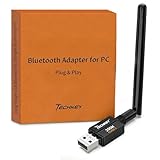
| Product | Best for | Key spec from the title |
|---|---|---|
| UGREEN 5.3 Adapter | Simple mouse and keyboard pairing | Bluetooth 5.3, plug and play |
| TP-Link 5.4 Nano | Cleanest back-panel footprint | Bluetooth 5.4, EDR and BLE, Windows 7 support |
| Mini Dongle 5.3 (TX/RX) | Headphones and speakers | Receiver and transmitter modes |
| Long Range 5.4 (500FT) | Big rooms, far peripherals | Class 1, 500FT stated range |
| Long Range 5.3 (300FT) | Mid-size rooms on a tighter budget | Class 1, 300FT stated range |
| Cudy BU530 | Linux and Windows desktops | Bluetooth 5.3, 2g, auto driver |
| UGREEN 6.0 Adapter | Newest-standard buyers | Bluetooth 6.0, EDR and BLE |
| Basics 5.4 Dongle | No-frills mouse and keyboard use | Bluetooth 5.4, Windows 11/10/8.1 |
| ASUS USB-BT600 | Many devices at once | Bluetooth 6.0, up to 7 connections |
| 600FT 5dBi 6.0 Adapter | Distance from a rear port | Bluetooth 6.0, 5dBi antenna |
How to Choose
Match the Bluetooth version to your gear
Bluetooth is backward compatible, so a 5.3 or 5.4 dongle will talk to older mice and headsets. Version 5.0 or higher is the practical floor for modern headphones because it brings the low-energy features current accessories expect. Versions 5.4 and 6.0 mainly matter if your devices also advertise them; otherwise you pay for headroom you cannot use yet. Check the box of your headset before assuming a higher number helps.
Decide whether you need transmit as well as receive
Most dongles act as a receiver for your PC. If you want to push audio from the PC to a speaker or earbuds, look for the words transmitter or TX in the title. Skip this feature if you only connect input devices such as a mouse, keyboard, or gamepad.
Treat range claims carefully
Figures such as 300FT or 600FT describe open-air conditions, and walls, a metal case, and a rear-panel port all cut real distance. If the PC sits under a desk, a model with an external antenna or a Class 1 label gives you more margin than a nano stub. For a desk-only setup within a few feet, any dongle is fine and range should not drive the decision.
Check operating system and driver notes
Read the supported Windows list. Some titles say Windows 11/10/8.1 only, others add Windows 7 or Linux, and one lists automatic drivers for Windows 10 and 11. Budget models cut corners on documentation and support, so confirm your OS appears in the title before buying, and ignore flashy range numbers until that box is ticked.
The 10 Best Options
UGREEN Bluetooth 5.3 Adapter
This is the straightforward choice for a desktop that needs working Bluetooth with minimal fuss. The listing stresses plug and play and names mice and keyboards among the compatible devices, which describes the most common reason people buy a dongle at all.
- Bluetooth 5.3 is recent enough for current accessories.
- Plug-and-play setup means no installer hunt.
- Trade-off: the title says Windows 11/10/8.1 only, so there is no mention of Linux or Windows 7.
Skip it if you run Linux or want a stated long-range antenna design.
TP-Link Bluetooth 5.4 Nano Adapter
TP-Link pairs the newer 5.4 standard with a nano design, which keeps the dongle nearly flush with the port. It lists EDR and BLE support plus plug-and-play use, and the brand name makes it easier to find drivers or support later if anything goes wrong.
- Bluetooth 5.4 with both EDR and BLE covers headsets and low-energy peripherals.
- The supported list reaches back to Windows 7, helpful for older machines.
- Trade-off: nano dongles typically lack external antennas, so range depends on port placement.
Skip it if the PC sits far from your devices behind a case or desk panel.
Mini Bluetooth 5.3 Transmitter and Receiver Dongle
The wording here highlights both a receiver and transmitter role, so it suits someone sending PC audio to a speaker as well as pairing a mouse. The title lists headphones, keyboard, mouse, and speaker, which makes it the most audio-minded of the plain 5.3 options.
- Dual transmit and receive roles broaden what you can connect.
- Bluetooth 5.3 keeps the standard current.
- Trade-off: the title carries no brand name, which makes support harder to judge.
Skip it if you prefer a named manufacturer with a published support page.
Long Range Bluetooth 5.4 Adapter (500FT)
This one is built around distance, stating Class 1 operation and a 500FT figure. It also pairs the 5.4 standard with plug-and-play use and EDR transfer, so it is aimed at buyers whose tower is parked across the room or beneath a desk.
- The Class 1 label and the 500FT figure signal range as the main selling point.
- Bluetooth 5.4 matches the newest mainstream accessories.
- Trade-off: the stated range is an open-air number, so walls will shrink it.
Skip it if your devices sit within a few feet of the tower.
Long Range Bluetooth 5.3 Adapter (300FT)
A step down in version and stated range from its 500FT sibling, this Class 1 model targets the same buyer at what is likely a lower tier of cost. The title keeps the plug-and-play promise and names a mouse and keyboard as typical partners.
- Class 1 with a 300FT claim still leaves comfortable room indoors.
- Bluetooth 5.3 is adequate for mice, keyboards, and headphones.
- Trade-off: it gives up the 5.4 standard and the longer range figure.
Skip it if you want the newest version or a named brand on the box.
Cudy BU530 Bluetooth 5.3 Nano Adapter
Cudy describes a USB-A nano dongle weighing 2g with automatic drivers on Windows 10 and 11, and it lists Linux too. That combination of tiny size and broad OS coverage makes it a sensible parts-bin dongle for a spare machine or a home server.
- Automatic driver installation on Windows 10 and 11 reduces setup steps.
- Windows and Linux support suits mixed-OS households.
- Trade-off: it uses Bluetooth 5.3 rather than 5.4 or 6.0.
Skip it if you want the newest standard or a long-range antenna.
UGREEN Bluetooth 6.0 Adapter
UGREEN moves to Bluetooth 6.0 here while keeping EDR and BLE and the plug-and-play pitch. Targets listed include headphones, keyboards, mice, and speakers, so it reads as the brand’s forward-looking option for buyers who plan to keep the dongle through several accessory upgrades.
- Bluetooth 6.0 is the newest standard in this group.
- EDR plus BLE covers both classic audio and low-energy devices.
- Trade-off: Windows 11/10/8.1 is the stated list, with no Linux mention.
Skip it if your current accessories are all older and the version jump brings nothing.
Basics Bluetooth 5.4 USB Adapter
This house-brand dongle keeps the message simple: a 5.4 USB receiver for a Bluetooth mouse, keyboard, or laptop, with Windows 11/10/8.1 support. There is no feature creep in the title, which suits a buyer who wants one job done and nothing more.
- Bluetooth 5.4 at what is likely an entry-level tier.
- The title is plain about intended use, mice and keyboards.
- Trade-off: no range figure or transmitter feature appears in the title.
Skip it if you want to stream PC audio out or need extra distance.
ASUS USB-BT600 Bluetooth 6.0 Adapter
The standout line in the title is support for up to seven device connections, which fits a desk with a mouse, keyboard, headset, and controller all paired together. It is also described as ultra-compact, so it will not crowd neighboring ports.
- Seven simultaneous connections suit crowded setups.
- Bluetooth 6.0 and a Windows 11/10 and Linux list round out the spec.
- Trade-off: it drops Windows 8.1 and 7 from the list.
Skip it if you only pair one or two devices.
600FT 5dBi Bluetooth 6.0 Adapter
This model combines Bluetooth 6.0 with a 5dBi antenna and a 600FT claim, which aims it at buyers who need reach from a rear port. The listing mentions pairing headphones and Windows 11/10/8.1 laptops and desktops, so it is a general-purpose option with extra range.
- The external 5dBi antenna is a real physical advantage over nano stubs.
- Bluetooth 6.0 pairs with the Windows 11/10/8.1 list.
- Trade-off: an antenna sticks out of the port and can be knocked.
Skip it if you want a dongle that disappears into the case.
Which One Fits Your Situation
You just need a mouse and keyboard to connect
The Basics 5.4 adapter or the UGREEN 5.3 model keeps things simple, and both name those peripherals directly in the listing. Neither asks you to pay for features a desk-bound peripheral setup cannot use.
Your PC is under the desk, far from your gear
Pick the 600FT 5dBi 6.0 adapter or the Long Range 5.4 model, since an antenna or Class 1 label gives more margin. Route the dongle through a front or top port if the case allows it.
You pair many devices at once
The ASUS USB-BT600 is the one whose title states up to seven connections, so it fits a headset, controller, mouse, and keyboard together without juggling pairings.
You run Linux alongside Windows
The Cudy BU530 lists both Windows and Linux with automatic drivers on Windows 10 and 11, making it the cleanest pick for mixed setups and spare machines.
Common Mistakes
- Buying on version number alone while ignoring whether your headset even supports it.
- Trusting a 500FT or 600FT figure as indoor reality.
- Plugging a nano dongle into a rear port behind a metal case and expecting full range.
- Forgetting to confirm your Windows version appears in the title.
- Leaving the motherboard’s built-in Bluetooth active and creating a driver conflict.
Related guides
- Aio Liquid Coolers For High Performance Gaming
- Wireless Gaming Headsets Under 100 For Pc
- Ssds For Large Video And Raw Photo Files
Frequently Asked Questions
Do I need Bluetooth 6.0 for a PC?
Not for most accessories. Bluetooth is backward compatible, so a 5.3 or 5.4 dongle works with older devices. Choose 6.0 only if your gear lists it or you want the newest standard.
Can a dongle send audio from my PC to headphones?
Yes, if it supports transmitter mode. Look for transmitter or TX wording in the title, as only some models mention it.
Will it work with Linux?
Only some listings say so. The Cudy BU530 and the ASUS USB-BT600 both name Linux, so start there.
Does the antenna really matter?
It helps when the PC is hidden behind a case or desk. For devices within arm’s reach, a nano dongle is perfectly fine.







