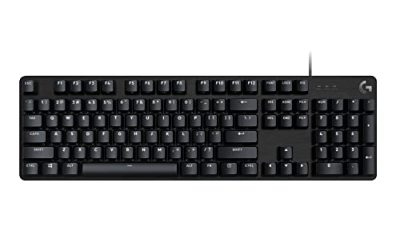
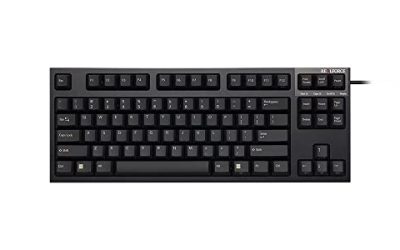
- Top Pick: Logitech Pebble Keys 2 K380s Wireless Bluetooth Keyboard – Tonal Graphite | Slim portable compact Bluetooth keyboard, customizable keys, switch between 3 paired devices with Easy-Switch buttons.
- Best Value: Logitech K250 Compact Wireless Bluetooth Keyboard with Number Pad, Graphite | Bluetooth only, no USB receiver, full number pad, deep-profile keys, responsive typing, spill-resistant, for Windows, MacOS
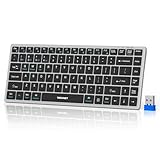
- Premium Choice: TECKNET 2.4G Wireless Keyboard – Mini Compact Keyboard with Media Hotkeys, 12-Month Battery Life, Compatible with PC, Desktop, Laptop, Smart TV – Black
A small wireless keyboard solves a very specific desk problem: a full-size board with a number pad pushes your mouse hand too far to the right, eats space beside a laptop stand, and never fits in a bag. Shrinking the layout gives you room for the mouse and a cleaner desktop, but every small board makes a different trade. Some drop the number pad, some squeeze arrow keys into odd places, and some compress the whole thing to a 60% layout. Picking the best small wireless keyboard means deciding which keys you can live without.
This guide covers nine compact options, from slim Bluetooth boards for tablets and laptops to a 2.4G USB-dongle mini, two keyboard-and-mouse combos, and two gaming-flavored layouts. It is aimed at remote workers who want a tidy desk, travelers who need something that fits in a backpack, couch users typing on a TV or media PC, and anyone who has decided in 2026 that a smaller footprint beats a long row of keys. The notes stick to what each listing states.
Quick Picks
As an Amazon Associate we earn from qualifying purchases at no extra cost to you.




| Product | Best for | Key spec from the title |
|---|---|---|
| Logitech Pebble Keys 2 K380s | Switching between devices | Bluetooth, 3 paired devices, slim portable |
| Logitech K250 | Compact with number pad | Bluetooth only, full number pad, spill-resistant |
| TECKNET 2.4G Mini Keyboard | TV and desktop use | 2.4G, media hotkeys, 12-month battery life |
| TECKNET Keyboard and Mouse Combo | One-purchase desk set | 2.4G, silent 1600 DPI mouse |
| Snpurdiri 60% Combo | Small gaming desk | 60% layout, RGB backlit, wireless mouse |
| Logitech MX Keys Mini | Typing-focused workers | USB-C rechargeable, 3 devices, illuminated |
| Redragon K673 PRO | Enthusiast typing feel | 81-key, tri-mode, gasket, scroll knob |
| Macally Compact Wireless | Travel with USB dongle | 2.4G, slim mini, no number pad |
| TECKNET Rechargeable Bluetooth | Many-device households | 4-device (2.4G plus 3 Bluetooth), 14 hotkeys |
How to Choose
Layout: what keys you give up
Compact boards cut keys in three ways. A tenkeyless layout drops the number pad but keeps arrows and function keys. An 80% layout, like the Redragon K673 PRO with 81 keys, keeps a cluster of navigation keys in a smaller body. A 60% layout, as on the Snpurdiri combo, removes the function row and arrow cluster entirely and puts them on layers. If you type numbers daily, the Logitech K250 is the only listing in this group that states a full number pad.
Connection: Bluetooth, 2.4G dongle, or both
Bluetooth needs no receiver and pairs with phones and tablets, while a 2.4G USB dongle is plug-and-play for a PC or a TV and avoids pairing menus. Some boards offer both: the TECKNET rechargeable model lists 2.4G plus three Bluetooth channels, and the Redragon lists tri-mode. The K250 is Bluetooth only with no USB receiver, which suits laptops but not a bare media PC.
Battery and multi-device switching
Check how the keyboard is powered. The TECKNET 2.4G mini lists a 12-month battery life, so you will rarely think about it, while the MX Keys Mini and the TECKNET Bluetooth model are rechargeable. For switching, the Pebble Keys 2 and MX Keys Mini each list three paired devices, and the TECKNET rechargeable lists four. That helps if you flip between a laptop, tablet, and phone during the day.
Key feel and what to ignore
Slim, low-profile keys feel like a laptop and travel well, while a gasket-style board with noise dampening, as the Redragon lists, aims for a deeper, softer sound. Ignore words like “ergonomic” on a mini board unless the listing explains it, and be wary of RGB claims if you want a quiet office look. Budget boards cut corners on key stability, backlighting, and battery type, so choose the connection and layout first and the extras second.
The 9 Best Options
Logitech Pebble Keys 2 K380s
The Pebble Keys 2 is a slim, portable Bluetooth board in Tonal Graphite. The title lists customizable keys and Easy-Switch buttons for three paired devices. It is built for people who move between a laptop, a tablet, and a phone and want the same keyboard to follow along. The customizable keys mentioned in the title mean you can set shortcuts for the apps you use most, which makes the small layout less of a compromise.
- Strength: three-device switching with dedicated buttons.
- Strength: slim and portable for a bag.
- Trade-off: the title does not mention a 2.4G receiver, so it relies on Bluetooth.
Skip it if you need a plug-in dongle for a PC without Bluetooth.
Logitech K250 Compact Wireless Keyboard
The K250 is the one board here with a full number pad. The title also lists Bluetooth only, no USB receiver, deep-profile keys, responsive typing, and spill-resistant construction, for Windows and macOS. It suits people who enter numbers often but still want a compact frame. The deep-profile keys and spill-resistant wording point to an everyday home or office board, and the no-dongle design keeps a laptop’s USB ports free.
- Strength: a full number pad is stated.
- Strength: spill-resistant design is named.
- Trade-off: Bluetooth only, with no USB receiver.
Skip it if your computer lacks Bluetooth or you want the smallest footprint.
TECKNET 2.4G Wireless Mini Keyboard
This mini keyboard uses a 2.4G connection and lists media hotkeys and a 12-month battery life. The title names PC, desktop, laptop, and smart TV, making it a natural pick for a living-room setup where you want volume and playback keys within reach. A year-long battery estimate also means a keyboard left on a coffee table is unlikely to die in the middle of a movie night.
- Strength: 12-month battery life is stated.
- Strength: media hotkeys suit TV and streaming use.
- Trade-off: 2.4G only, so it does not pair with phones directly.
Skip it if you want to switch between several Bluetooth devices.
TECKNET Wireless Keyboard and Mouse Combo
This combo pairs a 2.4G mini keyboard with a mouse that lists silent, quiet clicks and an adjustable 1600 DPI. The title says lag-free and names Windows, Mac, and Chrome OS, so it covers a basic home office or classroom setup in one purchase. The quiet-click wording makes it a sensible match for shared rooms, libraries, and late-night work where a loud mouse would be an annoyance.
- Strength: keyboard and mouse together, with quiet clicks.
- Strength: adjustable 1600 DPI mouse.
- Trade-off: you get less choice of mouse style.
Skip it if you already own a mouse you like.
Snpurdiri 2.4G 60% Wireless Gaming Combo
The Snpurdiri set is the tiniest layout here: a mini 60% RGB backlit keyboard and a small wireless mouse with a vertical feel, in Black-White. It suits a small gaming desk where space is tight and arrow keys can live on a layer. The vertical-feel mouse is a small, ergonomic-leaning addition, but the 60% layout takes practice, so it suits players willing to learn layer shortcuts.
- Strength: 60% layout frees a lot of mouse room.
- Strength: RGB backlighting and a mouse are included.
- Trade-off: no function row or dedicated arrows.
Skip it if you need dedicated arrows for office work.
Logitech MX Keys Mini
The MX Keys Mini is a minimalist, illuminated board in Graphite. The title lists USB-C rechargeable power, pairing with three devices over Bluetooth, and compatibility with macOS, iOS, Windows, Linux, and Android. It is a good fit for people who type a lot and use many operating systems. Because it pairs with three devices over Bluetooth, one board can serve a work laptop, a personal tablet, and a phone without re-pairing each time.
- Strength: USB-C charging and illuminated keys.
- Strength: wide OS compatibility is stated.
- Trade-off: the title lists no 2.4G receiver.
Skip it if you want a board with a number pad.
Redragon K673 PRO
The K673 PRO is a compact 80% gaming board with 81 keys, RGB, a scroll knob, and a multi-function control wheel. It lists tri-mode connection with 0-delay, plus a gasket mount and five-layer noise dampening aimed at a soft, thocky sound. It is the choice for someone who wants a compact desk but still cares about how the keys sound and feel, and who values extra dials over a slim silhouette.
- Strength: tri-mode connection with a gasket mount.
- Strength: scroll knob and control wheel add shortcuts.
- Trade-off: an 81-key board is larger than a 60% or slim design.
Skip it if you want a thin travel keyboard.
Macally Compact Wireless Keyboard
The Macally uses a 2.4G USB dongle, with a slim mini body and no number pad. The title names laptops, desktops, Surface, and Chromebook, and says it is portable and ready for travel. A dongle-based design is easy to set up on a work PC where Bluetooth settings may be locked, and the missing number pad is the trade for the smaller shape.
- Strength: slim body with a USB dongle.
- Strength: broad device mentions, including Surface and Chromebook.
- Trade-off: the title says no number pad.
Skip it if you need Bluetooth pairing with a phone.
TECKNET Rechargeable Bluetooth Keyboard
This ultra slim board lists four-device switching, with 2.4G plus three Bluetooth channels, 14 hotkeys, and rechargeable power. It covers PCs, laptops, tablets, and iPads in Silver-Black. With four connection slots and a hotkey row for common functions, it suits a household where one keyboard moves between a desktop PC, a laptop, a tablet, and an iPad, and where a rechargeable battery is preferred over replaceable cells.
- Strength: four connections give the most switching options here.
- Strength: rechargeable with 14 hotkeys.
- Trade-off: a slim body may feel shallow to heavy typists.
Skip it if you want a mechanical feel or a deep key press.
Which One Fits Your Situation
You switch between a laptop, tablet, and phone
The Logitech Pebble Keys 2 K380s handles three devices, and the TECKNET Rechargeable adds a fourth with a 2.4G dongle.
You type a lot of numbers
The Logitech K250 is the only one that states a full number pad, so it suits spreadsheets and data entry.
You want a mouse in the same box
The TECKNET combo is the office pick, and the Snpurdiri set is the pick for a small gaming desk.
You like a deeper, enthusiast feel
The Redragon K673 PRO stands apart with its gasket mount, dampening layers, and control wheel.
Common Mistakes
- Buying a 60% board and then missing the arrow keys.
- Choosing Bluetooth only for a PC that has no Bluetooth.
- Forgetting that a USB-C-only laptop may need an adapter for a 2.4G dongle.
- Expecting a slim board to feel like a full mechanical keyboard.
- Overlooking the power source and then needing batteries at a bad time.
Related guides
- Aio Liquid Coolers For High Performance Gaming
- How To Lower Input Delay In Competitive Shooters
- External Hard Drives For Music Production
Frequently Asked Questions
Is Bluetooth or 2.4G better?
Bluetooth is convenient and works with phones and tablets, while a 2.4G dongle is simple for a PC or TV. Many people prefer a board that offers both.
Can I use a compact keyboard for gaming?
Yes, especially the 60% and 80% layouts here. Check the connection type and any listed delay claims.
How long do wireless keyboards last on one battery?
It varies. The TECKNET mini lists 12 months, while rechargeable models need charging cycles.
Do small keyboards work with a Mac or iPad?
Several list macOS or iPad support in their titles. Bluetooth models are the safest option for tablets.