

The best RTX 3050 gaming PC for most buyers is a six-core Ryzen build with 16GB of RAM or more and a 1TB NVMe drive, because the graphics card sets the ceiling and everything else should stay out of its way. On paper, the SKYESEV listing has the fullest spec sheet in this group, while the AVGPC and STGAubron Ryzen builds sit in a lower price tier with a smaller drive. Three WIWB listings and two look-alike Ryzen 5 builds need extra caution, and both are explained below.
Top picks at a glance

WIWB Gaming PC Desktop Computer, GeForce RTX 3050 8GB GDDR6, Ryzen 7 4700LE | 16GB DDR4 RAM, 512GB NVMe SSD, WiFi 6 Prebuilt Tower for Gaming, Streaming, Content Creation, Home Office & Students


As an Amazon Associate we earn from qualifying purchases. Product prices and availability are accurate as of the date/time indicated.

WIWB Gaming PC Desktop Computer, GeForce RTX 3050 8GB GDDR6, Ryzen 7 4700LE

As an Amazon Associate we earn from qualifying purchases. Product prices and availability are accurate as of the date/time indicated.

WIWB Pebuilt Gaming PC, GeForce RTX 3050 8GB GDDR6, Ryzen 7 4700LE | 16GB DDR4 RAM, 512GB NVMe SSD, WiFi 6 Desktop Tower for Gaming, Streaming, Content Creation, Home Office & Students


As an Amazon Associate we earn from qualifying purchases. Product prices and availability are accurate as of the date/time indicated.

BYTE DEPOT Gamer Xtreme Gaming PC - Intel Core i7, 32GB DDR RAM, 1TB PCIe SSD, NVIDIA GeForce RTX 3050, WiFi 6 Ready & Windows 11 Pro


As an Amazon Associate we earn from qualifying purchases. Product prices and availability are accurate as of the date/time indicated.

STGAubron Gaming PC Desktop,Corei7 8th Gen,RTX 3050 6G,16G DDR4,512G SSD | Gaming Computer Tower for Streaming,Video Editing,Home,School,I7 up to 4.1GHz,ARGB Fan,WiFi 6,BT 5.2,4K DP,HDMI,Win11 Home


As an Amazon Associate we earn from qualifying purchases. Product prices and availability are accurate as of the date/time indicated.

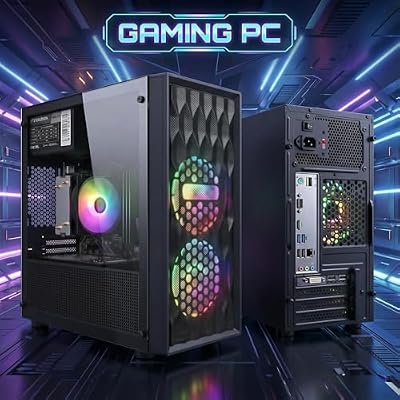
STGAubron Gaming PC Desktop,R5 5500,RTX 3050 6G,16G DDR4,512G SSD | Gaming Computer Tower for Streaming,Video Editing,Home,School,R5 up to 4.2GHz,ARGB Fan,WiFi 6,BT 5.2,4K DP,HDMI,Win11 Home



As an Amazon Associate we earn from qualifying purchases. Product prices and availability are accurate as of the date/time indicated.

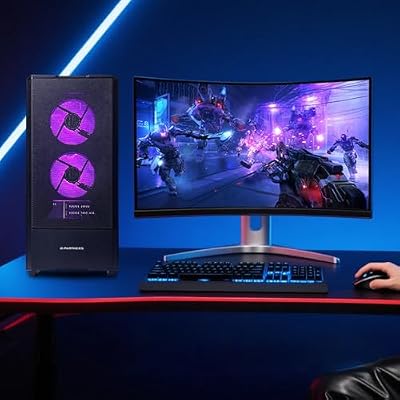
ZYNEEX Prebuilt Gaming Desktop PC, AMD Ryzen 5 5500, GeForce RTX 3050 6GB,16GB DDR4 3200MHz RAM, 1TB NVMe SSD, ARGB Air Cooling, Wi-Fi,Tower Computer for Gaming, Streaming, Editing




As an Amazon Associate we earn from qualifying purchases. Product prices and availability are accurate as of the date/time indicated.
| Model | Key point from title | Price tier | Best for |
|---|---|---|---|
| WIWB (full listing) | RTX 3050 8GB, Ryzen 7 4700LE, 16GB, 512GB | Budget (check listing) | 8GB card on a tight budget |
| WIWB (short title) | Same GPU and CPU, nothing else stated | Budget (check listing) | Only if specs are confirmed |
| WIWB (typo title) | Same specs as the full listing | Budget (check listing) | Price comparison among twins |
| BYTE DEPOT Gamer Xtreme | Core i7, 32GB, 1TB PCIe, Windows 11 Pro | Mid-range (check listing) | Multitasking with gaming |
| STGAubron (8th Gen i7) | RTX 3050 6G, 16GB, 512GB | Budget | Light esports and school use |
| STGAubron (R5 5500) | RTX 3050 6G, 16GB, 512GB | Budget | Entry 1080p on a newer CPU |
| AVGPC Q-Box | Ryzen 5 5500, liquid cooler, 16GB DDR4 3200 | Budget to mid-range | Quieter cooling hopes |
| SKYESEV | Ryzen 5 5600, 32GB, 1TB NVMe | Premium (within this set) | Most complete parts list |
| ZYNEEX | Ryzen 5 5500, 16GB, 1TB NVMe | Premium (within this set) | Roomy drive on a modest CPU |
Where the RTX 3050 sits in the market now
The RTX 3050 is an older, entry-level graphics card, and newer generations have pushed several tiers above it. That shapes how to read this category. A machine built around it is a 1080p budget option, not a showcase rig, and the sensible question is whether the rest of the parts are fair for the price.
Two things make the category messy. First, the card exists in more than one memory size, and several titles here say 6GB while others say 8GB or nothing. Second, many listings come from small brands that reuse a title template across several machines, change one part, and post each as a separate product. As a result, you will see near-twins that are easy to confuse.
Platform matters too. Several of these builds use Ryzen 5 processors with DDR4 memory, a combination that tends to be inexpensive and easy to expand with extra RAM or a second drive. Older Intel generations show up as well, and one listing says 8th Gen outright. Those can still run games at this graphics tier, but they trail newer chips in efficiency and offer less room to grow.
Finally, marketing language is broad. Titles mention streaming, video editing, home office, school and gaming in one breath. For a card of this class, treat the editing and streaming claims as light-duty. If your main goal is smooth modern games at higher settings, the nearby step-up tier (see our comparison of higher-tier prebuilts by resolution) is worth a look before you commit.
How we picked these
This is a paper comparison. We worked from the product titles as written, plus published specifications, manufacturer documentation and buyer reviews for the component families named. Nobody on the team used or measured these units. Where a title says nothing, we say so and tell you what to check. Price tiers are relative within this set, and spec claims in titles are seller claims.
The nine listings, one by one
WIWB RTX 3050 8GB, Ryzen 7 4700LE, 16GB, 512GB (full title)
This is the most completely described of the three WIWB listings, so use it as the reference version. The title states an RTX 3050 with 8GB of GDDR6, a Ryzen 7 4700LE, 16GB of DDR4, a 512GB NVMe drive and WiFi 6. The 8GB card is the more desirable memory size, since extra video memory gives texture-heavy games more room at 1080p.
The wording targets gaming, streaming, content creation, home office and students, a wide net. Read it as an entry-level 1080p machine for everyday use that also plays games, not a modern high-refresh rig. The 4700LE is a processor name we cannot place against mainstream retail Ryzen lineups from the title alone, so ask for core count, clocks and cooler details. A student who plays a few esports titles and needs a desktop for coursework fits the profile; 512GB fills quickly once several modern games are installed.
Pros
- 8GB of VRAM is stated
- 16GB RAM and an NVMe drive
- WiFi 6 listed
Cons
- Unfamiliar CPU name with no detail
- 512GB is small for a games library
- No power supply or case details
Check the listing: power supply wattage and brand, single or dual RAM stick, motherboard, Windows license, warranty and return terms.
Ask before buying: Does the 4700LE have a published spec sheet, and who handles warranty service?
WIWB RTX 3050 8GB, Ryzen 7 4700LE (short title)
This listing ends right after the processor name, so the title confirms only an RTX 3050 8GB GDDR6 and a Ryzen 7 4700LE. RAM, storage, WiFi and operating system are not stated. It reads as a near-duplicate of the full WIWB listing with the rest of the title cut off, and it should not be assumed to match the 16GB and 512GB configuration.
That leaves two possibilities: the same machine under a shortened title, or a cheaper variant with less memory or storage. Only the product page can settle it. If the price is lower than the full listing, the gap may reflect real hardware differences, so compare the bullet lists line by line before you treat it as a bargain. A realistic scenario is a parent shopping for a first gaming desktop who sees three similar WIWB pages and picks the cheapest without reading them; this is the page where that habit backfires, because the cheapest may be the least complete.
Pros
- Same stated GPU and CPU as the full WIWB title
- Possible lower price, if the config matches
Cons
- RAM and storage unknown from the title
- Duplicates the other WIWB listings, adding confusion
- Easy to buy a lighter build by mistake
Verify on the listing: RAM amount and type, SSD size, operating system, WiFi, and whether the photos match the full listing.
Ask before buying: Is this identical to the full-title WIWB machine, and if not, what is different?
WIWB Prebuilt RTX 3050 8GB, Ryzen 7 4700LE (typo title)
The third WIWB listing spells prebuilt as Pebuilt, then repeats the full configuration: RTX 3050 8GB GDDR6, Ryzen 7 4700LE, 16GB DDR4, 512GB NVMe, WiFi 6 and the same gaming, streaming, content creation, home office and student tagline. On the title text, this is a near-duplicate of the first WIWB listing.
The typo is not a hardware problem, but it suggests low editorial care on the product page, so be a little stricter with the rest of the listing. Buy-by-price logic works here: if the stated parts are truly the same as the full-title machine, the cheaper of the two, with clearer return terms, is the better deal. A shopper who simply wants the 8GB card at the lowest entry point can compare all three WIWB listings and pick on seller terms. Screenshot the specification list on the day you order, so any mismatch with the box contents can be raised with the seller under their return policy.
Pros
- Same stated parts as the full WIWB listing
- Useful for price comparison among twins
Cons
- Typo suggests a rushed listing
- Same unknown CPU and small drive
- Three near-identical listings from one brand
Confirm: that the specification list matches the first WIWB machine, plus seller name and return window.
Ask before buying: Are the three WIWB listings the same stock, and which one carries the clearer warranty?
BYTE DEPOT Gamer Xtreme with Core i7, 32GB, 1TB
The title promises an Intel Core i7, 32GB of DDR memory, a 1TB PCIe SSD, an NVIDIA GeForce RTX 3050, WiFi 6 Ready and Windows 11 Pro. That is a generous memory and storage package, but the title omits the Core i7 generation, the RAM type and the graphics memory size. All three omissions matter for value.
The Xtreme name oversells the graphics tier. This is an entry-level 1080p card with a roomy supporting cast, which suits someone who games a few evenings a week and also runs several apps at once or edits light video. Note that WiFi 6 Ready can mean the board supports it rather than an adapter being included, so verify before assuming wireless is built in.
Pros
- 32GB RAM and a 1TB drive
- Windows 11 Pro included per title
Cons
- Core i7 generation not stated
- RTX 3050 memory size not stated
- RAM type not stated
Check the listing: CPU model number, 6GB or 8GB card, DDR4 or DDR5, WiFi adapter, power supply and cooler.
Ask before buying: Which exact Core i7 model is inside, and is the 3050 the 6GB or 8GB version?
STGAubron Gaming PC with Core i7 8th Gen, RTX 3050 6G
Here the title is specific about the weak point: Core i7, 8th Gen, up to 4.1GHz, paired with an RTX 3050 6G, 16GB DDR4 and a 512GB SSD. An 8th-generation Intel chip is an older platform, and the listing adds Windows 11 Home, an ARGB fan, WiFi 6, Bluetooth 5.2, 4K DisplayPort and HDMI.
The 4K DP and HDMI mentions describe ports, not 4K gaming ability. The graphics card is entry-level and the marketing spreads across streaming, video editing, home and school, so call this a light-gaming and everyday computer rather than a modern gaming rig. It suits a child or student who plays esports and older titles and needs a desktop for homework. Budget tier is the point of this machine.
Pros
- Lower price tier in this set
- Specific about CPU generation and ports
- Windows 11 Home listed
Cons
- Older CPU generation limits upgrades
- 6GB graphics memory
- 512GB storage is tight
Check the listing: PSU brand and wattage, RAM channel setup, cooling, warranty length, and what the seller means by up to 4.1GHz.
Ask before buying: Is the 8th Gen chip a full desktop processor, and does the warranty cover parts and shipping?
STGAubron Gaming PC with Ryzen 5 5500, RTX 3050 6G
Same seller, same title skeleton, different processor: Ryzen 5 5500 up to 4.2GHz, RTX 3050 6G, 16GB DDR4, 512GB SSD, ARGB fan, WiFi 6, Bluetooth 5.2, 4K DP, HDMI and Windows 11 Home. Because the template is copied from the Core i7 listing, treat the pair as near-duplicates that differ mainly in CPU.
On paper this is the better choice of the two: a Ryzen 5 5500 is a six-core part from a newer family than an 8th-generation Intel chip, and the price tier is similar. It sits in the same entry range as the AVGPC build, so compare the cooler, drive wording and return terms. A first-time buyer who wants the least complicated entry to 1080p gaming will find this one easier to defend. Pair it with a 1080p monitor and a basic controller, and keep the budget for a second drive later if the 512GB fills up.
Pros
- Newer CPU family than the Intel sibling
- Same price tier as its twin
- Clear port and wireless details
Cons
- Still only 512GB and 6GB graphics memory
- Template is shared with another listing
Check the listing: the drive size in the specification list, power supply details, case airflow, and warranty and return terms.
Ask before buying: Why choose this over the AVGPC Ryzen 5 5500 build with a liquid cooler?
AVGPC Q-Box Series with Ryzen 5 5500 and liquid cooler
The title is detailed: a Ryzen 5 5500 with 6 cores, 16 threads and a 4.2GHz maximum boost, an RTX 3050 6GB, a liquid cooler, 16GB DDR4 3200, a drive labeled 500SSD, Windows 11 and AC WiFi. That is an ambiguous unit on the drive, so treat 500SSD as roughly 500GB until the listing confirms it. The title also ends with a stray character, which points to a copy error.
A liquid cooler on a Ryzen 5 5500 is more about looks and quiet than need, since the chip does not demand it. Sealed coolers add a pump, radiator and a possible noise or failure point. Follow the manufacturer’s instructions for mounting and handling. It suits a buyer who wants a tidy, quieter build and understands that the graphics card, not the cooler, limits performance. Someone moving from a laptop who dislikes fan noise during long sessions is the natural audience, as long as the cooler warranty is clear and the case has enough airflow for the other parts.
Pros
- Full CPU description with cores and threads
- DDR4 3200 stated
- Liquid cooler listed
Cons
- Drive size is ambiguous
- 6GB graphics memory
- Liquid cooler adds a part that can fail
Check the listing: radiator size, pump warranty, the SSD capacity and type, power supply, and case fan layout.
Ask before buying: Is the drive 500GB NVMe, and how long is the cooler warranty?
SKYESEV Prebuilt Gaming Desktop with Ryzen 5 5600, 32GB, 1TB
This listing has the fullest parts list of the nine: Ryzen 5 5600, GeForce RTX 3050 6GB, 32GB of DDR4 3200, 1TB NVMe SSD, ARGB air cooling and Wi-Fi. A Ryzen 5 5600 is a step above the 5500 on paper, and a 1TB drive with 32GB RAM leaves room for a larger game library plus streaming or editing.
The catch is the graphics card. Six gigabytes is the smaller memory size, and no amount of RAM changes that limit at higher texture settings. Price lands in the upper tier of this set, so the premium buys memory and storage, not frames. It suits someone who multitasks heavily and wants a no-upgrade-needed machine, while a pure gamer may prefer to save and put the money toward a stronger card tier.
Pros
- Fuller CPU, RAM and storage than most in the set
- Air cooling avoids liquid-loop concerns
- Wi-Fi included per title
Cons
- Upper price tier for an entry GPU
- 6GB graphics memory
- Title is the same template as ZYNEEX
Check the listing: WiFi standard, power supply details, motherboard model, case airflow, and whether the two RAM sticks run as a matched pair.
Ask before buying: Is the premium over the Ryzen 5 5500 builds worth 32GB of RAM for the way you play?
ZYNEEX Prebuilt Gaming Desktop with Ryzen 5 5500, 1TB
ZYNEEX uses almost the same title as SKYESEV: prebuilt gaming desktop PC, RTX 3050 6GB, DDR4 3200MHz, 1TB NVMe SSD, ARGB air cooling, Wi-Fi, tower computer for gaming, streaming and editing. What changes is the processor, a Ryzen 5 5500, and the RAM, 16GB. Count the two as near-twins from different brands.
The price tier matches SKYESEV, which makes the value case harder. A Ryzen 5 5500, 16GB and 6GB of graphics memory appear in cheaper listings here, so the extra you pay is mostly the 1TB drive and the air cooler. If the price is close to the STGAubron or AVGPC builds, the larger drive is a fair reason to choose it; if it is near SKYESEV, the better-specified build wins. A buyer who mostly plays two or three favorite games, and wants space for clips and downloads, would value the drive more than the extra RAM.
Pros
- 1TB NVMe drive stated
- Same CPU and GPU class as cheaper listings
- Air cooling listed
Cons
- Premium tier for a Ryzen 5 5500 and 16GB
- Near-copy of SKYESEV’s title
- 6GB graphics memory
Check the listing: that the price gap over the cheaper Ryzen 5 5500 builds is explained by the drive, the PSU rating and warranty terms.
Ask before buying: What does this cost relative to the SKYESEV build, and what separates the two besides the CPU and RAM?
How to choose an RTX 3050 prebuilt
What the card can realistically do at 1080p
Expect a 1080p-first experience. Esports and lighter titles usually run comfortably, while newer demanding releases tend to need medium or lower settings, and some benefit from upscaling when a game supports it. A 1440p monitor is a stretch. If you are unsure which screen to pair with it, our guide to screen size and resolution explains the trade-offs.
6GB versus 8GB variants
The memory difference is the most important single check in this group. Eight gigabytes gives more headroom for textures, and the 6GB variant is also commonly described as having less memory bandwidth, though you should confirm that on the card’s published specification. Only the three WIWB listings state 8GB; the rest say 6GB or leave it out.
CPU pairing
Match the processor to the card, not the other way around. A six-core Ryzen 5 is enough for an RTX 3050, and a pricier CPU rarely adds frames. An older generation is acceptable for light play, but it narrows your upgrade options. Prefer a title that states the exact model.
RAM, storage and cooling
Sixteen gigabytes is the practical minimum; 32GB helps with multitasking more than with gaming. A 512GB drive is workable for a few games, but 1TB spares you from constant uninstalling. Air cooling is simpler to live with than a sealed liquid cooler on a chip of this class.
Power supply, warranty and upgrades
No title here names its power supply. Ask for the brand, wattage and efficiency rating, since a weak unit can limit later upgrades. If you plan to add parts, power the machine off and unplug it first, and follow the manufacturer’s instructions; opening a case can affect warranty terms. For general build planning, see how CPU, GPU and airflow fit together.
A worked example
Assumptions: a buyer plays esports titles and a few newer games on a 1080p, 60Hz monitor, wants to keep the PC for about three years, and stores six large games. Step one, require an 8GB card or an explicit price discount for 6GB. Step two, choose a six-core Ryzen with 16GB RAM. Step three, require 1TB, because six large games can fill most of a 512GB drive once Windows and updates are counted (an estimate, since game sizes vary). On that basis, the WIWB 8GB build is attractive if its CPU and warranty check out, and the ZYNEEX or SKYESEV builds win on storage alone.
| Spec concept | What to look for | Why |
|---|---|---|
| Graphics memory | 8GB if available; otherwise a price discount | Textures and newer games need headroom |
| CPU generation | Six-core Ryzen 5 or newer, exact model stated | Avoids bottlenecks and dead-end platforms |
| RAM | 16GB minimum, dual-channel | Smooth multitasking and gaming |
| Storage | 1TB NVMe preferred | Modern games are large |
| Power supply | Named brand, wattage and rating | Reliability and upgrade room |
| Warranty | Length, who services, shipping terms | Small brands vary widely |
Mistakes buyers make with RTX 3050 PCs
- Assuming every RTX 3050 is the same card. Memory size changes the experience, so read for 6GB or 8GB.
- Paying for the Core i7 label without checking its generation.
- Buying a duplicate listing at face value. Near-twins with shorter titles may omit RAM or storage.
- Spending extra on 32GB of RAM while the card remains the limit.
- Ignoring the power supply. If the title does not name it, ask.
- Skipping the return and warranty terms, which matter more with small brands. If a listing is Renewed, condition and warranty must be checked on the listing itself.
Verdict by use case
- Lowest entry price with 8GB: the WIWB full-title build, once the CPU and warranty are confirmed.
- Easiest newer-CPU budget pick: the STGAubron Ryzen 5 5500 listing.
- Most complete parts list: SKYESEV, if you accept the upper tier for a 6GB card.
- Quiet-looking build: AVGPC, after confirming the drive size.
- Multitasking buyer: BYTE DEPOT, if the missing details check out.
- Want more than 1080p entry: step up to a higher GPU tier instead of adding RAM.
Frequently asked questions
Is an RTX 3050 still enough for 1080p gaming?
For many popular and older titles at 1080p, an RTX 3050 is a workable entry-level card, usually with medium settings in newer games and upscaling where a game offers it. Demanding new releases may need lower settings, and 1440p is not the realistic target. Treat it as a budget 1080p card, check what your favorite games recommend, and consider a higher GPU tier if you want high settings in recent titles.
Should I choose the 6GB or the 8GB RTX 3050?
If the price gap is small, the 8GB version is the safer choice because newer games can fill 6GB of video memory at higher texture settings, which causes stutter or forces lower settings. Both sizes exist in these listings, so read the title carefully. A listing that only says RTX 3050 without a memory size should be questioned before you order.
Is 16GB of RAM enough with an RTX 3050?
Yes for most gaming at this level. 16GB covers the game plus a browser and chat app. 32GB helps if you stream, edit video or keep many tabs open, but it will not raise frame rates much with an entry-level card. If a listing gives you 32GB at a modest premium, fine; do not pay a large premium for it alone.
Does an older Intel Core i7 beat a newer Ryzen 5?
Not necessarily. A Core i7 label can cover several generations, and an older generation can trail a newer six-core Ryzen 5 in games and efficiency while offering a weaker upgrade path. The title says 8th Gen for one listing and gives no generation for another, so use the generation, not the i7 name, as the comparison point.
Are near-duplicate listings the same computer?
Not safely. Sellers sometimes post the same machine under several titles, but a shortened or reworded title can also hide a different RAM, storage or warranty setup. If two listings share a title but differ in details, compare the full spec lists, return terms and seller names, and choose the one that documents the parts most clearly.
Is a prebuilt RTX 3050 PC worth upgrading later?
It can be, if the base is sound. A newer-platform Ryzen build with DDR4, an NVMe drive and a reasonable power supply lets you add RAM or storage easily, and a later graphics swap is possible if the power supply and case allow it. Weak, unnamed parts or a compact proprietary case make upgrades harder, so ask before buying.















