

- Top Pick: ASUS RT-AX1800S Dual Band WiFi 6 Extendable Router, Subscription-Free Network Security, Parental Control, Built-in VPN, AiMesh Compatible, Gaming & Streaming, Smart Home
- Best Value: TP-Link AC1900 Smart WiFi Router Dual Band Router for Wireless Internet
- Premium Choice: TP-Link AC1200 Gigabit Dual Band WiFi Router (Archer A6)
🛒 Best Price Today on Amazon
Prime members get fast, free shipping on everything above, plus member-only deals. New members get a 30-day free trial — cancel anytime.
- Top Routers Mimo Picks for 2026
- Best Routers with MU-MIMO at a Glance
- 1. TP-Link Dual-Band AX3000 Wi-Fi 6 Router Archer AX55, Wireless Gigabit Internet
- 2. TP-Link Deco S4 Mesh AC1900 WiFi System, Up to 5,500 Sq.ft. Coverage
- 3. TP-Link Smart WiFi 6 Router (Archer AX10), 4 Gigabit LAN Ports, Dual Band 802.11ax
- 4. TP-Link WiFi 6 AX3000 Smart WiFi Router – 802.11ax, Gigabit, Dual Band, OneMesh
- 5. TP-Link Archer C80 AC1900 MU-MIMO Wireless WiFi Router, Dual Band, Black
- 6. TP-Link AC1200 Gigabit WiFi Router (Archer A6) – Dual Band MU-MIMO Wireless
- How to Choose a Router with MU-MIMO
- Related Guides
- Frequently Asked Questions
- Related Guides
- Related Articles
Top Routers Mimo Picks for 2026
Here are our current top routers mimo picks, compared on real Amazon owner reviews, price, and features. Live prices update below.
As an Amazon Associate we earn from qualifying purchases at no extra cost to you.





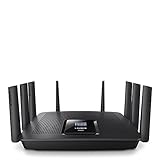


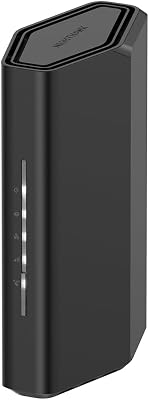
NETGEAR Nighthawk Dual-Band WiFi 7 Router (RS90) – Router Only, BE3600 Wireless Speed (up to 3.6 Gbps) – Covers up to 2,000 sq. ft., 50 Devices – 2.5 Gig Internet Port – Free Expert Help

MU-MIMO (Multi-User, Multiple-Input Multiple-Output) lets a router talk to several devices at the same time instead of serving them one after another, which helps a busy household where phones, laptops, consoles and TVs all compete for bandwidth. It is a genuinely useful technology — but here is the honest headline that shapes this guide: MU-MIMO is now standard on essentially every WiFi 5 (802.11ac) and WiFi 6 (802.11ax) router, so it is a feature to confirm, not a rare spec to hunt for. This guide rounds up the best routers with MU-MIMO in 2026, and we confirm MU-MIMO support on each pick while judging them on what really separates routers: speed, coverage, port count and value.
Every router below supports MU-MIMO, which we note plainly in each entry so you can stop worrying about that checkbox and focus on the differences that actually matter. We have ordered the list to lead with the picks that combine MU-MIMO with the most relevant modern capability — WiFi 6 and whole-home coverage — then value WiFi 5 options. Prices run from around $40 to around $96. The list spans a mesh WiFi system for large homes, several WiFi 6 routers at different price points, and dependable WiFi 5 routers for smaller setups. Below is an at-a-glance comparison, then a closer look at each router and a buyer’s guide built around standard (WiFi 5 vs 6), coverage, ports and the real role of MU-MIMO.
Best Routers with MU-MIMO at a Glance
| Router | Best For | Standout Spec | Approx Price |
|---|---|---|---|
| TP-Link Archer AX55 (AX3000) | Best WiFi 6 + MU-MIMO all-rounder | WiFi 6 AX3000, OFDMA + MU-MIMO | around $80 |
| TP-Link Deco S4 Mesh (AC1900) | Whole-home MU-MIMO coverage | Mesh, up to 5,500 sq ft, MU-MIMO | around $96 |
| TP-Link Archer AX10 (AX1500) | Budget WiFi 6 with MU-MIMO | WiFi 6, 4 Gigabit LAN, MU-MIMO | around $60 |
| TP-Link AX3000 (Archer AX equivalent) | Smart WiFi 6 + OneMesh | WiFi 6 AX3000, OneMesh, MU-MIMO | around $90 |
| TP-Link Archer C80 (AC1900) | WiFi 5 value with explicit MU-MIMO | AC1900, 3×3 MU-MIMO, dual band | around $90 |
| TP-Link Archer A6 (AC1200) | Cheapest dual-band MU-MIMO router | AC1200, dual band, MU-MIMO | around $40 |
1. TP-Link Dual-Band AX3000 Wi-Fi 6 Router Archer AX55, Wireless Gigabit Internet
23
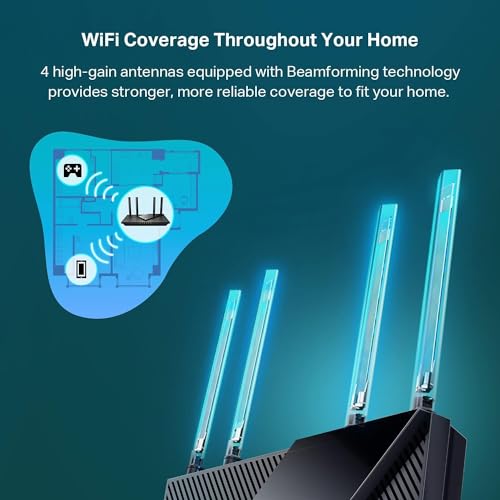
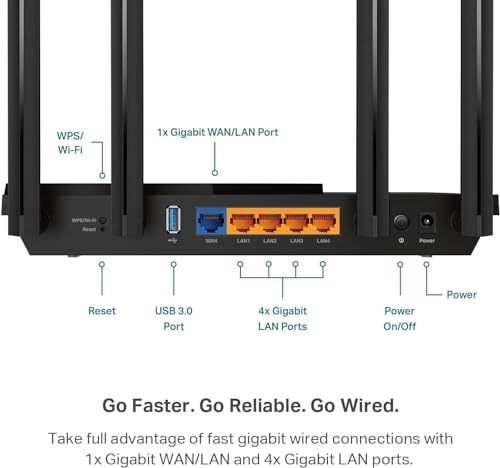
TP-Link Dual-Band AX3000 Wi-Fi 6 Router Archer AX55 | Wireless Gigabit Internet Router for Home | EasyMesh Compatible | VPN Clients & Server | HomeShield, OFDMA, MU-MIMO | USB 3.0 | Secure by Design
In Stock





As an Amazon Associate we earn from qualifying purchases. Product prices and availability are accurate as of the date/time indicated.
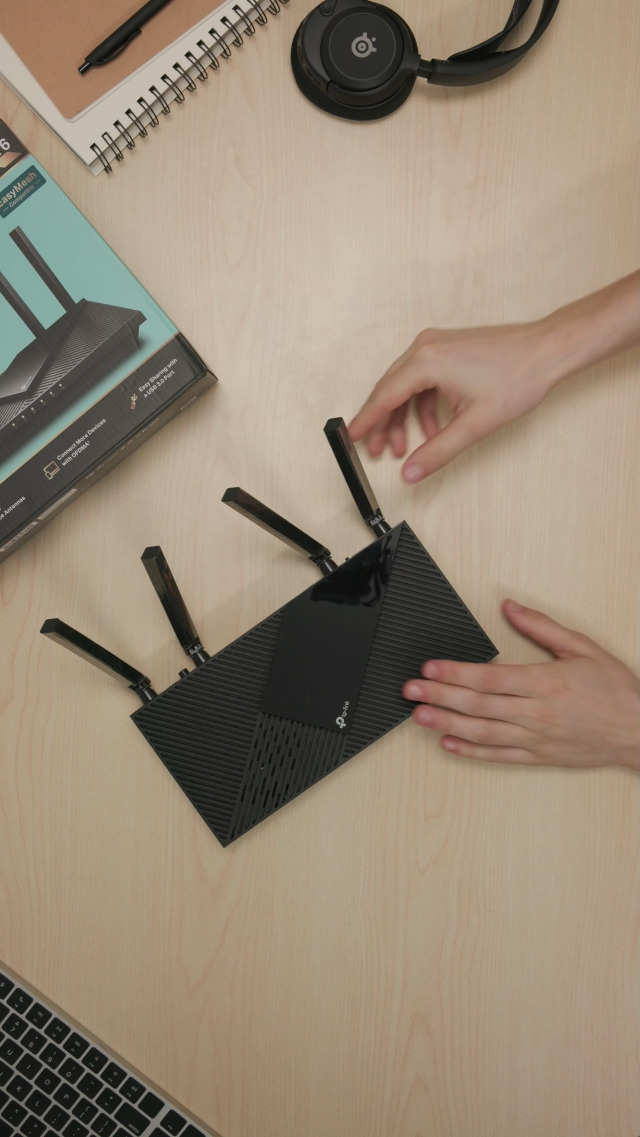
The TP-Link Archer AX55 is the best all-round router with MU-MIMO on this list. It is a WiFi 6 (802.11ax) AX3000 router, and yes — it supports MU-MIMO, alongside the more impactful WiFi 6 feature, OFDMA, which together make it far more efficient at serving many devices at once than older routers. With gigabit wired ports and TP-Link’s mature software, it is a strong modern pick at around $80.
This is the router to choose when you want a future-proof WiFi 6 upgrade for a busy, device-heavy home rather than just ticking the MU-MIMO box. The AX3000 dual-band speeds handle gigabit-class internet and demanding gaming or streaming, OFDMA plus MU-MIMO keep performance steady when dozens of devices are connected, and the feature set (QoS, parental controls, easy app setup) is comprehensive. If you want one router that does MU-MIMO and everything else well, the AX55 is the standout.
Pros: WiFi 6 AX3000 with MU-MIMO and OFDMA, gigabit ports, strong software, great all-round value.
Cons: Single-unit coverage may not blanket very large homes; WiFi 6 benefits need WiFi 6 devices.
2. TP-Link Deco S4 Mesh AC1900 WiFi System, Up to 5,500 Sq.ft. Coverage

29
TP-Link Deco S4 Mesh AC1900 WiFi System – Up to 5,500 Sq.ft. Coverage, Replaces WiFi Router and Extender, Gigabit Ports, Works with Alexa, Deco S4(3-Pack)
In Stock
















As an Amazon Associate we earn from qualifying purchases. Product prices and availability are accurate as of the date/time indicated.
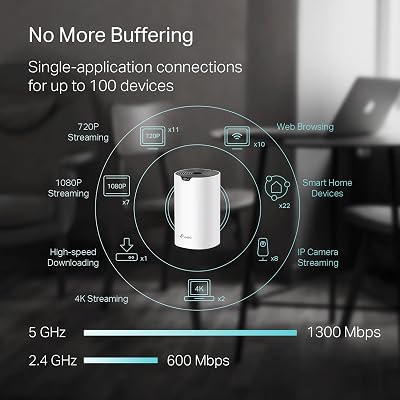
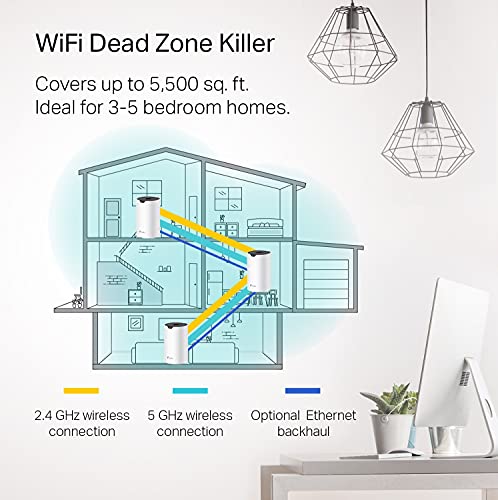
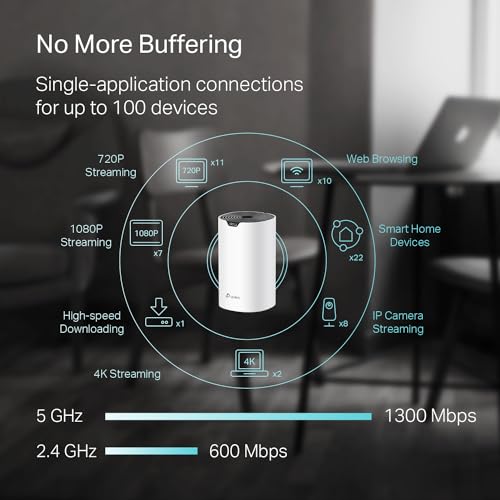
The TP-Link Deco S4 is the MU-MIMO pick for whole-home coverage. It is a mesh WiFi system — multiple units that blanket up to 5,500 sq ft with a single seamless network — and it supports MU-MIMO to serve multiple devices efficiently across that coverage. Built on the WiFi 5 (AC1900) standard, it trades headline speed for reach and simplicity, and at around $96 it is the way to fix dead zones rather than just upgrade a single room.
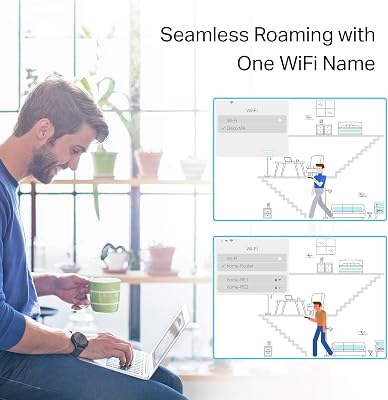
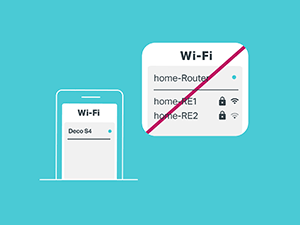
This is the system to choose when your problem is coverage, not raw speed — a large or multi-storey home, thick walls, or a router that cannot reach the far bedroom. The mesh units hand devices off seamlessly as you move, MU-MIMO helps when many devices connect at once, and the Deco app makes setup genuinely easy. It is WiFi 5 rather than WiFi 6, so if you have gigabit internet and many WiFi 6 devices a mesh AX system would be faster, but for blanketing a big home affordably with MU-MIMO support, the Deco S4 is the right tool.
Pros: Whole-home mesh up to 5,500 sq ft, MU-MIMO, seamless roaming, very easy app setup.
Cons: WiFi 5 (AC1900), not WiFi 6; lower peak speeds than a modern AX router.
3. TP-Link Smart WiFi 6 Router (Archer AX10), 4 Gigabit LAN Ports, Dual Band 802.11ax

10
TP-Link Smart WiFi 6 Router (Archer AX10) – 4 Gigabit LAN Ports, Dual Band 802.11AX Router, Beamforming, OFDMA, MU-MIMO, Parental Controls, Dual-Core 900MHz Processor, Works with Alexa
In Stock




As an Amazon Associate we earn from qualifying purchases. Product prices and availability are accurate as of the date/time indicated.
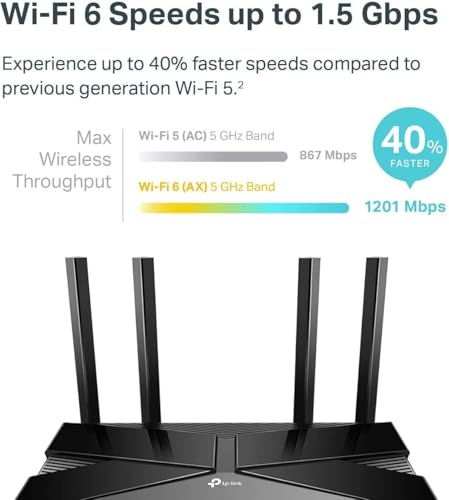
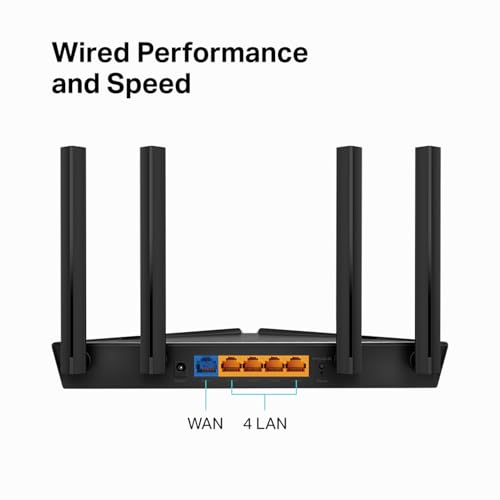
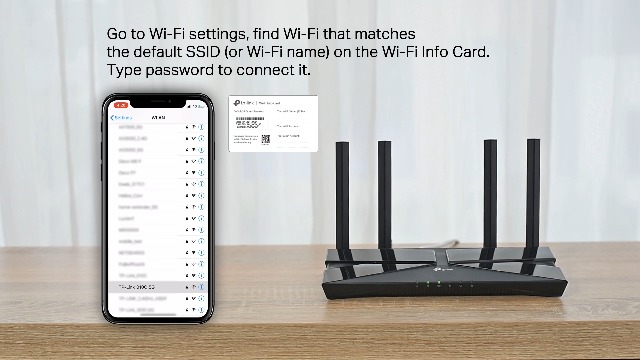
The TP-Link Archer AX10 is the budget WiFi 6 router with MU-MIMO. It brings the newer 802.11ax standard — including MU-MIMO and OFDMA for efficient multi-device service — to an AX1500 router with four gigabit LAN ports, at a price that undercuts most WiFi 6 competitors. At around $60 it is the affordable entry point to WiFi 6 for a typical home.
This is the router to choose when you want to step up to WiFi 6 and its multi-device efficiency without paying flagship money. The AX1500 speeds suit common broadband tiers and everyday gaming and streaming, MU-MIMO and OFDMA help keep things smooth as more devices join, and the four gigabit LAN ports cover wired desktops, consoles and a NAS. It is not as fast as an AX3000 model, but as a wallet-friendly WiFi 6 router that genuinely supports MU-MIMO, the AX10 is excellent value.
Pros: Affordable WiFi 6 with MU-MIMO and OFDMA, four gigabit LAN ports, easy setup.
Cons: Entry AX1500 speeds; less headroom than higher-tier WiFi 6 routers.
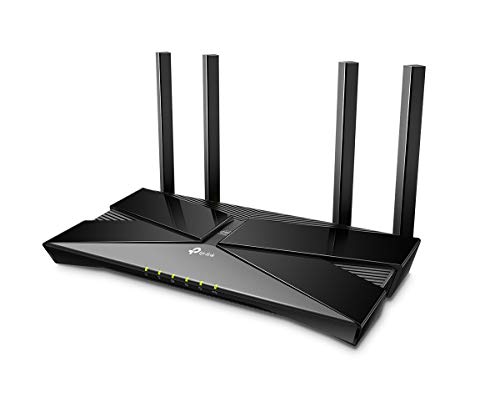
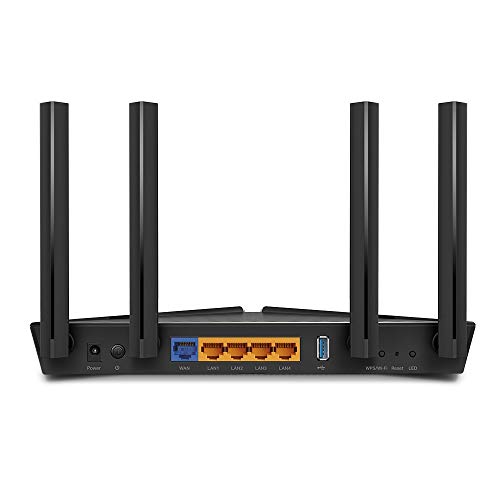
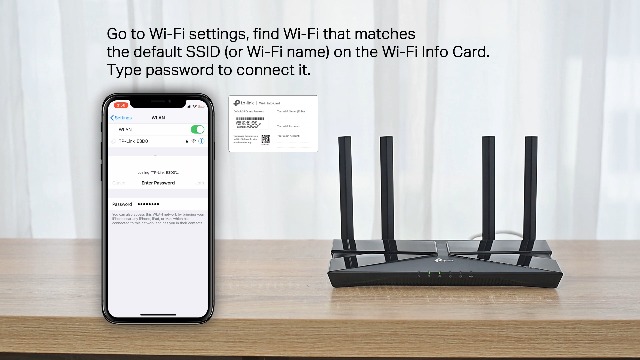
4. TP-Link WiFi 6 AX3000 Smart WiFi Router – 802.11ax, Gigabit, Dual Band, OneMesh

19
TP-Link WiFi 6 AX3000 Smart WiFi Router – 802.11ax Router, Gigabit, Dual Band, OFDMA, MU-MIMO, Works with Alexa(Archer AX50)
In Stock







As an Amazon Associate we earn from qualifying purchases. Product prices and availability are accurate as of the date/time indicated.
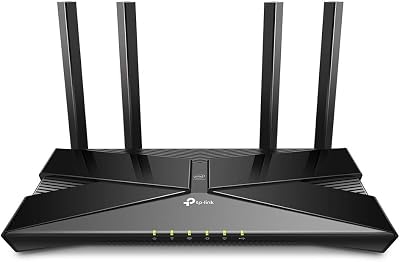
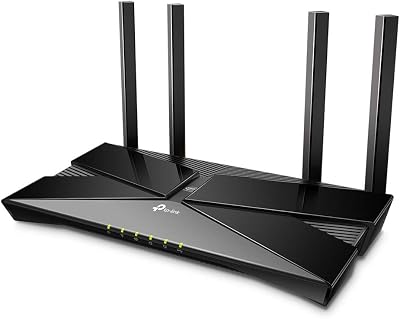
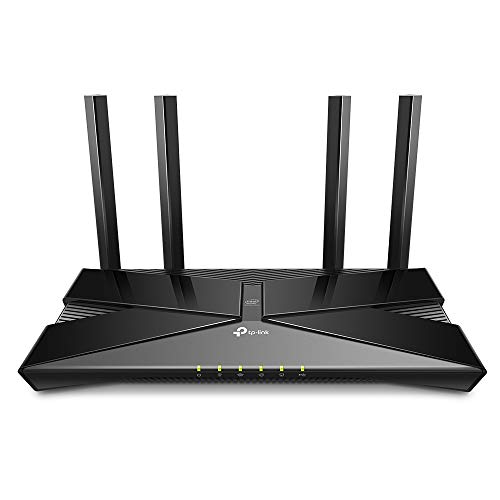
This TP-Link AX3000 WiFi 6 router is the pick for a fast single router that can grow into a mesh later. It is an 802.11ax AX3000 router — supporting MU-MIMO and OFDMA — with gigabit connectivity and OneMesh compatibility, so you can add a compatible extender down the line for seamless whole-home coverage. At around $90 it pairs strong WiFi 6 speed with flexible expansion.
This is the router to choose when you want AX3000 performance now and the option to extend coverage without replacing the router. The WiFi 6 speeds handle gigabit internet and busy households, MU-MIMO and OFDMA keep many devices served efficiently, and OneMesh lets you bolt on coverage later instead of buying a full mesh kit up front. For a fast, MU-MIMO-equipped WiFi 6 router with a clear upgrade path, this AX3000 model is a versatile choice.
Pros: WiFi 6 AX3000 with MU-MIMO and OFDMA, gigabit ports, OneMesh expansion, strong feature set.
Cons: Single unit until you add a OneMesh node; WiFi 6 gains need compatible devices.
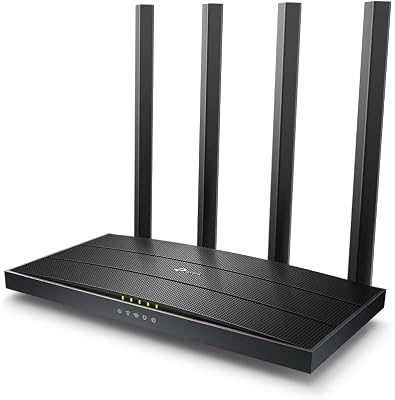
5. TP-Link Archer C80 AC1900 MU-MIMO Wireless WiFi Router, Dual Band, Black

13
Prime
TP-Link Archer C80 AC1900 MU MIMO Wireless WiFi Router Dual Band TPLink Black
In Stock





As an Amazon Associate we earn from qualifying purchases. Product prices and availability are accurate as of the date/time indicated.
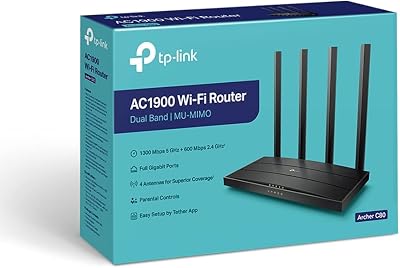
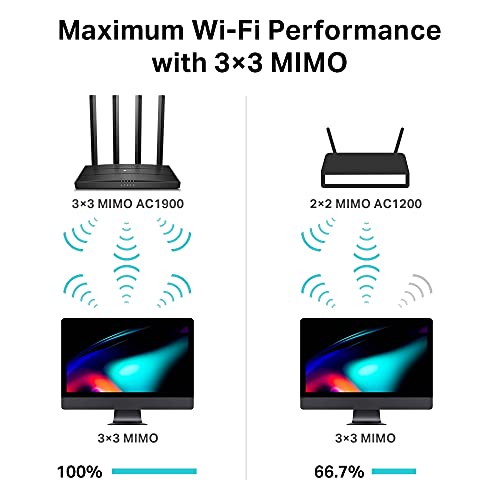
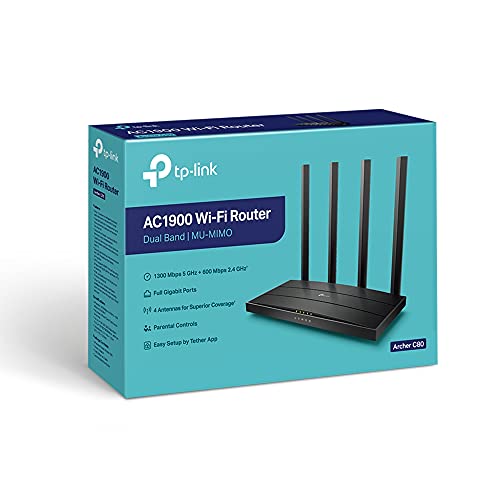
The TP-Link Archer C80 is the WiFi 5 value pick that puts MU-MIMO right in its name. It is an AC1900 dual-band router with explicit 3×3 MU-MIMO, meaning it uses three spatial streams to serve multiple devices simultaneously — a step above the basic 2×2 implementations in many cheaper routers. At around $90 it is a capable WiFi 5 router for households that have not moved to WiFi 6.
This is the router to choose when you want solid, proven WiFi 5 performance and a stronger 3×3 MU-MIMO setup, and you do not yet have many WiFi 6 devices to justify an AX router. The AC1900 dual-band speeds are plenty for typical broadband, streaming and gaming, the 3×3 MU-MIMO helps a multi-device home, and the wired ports cover the basics. If your priority is dependable WiFi 5 with a genuinely capable MU-MIMO implementation, the C80 fits the bill — just know it is not a WiFi 6 router.
Pros: AC1900 WiFi 5 with explicit 3×3 MU-MIMO, dual band, dependable performance, good wired support.
Cons: WiFi 5, not WiFi 6; priced close to entry WiFi 6 routers.
6. TP-Link AC1200 Gigabit WiFi Router (Archer A6) – Dual Band MU-MIMO Wireless

21
TP-Link AC1200 Gigabit WiFi Router (Archer A6) – Dual Band MU-MIMO Wireless Internet Router, 4 x Antennas, OneMesh and AP Mode, Long Range Coverage
In Stock



As an Amazon Associate we earn from qualifying purchases. Product prices and availability are accurate as of the date/time indicated.
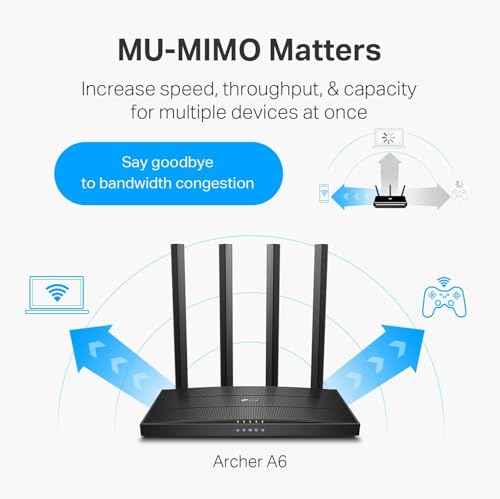
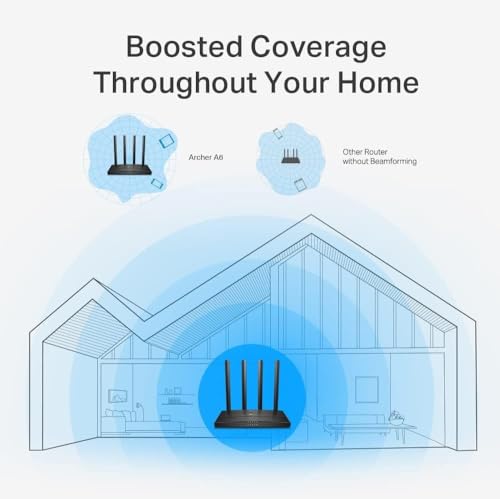
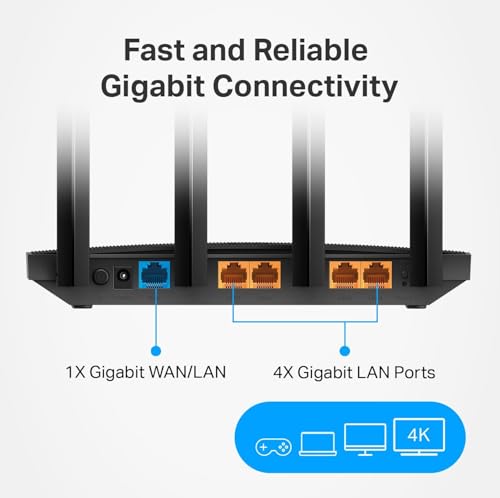
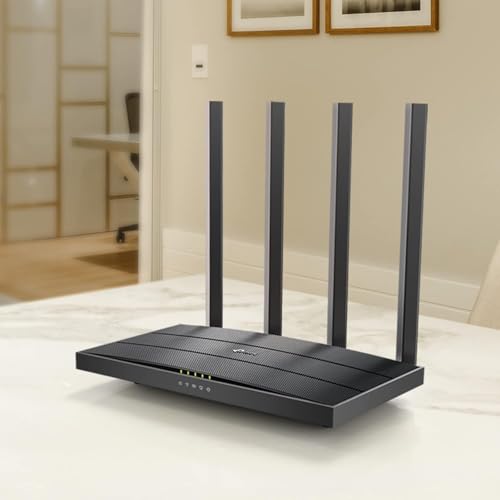
Rounding out the list is the TP-Link Archer A6, the cheapest dual-band MU-MIMO router here. It is an AC1200 WiFi 5 router with gigabit ports and dual-band MU-MIMO stated right in its listing, designed for smaller homes and apartments that want reliable wireless without spending much. At around $40 it is the budget option, and it covers the essentials — including MU-MIMO — well.
This is the router to choose for a smaller space, a tighter budget, or a secondary network where AC1200 speeds are perfectly adequate. The dual-band MU-MIMO helps serve a handful of phones, laptops and a TV at once, the gigabit ports support wired devices, and TP-Link’s setup is straightforward. It will not blanket a large home or match WiFi 6 throughput, but for an affordable, dependable router that genuinely supports MU-MIMO in a modest home, the Archer A6 is a sensible, low-cost pick to close out the list.

Pros: Cheapest pick here, AC1200 dual-band with MU-MIMO, gigabit ports, easy setup for small homes.
Cons: Entry AC1200 speeds and coverage; WiFi 5 only, best for smaller spaces.
How to Choose a Router with MU-MIMO
The first thing to understand is that MU-MIMO should rarely be your deciding factor, because it is now standard. Essentially every WiFi 5 (802.11ac) and WiFi 6 (802.11ax) router supports it, including all six picks here, so treat MU-MIMO as a box you simply confirm — which we have done for each — rather than a rare feature to chase. What actually separates these routers is the wireless standard, coverage, port count and software. Focus your decision there, and let MU-MIMO be the baseline it has become.
The standard — WiFi 5 versus WiFi 6 — is the bigger speed and efficiency decision. WiFi 6 routers like the Archer AX55, AX10 and the AX3000 OneMesh model add OFDMA on top of MU-MIMO, which is arguably more important for busy homes because it makes each transmission more efficient. If you have gigabit internet and many recent devices, WiFi 6 is the smarter buy. WiFi 5 routers like the C80 and Archer A6 remain perfectly capable and cheaper, and make sense if your devices and broadband do not yet need WiFi 6.
Coverage is where you decide between a single router and a mesh system. A standalone router covers a typical apartment or small-to-mid home well, but if you have a large or multi-storey house, thick walls or persistent dead zones, a mesh system like the Deco S4 — which blankets up to 5,500 sq ft with seamless roaming — solves the problem far better than any single router. Some single routers here, like the AX3000 OneMesh model, let you add nodes later, which is a useful middle path if you want to start small.
Finally, weigh ports, features and budget. Check the number of gigabit LAN ports against your wired devices — desktops, consoles and a NAS all benefit from wired connections — and look at extras like QoS, parental controls and easy app setup, all of which TP-Link handles well across this list. On price, the spread runs from around $40 for the AC1200 Archer A6 to around $96 for the Deco S4 mesh. Decide whether you need WiFi 6 speed, whole-home coverage, or simply affordable reliability, confirm the MU-MIMO support that every modern router already has, and pick the option that matches your home and devices.
Frequently Asked Questions
Is MU-MIMO a rare or special feature I need to look for?
No — and that is the honest takeaway of this guide. MU-MIMO is standard on essentially every WiFi 5 and WiFi 6 router, including all six picks here, so it is a feature to confirm rather than hunt for. Far more important when choosing a router are the wireless standard (WiFi 5 vs WiFi 6), coverage, port count and software. We confirm MU-MIMO on each pick so you can focus on those real differences.
What is the difference between MU-MIMO and OFDMA?
MU-MIMO lets a router serve multiple devices at once using separate spatial streams, while OFDMA (a WiFi 6 feature) makes each individual transmission more efficient by splitting it among devices. They are complementary, and for busy homes OFDMA is often the bigger real-world improvement. WiFi 6 routers here — the Archer AX55, AX10 and AX3000 OneMesh model — support both; WiFi 5 routers have MU-MIMO but not OFDMA.
Do I need WiFi 6 or is a WiFi 5 router with MU-MIMO enough?
It depends on your internet speed and devices. If you have gigabit broadband and many recent phones, laptops and consoles, a WiFi 6 router like the Archer AX55 or AX10 will use that bandwidth more efficiently. If your plan is more modest and your devices are older, a capable WiFi 5 router with MU-MIMO like the Archer C80 or A6 is perfectly adequate and cheaper. Match the standard to your actual setup.
How many devices does MU-MIMO actually help with?
MU-MIMO helps most in homes with many simultaneously active devices — multiple people streaming, gaming and video-calling at once. A 3×3 implementation like the Archer C80’s can serve more streams than a basic 2×2, and WiFi 6 routers add OFDMA for further efficiency. For a household with just a few light devices the benefit is smaller, which is another reason to choose your router on coverage and speed rather than MU-MIMO alone.
Related Guides
- Best Routers
- Best WiFi 6 Routers
- Best Mesh WiFi Systems
- Best Gaming Routers
- Best WiFi Range Extenders
- Best Ethernet Cables for Gaming
Affiliate Disclosure: As an Amazon Associate, we earn from qualifying purchases. If you click a link and make a purchase, we may earn a small commission at no extra cost to you. Prices and availability are accurate as of publication and may change.










