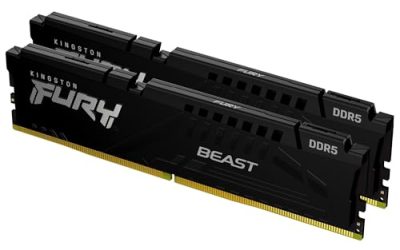
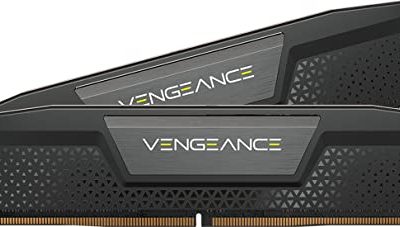
Sixteen gigabytes used to be the default memory loadout for a gaming PC, but that headroom disappears quickly once a demanding game shares the system with a browser, voice chat, and recording software. A prebuilt that ships with 32GB of RAM from day one removes that bottleneck without an immediate upgrade.


This guide covers five prebuilt gaming PCs currently listed on Amazon US that ship with exactly 32GB of RAM. They span three platforms — an older AM4 value build on DDR4, current AM5 systems on DDR5, and Intel Core Ultra desktops — so the real decision is not just speed today, but what each socket, memory ceiling, and storage layout allows later.
As an Amazon Associate we earn from qualifying purchases
Quick Comparison
| Model | CPU / Socket | GPU | RAM | Storage | PSU / Cooling | Best for |
|---|---|---|---|---|---|---|
| Skytech King 95 | Ryzen 7 9800X3D / AM5 | RTX 5070 Ti 16GB | 32GB DDR5 5600 RGB | 1TB Gen4 NVMe | 850W Gold ATX 3 / 360mm ARGB AIO | High-refresh 1440p and upscaled 4K |
| CyberPowerPC Gamer Supreme SLC8480A9 | Ryzen 7 9800X3D / AM5 | RTX 5070 Ti 16GB | 32GB DDR5 | 2TB PCIe 4.0 NVMe | Not named in listing | Big library, fewer storage upgrades |
| CyberPowerPC Gamer Xtreme VR GXiVR8680A12 | Core Ultra 7 265KF / Intel | RTX 5070 Ti 16GB | 32GB DDR5 | 2TB PCIe 4.0 NVMe | Not named in listing | Intel buyers who may overclock later |
| Alienware Aurora ACT1250 | Core Ultra 7 265F / Intel | RTX 5070 12GB | 32GB DDR5 | 1TB SSD | 1000W Platinum | Big-brand support and strong networking |
| Skytech Azure 3 | Ryzen 7 5700 / AM4 | RTX 5060 8GB | 32GB DDR4 3200 | 1TB NVMe | 650W Gold | Lower-cost 1080p and esports play |
What to Check Before You Buy a 32GB Prebuilt
Socket and upgrade path
The CPU socket decides whether a future processor swap is even possible. The two Ryzen 7 9800X3D systems sit on AMD’s AM5 platform, the current Ryzen desktop socket with the longest remaining life. The Skytech Azure 3 uses the older AM4 socket: its Ryzen 7 5700 is still a capable eight-core chip, but AM4 is a finished platform, so a later CPU upgrade stays within that generation. The Intel systems use Core Ultra processors; the Alienware’s 265F is locked, while the CyberPowerPC Gamer Xtreme VR uses the unlocked 265KF.
BIOS and the unlocked-chip question
An unlocked processor only helps if the chipset and BIOS allow overclocking, and prebuilt listings do not always name the board. The Gamer Xtreme VR listing confirms the 265KF but does not name the chipset in the details checked, so treat overclocking support as something to confirm on the product page. The same caution applies to memory profiles — a DDR5 kit only runs at its rated speed once the correct profile is enabled in the BIOS, and some OEM systems restrict those menus.
RAM slots and capacity limits
Thirty-two gigabytes is the starting point here, not necessarily the ceiling. The CyberPowerPC Gamer Xtreme VR listing gives a maximum RAM size of 192GB, pointing to generous capacity headroom. The Skytech King 95 listing, by contrast, lists its maximum memory size as 32GB — the amount already installed — so plan on that machine staying at 32GB unless you confirm otherwise with the seller. Where a listing publishes no slot count or maximum, check the product page before counting on a cheap add-in upgrade. If you are still deciding between memory generations and speeds for a future upgrade, our guide to the best 32GB gaming RAM walks through the kit-level choices.
M.2 slots and storage expansion
A single installed NVMe drive does not tell you how many M.2 slots the board has, and none of the listings checked publish a full slot count. Favour the systems that already ship with 2TB if you keep a large library installed, and treat a second M.2 slot as a bonus to verify rather than a given.
The Picks
1. Skytech King 95 — Best for High-Refresh 1440p
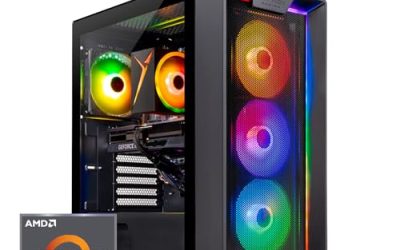
The King 95 (model ST-KING95-1671-W-AM, ASIN: B0DXX2T9JC) pairs a Ryzen 7 9800X3D running at 4.7 GHz with boost up to 5.2 GHz and an NVIDIA GeForce RTX 5070 Ti with 16GB of GDDR7 memory. Memory is 32GB of DDR5 at 5600 MHz with RGB heat spreaders, storage is a 1TB Gen4 NVMe M.2 SSD, and the supporting hardware is unusually well specified for a prebuilt: an 850W Gold ATX 3 power supply and a 360mm ARGB liquid cooler, with Wi-Fi and Windows 11 included.
Configuration that suits it: this is the pick for a player on a high-refresh 1440p monitor who also wants credible upscaled 4K, and who values named supporting parts — the power supply and cooler are stated outright, which makes later graphics upgrades easier to plan. Two cautions come straight from the listing: the graphics card brand may vary between builds, and the listed maximum memory size is 32GB, so buy it for the configuration it is, not for a future 64GB upgrade.
See the Skytech King 95 on Amazon
2. CyberPowerPC Gamer Supreme SLC8480A9 — Best for a Big Installed Library
The Gamer Supreme SLC8480A9 (ASIN: B0DXVDBW3F) uses the same headline pairing as the King 95 — a Ryzen 7 9800X3D and a GeForce RTX 5070 Ti 16GB — with 32GB of DDR5 memory, but doubles the storage to a 2TB PCIe 4.0 SSD. It ships with Wi-Fi ready and Windows 11 Home.
Configuration that suits it: choose this AM5 build if you keep many large games installed at once and would rather not think about storage expansion early on, since the listing does not publish spare M.2 slot details. The trade-off for that storage is transparency: the listing checked does not name the power supply or cooler, so if a future graphics card upgrade is part of your plan, confirm those two parts on the product page before ordering.
See the CyberPowerPC Gamer Supreme SLC8480A9 on Amazon
3. CyberPowerPC Gamer Xtreme VR GXiVR8680A12 — Best Intel Option With Memory Headroom

The Gamer Xtreme VR (model GXiVR8680A12, ASIN: B0DXVD4PX4) is the Intel counterpart in this roundup: a Core Ultra 7 265KF, a GeForce RTX 5070 Ti with 16GB of GDDR7, 32GB of DDR5, and a 2TB PCIe 4.0 SSD, running Windows 11 Home with Wi-Fi ready. The listing states a maximum RAM size of 192GB, the clearest memory-upgrade headroom of any machine here.
Configuration that suits it: this suits a buyer who prefers the Intel platform, wants the same RTX 5070 Ti class of graphics as the two AM5 picks, and likes the idea of adding memory later for streaming, editing, or heavy multitasking alongside gaming. Because the processor is the unlocked KF variant, check the product page for the motherboard chipset and BIOS options if overclocking matters to you — the listing itself does not name the board.
See the CyberPowerPC Gamer Xtreme VR on Amazon
4. Alienware Aurora ACT1250 — Best for Big-Brand Support

The Alienware Aurora ACT1250 (ASIN: B0DPKLJ4CV) takes a different balance: a Core Ultra 7 265F, an NVIDIA GeForce RTX 5070, 32GB of DDR5, and a 1TB SSD, backed by a 1000W Platinum-rated power supply. Connectivity is a strength — Wi-Fi 7, Bluetooth, and Killer 2.5Gb Ethernet are all listed — and it ships with Windows 11 Home and a wired keyboard.
Configuration that suits it: pick the Aurora if you want a major OEM behind the warranty and support, fast wired and wireless networking out of the box, and a generously rated power supply, and you are happy targeting 1440p with the RTX 5070 rather than the Ti models above. The 265F is a locked processor, so this is a set-it-up-and-play machine rather than a tweaker’s build, and the 1TB drive is the smallest here alongside the King 95.
See the Alienware Aurora ACT1250 on Amazon
5. Skytech Azure 3 — Best Lower-Cost Route to 32GB
The Azure 3 (model ST-AZURE3-2651-B-AM, ASIN: B0G2RHJKBX) is the value entry and the only DDR4 machine in the group. It combines a Ryzen 7 5700 at 3.7 GHz with boost to 4.6 GHz, an NVIDIA GeForce RTX 5060 with 8GB of GDDR7, 32GB of DDR4 RAM at 3200 MHz with heat spreaders, a 1TB NVMe SSD, and a 650W Gold power supply, with Wi-Fi and Windows 11.
Configuration that suits it: this suits 1080p gaming and esports titles, where the RTX 5060 is comfortable and the full 32GB gives multitasking headroom that cheaper 16GB builds lack. Go in with clear expectations: AM4 and DDR4 are end-of-line technologies, so the upgrade story is limited compared with the AM5 and Intel DDR5 systems above — the value is a complete, memory-rich machine now, not a foundation for later platform upgrades.
See the Skytech Azure 3 on Amazon
How to Choose Between Them
Start with the graphics card, because it sets your resolution target: the RTX 5060 build is a 1080p machine, the RTX 5070 build a 1440p machine, and the three RTX 5070 Ti builds are the ones for high-refresh 1440p or upscaled 4K. Then check the platform: AM5 gives the two 9800X3D systems the most current AMD socket, while the CyberPowerPC Intel pick adds an unlocked chip and the largest stated memory ceiling. Finally, read the fine print listings do state — power supply, cooler, maximum RAM — and treat anything unstated, such as spare M.2 slots or the exact motherboard, as a question for the product page.
FAQ
Is 32GB of RAM enough for gaming and streaming at the same time?
For the configurations in this guide, yes. Thirty-two gigabytes leaves room for a demanding game alongside capture software, voice chat, and browser sources. If your workload grows into heavy video editing as well, the Gamer Xtreme VR is the pick whose listing states the most memory headroom beyond 32GB.
Does DDR4 versus DDR5 matter in these picks?
It matters mainly for the platform, not as an isolated number. The DDR4 Azure 3 is built on AM4, a finished platform, while the DDR5 machines sit on current AM5 or Intel sockets with a longer upgrade life. Judge the whole platform — socket, memory generation, and stated capacity limit — rather than the memory type alone.
Can I upgrade the RAM in these prebuilts later?
It depends on the model, and the listings are not equally clear. The CyberPowerPC Gamer Xtreme VR states a 192GB maximum, while the Skytech King 95 lists 32GB as its maximum. Where a listing gives no maximum or slot count, confirm on the product page before assuming free slots are waiting inside.
Should I worry about the power supply in a prebuilt?
Check what the listing names. The King 95 states an 850W Gold ATX 3 unit, the Aurora a 1000W Platinum unit, and the Azure 3 a 650W Gold unit — all usable information for upgrade planning. Where a listing does not name the power supply, as with the two other CyberPowerPC models here, verify it before planning a hungrier graphics card later.
Verdict
For most buyers, the Skytech King 95 is the most completely specified machine here: a 9800X3D, an RTX 5070 Ti, named power supply and cooling, on the current AM5 socket. The CyberPowerPC Gamer Supreme SLC8480A9 matches its headline performance and doubles the storage, while the Gamer Xtreme VR is the Intel pick with the clearest stated memory headroom. The Alienware Aurora suits buyers who put support and networking first, and the Skytech Azure 3 is a rational lower-cost way to get a full 32GB system for 1080p — as long as you accept that AM4 is the end of its line.