A LAN-party rig gets unplugged, carried, shaken in a car boot, and rebuilt on a folding table, so the real decision is not headline speed alone. You need a kit that survives transport, clears a compact cooler, and boots at its rated profile the first time you enable it in an unfamiliar room, without an evening lost to memory training retries.


This guide serves three groups: builders assembling a small DDR5 machine for regular events, owners refreshing an older DDR4 portable PC, and AMD players who want an EXPO kit that simply works. Every pick below was chosen from the names and specifications printed on its Amazon product page, with socket support, slot count, capacity limits, and profile type checked against the configuration each kit is sold in.
Quick Picks
As an Amazon Associate we earn from qualifying purchases.
| Product | Best for | Key spec from title |
|---|---|---|
| Corsair Vengeance DDR5 32GB (2x16GB) 6000MHz CL30 | Dual-platform DDR5 LAN builds that may swap boards | DDR5 6000MHz CL30, AMD EXPO and Intel XMP |
| G.Skill Flare X5 DDR5 32GB (2x16GB) 6000MT/s CL30 | AMD AM5 small-form-factor rigs needing low clearance | DDR5 6000MT/s CL30-38-38-96, AMD EXPO |
| Kingston FURY Beast DDR5 32GB (2x16GB) 6000MT/s CL30 | Players wanting EXPO or XMP in a low-profile kit | DDR5 6000MT/s CL30, kit of 2 |
| Corsair Vengeance LPX DDR4 32GB (2x16GB) 3200MHz CL16 | DDR4 portable PCs on AM4 or older Intel boards | DDR4 3200MHz CL16-20-20-38, 1.35V |
Before ordering any of them, work through the checks in How to Choose below, because generation, slot count, and cooler clearance decide whether a kit even fits your machine. If you are still deciding between memory generations for a new build, our broader guide to the best RAM for gaming explains how DDR4 and DDR5 platforms differ in practice. Match the kit to the motherboard you actually own, not the one you plan to buy next year, and keep the packaging until the rig has survived its first event weekend.
How to Choose
Check the Socket, Chipset, and Memory Generation First
Memory generation is fixed by the motherboard, which is fixed by the CPU socket, so start there rather than with speed charts. An AM5 board takes DDR5 only, an AM4 board takes DDR4 only, and no adapter changes that. Check the board manual for its maximum supported capacity and its qualified vendor list, then confirm the exact kit model number appears, or at least that the same series and speed are listed. A kit absent from the list often still works, yet for a machine that must boot reliably away from home, listed support removes one avoidable gamble before an event.
Count Slots and Plan Capacity Around Two Sticks
Mini-ITX boards, the natural home of a portable LAN rig, usually offer only two memory slots, which makes the kit configuration final rather than a starting point. A 32GB kit built from two 16GB modules fills both slots, runs in dual channel, and leaves no empty slot tempting you toward a mismatched upgrade later. Four-stick kits can stress the memory controller at rated speeds, particularly on DDR5 platforms, so two denser modules are the calmer choice for transportable builds. Decide capacity honestly: 32GB covers modern games alongside chat, launchers, and recording tools without forcing a rebuild next season.
Match the Profile to the Platform: XMP or EXPO
Rated speed only arrives after you enable the stored profile in BIOS, so the profile type has to match your platform. Intel boards read XMP 3.0 profiles on DDR5 and XMP 2.0 on DDR4, while AMD AM5 boards look for EXPO, although many kits now carry both. The Corsair Vengeance DDR5 and Kingston FURY Beast kits below list EXPO and XMP support, which suits households whose LAN fleet mixes Intel and AMD machines. After enabling a profile, save the BIOS settings to a profile slot as well, because a cleared CMOS at an event then becomes a two-minute recovery instead of fresh tuning.
Measure Clearance and Think About Transport
Small cases punish tall memory. A wide dual-tower cooler can overhang the first slot, and a top-mounted radiator in a compact chassis leaves little room above the modules, so compare module height against the cooler maker’s clearance figure before buying. Low-profile kits such as the 33mm Flare X5 and the Vengeance LPX line exist precisely for this problem. Transport adds a second test: modules should sit fully latched, the cooler must not rest against a stick, and a padded bag beats a loose boot. Reseat any module that a rough journey has nudged, then check the latch at both ends.
The 4 Best Options
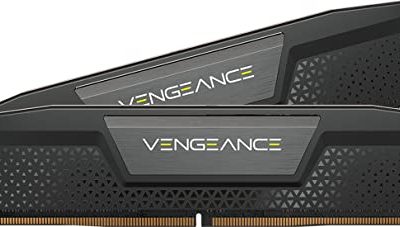
Corsair Vengeance DDR5 32GB (2x16GB) 6000MHz CL30
Choose this kit when your LAN machine might change platforms before it changes memory. Its listing names both AMD EXPO and Intel XMP support, so the same two modules suit an AM5 small build today or an Intel board later, which simplifies spares for a mixed group. The compact, no-lighting design keeps clear of large air coolers in tight cases, and 6000MHz at CL30 sits at the speed AM5 builders commonly target. For a portable rig that gets rebuilt between seasons, that flexibility matters more than decorative heatspreaders.
Specs
- Capacity: 32GB kit containing 2x16GB modules
- Type and speed: DDR5, 6000MHz
- Latency: CL30
- Profiles: AMD EXPO and Intel XMP, iCUE compatible
- Model: CMK32GX5M2B6000Z30
- Colour named on listing: Gray
Best for: DDR5 LAN builders who want one kit that works across AMD and Intel boards.
Watch out for: Confirm your board is DDR5 and check its BIOS version supports 6000MHz profiles before relying on the rated speed at an event.
ASIN: B0CBRJ63RT
G.Skill Flare X5 DDR5 32GB (2x16GB) 6000MT/s CL30
Flare X5 is the deliberate small-case answer in this group. G.Skill describes the series as low-profile memory designed for AMD platforms, with a 33mm module height that slips under coolers which would foul taller sticks, and the EXPO profile loads the rated 6000MT/s timing set from BIOS. That combination suits mini-ITX AM5 builds where every millimetre above the slots is already promised to a tower cooler or radiator hose. There is no lighting to configure, no extra cable, and nothing fragile standing proud when the case is carried sideways.
Specs
- Capacity: 32GB kit containing 2x16GB modules
- Type and speed: DDR5, 6000MT/s
- Timings: CL30-38-38-96
- Voltage: 1.35V
- Profile: AMD EXPO
- Module height: 33mm low-profile design
- Model: F5-6000J3038F16GX2-FX5
- Colour named on listing: Matte Black
Best for: AM5 mini-ITX and compact builds where cooler clearance is the limiting factor.
Watch out for: Flare X5 ships in several timing variants with similar names, so match the full model number F5-6000J3038F16GX2-FX5 on the listing before ordering.
ASIN: B0C1TKSDKR
Kingston FURY Beast DDR5 32GB (2x16GB) 6000MT/s CL30
Kingston pitches FURY Beast as a low-profile heatspreader design, and that shape is the reason it earns a place in a transportable build. The kit pairs 6000MT/s speed with CL30 latency, offers Intel XMP 3.0 and AMD EXPO options on its listing, and fills exactly the two slots a mini-ITX board provides. Players who move between an AMD event rig and an Intel main machine will value that dual-profile behaviour, while the plain black modules avoid the extra height that lighting bars usually add above the PCB.
Specs
- Capacity: 32GB kit containing 2x16GB modules
- Type and speed: DDR5, 6000MT/s
- Latency: CL30
- Voltage: 1.35V on the listing data
- Profiles: Intel XMP 3.0 and AMD EXPO named on listing
- Form factor: DIMM, 288-pin
- Model: KF560C30BBEK2-32
Best for: Players wanting a low-profile DDR5 kit with both EXPO and XMP options.
Watch out for: Check whether the listing variant is the two-module kit KF560C30BBEK2-32, because Kingston also sells single-module versions under similar titles.
ASIN: B0CYHC58P6
Corsair Vengeance LPX DDR4 32GB (2x16GB) 3200MHz CL16
Not every LAN rig needs a new platform. If your portable PC runs an AM4 processor or an older Intel board, this DDR4 kit refreshes it without a motherboard swap, and its low-profile heatspreader was designed to fit under larger coolers in crowded cases. The 3200MHz CL16 rating matches the speed most DDR4 boards handle comfortably through an XMP setting, so setup at a venue stays simple. Keeping a proven older machine alive for guest players or a second event station is often smarter than building another new PC.
Specs
- Capacity: 32GB kit containing 2x16GB modules
- Type and speed: DDR4, 3200MHz (PC4-25600)
- Timings: CL16-20-20-38
- Voltage: 1.35V
- Profile: Intel XMP support named on listing
- Model: CMK32GX4M2E3200C16
- Colour named on listing: Black
Best for: DDR4 portable PCs and spare event machines on AM4 or older Intel boards.
Watch out for: This kit cannot fit a DDR5 slot, so verify the board generation in the manual rather than assuming from the processor name alone.
ASIN: B07RW6Z692
Which One Fits Your Situation
You Haul a Mini-ITX AM5 Rig to Monthly Events
Pick the G.Skill Flare X5. Its 33mm height clears the tower coolers that compact AM5 builds favour, the EXPO profile restores rated speed with one BIOS change after any CMOS reset, and two modules fill the board completely. Nothing about the kit asks for extra space, lighting software, or careful packing angles, which is exactly what repeated transport rewards.
Your Group Runs a Mix of Intel and AMD Machines
Take the Corsair Vengeance DDR5 kit, with the Kingston FURY Beast as the close alternative. Both list EXPO and XMP support, so a spare kit kept in the group kit bag can serve either platform in an emergency. That shared-spare logic matters at events, where a failed module in one machine should not end that player’s whole weekend.
You Are Refreshing an Older DDR4 Portable PC
The Vengeance LPX is your only correct route among these four, because the other three are DDR5 and physically will not seat in your board. Within that constraint it is a good one: low-profile modules, a widely supported 3200MHz CL16 rating, and enough capacity to modernise a guest or second-station machine without replacing its motherboard and processor.
You Want the Simplest First Boot at the Venue
Choose whichever dual-profile kit matches your generation and enable its profile a week before the event, not the night before. Run the machine through several cold boots at home, save the working BIOS settings, and pack knowing the configuration is proven. The Kingston and Corsair DDR5 kits suit that plan best, since either profile family is available if you later change boards.
Common Mistakes
- Buying DDR5 for a DDR4 board, or the reverse, because the processor brand sounded current; generation is set by the motherboard slot.
- Filling four slots in a compact build and then wondering why the rated profile will not train reliably, when two denser modules would behave better.
- Ignoring module height until the cooler fan or radiator hose meets the first stick during final assembly at the venue.
- Enabling XMP or EXPO for the first time on event night instead of proving the settings through cold boots at home.
- Mixing a leftover single module with a new kit, creating a mismatched set that the makers explicitly warn can cause stability problems.
Frequently Asked Questions
How much RAM does a LAN-party gaming PC actually need?
For current games, 32GB is the comfortable target, and every kit here provides it as two matched 16GB modules. That capacity leaves room for voice chat, launchers, browsers, and recording software running beside the game. A 16GB machine still plays, yet it will close background tools more often and feels tighter during longer event sessions.
Will DDR5 memory fit my existing portable PC?
Only if its motherboard has DDR5 slots, which means an AM5 board or a recent Intel board built for DDR5. DDR4 and DDR5 modules use different notch positions, so a DDR5 kit cannot seat in a DDR4 slot. Read the board manual or its printed model name, then match the kit generation to that specification exactly.
What should I do if the PC fails to boot after travel?
Power down, open the case, and press each module firmly until both latches engage, because road vibration can nudge a stick in its slot. Then clear CMOS if the board offers a button, reload your saved BIOS profile, and re-enable XMP or EXPO. Test one module at a time only if the problem persists after reseating.
Is 6000MT/s CL30 worth choosing over slower DDR5 kits?
For AM5 builds it is the widely used balance point named across the listings here, pairing a 6000MT/s rate with CL30 timings at 1.35V on the Flare X5 and Kingston kits. Slower kits still game well, but if you are buying new for a portable Ryzen rig, this specification avoids chasing extreme speeds that demand extra tuning.