

Best Prebuilt Gaming PC $2000 2026
A prebuilt gaming PC at 2000 dollars is where high-refresh 1440p gaming becomes the normal experience rather than a stretch goal. At this level you can expect a stronger graphics card, a faster processor, and enough memory to run a game, a browser, and streaming software at the same time. The risk is paying for the headline GPU while the rest of the system is underpowered, or buying a case and cooler that cannot sustain the components under long sessions. This guide shows how to evaluate a 2000-dollar prebuilt across the parts that matter.
The featured listing and four alternatives below form a shortlist to verify. They are not a ranking. The listing above may be a close match to the 2000-dollar class rather than an exact configuration, so confirm the components, warranty, and live price on the product card. We have not included benchmark numbers, because results change with the game, settings, and exact hardware.


Where 2000 Dollars Puts You in the Market
At this tier, most mainstream games can run at 1440p with high settings, and many can reach high frame rates on a 144Hz monitor. Upscaling remains a useful tool for the most demanding titles. The processor should be strong enough that it does not limit frame rates in CPU-heavy games. The motherboard should offer enough connectivity and room for later upgrades. A balanced system at this price is more valuable than one with an extreme GPU and a weak platform.
GPU for 1440p High Refresh
The GPU drives most of the experience at 2000 dollars. Look for a current-generation card with a reputation for strong 1440p performance and support for upscaling. Check reviews that test the same GPU class at 1440p in your favorite games. If you play competitive shooters, check whether the GPU can hold high frame rates in those titles rather than only in cinematic single-player games.
Processor and Memory
Pair the GPU with a modern processor that avoids bottlenecking the card. Confirm the CPU model on the spec sheet. For memory, 32GB is the practical target at this price, because it leaves room for streaming, browsers, and background apps. Check the memory speed as well, and make sure the platform supports it.

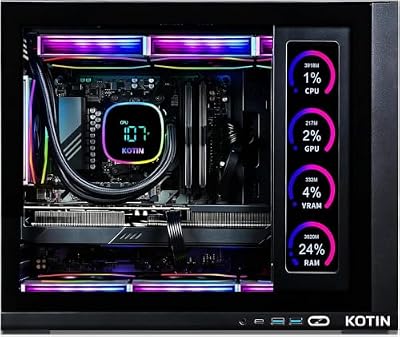
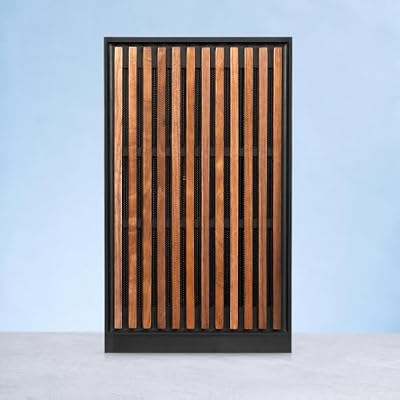
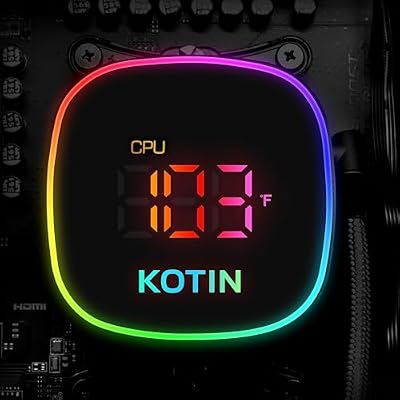
KOTIN Prebuilt Gaming PC RTX 5070 12GB, Ryzen 7 9700X, 32GB DDR5, 1TB SSD | 11.3in Smart Display, 850W 80+ Gold PSU, 360mm Liquid Cooler, WiFi 7, 1440p 4K ARGB Windows 11 Gaming Desktop Computer


As an Amazon Associate we earn from qualifying purchases. Product prices and availability are accurate as of the date/time indicated.
2000-Dollar Prebuilt Configurations Compared
The table below compares the common classes of 2000-dollar prebuilts. It is a checklist for comparing listings. Prices move often, so check the live price before you buy. The price ranges shown are approximate.
| Configuration class | Best for | Typical price range | What to verify |
|---|---|---|---|
| High-refresh 1440p build, 32GB RAM | Competitive and single-player gaming at 1440p | Check current price | GPU model, CPU pairing, panel recommendation |
| Streaming-focused build, 32GB RAM, 2TB NVMe | Gaming with streaming and recording | Check current price | Cooling capacity, encoder support, storage speed |
| Compact high-performance tower | Space-saving 1440p gaming | Check current price | GPU length, airflow, noise under load |
| Quiet-cooling build with premium case | Users who value low noise | Check current price | Fan count, radiator size, PSU quality |
What to Check Before You Buy a 2000-Dollar Prebuilt
Start with the power supply. At this price, look for a reputable unit with headroom above the system’s needs and a long warranty. Next, check cooling. A tower with good airflow and a CPU cooler that matches the processor keeps the system stable. Then look at the motherboard for PCIe slots, M.2 slots, and VRM cooling. Finally, check the warranty and support. Parts and labor coverage for at least a year is a minimum, and clear support channels matter if something goes wrong.
Storage Layout
Look for at least 2TB of NVMe storage, or 1TB with a spare M.2 slot. Game installs now run to hundreds of gigabytes across a library, and running out of space is a common frustration. Check the drive brand and whether it uses a DRAM cache if the spec sheet lists it.
Case Airflow and Noise
A case with good intake and exhaust airflow keeps temperatures under control and reduces fan speed. Check reviews that test noise under gaming load. A quiet system is easier to live with, especially if it sits in a living area.
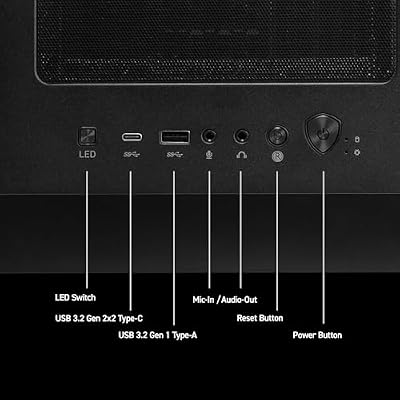
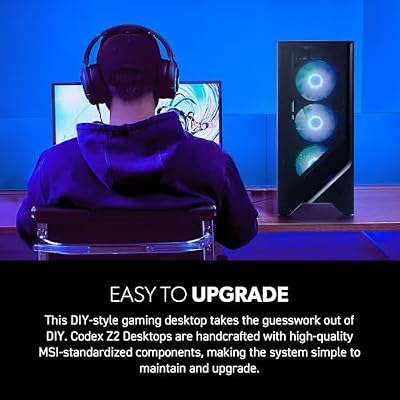
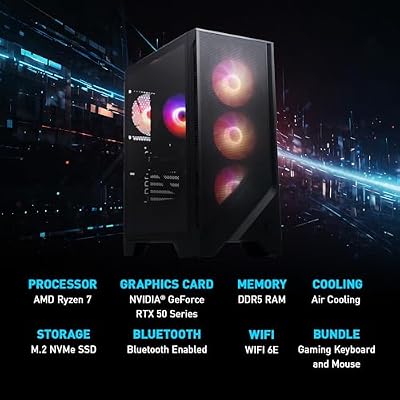
msi Codex Z2 Gaming Desktop, AMD R7-8700F, RTX 5070, 32GB DDR5, 2TB SSD | NVIDIA GeForce RTX 5070, USB Type-C, VR-Ready, Windows 11 Home. Model A8NVP-436US



As an Amazon Associate we earn from qualifying purchases. Product prices and availability are accurate as of the date/time indicated.
Who Should Buy a 2000-Dollar Prebuilt
This tier fits serious gamers who want 1440p performance without building their own system, and streamers who need room for both gaming and recording. It is less suitable for buyers who only play esports at 1080p, since a lower tier will meet their needs for less money. For those buyers, our 1500 dollar prebuilt guide shows the entry point to 1440p. For the next step up, our 3000 dollar prebuilt guide covers the high-end tier.
Competitive Players
Competitive players should check the frame rate potential of the GPU and CPU in their main game, and pair the system with a high-refresh monitor. Our budget gaming monitor guide explains the refresh rate options.
Streamers
Streamers need headroom for encoding, memory for multitasking, and storage for recordings. Our gaming PC for streaming guide lists the features that matter most.
Related Guides on GamingPCGuru
Use these guides alongside this article when you compare budgets, displays, cooling, and the wider market before you buy.
- complete gaming PC buying guide, for a checklist for every part.
- gaming PC SSD guide, for storage speed and capacity.
- gaming PC case guide, for airflow and fit.
- gaming PC deals roundup, for where discounts tend to show up.
- gaming PC specs guide, for what each component does.
Frequently Asked Questions
Is a 2000-dollar prebuilt good for 1440p 144Hz?
Yes, for many games, especially with upscaling enabled. Competitive titles usually run at high frame rates, and demanding single-player games may need some settings reduced. Check reviews of the exact GPU class at 1440p.
Should I prioritize the GPU or the CPU at this price?
The GPU matters more for most games at 1440p, but the CPU must be strong enough to avoid bottlenecking the card. A balanced pairing is better than an extreme component with a weak partner.
Is 32GB of memory necessary?
For gaming alone, 16GB can work. For streaming, editing, and heavy multitasking, 32GB is the better choice at this price. It also gives the system more room to age well.
Final Verdict
The best 2000-dollar prebuilt gaming PC pairs a 1440p-capable GPU with a balanced processor, 32GB of memory, fast storage, good cooling, and a reputable power supply. Use the featured listing and the alternatives as a shortlist, then verify the exact components, warranty, and live price before buying.







