

Best Prebuilt Gaming PC $1000 2026
A prebuilt gaming PC at around 1000 dollars is a realistic target for 1080p gaming, but the spec sheet can hide a lot. Two machines with the same price can differ in GPU class, memory size, storage speed, and power supply quality. Some budget prebuilts also cut corners on cooling and case airflow, which affects how a system behaves after a long session. This guide explains what to check so you can find a prebuilt that will still feel right in a year, rather than one that only wins on a single headline number.
The shortlist below includes a featured listing and four alternatives. Treat it as a starting set of candidates. The listing above may be a close match to a 1000-dollar build class rather than an exact configuration, so confirm the components, warranty, and live price on the card. We have not included benchmark results, because frame rates depend on the game, resolution, settings, and the exact parts installed.

YAWYORE Gaming PC, AMD Ryzen 7 5700X, GeForce RTX 5060 Desktop Computer | 32GB DDR4 RAM, 1TB M.2 NVMe SSD,, ARGB Fans, WiFi+BT


What a 1000-Dollar Prebuilt Can Realistically Deliver
At this price, the best use case is 1080p gaming at medium to high settings in most current titles, plus esports games at higher frame rates. Demanding AAA games at 1440p will require lower settings or upscaling. Expect the GPU to be the most important component, followed by the CPU and memory. The power supply and case airflow are less visible, but they determine how quiet and stable the machine is under load.
GPU Class and Upscaling Support
At 1000 dollars, the GPU sets the ceiling for your experience. Look for a current-generation card with support for modern upscaling, since upscaling can lift frame rates noticeably in demanding games. Check the GPU model on the spec sheet and compare it with reviews that test the same card class at 1080p. Avoid choosing a prebuilt based on a big-sounding CPU if the graphics card is weak, because the GPU will limit most games.
Memory and Storage
Look for at least 16GB of system memory. Eight gigabytes is a limit for modern games and multitasking, and it is hard to upgrade on some compact prebuilts. Storage should be at least 1TB of NVMe. A 500GB drive fills quickly and forces you to uninstall games. Check whether the prebuilt has a spare M.2 slot so you can add storage later.

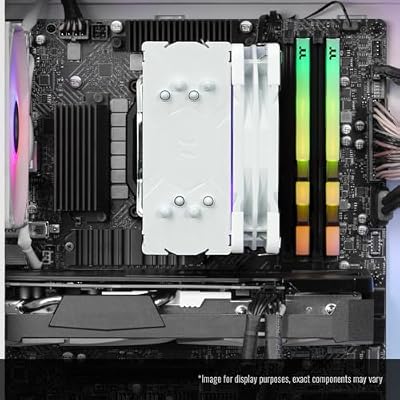
Thermaltake LCGS Quartz i1460 Gaming Desktop (Intel Core™ i5-14400F, ToughRam DDR4 3600Mhz 16GB RGB Memory, NVIDIA GeForce® RTX 5060, 1TB NVMe M.2, WiFi, Windows 11) S2QT-B760-560-LCS


As an Amazon Associate we earn from qualifying purchases. Product prices and availability are accurate as of the date/time indicated.
Comparing 1000-Dollar Prebuilt Classes
The table below compares the common types of 1000-dollar prebuilts. It is a checklist for comparing listings, not a ranking of individual systems. Prices change often, so check the live price before you commit.
| Prebuilt class | Best for | Typical price range | What to verify |
|---|---|---|---|
| Compact tower, current-generation entry GPU | 1080p gaming and esports titles | Check current price | PSU wattage and brand, case airflow, RAM size |
| Mid tower with 16GB RAM and 1TB NVMe | Balanced gaming and everyday use | Check current price | Motherboard upgrade room, warranty length |
| Small form factor build | Space-saving setups | Check current price | Cooling space, GPU length, upgrade options |
| Refurbished or open-box prebuilt | Lower cost with careful checks | Check current price | Warranty coverage and return policy |
What to Check on Any Budget Prebuilt
Start with the power supply. A quality PSU from a known brand protects the whole system, and a cheap unit is a common failure point. Next, check the cooling. Look for a case with intake and exhaust fans, and make sure the CPU cooler is adequate for the processor. Then confirm the motherboard. A board with a few spare slots and good VRM cooling makes future upgrades easier. Finally, read the warranty. A one-year warranty with clear support is a minimum, and a longer warranty on the parts is worth paying for.
Upgrade Path
A prebuilt that can be upgraded is more useful over time. Check whether the RAM slots are free, whether the GPU has room for a future card, and whether the PSU has enough wattage for a stronger graphics card. Many budget prebuilts limit these options, so ask the seller or read the spec sheet carefully.
Operating System and Software
Confirm whether Windows is included with a valid license and whether the system includes drivers and utilities. Some prebuilts come with bloatware that you may want to remove. Our gaming PC operating system guide explains the options.
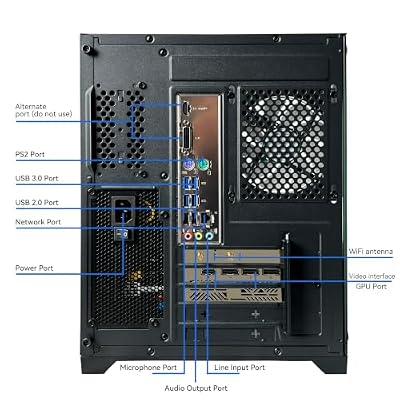
YAWYORE Gaming PC, AMD Ryzen 7 5700X, GeForce RTX 5060 Desktop Computer | 32GB DDR4 RAM, 1TB M.2 NVMe SSD,, ARGB Fans, WiFi+BT



As an Amazon Associate we earn from qualifying purchases. Product prices and availability are accurate as of the date/time indicated.
Who Should Buy a 1000-Dollar Prebuilt
This price tier suits first-time PC builders, students, and players who want a ready-to-use machine without assembling parts. It is less suitable for people who want to play the newest AAA games at 1440p with high settings. If you have a little more room in the budget, our best prebuilt gaming PC guide covers the broader market. For a custom route, our 1000 dollar gaming PC build guide shows how to spend the same money on parts.
First-Time Buyers
First-time buyers benefit most from a prebuilt because the parts are tested together. Focus on warranty, support, and a clean case layout. A simple, well-built system is better than an overspecified one with weak power delivery.
Students and Shared Households
A 1000-dollar prebuilt is a good shared machine for a household. Check the noise level and the case size, since the PC may sit in a living area. Our gaming PC for streaming guide covers features that matter if you also stream.
Related Guides on GamingPCGuru
Use these guides alongside this article when you compare budgets, displays, cooling, and the wider market before you buy.
- gaming PC under 1000 dollars guide, for what a budget tower buys.
- gaming PC for 500 dollars guide, for the entry desktop tier.
- budget gaming PC guide, for lower-cost desktop options.
- gaming PC power supply guide, for PSU wattage and quality.
- gaming PC SSD guide, for storage speed and capacity.
Frequently Asked Questions
Can a 1000-dollar prebuilt run modern games?
Yes, at 1080p with medium to high settings in many titles. Upscaling helps in demanding games. Check reviews of the specific GPU class for the games you play most.
Is a prebuilt better than building my own at this price?
A prebuilt saves time and includes a warranty on the whole system. Building your own can offer better parts for the money, but it takes more effort. Choose based on how much time you want to spend and how much you value a single warranty.
What should I avoid in a budget prebuilt?
Avoid systems with weak power supplies, 8GB of memory, or 500GB storage with no upgrade path. Those choices limit the machine’s useful life.
Final Verdict
The best 1000-dollar prebuilt gaming PC is the one with a current GPU class suited to 1080p, at least 16GB of memory, 1TB of NVMe storage, a quality power supply, and a warranty you trust. Use the featured listing and the alternatives as a shortlist, then verify the exact components and the live price before buying.







