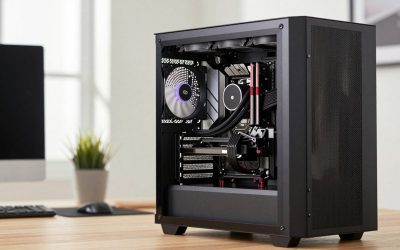
Building a gaming PC looks simple from the outside, yet the work quickly turns fiddly once you reach motherboard standoffs, tight radiator screws, and the tiny fasteners inside laptops, controllers, and handhelds that often sit beside the main rig. A good tool kit puts the right driver, bit, spudger, and tweezers in one place, keeps loose screws from rolling away, and helps you open a case or device without scratching panels or prying in the wrong spot.
The best PC tool kits are not all built for the same job. Some are complete repair stations with opening tools and an anti-static strap, some focus on a deep bench of precision bits, and some add a powered driver or a magnetic mat. This guide compares five complete options across those classes, explains where each one fits, and sets out the limits to know before you buy, so you can match a kit to building and repair work rather than to a headline piece count alone.
As an Amazon Associate, we earn from qualifying purchases.
Quick answer
For most builders, a complete kit with precision bits, opening tools, tweezers, and a grounded ESD strap covers building and repair best. Choose the iFixit Pro Tech Toolkit for premium coverage, the STREBITO 142-piece set for a magnetic mat bundle, and the Wowstick 1F+ when a compact electric driver will save time on many small screws.
iFixit Pro Tech Toolkit

The iFixit Pro Tech Toolkit is the premium complete repair option in this group, built around a 64-bit driver set plus the opening and handling tools that many driver-only sets leave out. Alongside the driver and bits, you get spudgers, opening picks, tweezers, a suction handle, a flexible extension, and an anti-static wrist strap in a roll that keeps everything visible and sorted. For PC work, that mix matters because a build rarely needs only screws turned. You also need to lift connectors, guide cables, and separate a laptop or controller shell without using a metal blade as a lever.
Bit quality is a reason this kit sits in the premium class. The bits use S2 steel, a harder tool steel that holds its edges longer than softer alloys found in low-cost sets, especially on small Torx and pentalobe sizes where a worn tip can slip and damage a screw head. The layout also helps during a long job, since each bit has a marked place. It will not replace full-size screwdrivers for stiff case and power supply screws, where a larger handle gives better leverage, but as a single kit for building, upgrading, and device repair, it is the most rounded choice here.
iFixit Mako Driver Kit

The iFixit Mako Driver Kit is the mid-range precision driver option, focused tightly on bits and driver control rather than on a wide bench of opening tools. It includes 64 precision bits in a compact case with a magnetic lid that doubles as a small parts tray, plus a driver with a swivel top and a flexible extension for screws set deep in a case or cooler mount. The selection covers Phillips, Torx, hex, pentalobe, tri-point, and other small profiles found across motherboards, graphics cards, laptops, controllers, and handheld consoles.
This is a sensible pick if you already own basic opening tools and mainly want a dependable bit library for PC building and light repair. The S2 steel bits give it an edge over softer budget bits, and the case is small enough to live in a desk drawer. The trade-off is scope. There is no bundled mat, no suction handle, and no broad set of pry tools, so opening a glued tablet is not its strength. An anti-static strap is also a separate item to add if you want grounded handling. For screw-driven work on a gaming rig and the gear around it, though, the Mako keeps the focus where most jobs begin and end.
XOOL 200 in 1 Precision Screwdriver Set

The XOOL 200 in 1 Precision Screwdriver Set is the budget complete kit in this comparison, and its appeal is breadth for the money. It pairs a large bit library, listed at 164 bits, with two driver handles, a flexible shaft, tweezers, spudgers, opening picks, a suction cup, and other small repair helpers in a single case. That breadth can be useful for a first build or a household that works on a PC one week and a controller or laptop the next, because unusual bit profiles are more likely to be present when you need them.
Read the piece count with care. Many cheap kits duplicate the same few bits in several sizes or count every small accessory to inflate the total, so the useful question is whether the profiles you actually need are included and clearly labeled. Bit steel is another compromise at this level. The bits are serviceable for occasional use, yet softer metal can wear sooner than S2 steel if you meet a tight factory screw. Treat this kit as a wide, low-commitment way to cover many jobs, keep a full-size screwdriver nearby for case screws that need real torque, and plan to move up if precision work becomes a regular habit.
STREBITO 142-Piece Electronics Precision Screwdriver Set

The STREBITO 142-Piece set is the magnetic work mat bundle in this group, combining 120 bits with 22 repair tools and a mat that helps keep screws and small parts from wandering during a build. The kit includes a driver, flexible and extension shafts, tweezers, spudgers, pry tools, opening picks, a suction cup, a magnetizer, cleaning helpers, and an anti-static wrist strap. The mat idea behind kits like this is simple and practical. Lay screws out in build order, keep a removed cooler bracket in one corner, and you can reverse the steps without guessing which fastener came from which hole.
That organization is the main reason to choose this set over a plain bit case. During a motherboard swap, a mat turns a pile of similar screws into a map of the job. The bit count is generous, though the same caution applies as with any high-count set. Check that core Phillips, Torx, and hex sizes are present in good depth rather than counting duplicates. For builders who lose screws, the mat and strap make this a very practical complete kit.
Wowstick 1F+ Electric Precision Screwdriver Kit

The Wowstick 1F+ is the electric precision screwdriver kit in this lineup, built around a slim rechargeable pen-style driver with LED lighting at the tip and a set of 56 bits in the common 1F+ bundle, plus an extension bar and a magnetic mat. For PC work, a powered precision driver earns its place on repetitive jobs. Removing a full set of case panel screws, a radiator, a backplate, or every screw from a laptop base goes faster when you are guiding the tool rather than turning it by hand, and the light helps in a dark case corner.
Keep the limits in mind. Electric precision drivers are made for small screws and light torque, not for breaking loose a stiff screw or seating a large fastener firmly. Good practice is to loosen a tight screw by hand first, run it out with power, then give the final tightening by hand so you feel when it seats and avoid stripping a soft thread. Bit steel also matters, since the included bits face the same wear questions as any compact set. Chosen for speed on many small screws, and paired with a manual driver for final torque, the Wowstick is a strong specialist kit for frequent builders.
How to choose
Begin with the work you actually do. If you only build a desktop once and upgrade it now and then, a complete manual kit with core bits, tweezers, a spudger, and a strap is enough. If you also open laptops, controllers, and handhelds, opening picks, a suction handle, and a wider bit library matter more. If you do long, screw-heavy jobs often, an electric precision driver can be the main time saver, as long as you keep a manual driver for tight screws and final seating.
Look past the headline piece count. Many cheap kits duplicate the same few bits to inflate the piece count, repeat near-identical Phillips and flat sizes, or count cloths and pins as tools. A smaller kit with the right Torx, hex, pentalobe, tri-point, and Phillips depth is more useful than a huge set built around padding. Check bit steel next. S2 steel outlasts softer alloys and keeps small tips cleaner under repeated use, which matters most on tiny Torx and security bits.
Consider the work surface and static control. A magnetic mat keeps screws in build order and cuts time spent hunting for a dropped fastener. An ESD strap only protects when it is actually grounded to a suitable point and worn correctly. A strap left loose on the desk or clipped to an ungrounded object does not do the job its name suggests, so treat it as one careful habit among others.
Finally, remember what a kit does not replace. A kit does not replace full-size screwdrivers for case and PSU screws or any fastener that needs firm leverage. Keep at least one good full-size Phillips driver in the drawer, plus a flashlight and cable ties for builds.
Who should skip
Skip a large complete kit if you only need to open one device once for a single upgrade, such as adding one drive to a laptop. A focused bit kit may be enough, and a big case will mostly sit unused. Skip the electric driver kits if your work is mostly full-size desktop screws. A powered precision pen adds little on large case fasteners and cannot provide the leverage those screws need.
Skip budget high-count sets if you repair devices every week or rely on small Torx and security bits daily. Softer bits that wear or round over will cost more time than they save, and a premium S2 set is the better long-term tool. Skip any kit as a substitute for safe habits. No bundle makes prying safe, and no strap helps if ungrounded. You may also skip a mat bundle if you already use a good parts tray, and put the money toward better bits instead.
Frequently Asked Questions
Do I need an anti-static strap to build a PC?
A strap is a helpful safeguard, not a strict requirement for every build. Static discharge can still damage a board or memory module. If your kit includes a strap, wear it correctly and clip it to a grounded point so it can actually work. Working on a hard surface, avoiding carpet, and handling parts by their edges also help reduce risk.
Can one kit handle both a desktop PC and a laptop?
Yes, a complete kit is designed for that overlap. Desktop builds mainly need Phillips, hex for standoffs, and a few Torx sizes, while laptops and controllers add smaller Phillips, pentalobe, and tri-point profiles. A kit with a deep precision bit library, tweezers, and opening tools covers both. The main gap is leverage. Keep a full-size screwdriver for stiff desktop case and power supply screws, and use the precision driver for smaller fasteners in portable devices.
Are electric precision screwdrivers safe for motherboard screws?
They can be safe when used with care and within their light torque range. Use the powered driver to run screws in and out quickly, but loosen tight screws by hand first and finish the final seating by hand so you can feel resistance. That habit lowers the risk of stripping a thread in a standoff, case, or plastic post. Avoid using a small electric driver on large or seized screws.
Why do some kits list so many more pieces than others?
Piece counts are not measured in a single consistent way. Some makers count every bit, pick, cloth, pin, and accessory, and many cheap kits duplicate the same few bits to inflate the piece count. A 200-piece label does not always mean broader useful coverage than a focused 64-bit kit. Compare the actual bit profiles, the steel used, and whether opening tools, a mat, and a strap are included.
Final verdict
For a single kit that covers building and repair with the fewest gaps, the iFixit Pro Tech Toolkit is the strongest overall choice, with quality bits and opening tools most driver sets omit. The STREBITO 142-piece set is the best fit when a magnetic mat matters most, while the XOOL 200 in 1 set gives the widest budget coverage for occasional work. Choose the iFixit Mako when you mainly need a dependable precision bit library, and choose the Wowstick 1F+ when many small screws make a powered driver worth having. Whichever route you take, pair the kit with a full-size screwdriver, ground your strap properly, and judge a set by useful profiles and bit steel rather than by piece count alone.
Product and ASIN Reference
| Product | ASIN |
|---|---|
| iFixit Pro Tech Toolkit | B01GF0KV6G |
| iFixit Mako Driver Kit | B0189YWOIO |
| XOOL 200 in 1 Precision Screwdriver Set | B0BJNQBVGH |
| STREBITO 142-Piece Electronics Precision Screwdriver Set | B08SGLSZFJ |
| Wowstick 1F+ Electric Precision Screwdriver Kit | B07DB7ZT5P |