Best PC Building Accessories 2026: The Tools and Extras Worth Buying
Most PC builds are judged on the big parts, but the small accessories decide how smoothly the build goes. A good screwdriver set, a magnetic tray and a reliable anti-static strap prevent lost screws and damaged components. Thermal paste, cable ties and a fan controller shape the final result. This guide covers the PC building accessories that earn their place on a shopping list, the ones that are optional and the ones that are simply a waste of money, so you can build cleanly without overspending.
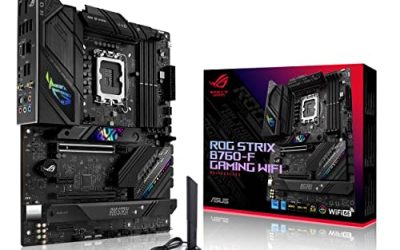
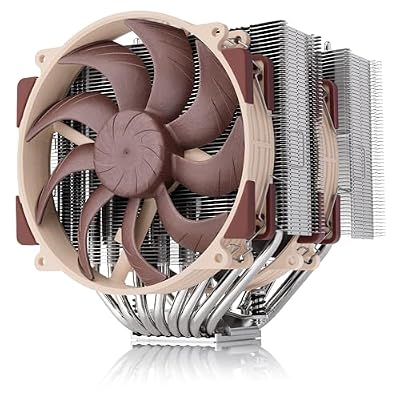
The hero listing was selected for the query “PC building accessories” and may be a close match rather than the exact item you need. Check the card for the specific product, compatibility and current price before ordering. The alternatives are included so you can compare similar tools. This is a buying guide for the product class, and its advice holds even if the listings change.

Core Tools Every Builder Needs
Every build starts with a basic toolkit. A quality screwdriver with magnetic tips is the most important item, because the screws inside a case are small and easy to drop. A set with several bit sizes covers motherboard standoffs, GPU brackets and drive mounts. Pliers and a small flashlight help with awkward cable routing and inspecting the interior. You do not need a workshop, but a few well-made tools make the process far less frustrating.
Magnetic Tray and Work Surface
A magnetic tray or a clean, soft work surface keeps screws from rolling away. Lay the motherboard on its box or a non-conductive mat, and keep the screws in a labelled tray so you can match them to the right parts. Work on a surface you can clean, and keep liquids away from the components.
Anti-Static Protection
Static discharge can damage sensitive components. An anti-static wrist strap or simply touching the metal chassis before handling parts reduces that risk. Handle components by their edges, and avoid working on carpet where static builds up easily.
Comparison Table: Accessory Categories
The table groups the accessory types most builders consider. Price ranges are broad, and the exact cost should be checked on the listing before you buy.
| Accessory | Why it helps | Best for | Main trade-off | Typical price range |
|---|---|---|---|---|
| Screwdriver set with magnetic tips | Reliable fit and fewer dropped screws | Every build | Cheap sets can strip screw heads | Check current price |
| Magnetic tray or mat | Keeps screws and small parts organised | First-time builders | Takes up bench space | Check current price |
| Anti-static wrist strap | Reduces static risk | Handling bare components | Must be grounded to be effective | Check current price |
| Thermal paste and applicator | Improves CPU contact with the cooler | Air and liquid cooler installs | Usually needed once per install | Check current price |
For a complete planning view, our best gaming PC complete buying guide helps you choose the core parts before you think about accessories. If you are new to building, the gaming PC buying guide 2026 explains how the parts fit together.
Cooling and Thermal Accessories
Thermal Paste
Most CPU coolers ship with thermal paste pre-applied or include a small tube. If you buy a separate paste, choose one with good reviews and apply a thin, even layer as the cooler’s instructions describe. Too much paste can spread onto the socket, and too little can leave gaps. Clean the old paste from the processor and cooler base before reapplying.
Fan Controllers and Fan Hubs
A fan controller or hub lets you set fan speeds without the motherboard header, and it can reduce cable clutter. Choose a hub with enough channels for your fans and compatible power requirements. Fan curves set in the motherboard BIOS are often sufficient, so a hub is optional unless you need extra channels or separate lighting control.
If you are weighing a fan-heavy build, our best gaming cooler guide gives an overview of cooling choices, and the best air CPU coolers for gaming article covers air options in more detail.
Cable and Organisation Accessories
Cable Ties and Velcro Straps
Reusable velcro straps are a better choice than plastic ties for most builds, because they can be adjusted without cutting. Use them to bundle cables along the case’s routing channels and keep the interior tidy. Avoid over-tightening, which can damage cables or crimp internal wires.
Cable Combs and Sleeves
Cable combs and sleeves give a neat look to the rear of a build. They are useful in cases with a wide cable path, and they make it easier to swap parts later. Check that the sleeve size fits the cable bundle and that the case has enough room behind the motherboard tray.
For a deeper look at routing, the best mid-tower gaming cases guide lists cases that give enough space for clean cable work, and the Cooler Master NR200P review shows how a compact case handles tight routing.
Power and Display Accessories
Surge Protection and Power Strips
A surge protector protects the PC and peripherals from voltage spikes. Choose a unit with a sensible rating and enough outlets, and keep it away from heat sources. A surge protector is a simple safeguard that costs little compared with a damaged system.
Monitor Arms and Stands
A monitor arm can free desk space and improve ergonomics, especially for dual monitor setups. Check the arm’s weight rating and VESA compatibility before buying. Our best dual monitor gaming setup 2026 guide covers arrangements that suit multi-screen desks.
What to Skip
Some accessories sound useful but rarely justify the price. Very expensive tool kits with many unused bits add cost without benefit. Specialty cleaning products can be replaced with compressed air and a soft brush. Decorative items that do not affect performance or organisation are best left until the build is finished and the budget is clear.
Gaming setup extras such as accessories for the room can wait too. Our best gaming room accessories guide covers those once the core build is complete.
Frequently Asked Questions
Do I need special tools to build a PC?
A Phillips screwdriver with magnetic tips and a few small bits are enough for most builds. A magnetic tray, a flashlight and a pair of pliers make the process easier.
Is thermal paste included with a CPU cooler?
Many coolers include pre-applied paste or a small tube. Check the cooler’s box or product page, and buy separate paste only if you prefer a specific brand.
Are anti-static straps necessary?
They are a sensible precaution, especially in dry conditions or on carpet. Touching the metal chassis before handling parts also reduces static risk.
Do fan hubs improve cooling?
Not by themselves. A hub helps with fan control and cable tidiness. Cooling performance depends on the fans, the airflow path and the cooler.
Final Recommendation
For most builders, the best PC building accessories are a magnetic screwdriver set, a magnetic tray, an anti-static strap and a tube of reliable thermal paste if the cooler does not include one. Add reusable velcro straps for cable routing, and consider a fan hub only if your fan count or lighting needs call for one. Start with the listing above, confirm compatibility on the card, and buy only what your build needs. A handful of well-chosen tools makes the build faster, safer and cleaner.