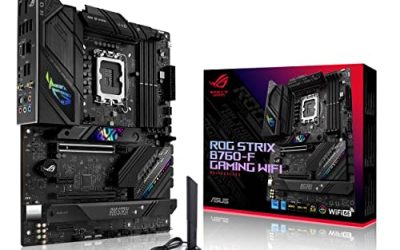
Best PC Cable Management 2026: Cases, Tools and Routing Tips That Work
Cable management is more than a cosmetic detail. Tidy cables improve airflow, make maintenance easier and reduce the risk of a cable catching a fan blade or a cooler tube. A build with messy cables can run warmer than it should, and a future upgrade becomes a chore. This guide explains how to plan cable management, which case features help most and which accessories are worth buying, so the cleanest result comes from good design rather than a last-minute tangle of ties.
The hero listing was selected for the query “PC cable management” and may be a close match rather than the exact product you choose. Confirm the item, its size and compatibility, and the current price on the card before buying. The alternatives are included for comparison. This is a buying guide built around the product class, so the principles stay valid even if specific listings change.
Why Cable Management Matters
Cables block airflow when they hang across fans, radiators or the path between intake and exhaust. A tidy build lets air move more freely, which helps components hold their target temperatures. Clean routing also protects cables from sharp edges and moving parts, and it makes it easier to see which cable goes where when you troubleshoot.
There is a practical benefit beyond cooling. When you need to replace a graphics card, add a drive or reseat a cooler, a clean build is much faster to work on. Good cable management pays off every time you open the case.
Plan Before You Plug
Plan the cable route before connecting the power supply and fans. Identify the routing channels behind the motherboard tray, the cable tie points and the openings near the top of the case. Route the largest cables first, and leave some slack so connectors are not under tension.
Check the Power Supply Cables
A modular power supply lets you connect only the cables you need, which reduces clutter. Choose cable lengths that suit your case, and avoid bundling cables so tightly that they bend sharply. Our best PSU for gaming PC guide covers power supplies with suitable cabling.
Comparison Table: Cable Management Options
The table compares the main ways to manage cables. Price ranges are broad, and the exact cost should be checked on the listing.
| Option | Main benefit | Best for | Main trade-off | Typical price range |
|---|---|---|---|---|
| Reusable velcro straps | Adjustable and easy to change | Most builds | Less neat than sleeves | Check current price |
| Cable sleeves and combs | Clean, finished look | Builds with a visible rear | Needs fitting to the cable bundle | Check current price |
| Modular power supply cables | Fewer unused cables inside the case | Builds that need a clean PSU shroud | Adds cost to the power supply | Check current price |
| Case with cable tie points | Built-in routing support | Buyers who want a simple build | Case choice limits other features | Check current price |
Choosing a Case for Clean Cable Routing
Rear Clearance
Rear clearance is the space between the motherboard tray and the side panel. More clearance gives cables room to sit flat and reduces the bulge behind the board. Check the depth listed for the case and compare it with the thickness of your power supply cables. A case with generous clearance is much easier to finish neatly.
Routing Holes and Channels
Well-placed grommeted holes and routing channels make the build look intentional. Look for holes near the CPU socket, the GPU slot and the drive bays, because they let cables run in short, straight paths. Our best tempered glass gaming cases guide lists chassis with good routing support, and the Corsair 5000D Airflow review shows how one popular case handles a dense build.
Compact Builds
Smaller cases are harder to manage because there is less room behind the tray. A compact case can still work well if you use short cables and careful routing. Our best ITX mini gaming cases guide covers small chassis with cable planning in mind.

Single Monitor Mount for 32 27 24 22 inch Screen, Monitor Arm Holds 4.4-22 lbs, Monitor Desk Mount, Gaming & Home Office Use, VESA 75x75mm & 100x100mm, Pro White


As an Amazon Associate we earn from qualifying purchases. Product prices and availability are accurate as of the date/time indicated.
Accessories That Help
Velcro Straps Over Plastic Ties
Reusable velcro straps are the most practical choice for most builds. They bundle cables without cutting, so you can adjust the route later. Plastic zip ties are cheaper but permanent, and they can be too tight if you are not careful.
Sleeves and Combs
Sleeves and combs create a neat rear panel and keep cable bundles consistent. They are optional, but they add a polished look, especially in cases with a clear side panel. Measure the bundle before buying so the sleeve fits.
Labels and Documentation
Label the ends of important cables, such as front panel connectors and fan leads, while you build. Labels save time when troubleshooting, and a simple photo of the finished rear panel helps you remember the route for future work.
Common Mistakes to Avoid
Avoid tying cables too tightly, because pressure can damage the wires inside. Do not route cables across fan intakes or in front of radiators, and keep the GPU power cable clear of the cooler. Finally, do not force cables into a shroud that is too narrow. A few minutes spent on routing at the start saves hours of frustration later.
For a complete build order, our how to build a gaming PC step by step guide shows when to route cables during assembly.
Related guides: the best gaming PC case list helps you pick a chassis with enough room, the best gaming PC cases under $200 article covers budget options, and the best 850W gaming PSUs roundup lists power supplies whose cabling suits a tidy build.
Frequently Asked Questions
Does cable management really affect temperatures?
It can, mainly by keeping airflow unobstructed. The effect depends on the case and the cooling setup, so the biggest gains come from clearing cables away from fans and radiators.
Are cable sleeves worth buying?
They are worth it if you want a clean rear panel and your case has a wide cable path. For a simple build, velcro straps may be enough.
Which case is best for cable management?
Look for a case with good rear clearance, grommeted routing holes and tie points. Compare the depth and features on the case listing before buying.
Should I use modular power supply cables?
Modular cables help reduce clutter because you connect only the cables you need. They cost more, so weigh the benefit against your budget and build style.
Final Recommendation
For most builders, the best approach to PC cable management is a case with good rear clearance and routing holes, reusable velcro straps and a power supply with the cables you actually need. Start with the listing above, confirm the size and compatibility on the card, and plan routes before you connect anything. A tidy build keeps airflow clear, makes upgrades easier and looks clean for years.