Best Gaming PC Cable Splitter 2026
A gaming PC cable splitter is a small accessory that lets one power or control cable feed two or more devices. Used correctly, splitters help with fan hubs, RGB controllers and some SATA power runs. Used carelessly, especially on graphics card power connectors, they can overload a cable, overheat connectors and create a fire risk. This guide explains which splitter types are reasonable for a gaming build, which ones to avoid, and how to compare listed options by their intended role. It is a safety-first buying guide, not a recommendation to split high-current GPU power.
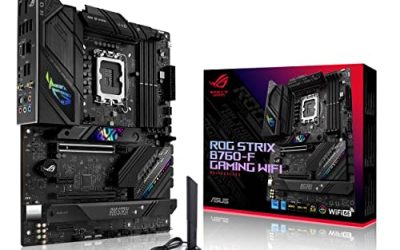
The hero listing above was chosen from a search for gaming PC cable splitters, and the alternatives came from the same search. It is the closest match we found rather than a confirmed copy of a named product. Check the card for the exact connector type, rated current and compatibility before you buy anything for your PC.
Why Splitters Need Careful Choice
Every power cable and connector has a rated current. When you split a cable, the shared wiring must carry the combined load of every device connected to it. Low-current devices such as fans, pumps and LED controllers draw very little, so a splitter is usually safe for them. High-current devices such as a graphics card draw far more, and a splitter that is not designed for that load can heat up at the connector or the wire.
The safest approach is to use the cables that came with your power supply, and to use the correct number of connectors for each device. If a build needs more connectors than your PSU provides, consider a PSU with more outputs rather than relying on splitters for high-power devices. A good PSU and a clean cable plan reduce the need for adapters.
Splitter Types for a Gaming PC
Fan and PWM Splitters
Fan splitters let several fans connect to one motherboard header or fan hub. They carry low current, so they are generally safe for case fans and radiator fans. Check the total current draw of the fans and the rating of the splitter, and avoid connecting fans that draw more than the header or hub can supply. PWM splitters pass the speed control signal to each fan, so confirm that the splitter supports PWM if your fans use it.
RGB Lighting Splitters
RGB splitters distribute lighting power and data from one controller to several strips or fans. They draw modest current, but LED strips can add up quickly. Check the total length and power draw of the strips and the controller’s rating. Keep the number of connected strips within the controller’s specification.
SATA Power Splitters
SATA power splitters let one PSU SATA cable run two or more drives. Hard drives and SSDs draw modest current, so a well-made splitter suits a small number of drives. Avoid chaining many drives from one cable, and check that the PSU’s SATA rail can supply the load. Consider a separate cable from the PSU if your build includes several drives.
PCIe and GPU Power Splitters
This is the category to approach with the most caution. A graphics card can draw a large amount of current through its power connector, and splitting that power across adapters or Y-cables increases the risk of overheating. Use the native cables supplied with your PSU, and do not chain or split GPU connectors with adapters. If your card needs more connectors than your PSU provides, check the card manual and PSU manual before you proceed. PSU shortlists such as the best 850W gaming PSUs 2026 and the best 1000W PSUs for RTX 5090 builds can help you find a unit with the right connector set. For high-wattage builds, our best PSU for gaming guide explains how to choose a power supply with the right cable set.
Comparison Table: Splitter Categories
The table compares splitter roles rather than exact models. Rated current and connector type are the most important figures, so read the listing carefully.
| Splitter type | Best for | Key checks | Typical price range |
|---|---|---|---|
| Fan Y-splitter or hub | Case and radiator fans | PWM support, total fan current, header limits | Check current price |
| RGB controller splitter | LED strips and lighting zones | Controller rating, total strip length, power draw | Check current price |
| SATA power splitter | Two or three drives on one cable | PSU SATA rail capacity, connector quality | Check current price |
| Native PSU cable set | GPU and high-power connectors | Use the cables supplied with your PSU | Check current price |
What to Avoid
Avoid splitting or daisy-chaining high-current GPU power connectors with generic adapters. Avoid cheap splitters with thin wires or loose connectors, since poor contact creates heat. Avoid connecting more fans or lights than the header or controller supports, and do not rely on a single splitter to run an entire PC’s peripherals. If a connector feels warm or discoloured after use, stop and inspect the cable and connector before continuing.
If you are building a new system, plan the cables before you buy. Choose a PSU that provides enough native connectors for your GPU and drives, and use a fan hub built into the case when possible. For a guide to PSU sizing and cable planning, the best gaming PC power supply roundup covers the core choices.
Cable Management Without Overloading
Good cable management reduces the need for splitters in the first place. Route cables behind the motherboard tray, use the cable ties and channels provided by the case, and bundle cables neatly so airflow is not blocked. Sleeved extension cables can look clean, but they should not be used to split high-current power. Use them to extend a cable length, not to add connection points.
For a cleaner setup, consider a case with a built-in fan hub and a modular PSU. The best gaming power supply unit roundup covers modular options. Many modern cases include these features, which removes the need for several third-party splitters. Our best gaming PC surge protector guide covers the other half of a safe power setup, since protecting the system from power spikes matters as much as managing its cables.
Power Protection and Safety Checks
Turn off and unplug the PC before connecting or disconnecting any power cable. Check that every connector clicks fully into place, and that cables are not stretched or pinched. After first boot, check for heat at connectors and cables, and look at the fan speeds and system behaviour. If the PC shuts down under load or a connector runs hot, investigate before continuing. For wider protection against power problems, the best surge protector for gaming PC guide helps you choose a unit that suits your setup.
Frequently Asked Questions
Is a PCIe power splitter safe for a graphics card?
It is not recommended. Use the native cables supplied with your PSU, and avoid generic adapters or splitters for high-current GPU connectors.
Can I split fan power safely?
Yes, within the limits of the header or hub. Check the total current draw and the splitter’s rating, and use PWM-compatible splitters if your fans use PWM control.
How many drives can one SATA power splitter run?
A small number, typically two or three in a typical build. Check the PSU SATA rail capacity and the splitter rating before adding more.
Do I need a splitter for RGB?
Often not. Many RGB controllers include enough outputs for a typical build. Use a splitter only when the controller’s rating allows it.
Final Recommendation
For most gaming builds, the best cable splitter is the one you do not need for high-current power. Use a fan splitter or RGB controller splitter for low-current accessories, keep to the rated limits, and use the native PSU cables for graphics cards. Compare the hero listing and alternatives on their cards, confirm the connector type and rated current, and check the current price before ordering. When in doubt, choose a PSU with more native connectors rather than adding adapters. Our best PSU for gaming PC guide covers that choice.