

- Top Pick: ASRock B550M-HDV Socket AM4 Micro-ATX Motherboard, Supports AMD Ryzen 5000/4000/3000 Series Processors, DDR4 4733+(OC), PCIe 4.0, Gigabit LAN
- Best Value: Micro Center AMD 5500 Processor with GIGABYTE B550 Eagle WIFI6 Motherboard
- Premium Choice: GIGABYTE B550 AORUS Elite AX V2 AMD AM4 ATX Motherboard, Supports Ryzen 5000/4000/3000 Processors, DDR4, 12+2 Power Phase, 2X M.2, PCIe 4.0, Front USB-C, WIFI6, 2.5 GbE LAN, Q-Flash Plus, RGB Fusion
🛒 Best Price Today on Amazon
Prime members get fast, free shipping on everything above, plus member-only deals. New members get a 30-day free trial — cancel anytime.
- Top Motherboards Small Spaces Picks for 2026
- Best Motherboards for Small Spaces at a Glance
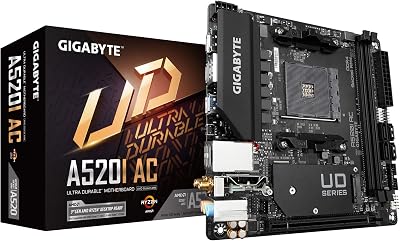
- 1. Gigabyte B550I AORUS PRO AX AMD AM4 Mini-ITX Motherboard
- 2. ASUS Prime B550M-A WiFi II AMD Micro-ATX Motherboard
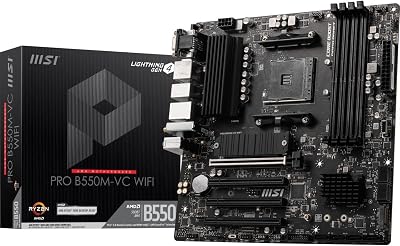
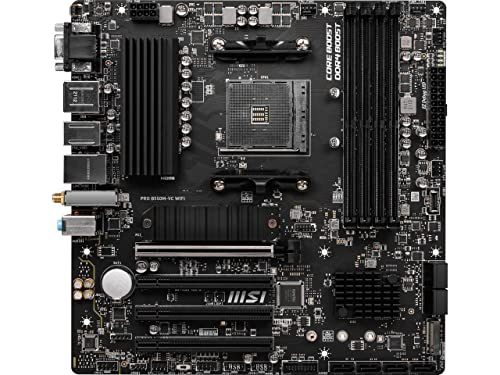
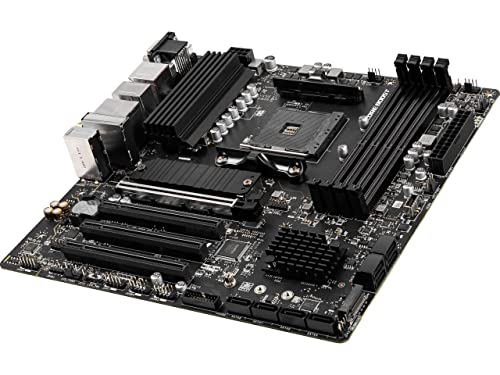
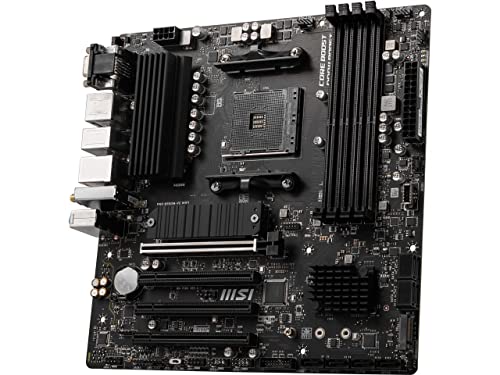
- 3. MSI PRO B550M-VC WiFi ProSeries Micro-ATX Motherboard
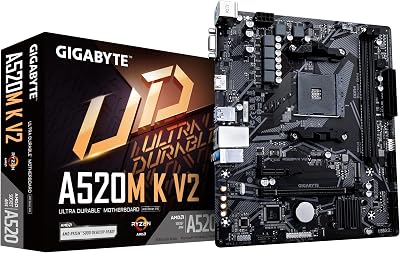
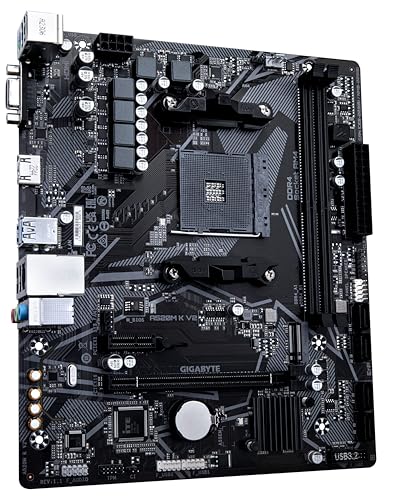
- 4. Gigabyte A520M K V2 AM4 Micro-ATX Motherboard
- 5. MSI MAG B550 Tomahawk Gaming Motherboard (FULL ATX — not small-form)
- 6. MSI MAG B550 Tomahawk MAX WiFi (FULL ATX — not small-form)
- How to Choose a Motherboard for Small Spaces
- Related Guides
- Frequently Asked Questions
- Related Guides
- Related Articles
Top Motherboards Small Spaces Picks for 2026
Here are our current top motherboards small spaces picks, compared on real Amazon owner reviews, price, and features. Live prices update below.
As an Amazon Associate we earn from qualifying purchases at no extra cost to you. Product prices and availability are accurate as of the date shown and are subject to change.



Editor's Pick
ASUS Prime B550M-A WiFi II AMD Micro ATX Motherboard with PCIe 4.0, WiFi 6, ECC Memory, HDMI 2.1, RGB Header


Building in a small space starts with the motherboard, because the board’s form factor dictates the size of case you can use. ‘Small spaces’ means one of two things: Mini-ITX, the tiny 170x170mm standard behind the most compact PCs, or Micro-ATX (mATX), the slightly larger square board that fits cube and small-tower cases while still offering more slots. A full-size ATX board, by contrast, demands a mid- or full-tower and is the wrong tool for a genuinely compact build. This guide rounds up the best motherboards for small spaces in 2026 on AMD’s long-lived AM4 platform, and is honest about which of our shortlisted boards are truly small-form and which are not.
Because the whole point is fitting a small case, we lead with the Mini-ITX board, follow with the Micro-ATX options, and clearly flag the two full-size ATX boards on the list — they are excellent motherboards, but they are not small-space boards, and putting them in a compact case is simply not possible. All six are AM4 boards that support Ryzen 5000 and earlier chips with DDR4 memory, a mature and affordable platform that remains a sweet spot for budget-to-midrange compact builds. Prices run from around $64 to around $190. Below is an at-a-glance comparison, then a closer look at each, and a buyer’s guide to choosing the right small-form factor for your space.
Best Motherboards for Small Spaces at a Glance
| Motherboard | Form Factor / Best For | Standout Spec | Approx Price |
|---|---|---|---|
| Gigabyte B550I AORUS PRO AX | Mini-ITX — smallest builds | True ITX, WiFi, B550 | around $190 |
| ASUS Prime B550M-A WiFi II | Micro-ATX — compact + WiFi | mATX, PCIe 4.0, WiFi 6, ECC | around $90 |
| MSI PRO B550M-VC WiFi | Micro-ATX — budget WiFi | mATX, B550, WiFi | around $80 |
| Gigabyte A520M K V2 | Micro-ATX — cheapest small board | mATX, A520, M.2 | around $64 |
| MSI MAG B550 Tomahawk | FULL ATX — not small-form | ATX, robust VRM (too big) | around $160 |
| MSI MAG B550 Tomahawk MAX WiFi | FULL ATX — not small-form | ATX, WiFi (too big) | around $160 |
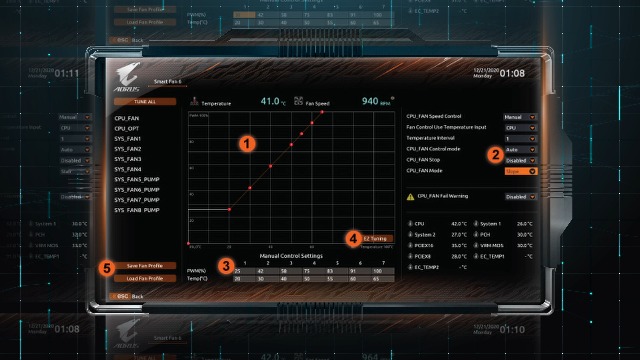
1. Gigabyte B550I AORUS PRO AX AMD AM4 Mini-ITX Motherboard

12
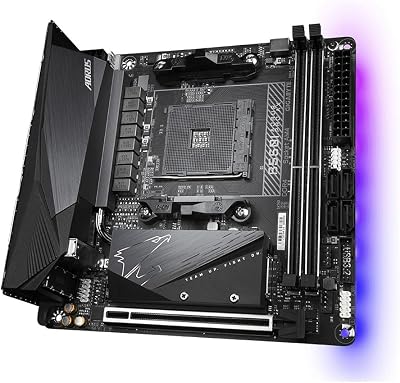
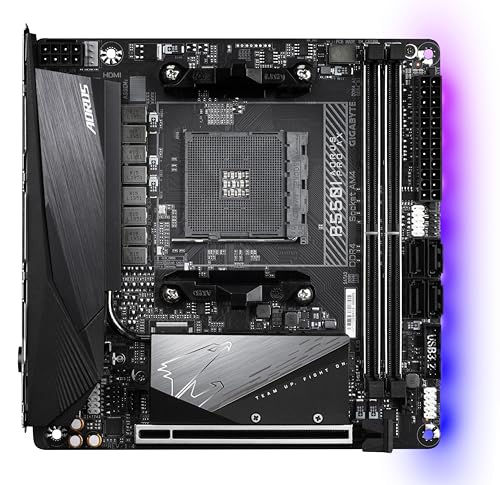
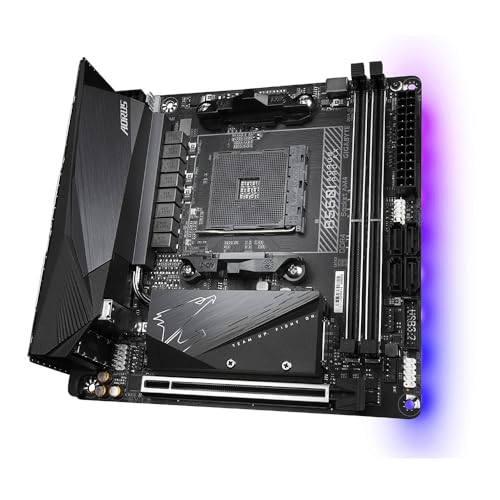
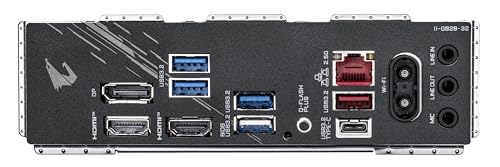
GIGABYTE B550I AORUS PRO AX AMD AM4 ITX Motherboard, Supports Ryzen 5000/4000/3000 Series, DDR4, 6+2 Power Phase, 2X M.2, PCIe 4.0, USB-C, WiFi 6, 2.5 GbE LAN, Q-Flash Plus, WiFi EZ-Plug, RGB Fusion
In Stock
$209.99
Save $20.00
Updated: May 27, 2026



As an Amazon Associate we earn from qualifying purchases. Product prices and availability are accurate as of the date/time indicated.
The Gigabyte B550I AORUS PRO AX is the standout pick for genuinely small spaces because it is the only true Mini-ITX board on this list. The 170x170mm ITX form factor is the foundation of the most compact PCs you can build, and this board packs a remarkable amount into that footprint: a strong B550 chipset, robust power delivery for Ryzen 5000 CPUs, built-in WiFi, fast M.2 storage and quality audio. At around $190 it is the priciest board here, and the engineering needed to fit it all on an ITX board is why.
This is the board to choose for a small-form-factor build in a Mini-ITX case — a console-sized living-room PC, a LAN rig, or a minimalist desktop. The single PCIe slot takes your graphics card, the integrated WiFi saves a slot and cabling, and the capable VRM handles mainstream Ryzen chips comfortably despite the tiny board. If your goal is the smallest possible AM4 build, the B550I AORUS PRO AX is the obvious and best-suited choice on this list.
Pros: True Mini-ITX (smallest form factor), strong B550 VRM, built-in WiFi, fast M.2.
Cons: Most expensive board here; single RAM-pair and one PCIe slot by ITX nature.
2. ASUS Prime B550M-A WiFi II AMD Micro-ATX Motherboard
21
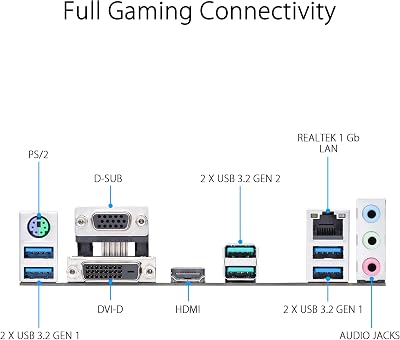
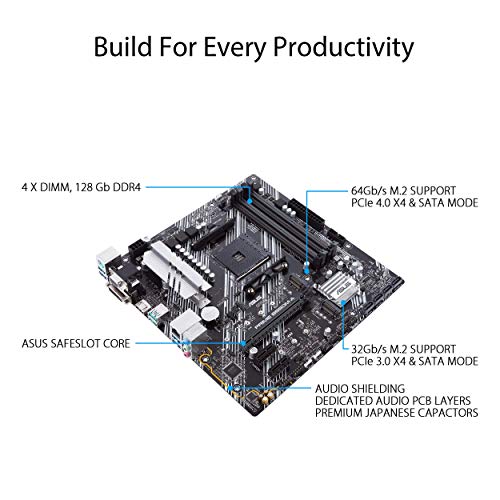
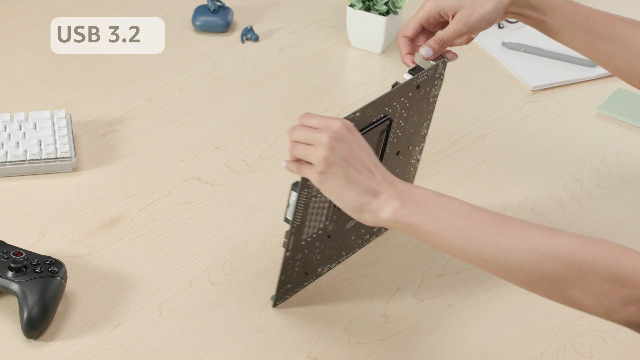
ASUS Prime B550M-A WiFi II AMD Micro ATX Motherboard with PCIe 4.0, WiFi 6, ECC Memory, HDMI 2.1, RGB Header
In Stock
$98.99
Save $9.00
Updated: May 27, 2026








As an Amazon Associate we earn from qualifying purchases. Product prices and availability are accurate as of the date/time indicated.
The ASUS Prime B550M-A WiFi II is our top Micro-ATX pick, and the best balance of size, features and price for a compact-but-not-tiny build. As a genuine mATX board it fits cube and small-tower cases while offering more expansion than ITX, and it brings a B550 chipset with PCIe 4.0, WiFi 6, and even ECC memory support for AMD CPUs that allow it. At around $90 it is keenly priced for the feature set.
This is the board for a small-space build that wants a little more room to grow than Mini-ITX allows — extra RAM slots, more M.2 and expansion options — without jumping to a full tower. The mATX form factor slots into a wide range of compact cases, WiFi 6 keeps the build cable-light, and PCIe 4.0 readies it for fast GPUs and storage. For most people building a tidy, compact AM4 system, this ASUS Prime mATX board is the sensible, well-rounded default.
Pros: Genuine Micro-ATX, PCIe 4.0, WiFi 6, ECC support, four RAM slots, great value.
Cons: Larger than Mini-ITX; needs an mATX-or-bigger case, not the tiniest chassis.
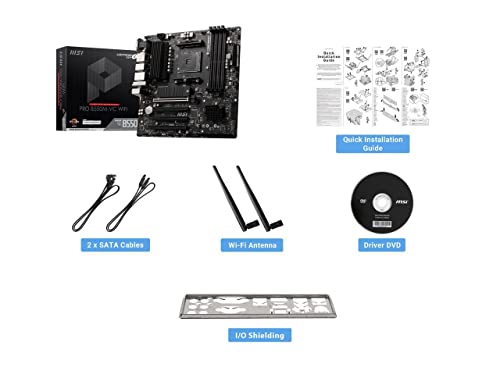
3. MSI PRO B550M-VC WiFi ProSeries Micro-ATX Motherboard
23
MSI PRO B550M-VC WiFi ProSeries Motherboard (AMD Ryzen 5000 Series, AM4, DDR4, PCIe 4.0, SATA 6Gb/s, M.2, USB 3.2 Gen 2, HDMI/DP, Wi-Fi 6E, Bluetooth 5.2, mATX)
In Stock
$119.99
Save $40.00
Updated: May 27, 2026




As an Amazon Associate we earn from qualifying purchases. Product prices and availability are accurate as of the date/time indicated.
The MSI PRO B550M-VC WiFi is the budget Micro-ATX pick for compact, no-nonsense builds. It is a true mATX board on the capable B550 chipset, with built-in WiFi, the M.2 and PCIe connectivity a mainstream build needs, and MSI’s business-leaning ‘PRO’ styling that keeps things clean and understated. At around $80 it is an affordable way into a compact AM4 system with wireless included.
This is the board for a small-space build where value and a tidy, wire-light setup matter more than flashy features. The Micro-ATX form factor fits a broad range of compact cases, the integrated WiFi removes the need for an add-in card, and the B550 platform supports Ryzen 5000 chips for solid gaming and productivity. For a dependable, budget-friendly mATX board for a compact build, the PRO B550M-VC WiFi is an easy recommendation.
Pros: True Micro-ATX, B550 chipset, built-in WiFi, clean understated design, low price.
Cons: Fewer enthusiast extras; still needs an mATX case, larger than ITX.
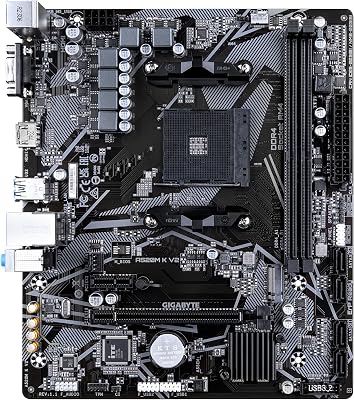
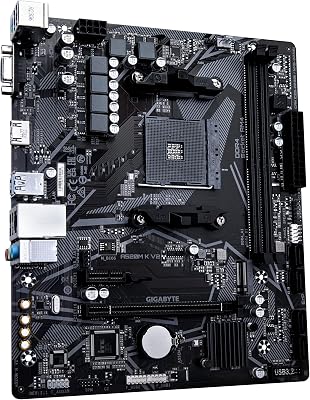
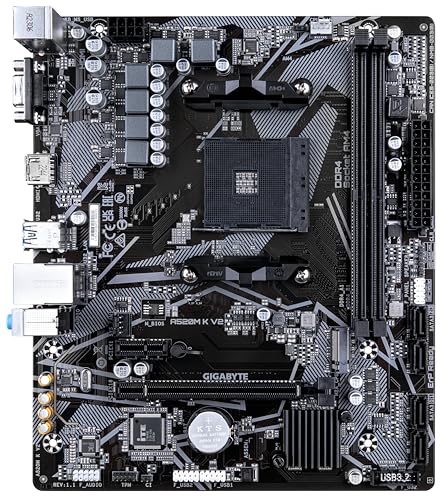
4. Gigabyte A520M K V2 AM4 Micro-ATX Motherboard
7
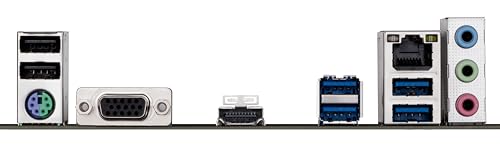
Gigabyte A520M K V2 Motherboard (AM4/2xDDR4/HDMI/D-Sub/M.2/USB 3.2)
In Stock
Updated: May 27, 2026

As an Amazon Associate we earn from qualifying purchases. Product prices and availability are accurate as of the date/time indicated.
The Gigabyte A520M K V2 is the cheapest small-form board on this list, and the pick for the tightest budgets. It is a Micro-ATX board built on AMD’s entry-level A520 chipset, with the essentials covered — DDR4 memory, an M.2 slot, HDMI and D-Sub outputs for integrated or basic graphics, and USB 3.2 — in a compact mATX footprint. At around $64 it is barely more than the price of a couple of case fans.
This is the board for a compact budget build, an office or HTPC machine, or a low-cost gaming PC in a small case where you do not need overclocking or high-end features. The mATX form factor keeps the build small and fits common compact cases, while the A520 chipset and M.2 slot cover everyday computing and entry gaming with a Ryzen CPU. For the absolute lowest-cost route to a small-space AM4 system, the A520M K V2 does the job.
Pros: Cheapest small-form board here, true Micro-ATX, M.2 slot, HDMI/D-Sub outputs.
Cons: Entry A520 chipset: no CPU overclocking and fewer features than B550.
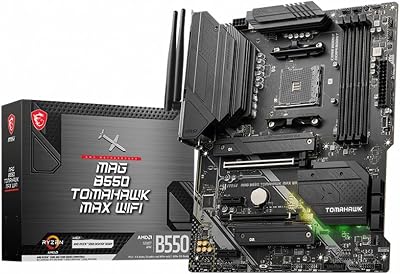
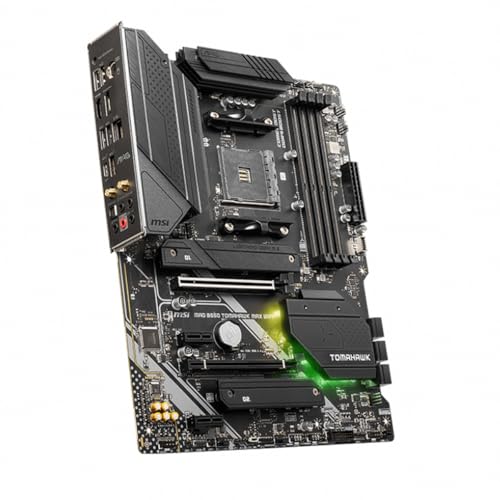
5. MSI MAG B550 Tomahawk Gaming Motherboard (FULL ATX — not small-form)
27
Prime
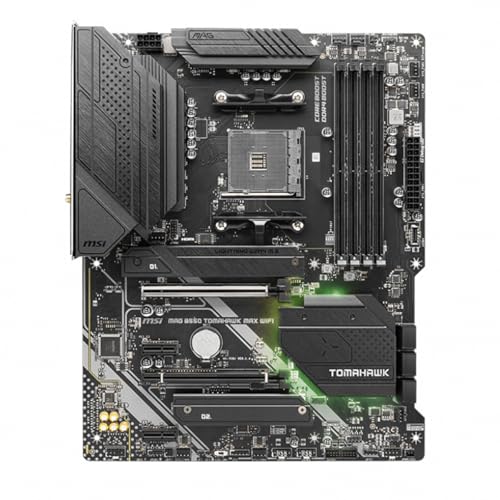
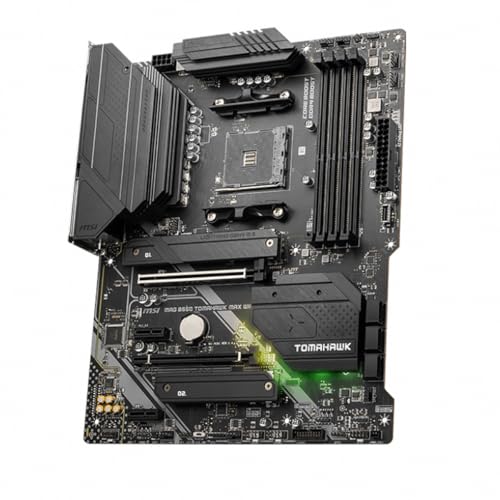
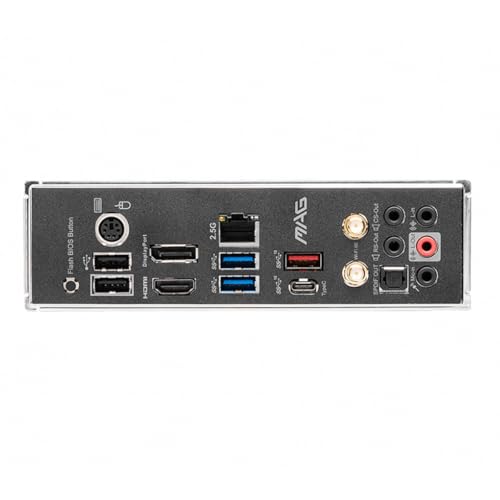
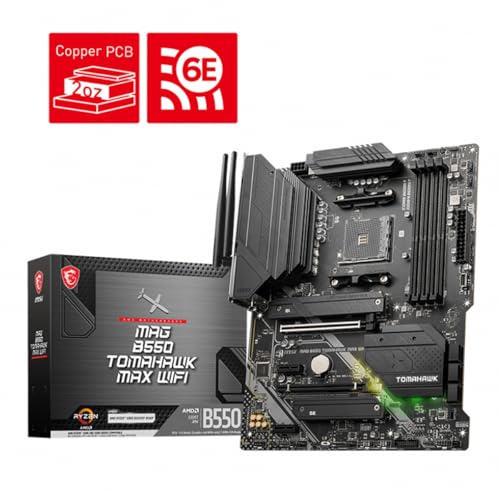
MSI MAG B550 Tomahawk MAX WiFi Gaming Motherboard (AMD Ryzen 5000 Series, AM4, DDR4, PCIe 4.0, SATA 6Gb/s, M.2, USB 3.2 Gen 2, HDMI/DP, Wi-Fi 6E, Bluetooth 5.2, 2.5Gbps LAN, ATX)
In Stock
Updated: May 27, 2026


As an Amazon Associate we earn from qualifying purchases. Product prices and availability are accurate as of the date/time indicated.
We need to be clear here: the MSI MAG B550 Tomahawk is a full-size ATX board, not a small-space motherboard. It is one of the most beloved B550 boards ever made — superb power delivery, excellent VRM cooling, robust connectivity and outstanding value — but its standard ATX dimensions require a mid-tower or full-tower case. It physically will not fit a Mini-ITX or Micro-ATX chassis, so it cannot serve a genuinely compact build.
Taken honestly for what it is, the Tomahawk at around $160 is a fantastic motherboard for a normal-sized AM4 gaming PC, and if you have the room it is hard to beat for the money. But this guide is about small spaces, and on that specific measure a full ATX board is the wrong choice. If you are committed to a compact case, choose the Mini-ITX or Micro-ATX boards above; consider the Tomahawk only if your case is actually a mid-tower or larger and ‘small space’ was not a hard requirement after all.
Pros: Honest note: this is FULL ATX, not a small-space board — needs a mid/full tower; superb VRM otherwise.
Cons: Wrong form factor for compact builds (full ATX); will not fit ITX/mATX cases.
6. MSI MAG B550 Tomahawk MAX WiFi (FULL ATX — not small-form)
27
Prime
MSI MAG B550 Tomahawk MAX WiFi Gaming Motherboard (AMD Ryzen 5000 Series, AM4, DDR4, PCIe 4.0, SATA 6Gb/s, M.2, USB 3.2 Gen 2, HDMI/DP, Wi-Fi 6E, Bluetooth 5.2, 2.5Gbps LAN, ATX)
In Stock
Updated: May 27, 2026
As an Amazon Associate we earn from qualifying purchases. Product prices and availability are accurate as of the date/time indicated.
Like its sibling above, the MSI MAG B550 Tomahawk MAX WiFi is a full-size ATX board, and the same honesty applies: it is not a small-space motherboard. The MAX WiFi revision adds integrated WiFi and refinements to the already excellent Tomahawk formula, but it keeps the standard ATX footprint that needs a mid- or full-tower case. It cannot fit a compact Mini-ITX or Micro-ATX chassis, so it does not meet this guide’s core requirement.
On its own merits the Tomahawk MAX WiFi at around $160 is an outstanding full-ATX board — strong VRM, great features, and now wireless built in — and a smart pick for a standard-sized AM4 build. We include it only to flag clearly that, despite its quality, it belongs in a regular tower, not a small-space build. For a genuinely compact PC, the Mini-ITX AORUS or one of the Micro-ATX boards above is the right answer; reach for this board only if your case is a mid-tower or larger.
Pros: Honest note: FULL ATX with WiFi — excellent board, but not small-form; needs a mid/full tower.
Cons: Full ATX form factor; incompatible with compact ITX/mATX cases.
How to Choose a Motherboard for Small Spaces
The single most important spec for a small-space build is the motherboard form factor, because it sets the minimum case size. Mini-ITX (170x170mm) is the smallest mainstream standard and the basis of the most compact PCs — it is what the Gigabyte B550I AORUS here uses. Micro-ATX is a step larger, fitting cube and small-tower cases while offering more slots, as on the ASUS, MSI PRO and Gigabyte A520M boards. Full ATX, like the two Tomahawk boards, needs a mid- or full-tower and is simply not a small-space option, which is why we flagged them rather than pretend otherwise.
Once you have settled on ITX or mATX, match the board to your case before anything else. Confirm your chosen case explicitly lists support for your board’s form factor — a Micro-ATX case will not take a full ATX board, and a Mini-ITX case takes only ITX. Then check practical clearances inside that small case: CPU cooler height, graphics card length, and power-supply type (many compact cases use SFX rather than ATX power supplies). The smaller the case, the tighter these tolerances become, so measure carefully.
Features and expansion are where ITX and mATX genuinely differ, so buy for your needs. Mini-ITX boards typically give you a single PCIe slot and two RAM slots by nature of their size — plenty for a focused gaming build, but limited for expansion. Micro-ATX boards usually offer four RAM slots and extra PCIe and M.2 options, a better fit if you want room to grow. Decide whether you value absolute smallness (ITX) or a bit more flexibility in a still-compact package (mATX), and choose accordingly.
Finally, weigh chipset, connectivity and budget on the AM4 platform. B550, as on most boards here, supports Ryzen 5000 CPUs with PCIe 4.0 and is the sensible mainstream choice; the entry A520 on the Gigabyte board trims cost by dropping overclocking and some features. Integrated WiFi — on the AORUS, ASUS Prime and MSI PRO boards — is a real convenience in a tidy small build. Set your budget, lock in your case and form factor first, then pick the small-form board on this list that fits your space and feature needs. Whatever you do, do not buy a full ATX board for a compact case.
Frequently Asked Questions
Mini-ITX or Micro-ATX for a small space — which should I choose?
Choose Mini-ITX if you want the absolute smallest PC and are happy with a single PCIe slot and two RAM slots, like the Gigabyte B550I AORUS PRO AX. Choose Micro-ATX if you want a still-compact build with more room to expand — four RAM slots and extra PCIe/M.2 — as on the ASUS Prime B550M-A or MSI PRO B550M-VC. Both fit small cases; ITX is smaller, mATX is more flexible.
Will a full ATX board like the B550 Tomahawk fit a small case?
No. The MSI MAG B550 Tomahawk and Tomahawk MAX WiFi are full-size ATX boards and need a mid-tower or full-tower case. They cannot fit Mini-ITX or Micro-ATX chassis. They are excellent motherboards for a normal-sized build, but for a genuinely small space you must choose an ITX or mATX board instead — which is why we flagged the Tomahawks rather than list them as small-form options.
Is AM4 still a good platform for a compact build in 2026?
Yes, for budget-to-midrange compact PCs it remains a sweet spot. AM4 boards like these support Ryzen 5000 CPUs with DDR4 memory, and the chips and boards are mature and affordable. For a small-space gaming or productivity build where value matters, an AM4 ITX or mATX board paired with a Ryzen 5000 chip delivers strong performance per dollar without the cost of the newest platforms.
What else should I check when building in a small case?
Beyond the board’s form factor, confirm your case supports it, then check cooler height, graphics card length and power-supply type — many compact cases require an SFX power supply rather than a standard ATX unit. Smaller cases have tighter clearances, so verify every major component physically fits before buying. Integrated WiFi on the board also helps keep a small build tidy by removing an add-in card.
Related Guides
- Best Motherboards
- Best Mini-ITX Motherboards
- Best AM4 Motherboards
- Best PSUs for Compact Cases
- Best Compact PC Cases with USB-C
- Best Budget Gaming Setup
Affiliate Disclosure: As an Amazon Associate, we earn from qualifying purchases. If you click a link and make a purchase, we may earn a small commission at no extra cost to you. Prices and availability are accurate as of publication and may change.
Ready to decide? Our #1 pick for 2026 is the Gigabyte B550I AORUS PRO AX.
Live price & availability on Amazon.


