As an Amazon Associate we earn from qualifying purchases


A gaming microphone is only part of a working setup. The full chain also includes how it connects to your PC or console, how it is held in position, how you monitor your voice, and, for some microphones, an audio interface. Buying a microphone alone and discovering afterwards that it needs phantom power or a boom arm is the most common mistake here, so this guide treats every pick as a setup, not a bare microphone.
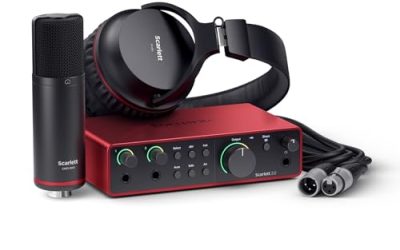
A complete setup has five parts: the microphone and its pickup pattern; the connection, USB or XLR; mounting, because a microphone left far away picks up more room and keyboard sound than one held close on an arm; monitoring through a headphone output; and accessories such as a pop filter, a shock mount, and a cable long enough to route cleanly.
The five picks below cover the main routes: a USB desktop microphone, a hybrid USB and XLR microphone, an XLR condenser that needs an interface, a full bundle with boom arm, and a wireless system. For a broader shortlist, our guide to the best gaming microphones covers more models in each class.
How to Choose a Microphone Setup for Gaming
Microphone type and polar pattern
Condenser microphones are sensitive and detailed. They suit a quieter room and a player who can keep the microphone close; placed far away, a condenser captures keyboard switches, fans, and room reflections along with your voice. Dynamic microphones are less sensitive and more forgiving of an untreated room. They reward close positioning and reject more off-axis sound, which is why many streamers use one on a boom arm.
Polar pattern describes where a microphone listens. Cardioid, also described as unidirectional on some listings, picks up mainly from the front and rejects more from the rear, the right default for a single gamer. Multipattern models add stereo, bidirectional, and omnidirectional modes, useful for interviews but rarely needed for solo play.
Connection: USB, XLR, or wireless
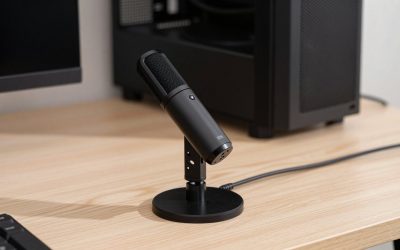
USB is the simplest route. The microphone has its own converter, plugs into the computer, and is selected as the input in your system and apps. No interface is required, but you are limited to its built-in controls.
XLR is an analogue connection. An XLR microphone cannot plug into a PC on its own; it needs an interface or mixer with a preamp, and a condenser XLR microphone also needs 48V phantom power from that interface. In return you get separate gain control and the option to change microphones later. Budget for the interface, and check whether an XLR cable is included. Hybrid microphones offer both outputs, so you can start on USB and move to an interface later. Wireless systems remove the cable, at the cost of charging and battery management.
Mounting, positioning, and monitoring
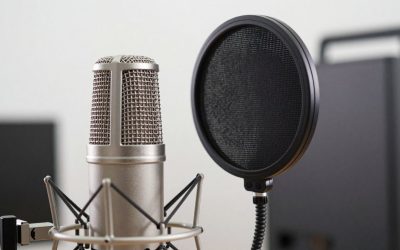
Position changes sound more than most settings. Keep the microphone close to your mouth and slightly to one side, so plosives pass beside the capsule. A boom arm holds that position without taking desk space; a shock mount reduces vibration, and a pop filter softens plosives. Check whether each is included.
For XLR, look for an interface with one preamp input with phantom power, a headphone output, and a USB connection. For USB, check that the microphone offers a headphone output plus gain and mute controls. Set the level while speaking at your normal gaming distance, so loud moments stay below clipping.
1. Logitech Blue Yeti USB Microphone
The Blue Yeti is the classic USB desktop route, and a sensible first setup if you want better voice audio without buying an interface or an arm the same day. It uses a tri-capsule condenser array and connects by USB, so the setup is the microphone, its included stand, and the included USB cable into a PC or Mac.
For gaming, use cardioid. It focuses on your voice from the front and suits solo play and Discord. The other patterns help for interviews, but omnidirectional or stereo mode during a game brings in far more keyboard and room sound than most players expect. Gain, mute, and headphone volume are on the microphone itself.
The limitation is physical. The Yeti is large, and on its stand it can sit lower and further from your mouth than is ideal. Speaking across a desk into a sensitive condenser sounds roomy however you set the gain. A boom arm and shock mount are sensible later additions, but neither is included. There is no XLR output, so it does not carry into an interface setup later. For a quieter desk, though, everything required is in the box.
Specs
- Microphone type: Condenser, tri-capsule array
- Polar pattern: Multipattern — cardioid, bidirectional, omnidirectional, and stereo
- Connection: USB to PC or Mac; no audio interface required
- Controls: Gain, mute, and zero-latency headphone output
- Included: Microphone with desktop stand, and USB cable
- Sold separately: Boom arm and shock mount; USB-only, so no interface is needed
2. Shure MV7+ Podcast Dynamic Microphone
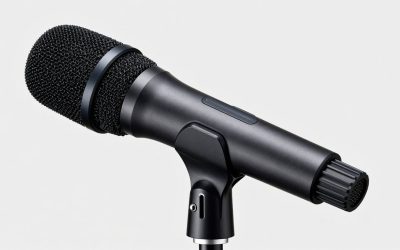
The MV7+ suits a player who wants a forgiving dynamic microphone now, with an XLR output if the setup grows later. Over USB-C it is self-contained: plug it in and select it in your game chat or streaming software. Over XLR, the interface provides gain and monitoring.
A dynamic, unidirectional microphone suits a normal gaming room. It picks up less fan, room, and keyboard noise than a condenser, provided you keep it close and speak into its front. Left far away on a desk it sounds thin and quiet, and raising the gain brings the room back in, so plan a stand or arm that holds it near your mouth.
This listing is the microphone on its own, with the foam windscreen and a USB-C cable. A stand and boom arm are not included, so mounting is a separate purchase to make at the same time. An XLR cable is also separate, and that output is unusable without an interface. Choose the MV7+ if background noise is your main problem.
Specs
- Microphone type: Dynamic
- Polar pattern: Unidirectional
- Connection: USB-C and XLR; USB-C works directly with a computer, XLR requires an interface or mixer, sold separately
- Included: Foam windscreen and a 3m USB-C to USB-C cable
- Sold separately: Stand, boom arm, XLR cable, and audio interface
3. RØDE NT1 Signature Series Large-Diaphragm Condenser Microphone

The NT1 Signature Series is the traditional XLR route, and it must be bought as a chain. It is a large-diaphragm condenser with a cardioid pattern and an XLR output only, so it cannot connect to a PC by itself. It needs an interface with a preamp and 48V phantom power, joined by an XLR cable. The interface connects by USB and provides monitoring.
That extra hardware buys a quiet, detailed studio condenser, and an interface that can outlast it. This route suits a creator who also records voiceover in a quiet space. In a noisy room, a sensitive condenser captures everything around you, and no interface setting turns it into a dynamic microphone. Keep it close and use the included shock mount and pop filter.
RØDE includes the SM6 shock mount with pop filter and an XLR cable. It does not include an interface, a boom arm or stand, or monitoring headphones. An XLR setup also means setting gain on the interface, enabling phantom power, and selecting the interface in your software; skip any of those steps and the microphone appears silent.
Specs
- Microphone type: Large-diaphragm condenser
- Polar pattern: Cardioid
- Connection: XLR only; requires an interface or mixer with a preamp and 48V phantom power, sold separately
- Sample rate and bit depth: Determined by the interface, not by the microphone
- Included: SM6 shock mount with pop filter, and an XLR cable
- Sold separately: Required audio interface, boom arm or stand, and headphones
4. FIFINE AmpliGame A6T USB Gaming Microphone Kit
The A6T answers a different question: what if the box contained the whole desk setup? This USB condenser kit includes the boom arm, shock mount, pop filter, and desk clamp alongside the microphone and USB cable. Instead of choosing those parts separately and checking that they fit, you assemble one kit, clamp the arm to the desk, and plug in by USB.
No interface is required, and the kit works directly with a PC and with PlayStation consoles as listed. Quick mute and a gain knob cover the adjustments a gamer reaches for most. The arm lets a sensitive condenser sit close enough to keep the gain down, which keeps keyboard noise down too.
The trade-offs follow from the type. As a condenser it hears a loud keyboard or a fan more readily than a dynamic microphone does, and the arm needs a desk edge the clamp can grip. There is no XLR output, so this kit is a complete solution for its own stage, not a step toward an XLR chain.
Specs
- Microphone type: Condenser
- Polar pattern: Cardioid, listed as unidirectional
- Connection: USB; plug and play with PC, and listed for PS4 and PS5 use; no interface required
- Controls: Quick mute and gain knob on the microphone
- Included: Microphone with shock mount, boom arm with adapter and C-clamp, pop filter, and an 8.3ft USB cable
- Sold separately: Nothing essential for basic use
5. DJI Mic 2 Wireless Microphone System (2 TX + 1 RX + Charging Case)

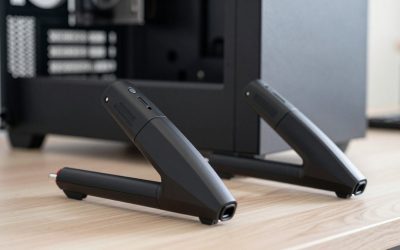
The DJI Mic 2 is the wireless option, for a creator whose recording position is not fixed at one desk. This listing has two transmitters, one receiver, and a charging case. Each transmitter has a built-in microphone and attaches near the speaker, so your voice is captured close to the source even if you move or record from a sofa. The receiver connects onward to your computer, phone, or camera.
It suits commentary recorded away from the PC, console streaming across a room, or a second person on the spare transmitter. It is less natural for a fixed desk, because wireless adds charging to every session. Keep the case charged, and monitor through the receiving device so you notice a muted transmitter immediately.
The listing highlights intelligent noise cancelling and 32-bit float internal recording, with a stated range of 250 metres. Internal recording is a safety net, because a backup is captured even if the wireless link drops. For live streaming, though, your audience hears the live receiver feed, so transmitter placement matters more. No arm, mount, or interface is required.
Specs
- Microphone type: Wireless lavalier system with built-in microphones in the transmitters
- Polar pattern: Close lavalier placement at the speaker
- Connection: Wireless to the receiver, which connects to a computer, phone, or camera
- Recording features: 32-bit float internal recording and intelligent noise cancelling, as stated on the listing
- Range: 250 metres, as stated on the listing
- Included: Two transmitters, one receiver, and a charging case
- Sold separately: No arm, shock mount, or interface required; check extra device cables on the listing
Frequently Asked Questions
Do I need an audio interface for a gaming microphone?
Only if the microphone is XLR-only, or if you use a hybrid microphone’s XLR output. USB models such as the Blue Yeti and the FIFINE A6T connect directly to the computer. An XLR condenser such as the NT1 Signature Series will not work without an interface, so buy the two together.
Is a boom arm actually necessary, or is a desk stand enough?
A desk stand is enough to start, provided the microphone ends up close to your mouth. A boom arm makes that position easier to hold for hours and frees desk space. Distance matters most.
Should I choose a condenser or a dynamic microphone for gaming?
Choose a condenser if your room is quiet and you want detailed capture. Choose a dynamic if your room has fans, a loud keyboard, or other people nearby. Dynamics need closer positioning, but they reject more of the room, and in a noisy space a dynamic on an arm usually sounds cleaner in game chat than a condenser on a desk.
Can I use one of these setups on a console as well as a PC?
USB kits are the most likely to work across both, and the FIFINE A6T listing specifically includes PlayStation use. Wireless systems can feed a console or phone through their receiver. XLR setups are effectively PC setups, because the interface sits between the microphone and the computer. Confirm the exact console and connection on the listing you buy from.
Conclusion
The best setup is the one that is complete on the day it arrives. Pick the Blue Yeti for a simple USB desk setup, the Shure MV7+ for a dynamic that can move from USB to XLR later, the NT1 Signature Series if you want a studio condenser and are ready to buy its interface, the FIFINE A6T kit for microphone, arm, mount, and filter in one purchase, or the DJI Mic 2 if a cable is the problem.