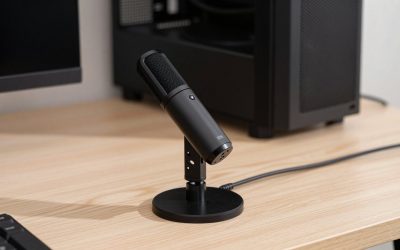
- Top Pick: FIFINE AmpliGame AM8 USB/XLR Dynamic Microphone for Gaming Streaming | Podcast Mic with RGB Light, Mute Button, Headphones Jack, Desktop Stand, for Vocal Recording Singing YouTube
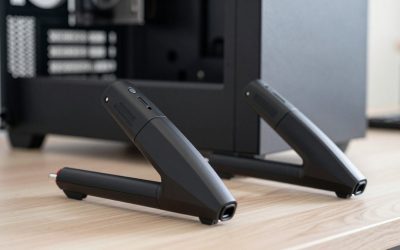
- Best Value: FIFINE AmpliTank K688CT Podcast Microphone Kit, USB/XLR Dynamic Vocal Mic | Streaming Mic with Boom Arm for PC/XLR Mixer, with Mute Button, Headphone Jack, Gain Knob, for Gaming Voice-Over Recording
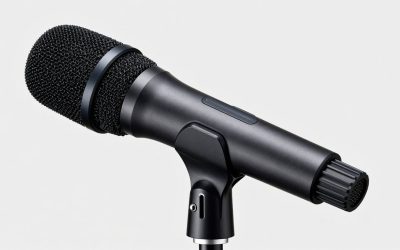
- Premium Choice: FIFINE AmpliGame A6T USB Gaming Microphone Kit, Condenser Mic for Streaming | Mute Button, RGB Indicator, Boom Arm, Gain Control, Pop Filter, Shock Mount, for PC PS4/5 Discord Twitch Podcasts YouTube
The best desktop gaming microphone for most players is the Shure MV7+, because its dynamic capsule ignores keyboard clatter and fan noise better than any condenser in this group. The Elgato Wave:3 is the better pick if you stream and want a software mixer, and the Samson Q2U is the sensible choice when the budget is tight. The rest of this guide explains how to choose between USB condenser and dynamic designs, what numbers matter on a spec sheet, and which desk and room conditions should push you toward each model.
As an Amazon Associate we earn from qualifying purchases at no extra cost to you.


Quick answer: top picks by player type
- Best overall: Shure MV7+ (USB-C and XLR, dynamic, cardioid).
- Best for streamers who want a mixer app: Elgato Wave:3 (USB-C condenser, Clipguard limiter).
- Best for RGB desks and four pickup patterns: HyperX QuadCast S.
- Best for noisy rooms: Rode PodMic USB (dynamic, USB-C plus XLR).
- Best budget dynamic: Samson Q2U (USB plus XLR).
- Best clarity for a quiet room: Audio-Technica AT2020USB-X (condenser).
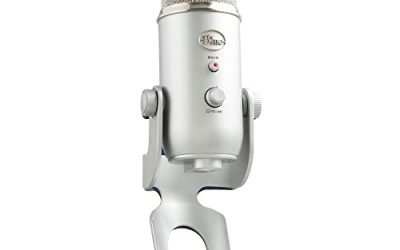
- Best for shared or group calls: Blue Yeti (four patterns).
- Best for tap-to-mute and lighting: Razer Seiren V3 Chroma.
How we chose
This guide is built from published manufacturer specifications, the way buyers actually compare microphones in forums and spec sheets, and the practical constraints of a gaming desk. We did not run instrument measurements. We screened for models that are currently sold, that connect to a PC or console without extra hardware, and that publish a pickup pattern, bit depth and sample rate. Where a spec was not clearly confirmed, the article describes the class of the product instead of quoting a number.
The criteria, in priority order for gamers, were:
- Pickup behavior. A cardioid pattern rejects sound from behind the mic, which matters when your speakers or a mechanical keyboard sit nearby.
- Capsule type. Dynamic capsules are less sensitive, so they hear less of the room. Condenser capsules capture more detail and more room.
- Connection. USB-C is plug and play. A combined USB plus XLR model lets you start simple and upgrade to an audio interface later.
- Latency and monitoring. A headphone jack on the mic lets you hear yourself without the delay that comes from routing through the PC.
- Mute and gain controls. You need to silence a mic mid-match with one touch, and see clearly when it is live.
- Desk fit. Stand height, boom arm compatibility and thread size decide whether a mic fits your monitor setup.
Dynamic versus condenser: the decision that matters most
A condenser microphone has a thin, light diaphragm and sounds detailed and open. That is excellent in a treated, quiet room and a liability at a gaming desk, where it hears fans, mouse clicks and the room reverb behind you. A dynamic microphone has a heavier moving coil, so it needs you to speak closer and rewards you by treating everything beyond a few inches as background. For team voice chat, a dynamic mic is usually the safer choice.
Condenser mics still have a place. If your room is carpeted, you play on a quiet laptop, and you want a bright voice for streaming, a condenser such as the Elgato Wave:3 or the AT2020USB-X sounds fuller at arm’s length. The pickup pattern also matters: pick a cardioid or a mic with a selectable cardioid mode, and keep omnidirectional or bidirectional modes for interviews and tabletop sessions.
Worked example: why distance beats price
Microphone placement is the cheapest upgrade you can make, and a simple calculation shows why. Sound pressure falls roughly 6 dB each time you double the distance from the source. Suppose your voice reaches the capsule at a level of 70 dB when your mouth is 10 cm away, and the room noise around the desk is a constant 40 dB. Your signal-to-noise ratio is 30 dB.
- Move the mic out to 20 cm. Your voice drops by about 6 dB to 64 dB, but the room noise stays at 40 dB. Signal-to-noise falls to 24 dB.
- Move it out to 40 cm, which is about where a mic sits when it is parked on a desk stand beside a monitor. Your voice is 58 dB and the ratio is down to 18 dB.
- Now raise the gain to compensate. Every decibel of gain you add lifts the noise by the same amount, so the ratio does not recover.
A dynamic mic at 10 cm with a lower gain setting beats a more expensive condenser at 40 cm in almost every untreated room. That is why the boom arm often matters more than the microphone itself, and why this guide leans toward dynamic capsules for competitive play.
Comparison table
| Model | Capsule | Pattern | Connection | Resolution | Best for |
|---|---|---|---|---|---|
| Shure MV7+ | Dynamic | Cardioid | USB-C and XLR | 24-bit / 48 kHz | All-round voice chat and streaming |
| Elgato Wave:3 | Condenser | Cardioid | USB-C | 24-bit / 96 kHz | Streamers using software mixing |
| HyperX QuadCast S | Condenser | Four selectable | USB | 24-bit / 96 kHz | RGB setups, group sessions |
| Rode PodMic USB | Dynamic | Cardioid | USB-C and XLR | 24-bit / 48 kHz | Noisy rooms |
| Samson Q2U | Dynamic | Cardioid | USB and XLR | 16-bit / 48 kHz | Entry-level pick |
| Audio-Technica AT2020USB-X | Condenser | Cardioid | USB-C | 24-bit / 96 kHz | Quiet, treated rooms |
| Blue Yeti | Condenser (three capsules) | Four selectable | USB | 16-bit / 48 kHz | Shared desks, multiple speakers |
| Razer Seiren V3 Chroma | Not confirmed here | Not confirmed here | USB-C | Not confirmed here | Tap-to-mute, lighting |
The picks in detail
Shure MV7+: best overall
Spec line: Dynamic · cardioid · USB-C and XLR · 24-bit / 48 kHz · touch panel · headphone output
The MV7+ pairs a dynamic capsule with a touch panel for gain, monitor mix and mute, and it works with a free companion app for presets and an automatic level mode. Because it has both USB-C and XLR, you can plug it straight into a PC today and move it to an audio interface or mixer later without buying a new mic.
Best for: players who want one microphone that tolerates a noisy desk, a mechanical keyboard and a streaming schedule.
Skip if: you want multiple pickup patterns, or you cannot place the mic within a hand’s width of your mouth.
- Pros: strong rejection of room sound, flexible connections, clear speech tuning.
- Cons: sits in the premium tier, and sounds thin if you lean back from it.
Elgato Wave:3: best for streamers
Spec line: Condenser · cardioid · USB-C · 24-bit / 96 kHz · Clipguard limiter · capacitive mute · headphone output
The Wave:3 is built around the idea that a streamer needs to blend game audio, voice chat and music. It includes a clip-prevention feature that limits sudden loud peaks, which helps if you shout during a clutch round, and a touch-sensitive mute. The companion Wave Link software lets you route different sources to separate mixes, which is handy for keeping game sound off a stream.
Best for: streamers and content creators who want a mixer built into the software.
Skip if: you play in a loud room without a boom arm, or you want an XLR upgrade path.
- Pros: clean voice at arm’s length, strong limiter, flexible routing software.
- Cons: picks up more room sound than a dynamic, USB only.
HyperX QuadCast S: best for RGB and multi-pattern use
Spec line: Condenser · four patterns (stereo, omnidirectional, cardioid, bidirectional) · USB · 24-bit / 96 kHz · tap-to-mute · RGB lighting
The QuadCast S comes in a shock mount with a tap-on-top mute, and its light shuts off when it is muted, so a glance tells you whether you are live. The four patterns make it flexible for two people at one desk or a co-op session, although you will want cardioid for solo play.
Best for: gamers who like a matching RGB desk and need more than one pickup mode.
Skip if: your desk is cramped. The shock mount is bulky, and the condenser capsule hears a lot of the room.
- Pros: easy mute indication, built-in shock mount, flexible patterns.
- Cons: physically large, condenser sensitivity, USB only.
Rode PodMic USB: best for noisy rooms
Spec line: Dynamic · cardioid · USB-C and XLR · 24-bit / 48 kHz · headphone output
Originally an XLR broadcast mic, the PodMic gained a USB-C version that also keeps the XLR output. Its heavy metal body and dynamic capsule give a warm, close voice. It is happiest on a boom arm a short distance from your mouth, and it ignores a good deal of the room.
Best for: players in untreated rooms, near mechanical keyboards or loud PCs.
Skip if: you need a very light mic. The all-metal body is heavy and needs a sturdy arm.
- Pros: strong room rejection, USB and XLR, broadcast tuning.
- Cons: heavy, needs a proper arm, no touch mute.
Samson Q2U: best budget dynamic
Spec line: Dynamic · cardioid · USB and XLR · 16-bit / 48 kHz · headphone output
The Q2U has been a default recommendation for years because it combines a dynamic capsule with both USB and XLR outputs at an entry-level tier. Voice quality is more modest than the Shure or Rode options, but it is clear, and it ignores the room well when held close.
Best for: first-time buyers who want a dynamic mic without paying for premium features.
Skip if: you want a touch mute or a software mixer. The controls are basic.
- Pros: low cost, dual outputs, dynamic rejection.
- Cons: lower bit depth, simple build, no on-mic mute.
Audio-Technica AT2020USB-X: best for quiet rooms
Spec line: Condenser · cardioid · USB-C · 24-bit / 96 kHz · mix control · headphone output
This is a straightforward studio-style condenser that plugs in over USB-C. It has a mix control that blends your live voice with computer audio in your headphones. It rewards a quiet room and punishes a noisy one.
Best for: solo players in a quiet, soft-furnished room who also record voiceover.
Skip if: your desk is near a loud PC or window. A dynamic mic will do better.
- Pros: detailed voice, straightforward design, headphone mix control.
- Cons: hears keyboard and fans, no mute button.
Blue Yeti: best for shared desks
Spec line: Condenser, three capsules · four patterns · USB · 16-bit / 48 kHz · headphone output · mute button
The Yeti remains common because the pattern selector is easy to understand, and the mic works with essentially any PC without drivers. Its sample resolution is modest by current standards, and it benefits from a boom arm and a pop filter.
Best for: two-person desks, group sessions and mixed-use setups.
Skip if: you play competitive games in a noisy room.
- Pros: flexible patterns, simple setup, widely supported.
- Cons: hears much of the room, large, older design.
Razer Seiren V3 Chroma: best for tap-to-mute and lighting
Spec line: USB-C · tap-to-mute · RGB lighting · other specs not confirmed here
The Seiren V3 Chroma targets desks that already use Razer lighting and peripherals, with a tap mute on top and a software suite for gain and effects. Before buying, check the current product page for the capsule type, pickup pattern and sample rate, because those drive how well it handles a noisy room.
Best for: Razer-based setups that want lighting that matches.
Skip if: you want the best room rejection. Choose a dynamic microphone instead.
- Pros: convenient mute, matching ecosystem.
- Cons: specs should be checked before purchase.
Buying by threshold
Your room is noisy or untreated
Choose a dynamic cardioid: the Shure MV7+, Rode PodMic USB or Samson Q2U. Keep the mic within about 10 to 15 cm of your mouth, slightly off-axis to reduce plosives, and set gain so your normal speaking level peaks about 6 to 12 dB below the maximum.
Your room is quiet and soft
A condenser such as the Elgato Wave:3 or AT2020USB-X gives a fuller voice at arm’s length. Rugs, curtains and a bookshelf behind you cut reverberation more cheaply than any microphone upgrade.
You stream or record
Prefer 24-bit resolution and a model with a built-in mute indicator. Streamers benefit from the Wave:3 mixer or a dynamic mic fed through an interface, because both give you control over separate audio sources.
You play on console
Check whether the console accepts USB microphones. PlayStation consoles accept many USB mics, while Xbox generally expects a headset connection, so for consoles an XLR microphone plus an interface with a headphone jack, or a headset mic, is often the realistic route. Always check your platform’s current support before buying.
Decision matrix
| Your situation | Pick | Why |
|---|---|---|
| Loud PC and mechanical keyboard | Rode PodMic USB or Shure MV7+ | Dynamic rejection |
| Quiet room, streaming | Elgato Wave:3 | Clipguard and mixer |
| Two people at one desk | Blue Yeti or HyperX QuadCast S | Selectable patterns |
| Entry-level, plans to upgrade | Samson Q2U | USB now, XLR later |
| Matching RGB desk | HyperX QuadCast S | Lighting and mute |
| Voiceover and gaming | Audio-Technica AT2020USB-X | Detailed condenser |
Setup tips that improve every microphone
- Use a boom arm. A desk stand transmits keyboard and mouse vibration into the mic. An arm lifts the mic off the desk and brings it close to your mouth.
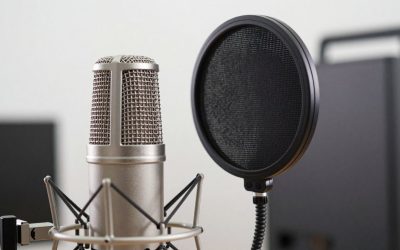
- Add a pop filter or foam cover. Plosive sounds like “p” and “b” cause harsh bursts, especially on a close dynamic mic.
- Set gain before volume. Adjust gain in the mic’s app so that your voice peaks around two thirds of the meter, then use Windows or your voice app for the final level.
- Turn off Windows enhancements that clash. Duplicate noise suppression in Windows, Discord and the mic’s own software can make your voice sound watery. Use one tool.
- Keep the mic away from speakers. If you use speakers rather than headphones, use a cardioid pattern, point the rear of the mic at the speakers and keep monitoring volume low.
- Check sample rate consistency. Set the Windows input format to match the microphone, such as 24-bit and 48 kHz, to avoid audio resampling problems.
Frequently asked questions
Is a dynamic or condenser microphone better for gaming?
A dynamic microphone is usually better for gaming because it hears less of the room. It rejects keyboard noise and fans, though you need to speak close to it.
Condenser mics reward a quiet room with a fuller voice. If you play near a loud PC or an open window, a dynamic model gives cleaner voice chat with less cleanup.
Do I need an XLR microphone and audio interface?
No. USB microphones work for nearly all gamers. An XLR setup becomes useful when you want higher-end mics, more control over gain or a mixer.
Models such as the Shure MV7+, Rode PodMic USB and Samson Q2U offer both USB and XLR outputs, so you can start with USB and move to an interface later without replacing the mic.
How far should a gaming microphone be from my mouth?
Keep a dynamic microphone roughly 10 to 15 cm from your mouth, and a condenser slightly farther away. Closer placement raises your voice relative to room noise.
Because sound level drops about 6 dB each time distance doubles, a boom arm that places the mic near your mouth does more for clarity than switching to a pricier model.
What does 24-bit and 96 kHz mean on a mic?
Bit depth sets the dynamic range of the recording, and sample rate sets how often the sound is measured per second. Higher numbers help recording more than voice chat.
Voice chat apps usually compress audio to far lower quality, so 48 kHz is enough for gaming. Higher rates matter mainly if you record voiceover or content for editing.
Will a USB microphone work on my console?
It depends on the console and the game. Support differs by platform, and some consoles prefer a headset connection to a standalone USB microphone.
Check your console’s current documentation before buying. If you need console voice chat, a headset or an interface with a headphone connection is often the more reliable route.
Why does my microphone pick up my keyboard so much?
Keyboard noise reaches the mic through the air and through desk vibration. A sensitive condenser capsule on a desk stand picks up both.
Switch to a dynamic mic, mount it on a boom arm, point the rear of a cardioid mic at the keyboard, and lower the gain. These steps usually fix it better than software noise suppression.
Is RGB lighting on a microphone worth it?
Lighting does not change sound quality. It is useful only when it signals mute status, as on the HyperX QuadCast S, because a glance shows whether you are live.
If you do not care about matching your desk, spend that budget on a boom arm and pop filter instead.
Do I need a pop filter?
Usually yes. A pop filter or foam windscreen reduces the bursts of air from “p” and “b” sounds, which are most noticeable on a close dynamic or a sensitive condenser.
Some mics include a foam cover. If yours does not, a clip-on filter costs little and noticeably improves close-up speech.
Bottom line
If you only remember one thing, remember that capsule type and distance decide how clean your voice sounds. For most gaming desks, the Shure MV7+ is the safest all-round buy, the Rode PodMic USB is the best answer to a loud room, and the Elgato Wave:3 serves streamers who value software control. The Samson Q2U gives a clean entry point, while the AT2020USB-X, HyperX QuadCast S, Blue Yeti and Razer Seiren V3 Chroma cover quiet rooms, shared desks and lighting-heavy setups. Confirm current specifications on the manufacturer’s page before you buy, and pair whichever model you choose with a boom arm.