Top 3 Picks
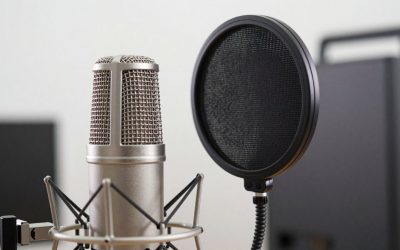
Best overall: The FIFINE AmpliGame AM8TW Gaming XLR/USB Microphone Kit Streaming Dynamic Mic is the arm-plus-mic bundle most streamers should buy first. Its dynamic capsule forgives an untreated room, and the kit includes a proper tensioned boom arm rated for the weight of the microphone rather than a throwaway desk stand. Suits anyone running a single commentary position who wants one purchase to cover mic, mount, and cable.
- Top 3 Picks
- Quick Comparison
- How We Chose
- 1. FIFINE AmpliGame AM8TW – Best for All-Round Single-Mic Streaming
- 2. FIFINE AmpliGame AM8T – Best for First Dynamic Mic with an Upgrade Path
- 3. FIFINE AmpliGame AM8PROT – Best for Dynamic Tone with Onboard Control
- 4. FIFINE AmpliGame A6T – Best for Bright Condenser Sound on a Mid Budget
- 5. FIFINE AmpliTank K688CT – Best for Podcast-Grade Dynamic Sound on an Arm
- 6. TONOR Gaming Microphone Set with Boom Arm – Best Budget Complete Kit
- 7. TONOR Dynamic Gaming Microphone – Best Budget Dynamic for Noisy Rooms
- 8. MAONO DGM20S – Best Budget Plug-and-Play with Noise Reduction
- 9. FIFINE AmpliGame AM8 – Best for Buying the Mic and Arm Separately
- 10. InnoGear Gaming Mic – Best Cheap Way to Fill a Bare Desk
- 11. MAONO PD200XS – Best Premium Dynamic Mic with Software Control
- 12. FIFINE BM88 – Best Low-Profile Arm That Stays Out of Frame
- How to Choose
- Frequently Asked Questions
- The Bottom Line by Situation
- Related Guides
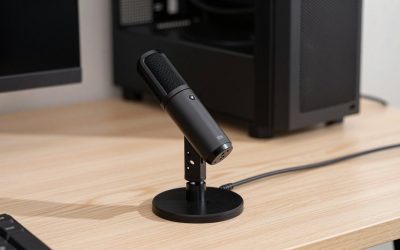
Best budget: The TONOR Gaming Microphone Set with Boom Arm is the cheapest complete package here that still includes a real articulating arm instead of a plastic desk tripod. The condenser capsule is bright and sensitive, which is exactly what you want on a quiet desk with a soft-spoken voice, and it costs little enough that upgrading later doesn’t sting.
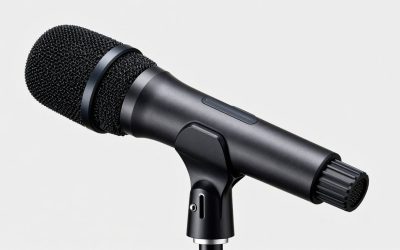
Best premium: The MAONO PD200XS XLR/USB Dynamic Microphone Kit pairs an RGB dynamic microphone with the heaviest-duty arm hardware in this roundup. If you record with the microphone close, run the arm over a thick desk edge, or move between XLR interface and USB depending on the session, this is the one that won’t sag or need re-tensioning every week.
Quick Comparison
| Product | Best for | Key specs | Price tier |
|---|---|---|---|
| FIFINE AmpliGame AM8TW | All-round single-mic streaming bundle | Dynamic capsule, XLR + USB outputs, boom arm included, cable management clips | Premium |
| FIFINE AmpliGame AM8T | First dynamic mic with interface upgrade path | Dynamic capsule, XLR + USB, set with arm and accessories | Mid-range |
| FIFINE AmpliGame AM8 | Buying the mic and arm separately | Dynamic capsule, XLR + USB, no arm in the base listing | Mid-range |
| FIFINE AmpliGame AM8PROT | Dynamic tone with onboard control | Dynamic capsule, XLR + USB, kit with arm, live monitoring controls | Mid-range |
| FIFINE AmpliGame A6T | Bright condenser sound on a mid budget | Condenser capsule, USB, kit with boom arm | Mid-range |
| FIFINE AmpliTank K688CT | Podcast-grade dynamic mic on an arm | Dynamic capsule, USB + XLR, podcast kit with boom arm | Premium |
| TONOR Gaming Mic Set with Boom Arm | Tightest budget on a real arm | Condenser capsule, USB, articulating arm included | Budget |
| TONOR Dynamic Gaming Mic | Quiet rooms and voice chat clarity | Dynamic capsule, XLR + USB, AI noise cancellation | Budget |
| MAONO DGM20S | Plug-and-play with noise reduction | Condenser capsule, USB, noise-reduction processing | Budget |
| MAONO PD200XS | Heavy dynamic mic on heavy arm hardware | Dynamic capsule, XLR + USB, RGB body, companion software | Premium |
| InnoGear Gaming Mic | Filling a bare desk corner cheaply | USB mic with boom arm stand, black finish | Budget |
| FIFINE BM88 | Low-profile arm that stays out of frame | Low-profile boom arm stand, desk-clamp mount, cable channel | Mid-range |
How We Chose
Every entry here was selected by matching three things against each other: what the microphone capsule actually needs from a mount, how much weight the arm hardware is built to hold, and how the whole assembly behaves on a real desk with a monitor, keyboard, and a second screen in the way. The starting filter was simple — the product has to either include an arm or be an arm, and it has to be sold as a gaming or streaming package rather than a studio-only tool with no clamp mount.
From there, we weighted specifications by how much they change daily use. Capsule type matters more than any marketing feature because a dynamic capsule rejects keyboard clatter and room echo while a condenser picks both up; that alone decides which desk a microphone belongs on. Weight capacity matters because a microphone that drifts downward mid-stream is worse than a cheaper one that stays put. Reach matters because arm geometry, not arm length, decides whether the microphone can land in front of your mouth without the base eating your mouse space.
Cable routing was a tie-breaker. Arms with an internal or clipped channel keep the run tidy; arms without one leave a loop hanging across the desk. Upgrade path was the final criterion — XLR and USB on the same microphone means a future audio interface doesn’t force a new purchase. No testing or benchmarking is implied here; the reasoning is based on published specifications, category standards, and how these hardware classes are commonly used in streaming rooms.
1. FIFINE AmpliGame AM8TW – Best for All-Round Single-Mic Streaming
The AM8TW suits the streamer who wants one box to arrive and one afternoon to set up. It is a dynamic microphone kit with both XLR and USB outputs, sold together with a boom arm and the mounting hardware, so the weight question is already answered by the manufacturer — the arm in the box is the arm the microphone was designed to sit on. That sounds trivial until you have tried to hang a heavy dynamic microphone on a generic arm and watched it creep down toward the desk over a two-hour session.
Key specs
- Dynamic capsule, which is the right choice for rooms with hard floors, bare walls, or a mechanical keyboard in the same frame
- XLR and USB outputs on the same body, so it works with a PC today and an audio interface later
- Boom arm included, with a desk-clamp mount rather than a tripod base
- Cable routing built into the arm run, keeping the USB or XLR lead off the desk surface
- Live monitoring and gain control on the microphone body itself
- Price tier: premium, because you are paying for the complete bundle rather than the capsule alone
Why it works
The dynamic capsule is the single most useful specification in a gaming room. A condenser microphone placed 20 cm from your mouth will also be roughly 20 cm from your keyboard, and it will faithfully capture every switch press. A dynamic capsule, by contrast, falls off dramatically with distance, so the practical result is that your voice arrives loud and the keyboard arrives quiet without you touching a noise gate.
The dual output is the second thing that matters. USB gets you streaming tonight with no extra hardware. XLR gets you a clean path to a dedicated interface when you decide you want a hardware compressor or a better preamp. Very few microphones at this tier offer both without asking you to pick a version at checkout, and the ones that do hold their value in a setup for years longer.
The included arm matters because it removes an entire category of failure. Microphone arms fail in three ways: the clamp cracks on a thick desk edge, the joint cannot hold the weight, or the cable snags and drags the microphone out of position. Buying a matched kit eliminates the first and second problems by design and mostly solves the third through the cable channel.
Pros
- Complete kit — microphone, arm, cable routing — with no compatibility guessing
- Dynamic capsule keeps keyboard and fan noise out of the recording
- XLR and USB on one body, so the upgrade path to an interface stays open
- On-body gain and monitoring controls, which reduces trips into software settings
- Arm tension pre-matched to the microphone it ships with
Cons
- Premium tier pricing when a budget condenser kit would technically record audio
- Dynamic capsules need more gain, so a quiet voice may want the microphone closer than expected
- If you already own a good arm, you are paying for hardware you do not need
How it compares
Against the FIFINE AmpliGame AM8T, the AM8TW is the same family of microphone with the kit rounded out more completely. If you already own an arm or plan to buy one separately, the AM8T or the plain AM8 is the cheaper route to the same capsule. Against the MAONO PD200XS, the AM8TW trades the RGB body and companion software for a simpler, more neutral presentation and a slightly more forgiving setup curve — the PD200XS expects you to want software control, while the AM8TW expects you to want it to work.
2. FIFINE AmpliGame AM8T – Best for First Dynamic Mic with an Upgrade Path
As an Amazon Associate we earn from qualifying purchases at no extra cost to you.

The AM8T is the set to buy if you want the dynamic capsule and the dual XLR/USB output but you are not yet sure whether you want the full premium bundle. It ships as a gaming microphone set with an arm, which puts it one step above the bare microphone listing and one step below the flagship bundle. It suits streamers on a mid-range budget who intend to keep the same microphone through at least one PC rebuild.
Key specs
- Dynamic capsule tuned for close-mic voice work
- XLR and USB outputs, switchable at the microphone
- Gaming microphone set form factor, with arm and mounting hardware included
- On-body mute and gain, useful when a game is full-screen and you cannot reach software
- Metal-bodied construction typical of this product class
- Price tier: mid-range
Why it works
This is the middle of the market doing its job. The expensive part of a microphone is not the housing — it is the capsule, the preamp circuit, and the quality control that keeps two units sounding identical. Stepping from a budget condenser to a mid-range dynamic gets you the part that matters, which is a capsule that behaves well in a room you have not treated.
The dual output deserves a specific note. If you start on USB and later add an audio interface, you keep the microphone and change one cable. That is a fundamentally different cost curve from buying a USB-only microphone now and replacing it entirely once you want XLR. Streamers who upgrade in stages should weight this heavily.
The included arm is the practical differentiator over the base AM8 listing. A dynamic microphone is heavier than a typical USB condenser, and weight is what makes cheap arms sag. Getting the arm in the same box as the microphone removes the risk that you pick up a mount rated for a lighter microphone.
Pros
- Dynamic capsule plus dual output at a mid-range price
- Arm included, so the mounting weight is a solved problem
- Genuine upgrade path — USB today, XLR later, same microphone
- On-body controls for mute and gain
- Sits between the budget kits and the bundle tier without obvious compromise
Cons
- Not the cheapest way to get audio into a stream
- Dynamic capsule requires more input gain than a condenser of the same price
- The kit accessories are competent rather than exceptional compared with the premium bundle
How it compares
Versus the FIFINE AmpliGame AM8TW, this is the same approach with a lighter accessory load and a lower tier. If the price gap is small on the day you buy, take the bundle; if you already own a clamp and a cable, take this. Versus the FIFINE AmpliGame A6T, the difference is capsule type: the A6T is a condenser and will sound brighter and more detailed in a quiet, soft-furnished room, while the AM8T will sound tighter and more controlled in a live gaming space. Choose by room, not by spec sheet.
3. FIFINE AmpliGame AM8PROT – Best for Dynamic Tone with Onboard Control
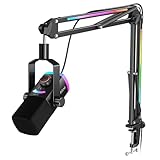
The AM8PROT targets the streamer who wants to adjust the microphone without alt-tabbing. It is a dynamic XLR/USB gaming microphone kit, and the emphasis in this listing is on live control — monitoring, gain, and mute handled physically rather than through a control panel. It suits someone running a busy stream where reaching for a software mixer mid-sentence is not realistic.
Key specs
- Dynamic capsule, close-mic optimized
- XLR and USB outputs on the same body
- Gaming microphone kit with arm included
- Dedicated hardware controls for gain, mute, and monitoring
- Headphone output for zero-latency self-monitoring
- Price tier: mid-range
Why it works
Hardware controls are an underrated feature until you stream. Software mixes fail in predictable ways: the game takes audio focus, the control panel hides behind a full-screen window, or the driver decides to reset the device. A physical gain knob and a mute button keep working through all three. For a two-hour session with a raid, a call, or a sudden interruption, that reliability is worth more than a marginally better frequency response.
Zero-latency monitoring through the microphone’s own headphone jack is the second useful addition. USB monitoring through the operating system typically adds enough delay that you hear yourself as an echo, which makes most people stop monitoring entirely. Direct monitoring removes the delay and lets you hear your own level in real time, which is how you catch a clipped phrase before the audience does.
The dynamic capsule keeps the same advantage as the rest of this family: it rejects the room. Combined with hardware mute, you get a microphone that behaves well without any software between you and the audience.
Pros
- Physical gain, mute, and monitoring controls that survive software glitches
- Zero-latency headphone monitoring
- Dynamic capsule suited to untreated rooms
- Both XLR and USB outputs
- Arm included in the kit
Cons
- Mid-range pricing for a feature set that overlaps heavily with cheaper family members
- Dynamic capsule still needs healthy gain, especially for softer voices
- Extra onboard controls add clutter if you use an external mixer anyway
How it compares
Against the FIFINE AmpliGame AM8T, the difference is largely the control surface. If you use an audio interface or a software mixer and set levels once, the AM8T is the better value. If you adjust levels constantly and want a mute button within reach, the AM8PROT earns its place. Against the AM8TW, the trade is bundle completeness versus onboard flexibility — the AM8TW is the more turnkey purchase, the AM8PROT the more adjustable one.
4. FIFINE AmpliGame A6T – Best for Bright Condenser Sound on a Mid Budget

The A6T is the condenser option in this roundup’s mid tier, sold as a USB gaming microphone kit with a boom arm. It suits streamers in a soft-furnished room — carpet, curtains, a bed behind the desk, or acoustic panels — where a condenser’s sensitivity is an asset rather than a liability. It also suits anyone who speaks quietly and does not want to swallow the microphone to be heard.
Key specs
- Condenser capsule with high sensitivity, which is the defining trait of this class
- USB output, plug-and-play with no interface required
- Boom arm included as part of the kit
- On-body gain and mute controls
- Cardioid pickup pattern typical of this product category
- Price tier: mid-range
Why it works
Condenser capsules are more sensitive and usually more detailed in the upper midrange. In a quiet room this reads as clarity and presence — the voice sounds close and articulate without aggressive proximity effect. In a noisy room it reads as harshness and hiss, because the microphone is faithfully capturing the room along with your voice. That is the entire decision: pick condenser for a treated or soft room, dynamic for a live one.
The USB-only design keeps the setup simple. There is no interface, no preamp gain staging to learn, and no cable beyond a single USB run to the PC. For a first streaming setup, that is a real advantage, because every additional piece of hardware is another thing that can fail to be recognized on stream day.
The included arm solves the same problem the other kits solve. A condenser on a boom arm, positioned 15–25 cm from the mouth and slightly off-axis, is the classic configuration that minimizes plosives while keeping the voice natural. The off-axis placement is worth more than any software filter.
Pros
- Detailed, bright condenser sound at a mid-range price
- Single USB cable, no interface or preamp needed
- Boom arm included in the kit
- Works well for quiet voices and intimate delivery
- Simplest setup path in the mid tier
Cons
- Picks up keyboard, fan, and room noise far more than a dynamic capsule
- No XLR output, so no path to an external interface without replacing it
- Needs a quiet room or software gating to sound its best
How it compares
Against the FIFINE AmpliGame AM8T, this is a capsule-type decision, not a quality decision. Choose the A6T for a quiet room and a brighter, more detailed voice; choose the AM8T for a live room with a mechanical keyboard and a noisy PC. Against the budget MAONO DGM20S, the A6T buys better hardware and a real arm, while the DGM20S buys a lower entry price with built-in noise-reduction processing that tries to solve in software what a dynamic capsule solves in hardware.
5. FIFINE AmpliTank K688CT – Best for Podcast-Grade Dynamic Sound on an Arm

The AmpliTank K688CT is aimed at people who treat their stream as a show with a spoken-word segment, not just a game feed with a voice channel. It is a USB and XLR dynamic podcast microphone kit with a boom arm, and it suits streamers who also record podcasts, YouTube commentary, or narrated gameplay where the voice is the primary content.
Key specs
- Dynamic capsule with a broadcast-style front-address design
- USB and XLR outputs
- Podcast kit format including a boom arm
- On-body level control and mute
- Headphone monitoring output
- Price tier: premium
Why it works
Front-address dynamic microphones in this class are built around the assumption that the microphone sits close and speaks into one side. That geometry is highly directional, which is why it is the standard for broadcast and podcast work: the microphone hears what is in front of it and very little else. On a desk with a keyboard, a monitor, and a PC under the table, that directionality is the difference between a clean voice channel and a constant battle with noise gates.
The premium tier buys a more substantial body and better internal shock isolation. Handling noise — the low thump you hear when you bump the desk or drag the arm — is transmitted mechanically through the mount, and better isolation reduces how much of it reaches the capsule. Anyone who types while talking will notice this more than any difference in frequency response.
USB and XLR on the same microphone keeps the future open. You can stream tonight over USB and move to an interface later without a new microphone purchase, which softens the premium price considerably over a three-year horizon.
Pros
- Broadcast-style dynamic capsule with strong off-axis rejection
- Better shock isolation than the budget and mid tiers, which reduces handling noise
- Both USB and XLR outputs
- Podcast kit includes the boom arm
- Headphone monitoring for real-time level checks
Cons
- Premium price for a single-microphone setup
- Front-address design requires more careful positioning than a side-address capsule
- Overkill if you only ever talk over game audio in a Discord call
How it compares
Against the FIFINE AmpliGame AM8TW, the K688CT is the more broadcast-oriented tool and the AM8TW the more gaming-oriented bundle. If your content is mostly commentary and the voice is the product, the K688CT’s isolation and body are worth the step up. If you need a microphone that disappears into a game-focused setup, the AM8TW does the same job for less. Against the MAONO PD200XS, the split is presentation: the K688CT is neutral and broadcast-plain, the PD200XS adds RGB and software control.
6. TONOR Gaming Microphone Set with Boom Arm – Best Budget Complete Kit

This TONOR set is the cheapest complete package in this roundup that still includes an articulating boom arm rather than a desktop tripod. It is a USB condenser microphone kit aimed at content creators, and it suits someone setting up a first stream on a fixed budget who wants the desk cleared of stands and cables immediately.
Key specs
- Condenser capsule tuned for voice capture
- USB connection, plug-and-play
- Articulating boom arm with desk clamp included
- On-body controls for level and mute
- Price tier: budget
Why it works
The value calculation here is straightforward. Separately, a budget USB microphone and a budget boom arm often cost more than this set, and the arm you get separately may not be rated for the microphone you bought. A matched budget kit removes that mismatch risk at the lowest possible entry price, which is the entire point of the budget tier.
The condenser capsule is the right trade at this price. Budget dynamic capsules are harder to make well, so budget microphones are usually condensers, and in a quiet room a budget condenser often outperforms a budget dynamic. Position it 15–20 cm away and slightly off-axis, and it will sound considerably better than its price suggests.
The arm, while light-duty, is still a genuine improvement over a desk stand. Getting the microphone off the desk removes the mechanical path that transmits every keystroke into the capsule, and it frees the desk surface. Even a modest arm achieves both.
Pros
- Lowest total cost for a microphone plus a real boom arm
- USB plug-and-play with no interface
- Condenser capsule that performs well in a quiet room
- Desk clamp frees the desk surface
- Good first setup before committing to a premium tier
Cons
- Light-duty arm with limited weight headroom — a heavier microphone later would need a new arm
- Condenser capsule picks up keyboard and room noise
- No XLR output, so no upgrade path to an interface
- Budget build materials
How it compares
Against the InnoGear Gaming Mic, both are budget USB packages with an arm; the TONOR set leans more explicitly toward content creation with a fuller accessory load. Against the MAONO DGM20S, the DGM20S focuses on noise-reduction processing rather than including an arm, so the choice is arm-in-the-box versus processing-in-the-box. If your desk is currently dominated by a microphone stand, take the TONOR set; if you already own an arm, take the DGM20S.
7. TONOR Dynamic Gaming Microphone – Best Budget Dynamic for Noisy Rooms

This TONOR model is the budget route to a dynamic capsule, with XLR and USB outputs and onboard noise-cancellation processing. It suits streamers in a shared room, a dorm, or a space with a fan, an air conditioner, or a housemate — precisely the environments where a condenser microphone becomes a liability.
Key specs
- Dynamic capsule, the defining specification at this price
- XLR and USB outputs
- AI-based noise cancellation processing
- On-body controls
- Price tier: budget
Why it works
A dynamic capsule at a budget price is unusual and worth understanding. The capsule’s physical design makes it less sensitive to distant sound, so the keyboard that sits 20 cm from your mouth is far less audible than it would be on a condenser. That is a hardware solution to a noise problem, and hardware solutions do not introduce the artifacts that aggressive software noise gates do.
The onboard noise cancellation is a software assist on top. Its benefit is real for steady low-level noise — a fan hum, a PC under the desk — and its limit is also real: heavy processing can make a voice sound thin or watery when the room is genuinely loud. Use it as a supplement to a dynamic capsule, not a replacement for one.
XLR and USB together at budget pricing is the standout feature. It means the microphone survives an upgrade to an audio interface, which is not something most budget USB microphones can claim.
Pros
- Dynamic capsule at a budget price — strong keyboard and room rejection
- Both XLR and USB outputs
- Noise-cancellation processing handles steady background noise
- Clear upgrade path to an interface
- Good fit for shared or untreated spaces
Cons
- No arm included — you will need to budget for one separately
- Dynamic capsule needs more gain, which can raise the noise floor on weak motherboard inputs
- Processing can color the voice when pushed hard
How it compares
Against the TONOR Gaming Microphone Set with Boom Arm, the split is capsule versus arm. This one gives you the better capsule and expects you to buy a mount; the set gives you the arm and a condenser. In a noisy room, take the dynamic and add an arm — the capsule matters more than the mount. Against the FIFINE AmpliGame AM8, this is the budget version of the same idea: dynamic, dual-output, no arm. If the price gap is comfortable, the FIFINE offers the more refined version of the formula.
8. MAONO DGM20S – Best Budget Plug-and-Play with Noise Reduction

The DGM20S is a USB condenser gaming microphone built around noise-reduction processing, and it suits streamers who want to plug one cable into a laptop or PC and be audible immediately. It is the pick for a secondary setup, a laptop stream, or a first microphone where the desk already has a mount.
Key specs
- Condenser capsule with high sensitivity
- USB connection, single-cable operation
- Built-in noise-reduction processing
- On-body gain and mute controls
- Mounting thread compatible with standard desk arms and clamps
- Price tier: budget
Why it works
The pitch is simplicity. One USB cable, no interface, no driver hunting, and processing that trims steady background noise before it reaches the stream. For a laptop or a console-adjacent desk where you cannot install a full software chain, that is a complete solution in a single device.
The condenser capsule gives you sensitivity, which is helpful for quiet speech and for anyone who does not want to lean into the microphone. The trade is the usual one: sensitivity to the room. On a desk in a carpeted room with a door closed, this is fine. On a hard-floored room with a window open, no amount of processing will make it sound like a broadcast studio.
The standard mounting thread is a practical detail that does not appear in marketing copy. It means the microphone works on the arm you already own, or on any clamp you buy later, so the money goes into the capsule rather than into a bundled stand you did not want.
Pros
- Single USB cable, effectively zero setup
- Built-in noise reduction for steady background noise
- Standard mounting thread works with common desk arms
- Budget pricing with on-body controls
- Good secondary or travel microphone
Cons
- No arm included
- Condenser capsule is sensitive to keyboard and room noise
- USB only — no XLR upgrade path
- Processing is a supplement, not a substitute for a quiet room
How it compares
Against the TONOR Gaming Microphone Set with Boom Arm, this is processing versus mounting hardware. If you have no arm, the TONOR set solves a bigger problem. If you already own an arm, this is the cheaper path to a working microphone. Against the FIFINE AmpliGame A6T, the A6T is the mid-range version of the same condenser approach with an arm and better hardware; the DGM20S exists to get you recording for as little as possible.
9. FIFINE AmpliGame AM8 – Best for Buying the Mic and Arm Separately

The AM8 is the core microphone of the AmpliGame dynamic family without the kit accessories. It is an XLR and USB dynamic microphone for gaming and streaming, and it suits anyone who already owns a boom arm, a clamp, and cables — or who wants to choose those parts deliberately rather than accept what comes in the box.
Key specs
- Dynamic capsule optimized for close-mic voice
- XLR and USB outputs on the same body
- On-body gain and mute controls
- Headphone monitoring output
- Standard mounting thread for third-party arms
- Price tier: mid-range
Why it works
Buying the microphone alone is the right move when you already own good mounting hardware. A quality boom arm outlives several microphones, so if you have one, paying again for a bundled arm is wasted money. The AM8 strips the bundle and keeps the part that determines sound quality.
It also suits people who want to pick an arm deliberately — for example a low-profile arm that stays below the monitor line, or a heavier arm intended for future upgrades. Choosing the mount yourself means you can match weight capacity, reach, and clamp thickness to your actual desk rather than to a generic assumption.
The dynamic capsule and dual outputs are the same advantages as the rest of the family: strong room rejection, and a path from USB today to XLR later. Nothing about the microphone changes based on which box it ships in.
Pros
- Same dynamic capsule as the kit versions without paying for accessories you may not need
- XLR and USB outputs for a genuine upgrade path
- Standard mounting thread fits third-party arms
- On-body gain, mute, and headphone monitoring
- Lets you spend the accessory budget on a better arm instead
Cons
- No arm, cable, or clamp in the box
- You must verify your arm’s weight rating before buying
- Dynamic capsule still needs adequate gain
How it compares
Against the FIFINE AmpliGame AM8T, the only real difference is the accessories — same capsule family, same dual output, lower price. If you own an arm, this is the obvious choice. Against the TONOR Dynamic Gaming Microphone, both are dynamic and dual-output; the FIFINE is the more polished mid-range version and the TONOR the budget one. If you are pairing with the FIFINE BM88 low-profile arm, the AM8 plus the BM88 is a deliberately matched low-profile setup that keeps the whole assembly below the monitor line.
10. InnoGear Gaming Mic – Best Cheap Way to Fill a Bare Desk

The InnoGear gaming microphone is a USB computer microphone with a boom arm stand, finished in black, and it exists to solve one problem cheaply: an empty desk with no microphone at all. It suits a first-time streamer, a student setup, or a second desk used for calls and light content where a premium microphone would be wasted.
Key specs
- USB connection, plug-and-play with no interface or drivers
- Boom arm stand included
- Black finish, minimal footprint
- On-body level control
- Price tier: budget
Why it works
At the very bottom of the market, the correct question is not which microphone sounds best but which package is complete and functional. A microphone with an arm and a single USB cable is functional. It gets your voice into Discord, into a stream, and into a recording without any additional purchase, and that is the whole job at this tier.
The arm is the meaningful part of the bundle. Even a light arm lifts the microphone off the desk, which removes the direct mechanical path from your keyboard to the capsule and clears space for the mouse. Getting the microphone off the desk is the single highest-value change in any budget setup.
It is also a reasonable second position. If your main microphone lives on your streaming desk, a cheap USB microphone and arm on a work desk keeps calls and meetings separate without moving hardware back and forth.
Pros
- Very low entry price for a microphone plus arm
- USB plug-and-play with no setup
- Compact, unobtrusive black design
- Good for secondary desks, calls, and light content
- No software required
Cons
- Budget capsule and build quality
- Arm is light-duty and will not support a heavier microphone upgrade
- No XLR output
- Limited headroom for a serious streaming setup
How it compares
Against the TONOR Gaming Microphone Set with Boom Arm, the TONOR set is the better first-stream purchase if the price difference is manageable, because it leans more deliberately toward content creation. Against the MAONO DGM20S, the DGM20S gives you better processing but no arm. If this is your first microphone and you have nothing at all, the InnoGear package gets you to working audio fastest; if you can stretch, the TONOR set is the stronger long-term starting point.
11. MAONO PD200XS – Best Premium Dynamic Mic with Software Control

The PD200XS is a premium XLR and USB dynamic microphone kit with an RGB body and companion software. It suits streamers who want their audio chain and their aesthetic to be adjustable from one place, and who are willing to work with software to get the exact tone they want rather than accepting a fixed tuning.
Key specs
- Dynamic capsule, close-mic optimized
- XLR and USB outputs, so it works with or without an interface
- RGB lighting on the body
- Companion software for tone shaping and control
- Kit format with mounting hardware
- Price tier: premium
Why it works
Software control is the differentiator. A microphone with a fixed tuning gives you one sound; a microphone with software gives you a starting point you can adjust — EQ, gain, and processing — without adding a third-party chain. For a streamer already managing overlays, alerts, and scenes, keeping audio in one application reduces the number of places a problem can hide.
The dynamic capsule keeps the room out of the recording, which is what makes the premium price defensible. A premium condenser in a bad room sounds worse than a mid-range dynamic in the same room, because sensitivity amplifies defects as readily as it amplifies detail.
Dual XLR and USB outputs mean the software is optional rather than mandatory. If you later move to an interface and a hardware preamp, the microphone follows you, and the RGB and software become cosmetic extras rather than load-bearing parts of the chain.
Pros
- Premium dynamic capsule with strong off-axis rejection
- Companion software for precise tone and level control
- XLR and USB both available
- RGB body for setups where the microphone is visible on camera
- Upgrade path to an external interface
Cons
- Premium pricing
- Software is an extra dependency — it must keep working across driver and OS updates
- RGB lighting is a preference, not a performance feature
- More setup steps than a plug-and-play USB microphone
How it compares
Against the FIFINE AmpliTank K688CT, both are premium dynamics with dual outputs. The K688CT is the broadcast-neutral option with better isolation and no software dependency; the PD200XS is the adjustable option with software and RGB. Choose the K688CT if you want the microphone to disappear into a fixed chain, and the PD200XS if you want to tune it continuously. Against the FIFINE AmpliGame AM8TW, the PD200XS is the enthusiast pick and the AM8TW the turnkey one.
12. FIFINE BM88 – Best Low-Profile Arm That Stays Out of Frame

The BM88 is a low-profile microphone boom arm stand for gaming and streaming, sold as hardware rather than as a microphone. It suits streamers who already own a microphone and whose problem is not sound but framing — an arm that sits low, stays below the monitor, and keeps the cable run tidy.
Key specs
- Low-profile boom arm geometry designed to sit below the monitor line
- Desk-clamp mounting, so no drilling or permanent modification
- Cable channel for routing the microphone lead along the arm
- Articulating joints with adjustable tension
- Standard mounting thread for common microphone sizes
- Price tier: mid-range
Why it works
Arm geometry matters more than arm length. A conventional tall arm raises the microphone above the desk and often above the bottom of the monitor, which on camera looks like a piece of studio equipment intruding into the frame. A low-profile arm keeps the entire run below the monitor line and approaches the mouth from underneath, so the only thing visible on camera is the microphone itself.
Weight capacity is the specification to check before buying any arm. A dynamic microphone is meaningfully heavier than a small USB condenser, and an under-rated arm will drift downward through a session. Low-profile arms also have less mechanical advantage at the joints than tall arms, so tension headroom matters more here, not less.
The cable channel is the second practical feature. A lead that runs along the arm and down the clamp keeps a stream desk clean and removes the failure mode where a loose cable snags on a keyboard or a mug and yanks the microphone out of position mid-sentence.
Pros
- Low profile keeps the arm out of the camera frame
- Built-in cable channel for a tidy desk
- Desk clamp requires no permanent modification
- Standard thread fits common microphones
- Pairs naturally with a dynamic microphone bought separately
Cons
- Not a microphone — it is hardware only
- Low-profile geometry offers less vertical reach than a tall arm
- Requires you to check the weight rating against your microphone
- Mid-range pricing for a mount, which only makes sense if you already own a good microphone
How it compares
Against the arms bundled with the FIFINE kits, the BM88 is the deliberate choice for someone who prioritizes desk aesthetics and camera framing. A bundled arm gets you working; the BM88 gets you working with a specific look. Against the budget arms in the InnoGear and TONOR sets, the difference is weight headroom and joint quality over a long session. If you are buying the FIFINE AmpliGame AM8 as a bare microphone, pairing it with the BM88 produces a matched low-profile setup for less than the premium bundles.
How to Choose
Choosing a microphone arm for a gaming and streaming setup comes down to four numbers and one decision about capsule type. Get those right and the rest is preference.
Reach: how far the arm actually has to travel
Reach is not the same as length. What matters is the horizontal distance from the clamp to the microphone position, and the vertical distance from the desk to your mouth. Measure both before you buy. A typical seated streamer has the clamp at the back or side of the desk, roughly 40–60 cm from where the microphone needs to sit, and the mouth approximately 40–50 cm above the desk surface when seated upright.
A two-segment arm with a desk clamp reaches those positions comfortably. A low-profile arm reaches the horizontal distance but works best when the microphone approaches from below, which requires the clamp to be positioned so the arm can swing under the monitor rather than behind it. If your desk has a rear cable tray or a thick back panel, check the clamp opening before assuming any arm will fit.
Position the microphone 15–25 cm from your mouth, slightly off-axis — aimed at the corner of your mouth rather than directly down your throat. This one adjustment reduces plosives and breath noise more than any software filter, and it works with every microphone in this roundup. It also means your arm needs roughly 20 cm of horizontal travel from a comfortable resting position, not an extreme reach.
Weight capacity: the number most people ignore
Every arm has a weight range, and it is usually printed as a maximum. Stay under it, and the arm holds position indefinitely. Exceed it, and the arm slowly droops — a problem that appears twenty minutes into a stream, not at setup.
| Microphone class | Typical weight band | Arm class needed | Practical consequence |
|---|---|---|---|
| Small USB condenser | Light | Budget arm | Budget arms hold these fine; tension rarely needs adjusting |
| Full-size USB condenser | Light to moderate | Budget or mid-range arm | Check the rating; a light arm may need near-maximum tension |
| Metal-bodied dynamic (USB/XLR) | Moderate to heavy | Mid-range arm or matched kit arm | Budget arms may sag; matched kit arms are pre-rated |
| Broadcast-style dynamic with shock mount | Heavy | Mid-range or premium arm | Buy the arm after the microphone, using the actual weight figure |
Note that weight includes the shock mount, the clamp adapter, and the cable if it runs along the arm. A microphone at the top of an arm’s range with a shock mount added can push it over. If your arm creeps downward, the fix is to increase joint tension; if it is already at maximum and still creeping, the arm is under-rated and no adjustment will fix it.
Desk thickness and clamp geometry
Desk clamps have an opening range, typically somewhere between a thin desk and one with a substantial edge. Two failure modes are common. First, a desk that is too thin for the clamp to grip firmly — the clamp closes but the arm wobbles on every keystroke. Second, a desk too thick for the clamp jaws to close at all, which is common on standing desks with thick tops or on desks with a decorative front lip.
There are workarounds. A piece of dense foam or a thin wooden shim inside the clamp jaw solves a slightly-too-thin desk without marking the surface. For a desk that is too thick, look for a clamp with a wider opening rather than forcing the jaws, and avoid clamping onto a lip that is not structurally part of the top. Never clamp to a monitor stand or a shelf, because those are not designed for a leveraged load.
Also check clearance under the desk for the clamp body. A clamp needs to sit flush with maybe a few centimetres of depth beneath the top; drawers, cable trays, and support beams all get in the way. Measure before ordering, since a returned arm costs more time than the measurement takes.
Spring versus gas-spring tension
This is where heavier dynamic microphones change the buying decision. Traditional arms use a coiled metal spring visible alongside the segments. Gas-spring arms use a sealed gas cylinder instead, usually hidden inside the arm body.
Metal springs are simple and durable. They are easy to re-tension, they do not lose performance with temperature, and they are cheap to manufacture, which is why budget arms use them. Their weakness is that a budget spring has a narrow usable tension band: it holds a light microphone well and struggles with a heavy one, and once you crank the adjustment to its limit there is nothing left.
Gas springs support more weight in a smaller, cleaner package, which is why matched kits for heavy dynamic microphones tend to use them. The trade is that gas cylinders are sealed, so tension adjustment is done at the joint rather than by tightening a spring, and a failed cylinder cannot be repaired — it is a replacement. In practice, a well-made gas-spring arm holds a heavy dynamic microphone in position for years without attention, while a budget spring arm with the same microphone will need adjusting weekly.
The practical rule: if your microphone is a metal-bodied dynamic, buy an arm rated well above its weight — aim for a headroom margin rather than operating at the limit — or buy a kit where the arm and microphone were designed together. If your microphone is a light USB condenser, a budget spring arm is entirely adequate and spending more buys build quality rather than function.
Capsule type: the decision that outranks everything else
Condenser capsules are sensitive and detailed. They suit quiet rooms, soft furnishings, quiet speakers, and close placement. They are also the reason so many cheap streaming setups sound noisy, because a condenser will happily record your keyboard, your fan, and the room’s reflection along with your voice.
Dynamic capsules are less sensitive and more directional. They suit untreated rooms, mechanical keyboards, noisy PCs, and shared spaces. The cost is that they need more gain, so a weak motherboard input may struggle and a dedicated interface becomes more attractive.
Pick the capsule for your room, not for the spec sheet. A condenser in a quiet room will outperform a dynamic of the same price. A dynamic in a live room will outperform a condenser by a much larger margin, because it removes a problem the condenser cannot avoid.
Cable routing and desk hygiene
An arm without cable management is only half a solution. A microphone lead that hangs in a loose loop across the desk will snag on keyboards, mugs, and mice, and every snag is a potential yank on the microphone. Look for a channel or clips that run the cable along the arm segments and down past the clamp.
Route the cable with slack at the microphone end, not at the clamp end. The arm moves; the desk does not. A small service loop of a few centimetres at the microphone connector absorbs movement without pulling on the connector, which is the part most likely to fail. Fasten the run with hook-and-loop ties rather than zip ties, so you can re-route later without cutting anything.
Keep the audio cable away from power cables where you can. Running a USB or XLR lead parallel to a mains cable for a long distance is a classic source of hum and whine; crossing them at right angles instead of running them side by side is a free improvement.
Upgrade path: buy once, or buy twice
The cheapest setup today is rarely the cheapest over three years. A USB-only microphone has no route to an audio interface; when you want better preamps or hardware processing, you replace the microphone entirely. A microphone with both XLR and USB outputs costs more now and less later.
The same logic applies to the arm. A mount with genuine weight headroom survives a microphone upgrade; a budget arm at its limit does not. If you expect to move from a light condenser to a heavy dynamic, spend the difference on the arm once rather than buying a second arm in eighteen months.
A simple decision sequence
- Quiet room, quiet voice, lowest budget: a budget condenser kit with an included arm, and position the microphone close and off-axis.
- Noisy room or mechanical keyboard: a dynamic capsule, arm rated with headroom, and skip aggressive software gating.
- Already own a good arm: buy the bare microphone and put the saved money into the capsule tier.
- Want one purchase and no decisions: a matched kit where the arm and microphone ship together.
- Voice is the content: a broadcast-style dynamic with strong isolation and dual outputs.
- Camera framing matters: a low-profile arm that stays below the monitor line, with a cable channel.
Frequently Asked Questions
Do I need a boom arm at all, or is a desk stand enough?
A desk stand puts the microphone on the same surface as your keyboard, which turns the desk into a mechanical path straight into the capsule. Any keystroke, mouse click, or bumped cup arrives as a thump. An arm removes that path and also frees the desk surface, which is why almost every serious streaming setup uses one. If you only ever take calls and never stream, a stand is acceptable — but an arm is one of the cheapest upgrades with an audible result.
Will a budget boom arm hold a heavy dynamic microphone?
Sometimes, but only if the arm’s rated maximum is comfortably above the microphone’s weight including its shock mount and cable. Budget arms often have a narrow usable tension band, and once you reach maximum joint tension there is nothing left to adjust. If the arm droops in the first hour and cannot be tightened further, it is under-rated. Buy an arm with headroom, or buy a kit where the arm and microphone were designed together.
What is the difference between a spring arm and a gas-spring arm?
A spring arm uses a visible coiled metal spring; a gas-spring arm uses a sealed gas cylinder, usually hidden inside the arm body. Gas springs carry more weight in a cleaner package, which matters with metal-bodied dynamic microphones. Metal springs are cheaper, easier to re-tension, and perfectly adequate for light USB condensers. The practical difference shows up over months: a matched gas-spring arm tends to hold position without attention, while a budget spring arm at its limit needs frequent adjustment.
What desk thickness works with a clamp-mounted arm?
Clamps have an opening range, and you should check it against your desk before buying. Very thin desks can cause wobble because the clamp cannot grip firmly, which a dense foam or thin wooden shim inside the jaw usually fixes. Very thick desks, especially standing desks with substantial tops, may exceed the opening entirely, and forcing the jaws is not a solution. Also check for clearance beneath the top for the clamp body — drawers and cable trays often interfere.
How far should the microphone be from my mouth?
Around 15 to 25 cm, slightly off-axis, aimed at the corner of your mouth rather than straight down your throat. This distance keeps your voice strong relative to room noise while reducing plosives and breath sounds. Closer than about 10 cm increases bass response and makes every plosive loud; much beyond 30 cm means room reflections start competing with your voice, especially with a dynamic capsule that falls off quickly with distance.
Why does my microphone pick up my keyboard and fan?
Because a condenser capsule is sensitive and largely undirected in practice, so it records whatever is nearby — and your keyboard is nearby. The most effective fixes, in order, are switching to a dynamic capsule, moving the microphone closer to your mouth so your voice is louder relative to the noise, and getting the microphone off the desk onto an arm so it is not mechanically coupled to the surface. Software noise gates help at the margins and introduce artifacts when pushed hard.
Can I use an XLR microphone without an audio interface?
Not directly into a standard PC, because XLR carries an analog signal that needs a preamp and analog-to-digital conversion. That is why microphones with both XLR and USB outputs are so useful: you can run USB today with no extra hardware, then add an interface later and switch to XLR without buying a new microphone. If a listing shows only XLR and you have no interface, budget for one alongside the microphone.
How do I keep the cable from dragging the microphone out of position?
Use an arm with a cable channel or clips, route the lead along the arm and down past the clamp, and leave a small service loop of slack at the microphone end rather than at the clamp end. The arm moves and the desk does not, so the slack needs to be where the movement is. Fasten the run with hook-and-loop ties so you can re-route it later, and cross power cables at right angles rather than running audio alongside them for long distances.
Is it worth paying for a premium microphone for streaming?
It depends on whether your voice is the main content. If you narrate, commentate, or run a show with a spoken-word segment, better isolation, a more substantial body, and dual outputs are worth the money. If you mostly talk over game audio in a group call, a mid-range dynamic microphone plus a good arm will get you most of the way there, and the arm will likely outlast two microphones.
The Bottom Line by Situation
If you want one purchase that covers microphone, arm, and cable routing with no decisions to make, the FIFINE AmpliGame AM8TW is the pick — a dynamic capsule that ignores a noisy room, with both XLR and USB so it survives future upgrades.
If your budget is tight and your desk currently has no microphone at all, start with the TONOR Gaming Microphone Set with Boom Arm for a complete package, or the TONOR Dynamic Gaming Microphone if your room is noisy and you can add an arm separately.
If you already own a good arm, buy the microphone alone — the FIFINE AmpliGame AM8 gives you the dynamic capsule and dual outputs without paying for hardware you have already bought. If you additionally want a lower camera profile and a clean desk, pair it with the FIFINE BM88 low-profile arm.
If your voice is the product and you record or broadcast regularly, the FIFINE AmpliTank K688CT is the neutral broadcast option, while the MAONO PD200XS is the one to choose if you want software control and RGB on a premium dynamic microphone.
If you are in a quiet, soft-furnished room and want a bright, detailed sound for less, the FIFINE AmpliGame A6T is the condenser choice in the mid tier, and the MAONO DGM20S is the cheapest way to get a working, processed condenser signal into a laptop with a single cable.